Travel connectivity guide
Hualien eSIM: Mobile Internet for Your Trip
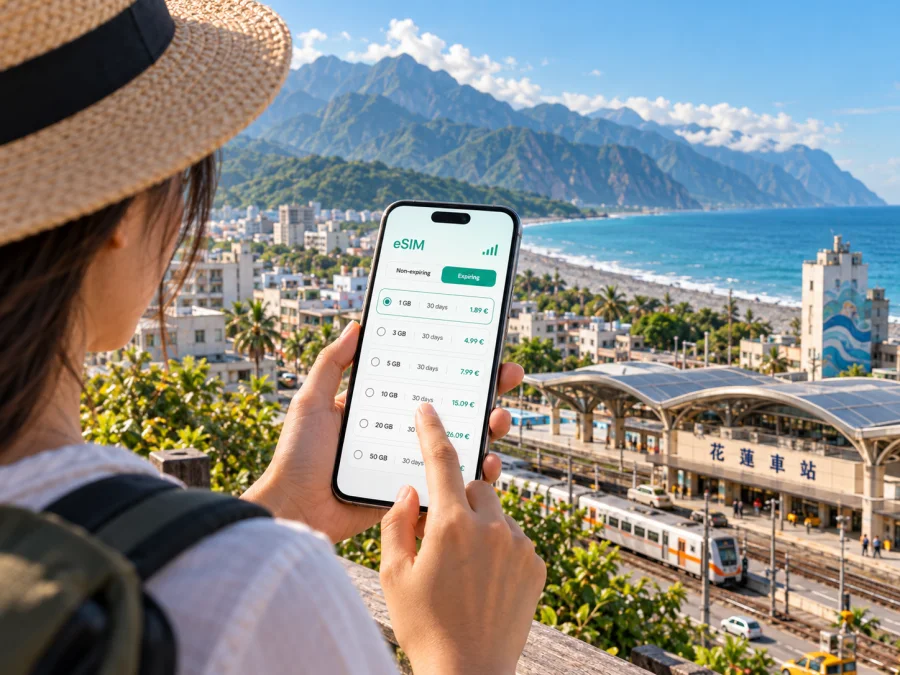
Hualien eSIM: mobile connection and internet for a coastal city stay
Hualien rewards a slower, more deliberate kind of travel. The city sits between the Pacific coast and Taiwan’s central mountains, and many visits combine an urban base with rail journeys, coastal walks, day trips, or time in the wider Hualien County. A reliable mobile connection helps with the practical transitions: finding your accommodation after arriving, checking a meeting point, translating a menu, or adjusting plans when weather changes.
An eSIM can give your phone mobile data without replacing its physical SIM. For a Hualien trip, that can be useful from the first station transfer through everyday navigation around town. Coverage depends on the local network and location, while data, validity, and activation rules depend on the selected offer. Plan for the places you intend to visit, especially beyond the city.
Start with your arrival plan
Most visitors reach Hualien as part of a wider Taiwan itinerary. The railway station is a useful orientation point, but it is not the same thing as the old city center or the waterfront. Before you travel, save your hotel’s name and address in a form you can show a driver, and note whether your booking is closer to the station, the central streets, or the coast. This small step helps if you arrive tired, have limited data at first, or need to explain the destination across a language barrier.
If your itinerary includes a flight through Hualien Airport, confirm the transport arrangement for your particular arrival rather than assuming that a city-center service will be waiting. Schedules and transport availability can change. If you are coming by train, check the latest departure and arrival information for your travel date and allow time to get from the station to your lodging.
Before setting out, keep your accommodation address and booking details available offline, confirm the transfer, and check the route once you have data. Save the return route before an evening out. Downloadable maps and reservation screenshots are useful backups, but they do not replace current transport or road updates.
Moving between the station, the center, and the coast
Hualien is spread out enough that your choice of base affects how you move through the day. The railway station is north of many central visitor streets. Around the city, you may use a taxi, a local bus, a bicycle, or a walk depending on your destination, luggage, weather, and schedule. Do not assume that every attraction is a short walk from the station simply because it appears close on a small map.
Use your phone to compare the whole journey, not just the distance. A route may involve an exposed road, an uphill section, a crossing, or a wait between services. In warm or rainy weather, the difference between a short ride and a long walk can matter. For a late arrival, heavy bags, or a tight appointment, confirm the pickup point and destination before you get into a vehicle. If you have a language barrier, showing a saved address can be clearer than relying on pronunciation alone.
| Part of the trip | What to prepare on your phone | Practical point |
|---|---|---|
| Railway station to hotel | Saved address, map pin, booking details | Check whether the property is near the station or farther into town. |
| City-center errands | Walking directions and translation | Leave room for weather, crossings, and short stops. |
| Waterfront or park visit | Return route and an offline map | Signal and battery can be less convenient while you are out for longer. |
| Evening return | Hotel address and ride pickup point | Keep the destination ready before you leave a busy area. |
The center is practical for meals and everyday needs; the station area may suit an early departure, while a coastal stay can offer a quieter base. Compare lodging distance to your planned stops and transport before booking. Navigation apps help with orientation, but check local signs and allow extra time in rain or around unfamiliar roads.
Keep a day in Hualien flexible
For a city day, group a neighborhood walk, cultural stop, and waterfront time by area. Leave room for food or rest, and check that a cycling route and return option suit you before setting out.
The coastline is part of Hualien’s identity, but a coastal visit is not automatically a beach day. Conditions vary with the weather, surf, access, and local guidance. Keep water, sun protection, and a charged phone in mind, and do not enter the water or a restricted area simply because it looks accessible. If the weather turns, use your connection to check the forecast and choose an indoor alternative rather than trying to preserve a fixed itinerary.
For a city outing, keep the hotel address and a meeting point offline, check that your route has loaded before leaving Wi‑Fi, and carry enough battery for directions and messages. Keep your physical SIM available if you need its number; do not rely on screenshots for changing transport or access information.
Choose a data plan around the Hualien itinerary
A short city break has different data needs from a week that includes video calls, frequent map use, photo sharing, and trips around the county. Start by listing what you expect to do on mobile data. Messaging and occasional directions usually require less than regularly streaming video or uploading large files. Hotel Wi‑Fi may reduce mobile-data use, but you should not assume it will be available everywhere or suit every task.
Kaspersky eSIM Store is an app and website where you can choose, purchase, and activate an eSIM with a suitable plan for mobile internet during an overseas trip. Compare the destination, data allowance, validity period, price, and activation terms shown for the offer. Those details help you decide whether a plan fits a weekend in Hualien, a longer stay, or a route that continues elsewhere in Taiwan. Explore eSIM options for Taiwan when you are ready to compare the destination offers.
| Your travel pattern | What to think about when comparing plans |
|---|---|
| One or two nights in Hualien | Estimate map checks, messages, reservations, and any work calls. |
| Several days with frequent navigation | Leave a margin for rerouting and looking up transport as plans change. |
| Remote work or video meetings | Consider how often you will use calls and whether your accommodation has suitable Wi‑Fi. |
| Hualien plus other Taiwan destinations | Check that the selected offer covers the full route, not only a city name. |
| A trip with long excursions outside town | Consider how much you may rely on maps and updates away from accommodation. |
A plan with more data is not automatically the right choice. Look at the trip length and likely habits, then compare the plan’s allowance and validity with those needs. The availability and quality of mobile service can vary by network and location. In a dense city area you may have a different experience than on a mountain road, inside a building, or in a remote coastal spot. An eSIM is a way to access mobile data under the terms of a selected plan; it is not a guarantee of a signal at every point on a route.
Excursions from Hualien: plan for changing conditions
Many travelers use Hualien as a base for seeing the surrounding landscape. An excursion toward Taroko or along the coast requires more planning than a walk between city streets. Road access, public transport, trail status, weather, and local safety guidance can change. Check current official notices close to departure and again before leaving; do not rely on an old itinerary, an outdated map pin, or a post that does not state when it was updated.
If you are arranging a day trip, decide how you will travel there and back before you set out. Confirm pickup and return arrangements with your driver or tour provider, and leave enough battery for navigation and messages. If you are relying on public transport, check the current timetable and the final return option rather than assuming that a service runs at the frequency you expect. Remote areas can have weaker or unavailable mobile coverage, so download information in advance and share your plan with someone when appropriate.
For roads and mountain areas, mobile internet is a planning aid, not a safety system. Follow closures and traffic controls even if a navigation app suggests another route. Avoid entering a closed trail or restricted area. Weather, rockfall risk, and repair work can alter access, especially in mountainous terrain; if conditions are uncertain, change the plan. A flexible day in Hualien is better than a rigid excursion that ignores current conditions.
When choosing between a city day and a day outside town, consider these questions:
- Is the route currently open for the transport you intend to use?
- Have you confirmed the return journey and the time it ends?
- Will you have a charged phone and an offline copy of key details?
- Does someone know where you plan to go and when you expect to return?
- Is the weather appropriate for the activity and road conditions?
For a short stopover, keep the radius small. Store your luggage, confirm check-in or departure times, and choose one or two nearby places rather than attempting a distant excursion. That reduces dependence on a tight sequence of transport connections and leaves time to return to the station or airport without rushing.
A practical setup for your eSIM
Before choosing a plan, check that your device supports eSIM and is not locked to a carrier. Support can differ between models and regional versions, so confirm the exact device rather than relying only on a product family name. Also check the plan’s destination, data allowance, validity, and activation conditions before completing the purchase.
Install the eSIM while you have a stable internet connection and enough time to follow the on-screen steps. The exact menus vary by phone model and operating system version. Keep the instructions available on another screen or in a saved format if you expect to switch away from the setup flow. Use the relevant guide for Android eSIM installation or iOS eSIM installation.
A careful setup sequence looks like this:
- Review the plan details and confirm that Taiwan is included for your trip.
- Check eSIM support and any carrier lock on your device.
- Install the profile while connected to Wi‑Fi, following the device prompts.
- Label the travel line clearly so it is easy to distinguish from your regular SIM.
- Before departure, review which line is selected for mobile data and understand when the plan starts.
- On arrival, enable the travel eSIM for data according to the plan instructions and check the device settings if data does not connect.
Do not delete an eSIM profile as a troubleshooting shortcut unless the relevant instructions tell you to. Some profiles cannot simply be reinstalled after removal. If activation does not work, check that the profile is enabled, that the travel line is selected for mobile data, and that the plan’s instructions have been followed. If the problem continues, contact support through the service rather than repeatedly changing settings without a clear reason.
An eSIM plan for mobile data does not necessarily include a regular phone number, voice calls, or SMS. Check the offer terms for what is included. You can keep your usual SIM available for calls or verification where your device and plan allow it, and use internet-based messaging when connected to data. Before travelling, consider whether your home carrier charges for roaming when that line remains enabled.
Three Hualien travel scenarios
You arrive by train. Keep your hotel address ready, confirm the transfer, and load the return route before exploring. For an early excursion, confirm the departure point and return plan the night before.
You are in Hualien for work. Save the meeting location and a backup contact method. Test your data before a video call, and keep some allowance available for directions and schedule changes.
Weather changes your plans. Check current conditions, pick a nearby alternative, and tell anyone expecting you that the schedule has changed. For trips outside town, verify current access before leaving.
Common questions
Is an eSIM useful for a Hualien visit?
It can help with maps, messages, reservations, translation, and transport coordination without swapping a physical SIM. Suitability depends on your device, selected plan, and data habits.
Will mobile data work everywhere around Hualien?
Do not assume so. Coverage depends on the network, terrain, buildings, and other conditions. Prepare offline information for excursions.
Does an eSIM replace my regular phone number?
A data-only travel eSIM usually does not include a regular number, calls, or SMS unless the offer says otherwise. Check the terms and your phone’s dual-SIM settings.
Before you leave your hotel
Before leaving, confirm your destination and return route, check weather and transport updates, charge your phone, and keep the hotel address offline. Verify current access information for excursions and be ready to change plans.
The most useful setup is the one that matches your real itinerary: a suitable eSIM plan for mobile data, a device that supports eSIM, clear arrival details, and offline backups for places where coverage may vary. Kaspersky eSIM Store lets you review and activate an eSIM plan for an overseas trip through its app or website. Choose an eSIM plan for your Taiwan trip, then install it before departure and keep the plan details handy as you explore Hualien.


