Travel connectivity guide
Huaraz eSIM: Mobile Internet for Peru Travel
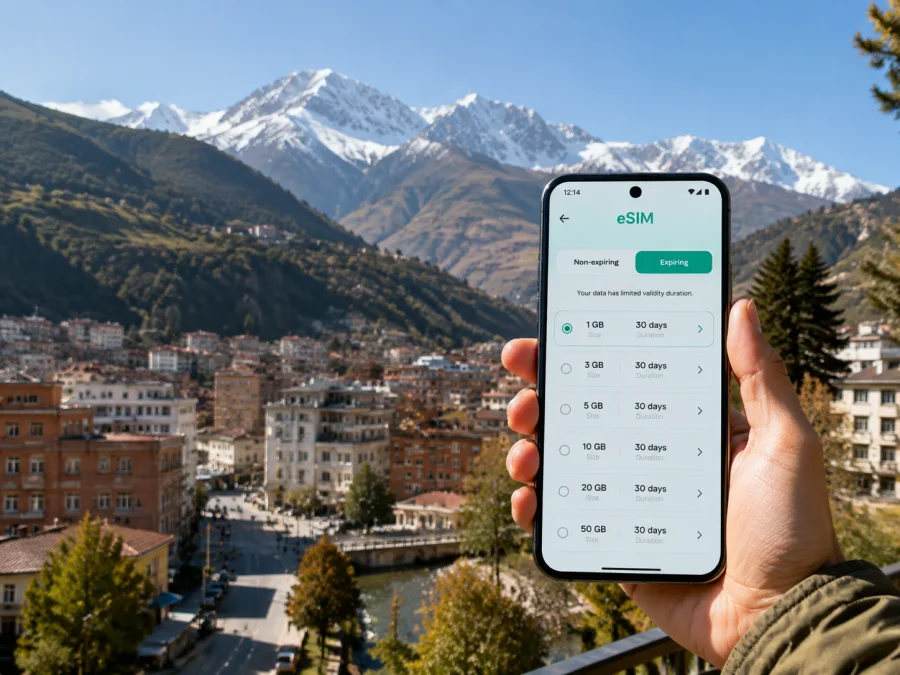
Huaraz eSIM: mobile connection and internet for your Peru trip
Huaraz is a practical base for exploring the high Andes of Peru. A visit may begin with an airport transfer, a long road journey, or a short stop in town before an early departure into the mountains. In each case, mobile internet helps with the useful details of travel: finding your accommodation, confirming a pickup, checking a map, translating a message, and telling someone that your plans have changed.
An eSIM, or digital SIM, can help you prepare mobile data for Peru without changing the physical SIM card in your phone. Kaspersky eSIM Store is an app and website where you can choose, arrange, and activate an eSIM with a suitable data plan for an international trip. For Huaraz, the useful question is not only which option is available, but how much data you may need between arrival, city travel, mountain excursions, and the return journey.
Why mobile internet matters in Huaraz
Huaraz travel often combines a compact urban stay with excursions beyond the city. That makes mobile data useful in several distinct situations:
- Arrival: open the address of a hotel or guesthouse, message a driver, and keep your booking details available as you leave the airport area or bus terminal.
- Orientation: use online maps to distinguish central streets from routes towards the Independencia side of the city and the wider Callejón de Huaylas.
- Local movement: coordinate a taxi, share a location, or confirm a meeting point for a guided excursion.
- Mountain days: receive practical updates when you return to a connected area. Mobile data is not a substitute for an offline map, local guidance, or preparation for remote terrain.
- Work: answer an urgent message, join a short call, or share a document from a hotel or café when you do not want to rely on public Wi‑Fi alone.
Weather, altitude, road conditions, and excursion departure times can change a day in Huaraz. A connection cannot remove those uncertainties, but it can make coordination easier. Save important reservations, addresses, and contacts offline too, so your phone remains useful when a route passes through limited-signal areas.
Huaraz arrival: prepare the first hour
Some itineraries use Comandante FAP Germán Arias Graziani Airport in Anta, while others reach Huaraz by road from Lima or another Peruvian city. Flight schedules and ground transport arrangements can change, so check the current details for your date. Whichever route you take, the first hour is calmer when the information you need is already on your phone.
Prepare a small arrival folder before leaving home: save the accommodation address and booking reference, pin both arrival point and hotel on a map, keep a driver’s contact in a note, download essential maps, and decide which SIM will be used for mobile data in Peru.
With an eSIM prepared, you can often leave your physical SIM in the phone for its existing number while assigning mobile data to the travel eSIM, subject to your device settings. Check your home operator’s roaming rules and review automatic data switching so the phone does not unexpectedly use the other line.
Arrival checklist
- [ ] The eSIM profile or QR code is available and the phone is charged.
- [ ] The accommodation address, reservation, and driver details are saved offline.
- [ ] Mobile data is assigned to the intended eSIM profile.
- [ ] Automatic switching between SIMs has been reviewed.
This helps if you arrive tired, need to meet a driver, or go straight to a hotel before adjusting to Huaraz’s high-altitude setting.
Moving around Huaraz and finding meeting points
The central part of Huaraz is manageable for many short errands on foot. For luggage transfers, early departures, or longer journeys, visitors commonly combine walking with taxis or local buses. The right choice depends on distance, time, weather, and advice from the accommodation. For an excursion, confirm whether the meeting point is a hotel, central street, terminal, or separate pickup location.
Use online maps as an aid rather than your only plan: compare the pin with the written address, send the location to a companion or driver, allow time to find the vehicle, and save the return address plus a screenshot.
| Situation | What mobile data helps you do | Prepare first |
|---|---|---|
| First trip from your accommodation | Share a map pin and confirm the vehicle | Address and driver contact |
| Walking in the centre | Recheck directions and information | Saved destination and offline map |
| Tour or bus departure | Confirm the meeting point | Ticket, time, and backup note |
| Return after an excursion | Contact the accommodation | Hotel name saved clearly |
| Workday in town | Use email, chat, and a short call | Quiet place and charger |
Do not assume a fixed departure time or uninterrupted service on a mountain route. Confirm current details with your booking or tour provider, especially when weather or roads have changed.
Choosing a Peru eSIM plan for Huaraz
The suitable plan depends on your itinerary rather than the city name alone. A short urban stop with hotel Wi‑Fi uses data differently from a week combining Huaraz with day trips and frequent navigation. In Kaspersky eSIM Store, review the destination, allowance, validity, and conditions before choosing.
Use this sequence:
- Start with the country of use. Huaraz is in Peru, so select a plan whose destination and conditions include Peru. If your route begins or ends elsewhere, check that country separately.
- Count active days. Include transfer days, not only nights booked in Huaraz.
- Estimate usage. Messaging and maps use data differently from video calls, photo backup, streaming, and hotspot use.
- Check validity and allowance. Read when the period starts, the listed data volume, top-up rules, and what happens when the allowance is used.
- Match the full route. Include places visited before and after Huaraz in a wider Peru journey.
With hotel Wi‑Fi, mobile data may be used mainly for arrival, navigation, messages, and excursions. Remote work, photo uploads, video calls, or hotspot use require more headroom. A smaller allowance may suit a short visit with offline maps; a larger one may be more comfortable for longer travel. Cost depends on country, data volume, and validity.
When ready, review the available eSIM options for a trip to Peru. Read the destination-page details, then keep the confirmation and activation information in your account. This is the relevant country starting point for Huaraz because the plan is selected for Peru, where the city is located.
Installation and activation before departure or after arrival
Install an eSIM with stable internet access and enough battery. Many travellers install at home and turn on mobile data only when ready; others install after arrival. Follow the plan and device instructions.
1. Check device compatibility
Confirm that the exact phone model supports eSIM and is not locked to another operator; models can vary by region. You can also check whether your device is compatible before choosing a plan.
2. Open mobile-network settings
Find mobile service, SIM, or mobile-network settings; wording differs between Android and iOS. Select the option to add a mobile plan or eSIM.
3. Add the eSIM profile
Use the QR code in your purchase details or the profile flow in Kaspersky eSIM Store. If the code is on the same phone, use the device’s manual method or another screen.
4. Label the line
Label the profile clearly, such as “Peru travel”. Keep the physical SIM active if needed, but review which line is selected for data.
5. Select mobile data
Choose the travel eSIM for mobile data. If the plan requires data roaming for that profile, enable it, and review automatic data switching.
6. Test the connection
Turn off Wi‑Fi briefly and open a webpage or send a message. The first connection may take a few minutes. If it fails, recheck the data line, activation conditions, and settings before removing the eSIM.
For more detail, use the Android eSIM installation instructions or the iOS eSIM installation instructions. Keep the QR code and purchase details until setup is complete.
What to check before buying or activating
Device and settings
- Does the exact phone model support eSIM and have room for another profile?
- Is the handset unlocked for another mobile plan?
- Do you know where mobile-data and data-roaming controls are?
Plan conditions
- Does the destination include Peru?
- Does validity cover every day when you need data, and when does it begin?
- Is the allowance suitable for maps, messages, work, and media?
- Are voice calls, SMS, hotspot use, top-ups, or other limitations described?
Travel preparation
- Save hotel addresses, reservations, contacts, and maps offline.
- Carry a charger or power bank for early departures and long transfers.
- Tell a companion which number or messaging account you will use.
- Keep the physical SIM safe if you remove it during setup.
Huaraz districts, hotels, and workdays
Accommodation near the centre can simplify walking to restaurants, shops, meeting points, and services. A quieter or more distant property may suit you better, but confirm the route and transport arrangement before an early excursion. The wider urban area includes the Independencia side, so check the map rather than relying on similar property names.
For a business trip, confirm Wi‑Fi for important calls, use the eSIM between meetings, download documents, and test tethering before relying on a laptop. A data eSIM may not include ordinary voice calls or SMS, so plan to use messaging for calls and written communication.
Excursions from Huaraz
Huaraz is closely associated with access to the Cordillera Blanca and Huascarán National Park. Official park information identifies access points near Huaraz, including the area around Churup, and notes the use of authorised tourism operators. Use Huaraz to confirm details, download what you need, and coordinate your return; do not assume uninterrupted data along every trail.
Before leaving for a lake, viewpoint, village, or trekking route, confirm the meeting time, vehicle, guide, and return arrangement; save the route and accommodation address; tell someone where you are going; and carry suitable clothing, water, and a charged phone.
Mountain weather and terrain make local advice important, and service may be intermittent away from the city. Use mobile data when available, then rely on saved information. Back in Huaraz, use data to confirm the next reservation or adjust the following departure.
Stopovers and multi-city Peru routes
A brief Huaraz stopover may need data only for a transfer, hotel check-in, meeting, and city walk; a multi-city route also includes road days and places with limited Wi‑Fi. Choose validity and allowance accordingly. Save setup notes, the accommodation address, and excursion details. If your route leaves Peru, recheck the country or regional scope. Kaspersky eSIM Store helps you compare destinations and conditions; the final choice should reflect your itinerary.
Common questions about eSIM in Huaraz
Does a Huaraz eSIM include a local phone number?
Usually no. A data eSIM is not automatically a local telephone line, and ordinary calls or SMS are excluded unless the selected plan says otherwise. You can keep your regular number and use messaging apps over data, while checking home roaming terms.
Should I install the eSIM before flying to Peru?
Installing before departure can make arrival calmer if the phone has internet access and the plan’s timing suits your trip. You can also install after arrival with a reliable connection. Read when validity begins.
Will mobile data work on every mountain excursion?
No connection should be assumed on every trail or remote area. Keep route information offline, follow your guide’s arrangements, and use mobile data when available. The eSIM is most useful for coordination in Huaraz and during transfers.
What if the eSIM does not connect?
Check that the eSIM is on, selected for data, and covered by the destination. Review data roaming if required, then restart or follow device-specific troubleshooting. Do not delete the profile while investigating. If needed, contact support with the model, plan details, and steps tried.
How does Kaspersky eSIM Store help with a Peru trip?
Kaspersky eSIM Store is an app and website that helps you choose, arrange, and activate an eSIM with a suitable mobile-data plan for an international journey. You can review destination, allowance, validity, and other conditions before using it on a compatible device. It is a preparation tool, not a mobile network operator.
A calm setup for your Huaraz trip
The most useful Huaraz setup is one you can understand when you are tired, carrying luggage, or leaving for a mountain excursion before sunrise. Decide which days need mobile data, select a Peru plan whose allowance and validity match that schedule, check your device, and save essential information offline. Install the eSIM with a stable connection, then assign it to mobile data when ready. Keep map pins and meeting points confirmed, balancing live data with local knowledge and offline preparation.
Ready to prepare your connection for Huaraz?
Check compatibility, review the Peru destination, and choose an eSIM plan that fits your dates and expected data use. Install it before departure or after arrival, and keep the setup information available until everything is working. Choose an eSIM plan for your trip to Huaraz and Peru.


