Travel connectivity guide
Hue eSIM: Mobile Internet for Your Vietnam Trip
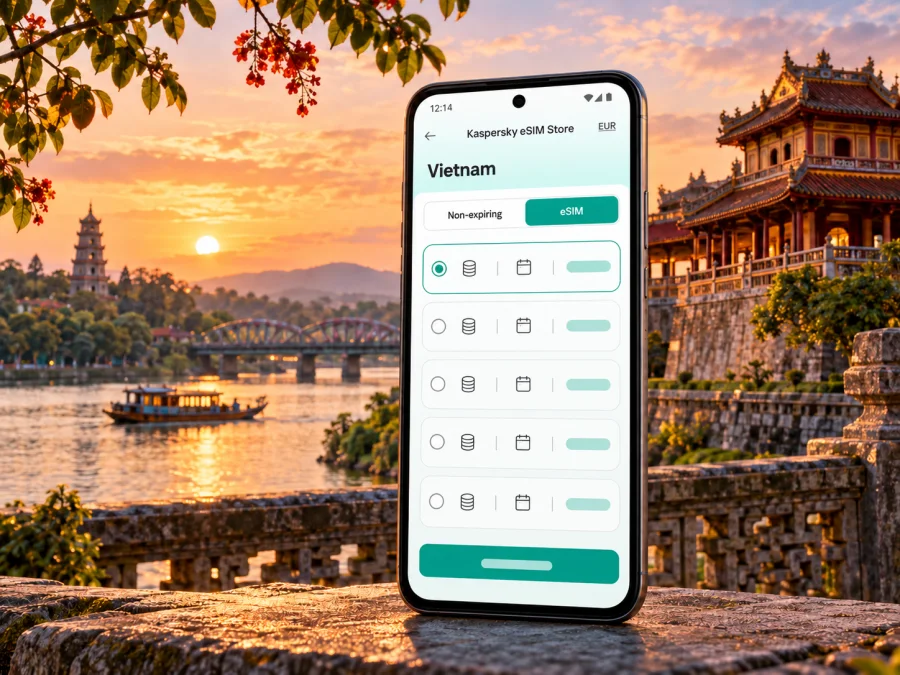
Hue eSIM for mobile connection and internet: a practical city guide
Hue combines the Imperial Citadel and royal tombs with markets, riverside streets and cafés. A visit may take you from the airport to a hotel, across the Perfume River and out to heritage sites beyond the center. A travel eSIM can keep maps, bookings and messaging available on a compatible phone without replacing its physical SIM. Choose around the places you will visit, how you use data and the terms of the selected plan.
Hue became a centrally governed city in Viet Nam on 1 January 2025; older references may still say Thua Thien Hue. For a short stay, the historic core, Perfume River and nearby heritage sites remain the useful geographic frame, while a country-level eSIM destination is the relevant starting point.
Where mobile data helps during a Hue visit
At arrival. Phu Bai International Airport serves Hue and lies about 15 km from the city according to Viet Nam’s official tourism guide. Data can help you confirm a pickup, open a map or message your hotel. Save the address and transfer details offline too; a connection cannot be guaranteed at every moment or location.
In the center. The Imperial Citadel, Dong Ba Market, riverside roads and streets south of the Perfume River are useful anchors for a first visit. Maps can guide short journeys, while messaging helps coordinate reservations and meeting points. At busy markets or heritage courtyards, note the destination before you set off rather than navigating with your attention on the screen.
Beyond the center. Hue’s monument complex includes dispersed sites such as Thien Mu Pagoda and imperial tombs along the Perfume River. Plan travel time between stops, save each address, and check details before departing. A full day combining multiple outlying sites needs more transport planning than a central walk.
For work and daily arrangements. Data can help translate a menu, confirm a booking, send a location or contact a driver. Ask your accommodation about Wi-Fi before a meeting; mobile data can be a backup, but call quality depends on the tariff, device and local network.
For onward travel. If you continue toward Da Nang or another destination, check that the plan covers the full route. Network availability can vary outside built-up areas, so save directions before departure.
Plan the trip around your data needs
Match the tariff’s destination, validity and data allowance to your itinerary. Count arrival day, nights in Hue, excursions outside the center and onward travel. Estimate your habits too: maps and messages generally use less data than frequent streaming, video calls or cloud backups. Pausing automatic photo uploads can limit background use.
| Your Hue plans | What to check |
|---|---|
| Short city break | Destination, validity and permitted activation timing |
| Several monument visits | Data for maps and transport coordination; save addresses offline |
| Remote work | Allowance for calls and uploads, plus backup Wi-Fi |
| Hue followed by Da Nang | Whether every destination is included and when validity begins |
| Keep your home SIM active | Dual-SIM settings and possible roaming charges on that line |
This is a planning aid, not a guarantee of service at a monument, hotel or road. Read the exact tariff’s destination list, allowance, validity, activation trigger and restrictions. If a plan is described as country-wide, confirm whether your planned onward stops are covered.
Arrival checklist: airport to accommodation
Phu Bai Airport is outside Hue’s visitor center. Save your hotel address, contact details and pickup instructions before the flight. If a transfer is arranged, keep its meeting point and driver details offline. Data can help you message the hotel or check a route, but confirm transport arrangements with the service you use.
Before leaving the terminal, check that the eSIM is installed, the correct line is selected for data and the plan is at the activation state stated in its instructions. If you need your home SIM for calls or verification messages, review roaming settings with your home provider. A data-focused eSIM does not automatically replace your usual number, calls or SMS.
- Save the hotel pin, transfer details and an offline map of central Hue.
- Check the tariff’s destination, validity and activation trigger; installation and activation may differ.
- Select the travel eSIM for data when instructed. Enable roaming for that line only if required.
- Check that your home SIM is not selected for data if you want to avoid unintended roaming charges.
- Test a simple page or message before relying on data for a pickup.
If data does not appear, check plan status, the selected line and data settings. Restarting may help. Avoid deleting the profile unless instructed; some offers may not allow reinstallation.
Getting around without losing your bearings
Hue itineraries often combine central walks with separate trips to heritage sites and the surrounding landscape. Maps help locate entrances and organize pickups, but large sites may have several possible approaches and online maps can miss temporary changes. Save place names in English and Vietnamese where available, and confirm a pickup point with your driver or host instead of relying on a pin alone.
The Perfume River is a useful route-planning reference. Group stops on one side before crossing again to avoid backtracking, and check the return journey before leaving for an outlying site. Your transport choice—car, taxi, bicycle or walking—depends on distance, weather and comfort. For a countryside ride such as the route toward Thanh Toan Bridge mentioned by Viet Nam’s tourism authority, download directions and accommodation details first, carry a charged phone and share your planned route.
Navigation habits that help:
- Pin your accommodation and first stop before leaving Wi-Fi.
- Save screenshots of pickup instructions and reservations.
- Keep a charged phone or power bank for long days of maps and photos.
- Agree on a recognizable meeting point with companions.
- Use an offline map if data is unavailable or inconsistent.
- Check current visitor guidance at the site; routes and access arrangements can change.
The current Viet Nam destination page identifies VNPT, MOBIFONE and VIETTEL as local telecommunications providers supplying services. That provider list is page-level information, not a promise that every package uses all three networks; check the details shown for your selected tariff. Once you know your dates and route, review available eSIM options for Viet Nam and compare the displayed terms with your needs. Kaspersky eSIM Store is an app and website where travellers can choose, arrange and activate an eSIM with a suitable mobile-data tariff for an international trip. Services are supplied by local providers or technology partners under their own conditions; the app and site do not determine local coverage.
Hotel stays, business trips and short stopovers
For a work trip, ask the hotel about Wi-Fi and meeting facilities before arrival. Test your call setup ahead of a time-sensitive meeting; mobile data can help with messages and navigation between the airport, hotel and venue, while video calls depend on allowance, device and local network conditions. Keep another connection option for important work.
On a short stopover, estimate what you will actually do. Confirming a pickup uses less data than navigating several sites, uploading files or joining calls. Match the tariff’s validity to your dates and check when it begins; a headline data allowance alone does not show whether the plan fits.
If travelling with others, decide whether each person needs a separate connection. Hotspot use can consume data quickly and may be restricted by a tariff or device, so check before relying on it. Keep meeting places and return directions available offline.
Device and plan checks before you travel
Your phone must support eSIM and allow another mobile plan to be added; carrier restrictions can also prevent use. Support varies by exact model and regional variant, even when model names look similar. Check the manufacturer’s information and your phone’s mobile-plan settings, and confirm the device is not carrier-locked. Check whether your device supports eSIM before purchase.
Before choosing, verify:
- Viet Nam is included and the tariff terms suit Hue and any onward destination.
- Data allowance, validity, expiration and activation trigger fit your dates and likely use.
- The offer includes the service you need. Many travel eSIMs are data-focused and do not provide a standard local number, voice calls or SMS unless stated.
- Installation requirements are clear and you will have internet access during setup.
- You know whether data roaming must be enabled for the eSIM and how to prevent your home SIM from using data unintentionally.
- Support details and purchase information are available if activation needs troubleshooting.
Do not remove a SIM or eSIM profile without checking the device’s options. Some phones store multiple profiles but allow only a limited number of active lines; behavior varies by model. Employer-managed devices and carrier agreements may impose additional limits.
Installing and activating an eSIM
Follow the instructions for your specific order because activation flows differ. Set up the profile while you have reliable Wi-Fi and sufficient battery, ideally before departure if advance installation is allowed. Check when validity begins: for some tariffs installation starts the period, while others start on first connection in the destination.
A typical setup is:
- Read the tariff’s installation and activation conditions in the app, website or confirmation.
- Add the eSIM through the phone’s mobile settings using the supplied QR code or manual details.
- Label the new line clearly, such as “Travel data,” so it is easy to distinguish.
- Select it for mobile data when the plan is ready; enable roaming only as instructed.
- Test a simple page or message and confirm which line is using data.
For device-specific steps, use the Android eSIM installation guide or the iPhone eSIM installation guide. Menu labels vary by device and software version. Keep the confirmation and QR code secure; some activation codes are intended for one installation only.
If mobile data is slow or unavailable
A problem may relate to settings, plan status, local conditions or the device. Confirm Viet Nam is included, the tariff is active and in date, and the travel eSIM is selected for data. Check mobile-data and roaming settings, turn off airplane mode, and try again after restarting or moving to a place with a clearer signal. Indoor walls, congestion and local network conditions can affect performance.
If the line registers but data does not work, check whether the allowance is used up and follow any network-selection instructions for the plan. Avoid changing unfamiliar advanced settings unless the provider asks you to. If the issue continues, contact support with your phone model, order reference and steps already tried; do not send passwords or full payment details.
Keep offline maps, hotel details, transport instructions and booking references. Before continuing toward Da Nang or another stop, check the route and next accommodation while you still have a reliable connection.
Frequently asked questions
Is Hue a city or a province?
Hue has been a centrally governed city in Viet Nam since 1 January 2025. Older travel pages may still mention Thua Thien Hue; Hue remains the familiar destination name for a stay in the historic center.
Is Phu Bai Airport close to Hue?
It serves Hue and is about 15 km from the city according to the official tourism guide. Check transfer details and allow time for traffic and pickup arrangements.
Will an eSIM work at every monument or on the road?
No plan can guarantee reception in every building, heritage site, road or rural area. Performance depends on the local network, location, device and tariff. Keep offline directions and essential details.
Does a travel eSIM include calls and SMS?
Not necessarily. Many travel eSIMs focus on data. Check the exact offer for a number, calls or SMS. Internet messaging apps can use data; keeping your regular number active depends on your phone and home plan.
Should I install before departure?
Install in advance if the offer allows it and you have reliable internet. First check when validity begins: installation may start the period, while other plans activate on arrival.
How much data will I need?
It depends on your use. Maps and messages use less than streaming, calls or photo uploads. Estimate your habits and review the allowance and validity.
What if my phone does not support eSIM?
Check roaming with your home provider or ask a local operator about a physical SIM. Regional device variants can differ, so do not infer support from a family name.
Get ready for mobile internet in Hue
Before travelling, save your accommodation and pickup details, check eSIM compatibility, and compare the destination, allowance, validity and activation rules for the route you will actually take. Set up the eSIM over a reliable connection, then choose it for mobile data when the tariff instructions say to do so. Keep offline copies of essential information so you can navigate even if local connectivity changes.
Kaspersky eSIM Store provides an app and website for choosing, arranging and activating an eSIM with a suitable tariff for mobile data on an international trip. Review the terms shown for your destination and travel dates, then choose an eSIM option for your trip to Viet Nam. Confirm the device and activation requirements before you set off, and keep the plan details available during your stay in Hue.


