Travel connectivity guide
Hulhumale eSIM: Mobile Internet for Your Trip
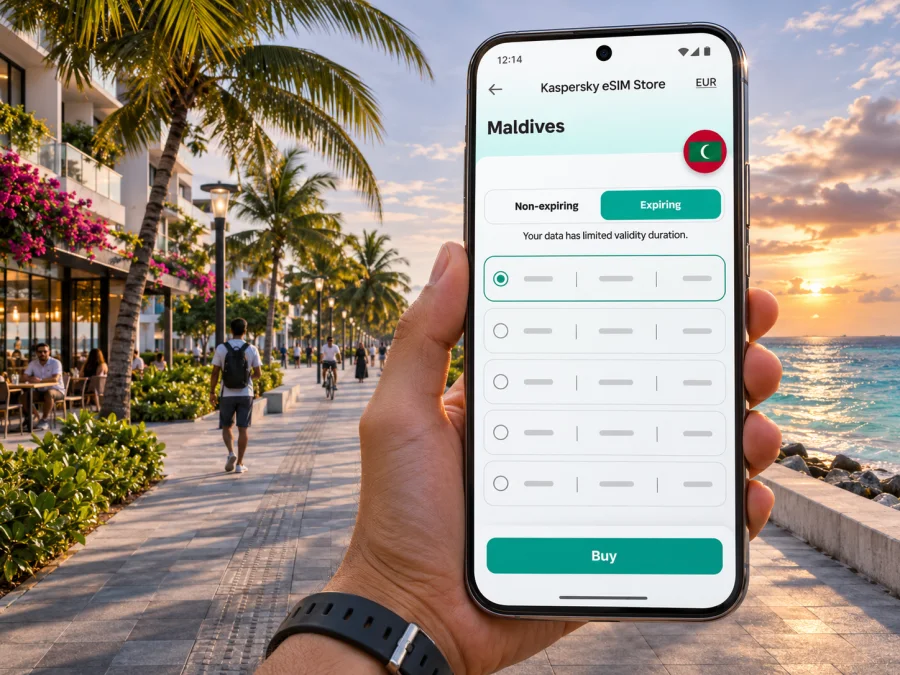
Hulhumale eSIM for a reliable mobile connection and internet on your trip
Hulhumale is often the first place visitors see beyond the airport: a planned coastal district of wide roads, residential blocks, cafés and a long shoreline, close to Malé and Velana International Airport. Mobile data is useful here from the first transfer onward: to share your arrival details, confirm a guesthouse address, check a route, message a driver or look up a ferry connection.
Hulhumale is a reclaimed island and part of the Greater Malé urban area, rather than a separate resort island. Velana International Airport is on neighbouring Hulhulé. The Sinamalé Bridge and connecting roads link the airport island, Malé and Hulhumale, so an airport arrival can continue by road. That geography makes the city a convenient base for a short stay or a night before travelling onward, but it also means that airport, city and island transfers are different legs of one journey.
A travel eSIM can provide mobile data without swapping out your usual physical SIM, provided your device supports eSIM and is unlocked. Reception can vary by building, island and transfer, so check plan conditions and prepare offline essentials too.
Why mobile data helps in Hulhumale
Hulhumale is more spread out than the compact central island of Malé. You may walk along the beachfront, head between Phase 1 and Phase 2, take a road transfer towards the airport, or travel back across the bridge into Malé. A map, hotel message or pickup detail may be needed at each transition. Reliable access to mobile data reduces the need to find Wi-Fi before you can check the next step.
Common uses include saving your hotel pin before leaving the airport, messaging your host about a changed arrival time, checking a pickup point or bus stop, looking up nearby services, sharing your location and checking transfer messages before travelling onward.
Mobile internet is most valuable at decision points: when you land, when you leave a vehicle, when a transfer changes, or when you need to confirm an address. Download offline maps and keep essential booking details available on your phone as a backup; a connection can vary with location, congestion, building materials and the network used by the travel plan.
Arrival: from Velana International Airport to Hulhumale
Velana International Airport (MLE) is on Hulhulé, not on Hulhumale. The bridge connection makes the road journey possible, but allow time for immigration, baggage, finding your onward transport and city traffic. If your accommodation has arranged a pickup, confirm the meeting point and contact details before boarding your flight. A message with the exact hotel name or map pin is more useful than relying on a neighbourhood name alone.
At the airport, first connect to any available Wi-Fi if you need to download an eSIM profile or retrieve a booking. If you installed the eSIM in advance, check the line settings and activation instructions supplied with that specific plan. Some plans start their validity when installed, while others begin when they first connect to a supported network; do not assume which applies. Keep your primary SIM available for calls or verification messages if you need it, and confirm which line is selected for mobile data to avoid unintended roaming charges.
Before departure, save your accommodation name, address, pickup instructions and map pin. After landing, use Wi-Fi if needed to check installation, enable the travel line and select it for data according to the plan's instructions. Confirm the pickup point and current route; once in Hulhumale, test a basic page or message before relying on data for navigation.
The official airport mobile app lists airport services and transport options to and from Velana International Airport. Schedules, pickup points and service arrangements can change, so check current information close to arrival. If a transfer takes you by road to Hulhumale, save the city location separately from the airport pin; the two are on different islands.
Getting around: road links, buses and walking
Hulhumale's planned street layout and wider roads can make it easier to orient yourself than in a tightly packed old-town grid, but a named district or waterfront landmark still covers a substantial area. A hotel pin, entrance location and phone number help when a driver needs to find the correct building. If your map offers walking directions, compare them with local signage and your host's directions, particularly at road crossings or construction areas.
The bridge connects the airport island and Malé with Hulhumale by road. Bus and taxi services operate in the Greater Malé area, but routes, operating times, fares and boarding points are subject to change. Verify today's information locally or through the relevant transport provider. When you are boarding, show the destination name or pin rather than relying on a verbal pronunciation if you are unsure that you have the right route.
For every leg, keep the destination pin and booking details handy: airport to accommodation, Phase 1 to Phase 2, Hulhumale to Malé, or the city to an island-transfer point. Confirm current bus or taxi stops locally.
For short walks, save a map area before setting out and look at the route before leaving the hotel. Heat, rain and strong sun can make an apparently short walk tiring; use a taxi or bus when practical, and avoid staring at a screen while crossing streets. Keep your phone charged, since navigation, camera use and mobile data together can drain the battery quickly.
Phase 1, Phase 2 and the waterfront
Hulhumale is commonly described in two developed phases. Phase 1 has residential streets, shops, cafés and guesthouses; Phase 2 lies across a channel and has its own road pattern. Confirm the phase and building name when booking, then save a precise pin rather than relying on “Hulhumale” alone.
The waterfront is a natural reference point for visitors. You might walk along the beach road, stop at a café, visit a park or arrange a water activity. Public beaches on residential islands have local norms, so ask your accommodation about suitable swimwear and designated swimming areas. Respect signs, local guidance and conditions at the water; a digital map cannot tell you whether a particular stretch is safe for swimming at that moment.
Navigation and messages use less data than video calls, cloud documents or tethering. Check hotspot terms and allowance if you work remotely. Hotel Wi-Fi can help with large downloads, while an eSIM is useful outdoors; availability varies.
Choosing an eSIM plan for your itinerary
Start with the length and shape of your trip, rather than choosing by headline data volume alone. A traveller staying in Hulhumale for a night and then transferring to a resort has different needs from someone spending a week between the city, Malé and local islands. Estimate how often you will use maps, upload photos, stream video, join calls or share your connection with another device.
Before selecting a plan, compare these details in its current terms:
- Destination coverage: confirm that Maldives is included and check any stated network, regional or island limitations.
- Data allowance: decide whether you need basic navigation and messaging, or heavier browsing and video use.
- Validity: check when the validity period begins and how long it lasts. Installation and first connection are not always the same trigger.
- Tethering: look for an explicit statement if you plan to share data with a laptop or another phone.
- Calls and messages: travel data eSIMs may not include a local phone number, voice calls or SMS. Keep your regular SIM for calls when appropriate and use internet-based messaging where suitable.
- Top-ups and support: check whether the plan can be extended, how usage is displayed and how to get help if activation does not complete.
- Device and network settings: confirm compatibility, carrier-unlock status and any required data-roaming setting.
Kaspersky eSIM Store is an app and website where you can choose, arrange and activate an eSIM with a suitable plan for mobile internet while travelling abroad. The Maldives destination page is a place to review currently displayed options and their terms; check the exact allowance, validity, price and conditions shown at the time you choose. It is not a city-specific Hulhumale tariff page. Review eSIM options for a trip to the Maldives.
Estimate your data before choosing
Estimate from your recent use for a similar trip. Separate essentials such as maps, messages and email from video calls, streaming and photo backups. Disable automatic updates over mobile data if you want to conserve allowance, check whether your accommodation has Wi-Fi and leave some margin for delays. Compare the current allowance, validity and top-up terms together; a low cost per gigabyte is not useful if the plan expires too soon.
Check your phone before you travel
An eSIM requires a compatible device, and compatibility can vary by exact model and regional hardware variant. Some phones that share a model name differ by country or carrier configuration. Check the manufacturer’s specifications for your exact device variant and make sure the phone is not locked to a home carrier. You can also check whether your device supports eSIM before completing your travel setup.
Do not remove your main SIM or erase an existing eSIM just to make room without checking your phone's instructions. If your device supports multiple lines, confirm which line handles mobile data, which one receives calls and messages, and whether data switching is enabled. Keep access to your regular number for banking codes or account verification if needed, while checking your home operator's roaming charges.
A quick pre-trip checklist:
- [ ] Confirm the exact phone model and regional variant support eSIM.
- [ ] Check the phone is carrier-unlocked.
- [ ] Update the operating system while you still have reliable Wi-Fi.
- [ ] Make sure you can sign in to the email account that receives setup details.
- [ ] Read the plan's installation and activation instructions before scanning a QR code.
- [ ] Save accommodation, airport and transfer details offline.
- [ ] Pack a charging cable or power bank for long transfer days.
Install and activate with a little margin
If the plan allows advance installation, setting it up before departure can reduce the number of tasks after landing. Follow the instructions attached to your purchase, because the menu names and activation steps depend on the device and plan. Avoid scanning the same QR code repeatedly: some eSIM installation codes can only be used once. Keep the QR code or manual details available on another screen or printed securely if your phone is the only device you are carrying.
For device-specific walkthroughs, use the Android eSIM installation instructions or the iPhone eSIM installation instructions. After installation, label the line clearly—for example, “Maldives travel”—so it is easy to identify beside your regular SIM. Wait to enable the line or data roaming until the plan instructions say to do so.
When you arrive, check three things in order: the travel line is switched on, it is selected for mobile data, and the plan's required roaming setting is enabled. Then wait briefly for network registration and test a simple message or page. If it does not connect, toggle airplane mode once, restart the phone if needed, and recheck the plan's network-selection and APN instructions. If the issue continues, use Wi-Fi to contact the plan's support channel and avoid deleting the eSIM before support advises you.
Short layover, work trip or longer stay?
Your best preparation depends on how much time you will spend in the city and what happens next.
| Travel situation | Useful preparation |
|---|---|
| One evening before a resort transfer | Keep transfer messages, booking reference and departure instructions available offline; use mobile data for updates and directions. |
| A full day in Hulhumale | Save the hotel and beach-road pins, check transport before leaving and keep data for maps and messages. |
| Meetings or remote work | Confirm hotspot terms, estimate video-call use and identify a Wi-Fi backup at your accommodation. |
| Several stops around Greater Malé | Save each destination separately and verify the correct bus or taxi pickup point for every leg. |
| A longer Maldives itinerary | Check whether the plan covers the destinations you will visit beyond Hulhumale and how to add data if needed. |
Hulhumale can be a practical base for the capital area, but transfers between islands need separate planning. Domestic flights, speedboats and seaplanes have different departure points and schedules. Confirm the location before leaving, and keep operator messages and booking details available offline.
If mobile data does not work
A connection problem is often a setting, activation or coverage issue rather than a reason to reinstall immediately. Troubleshoot in a calm order:
- Confirm the plan is active, in validity and has data remaining.
- Make sure the travel eSIM is enabled and selected for mobile data; follow its roaming or APN instructions.
- Briefly toggle airplane mode and wait for registration.
- Try outdoors or by a window if walls or indoor conditions may be affecting reception.
- If it still fails, use Wi-Fi to contact support with your order reference, phone model and the settings you checked. Do not delete the eSIM unless support advises it.
A travel eSIM cannot guarantee a signal inside every building, on every boat or on every island. Coverage depends on the underlying local network, the plan's network access and local conditions. For an important meeting or transfer, download key files and instructions in advance and have a second way to contact your accommodation or travel provider.
Frequently asked questions
Is Hulhumale a separate island from Malé?
Yes. Hulhumale is reclaimed and linked by road to Malé and the airport island. Velana International Airport is on Hulhulé.
Can I use an eSIM as soon as I land?
Possibly, if you installed it correctly, the plan is valid and your phone connects to a supported network. The exact activation trigger varies by plan. Read its conditions before installing, and keep Wi-Fi or another contact method available while setting it up.
Will one plan work in Hulhumale and on every island I visit?
Check stated destination coverage and limitations for the full itinerary. Reception can also vary by location and local conditions.
Does a travel eSIM replace my phone number?
Usually a data-focused travel eSIM is intended for mobile internet and may not include a local voice number or SMS. Keep your home SIM active for calls or verification messages if needed, and check its roaming terms. Internet messaging and calls may work through apps when you have data.
Can I buy a local tourist SIM instead?
Yes. Local operators may offer tourist SIMs, including eSIM, subject to current eligibility and purchase conditions. Ooredoo Maldives currently lists tourist eSIM and physical SIM options and airport purchase points. Compare current terms if you need a local number, voice minutes or in-person assistance.
What if I am staying only one night?
Save your lodging and transfer details, check plan validity and choose an allowance for your likely use. Accommodation Wi-Fi can reserve mobile data for transfers and time outdoors.
Should I install the eSIM before leaving home?
If the plan permits it, advance installation gives you time to resolve setup questions while connected to dependable Wi-Fi. Read when validity starts before installing. If the plan's instructions say to install only after arrival, follow that instead.
Keep your Hulhumale trip connected
For a smooth arrival, prepare the phone before your flight: check eSIM support and carrier-unlock status, save your airport and accommodation details, and review the plan's activation conditions. In Hulhumale, use mobile data for maps, messages and transfer updates while keeping important booking information offline. For journeys beyond the city, confirm coverage and each transfer separately.
When you are ready, use Kaspersky eSIM Store to review and arrange an eSIM plan for your Maldives trip. Check the current destination options and conditions, then follow the installation instructions for your device: choose an eSIM plan for the Maldives.


