Travel connectivity guide
Huraa eSIM: Mobile Internet for Your Maldives Trip
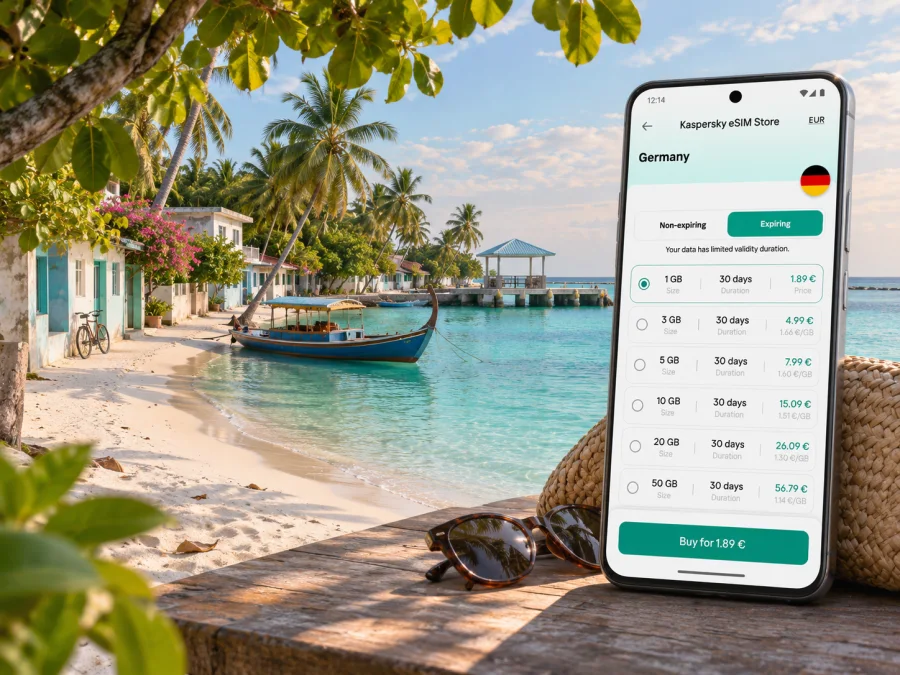
Huraa eSIM: mobile connection and internet for your island stay
Huraa is a small inhabited island in Kaafu Atoll, in the North Malé Atoll area of the Maldives. It is a local-island destination rather than an urban centre, and reaching it means arranging a boat transfer from the airport area or Malé. That makes a reliable mobile connection useful before you arrive, while you coordinate the crossing, and during everyday plans on the island.
An eSIM is a digital SIM profile that can connect a compatible, unlocked phone to a mobile network under the terms of its selected plan. It can help you get online without removing your home SIM. Kaspersky eSIM Store is an app and website where you can choose, purchase and activate an eSIM plan for mobile internet during an international trip. Service availability, supported networks and plan conditions depend on the destination and the option you select.
Why mobile internet is useful on Huraa
Huraa is a local island rather than a self-contained resort reached by a private seaplane desk. Your travel day may involve several separate steps: clearing arrivals at Velana International Airport, contacting your accommodation, meeting a transfer, and boarding a boat. A working data connection can make those handoffs easier. You can message your host if your flight is delayed, share your arrival details, check a meeting point, or keep a reservation confirmation available without searching for public Wi-Fi.
Once on the island, internet is useful for practical, low-key tasks: checking a weather update before a boat excursion, confirming a pickup time, opening a map, translating a message, or letting family know you arrived. Huraa is compact, so a phone is more likely to help with planning and communication than with navigating a complicated street grid. Save your guesthouse name, phone number, transfer details and an offline map before leaving home; mobile data can be intermittent during a boat crossing or in places with limited signal.
| Part of the trip | What a data connection can help with | What to prepare offline |
|---|---|---|
| Velana arrival | Messaging your host and checking transfer instructions | Booking confirmation, host contact and boat details |
| Boat transfer | Sharing a delay or checking the next step, when a signal is available | Departure point, agreed pickup time and a backup contact method |
| First walk on Huraa | Finding your accommodation and sending an arrival message | Island map pin and the accommodation name in writing |
| Excursion day | Confirming a meeting time or checking an update | Operator contact, meeting point and essential booking details |
| Departure | Coordinating the boat back towards Malé or the airport | Flight time, transfer confirmation and a generous connection buffer |
Mobile internet is not a substitute for a confirmed boat seat or a transfer booking. Arrange those directly with your accommodation or transport provider, and keep the details accessible if your phone loses signal.
Huraa is reached by boat: plan the connection around the transfer
Velana International Airport is on Hulhulé, near Malé, while Huraa is a separate island. The onward journey is by sea. Depending on your booking, this may mean a speedboat arranged by your guesthouse or another service, or a public ferry route that calls at Huraa. The route, operating days, departure point, availability and crossing time can change; do not assume that a boat runs at the time shown in an old itinerary or that every arrival connects to a same-day ferry.
Before departure, ask your accommodation or boat operator for the exact meeting point, the latest schedule, luggage guidance, payment arrangements and what to do if your flight is late. If you are considering a public ferry, verify its current operating day and departure time with the operator. A timetable copied by a third-party travel page can be useful for orientation, but the operator’s latest notice is the one to rely on. Leave a buffer between an international flight and a separately booked boat; immigration, baggage collection and airport formalities can take longer than expected.
Mobile data is especially useful during the handover between airport and boat, but it cannot guarantee coverage at every point along the route. Download your boarding or booking confirmation, save the host’s number, and agree where to meet before you exit the terminal. If you need to contact someone without data, ask in advance whether ordinary calls or SMS are available on your home line or selected eSIM plan. Many travel eSIM plans are data-only, so check the plan terms rather than assuming it includes a local phone number.
A simple arrival checklist
- Before the flight, save the Huraa accommodation address or map pin and the host’s contact details.
- Confirm whether your boat leaves from the airport area, Malé, or another named jetty; do not treat these as interchangeable locations.
- Ask whether the transfer must be booked in advance and how the operator handles a delayed flight.
- Keep a screenshot of the transfer confirmation and the meeting instructions on your phone.
- Install your travel eSIM while you have stable Wi-Fi, if the plan instructions allow pre-installation.
- At arrival, select the intended line for mobile data and follow the plan’s activation instructions.
- If data does not connect, use the host’s agreed backup contact method and ask the operator for the correct network settings.
The key point is simple: prepare your eSIM and your boat details before travel, then use mobile data to coordinate the steps. Do not make the crossing depend on an app, a live map or a last-minute message arriving over a weak signal.
Choosing an eSIM plan for Huraa
Choose a plan for the Maldives, not a supposed Huraa-only city package. A city name can help describe your destination, but mobile plans are generally tied to a country or region and to the coverage arrangements in their terms. Check that the plan you select explicitly includes the Maldives and that its validity period matches your trip. If you are visiting other islands or countries as well, confirm whether the same plan covers the full route rather than assuming that a Maldives option extends elsewhere.
Estimate your likely data use by considering how you travel. Map checks and messaging usually use less data than frequent video calls, uploading large photo libraries, hotspot use or streaming. Hotel Wi-Fi may help with heavier tasks, but its availability and quality vary by property. A practical plan choice should account for the whole stay, the activation and expiry rules, whether top-ups are possible, and what happens when the included data runs out.
In Kaspersky eSIM Store, you can review eSIM options for travel to the Maldives and check the displayed destination, data allowance, validity, price and other conditions before choosing. This is a country-level destination page; it should not be read as a guarantee of service on every island, boat route or indoor location. The exact network access and experience depend on the selected plan and local conditions.
Match the plan to your itinerary
| Your travel pattern | Questions to ask before choosing |
|---|---|
| A short Huraa stay | Does the validity cover the arrival and departure days, not just the nights booked? |
| Huraa plus time in Malé or Hulhumalé | Does the plan cover the Maldives as a country, and does it start when you expect? |
| Several local islands | Does the plan’s stated coverage fit the full route, including time on boats? |
| Frequent photo or video uploads | Is the data allowance adequate, or can large uploads wait for accommodation Wi-Fi? |
| Work calls or hotspot use | Are tethering and the required apps supported under the selected plan’s terms? |
| Uncertain return date | Can you extend or top up, and what is the plan’s expiry rule? |
Do not buy on the basis of a headline data amount alone. Read the full plan description, including the validity trigger, whether the allowance is capped, any speed or hotspot conditions, and the supported destination. Those details can differ between plans and can change over time.
eSIM, local SIM or home-carrier roaming?
There is no single right choice for every traveler. A travel eSIM may be convenient if your phone supports it and you want to prepare data access in advance. A local physical SIM may suit someone who needs a local number or prefers in-person help. Your usual carrier’s roaming can be straightforward if its charges and included data are acceptable. Compare the options using your own trip dates and usage rather than assuming one is always cheaper or more reliable.
Maldivian operators currently publish tourist eSIM or tourist SIM information, so a local-provider option may be available for eligible visitors. Check the operator’s current purchase, identity-verification, collection and activation requirements directly; these can differ between an eSIM and a physical SIM. If you buy after landing, confirm where the service can be obtained and whether the process fits your transfer timing. A local plan’s existence does not by itself establish its coverage at a particular guesthouse, beach or boat route.
| Option | May suit you if… | Check first |
|---|---|---|
| Travel eSIM | You want to arrange data before leaving and keep your physical SIM installed | Device support, carrier lock, Maldives coverage, validity, activation and data-only terms |
| Local SIM or local eSIM | You want to consider a local operator’s visitor service or need a local number | Current eligibility, documents, purchase or collection location, calls/SMS and island coverage |
| Home-carrier roaming | You prefer to keep using your existing number and account | Exact roaming charges, included allowance, activation requirements and spending controls |
| Wi-Fi only | You expect to be mostly at accommodation and can plan around it | Property Wi-Fi availability, how to contact your host, and offline access away from the property |
You can also keep a primary SIM active for calls and messages while choosing a separate eSIM for data, if your phone supports that configuration. Before travel, decide which line handles mobile data and which one receives calls or verification texts. Check your home carrier’s roaming settings to avoid unexpected charges; leaving a SIM enabled can still result in charges under its terms.
Check your phone before you travel
Not every handset supports eSIM, and a product name alone may not identify the exact regional version in your hand. Some models differ by country of sale, and a phone locked to a carrier may refuse a travel profile. Check the manufacturer’s specifications for your exact model and verify that the device is unlocked. You can also check whether your device supports eSIM before selecting a plan.
If your device has two SIM lines, review how it handles data switching. Turn off automatic switching if you want to control which line uses data, and confirm that the chosen eSIM is selected for mobile data after installation. Some plans require data roaming to be enabled for that eSIM profile; follow the plan’s instructions and keep roaming disabled on your home SIM if you want to avoid charges from your regular carrier.
Pre-trip device checklist
- Confirm eSIM support for the exact regional model, not only the product family name.
- Make sure the phone is not carrier-locked.
- Update the operating system before departure if an update is available and convenient.
- Keep access to Wi-Fi and your purchase email while installing the profile.
- Read whether the plan should be installed before departure or only when you are ready to use it.
- Do not delete an installed eSIM profile as a troubleshooting shortcut; reinstallation may not be possible under every plan.
- Keep your home SIM settings and account access available in case you need to restore them.
Installing and activating an eSIM
An eSIM is a profile added to a compatible phone; the setup process is not the same as simply turning on mobile data. Install it in a place with a stable internet connection, follow the instructions provided for the specific plan, and check when its validity begins. Some plans begin when installed, while others begin on first connection to a supported network. Never assume that installing a profile and starting its data validity are always the same event.
- Choose the Maldives destination and review the selected plan’s data, validity and activation conditions.
- Use a stable Wi-Fi connection to add the eSIM by the method shown in your order or device settings.
- Label the new line clearly, for example “Travel data,” so that you can distinguish it from your home SIM.
- Keep your home line configured for calls or messages if you need it, and set the travel eSIM as the mobile-data line when appropriate.
- At the destination, enable the eSIM and follow its network or data-roaming instructions.
- Open a simple webpage or messaging app to check the connection before relying on it for a transfer or excursion.
For step-by-step platform guidance, use the Android eSIM installation instructions or the iPhone eSIM installation instructions. Menu names can vary by operating-system version and manufacturer. Keep the QR code or installation details private and do not share them with another person.
Using data on a small island
Huraa’s scale makes it easy to underestimate how often you will use a phone. You may check a boat message, send a location pin, confirm an activity, or upload images while moving between your guesthouse and the waterfront. Set a few habits before the trip: turn off automatic video playback, pause large cloud backups on mobile data, and save maps or confirmations for offline use. These steps help preserve your allowance without making the phone difficult to use.
For remote work, ask the accommodation about Wi-Fi and a quiet workspace, and avoid scheduling critical meetings during the boat crossing. No mobile plan can guarantee a stable video call in every building or at sea.
When sharing a connection, confirm hotspot use is permitted by the plan; laptops can consume data quickly through updates and cloud sync. Use data-usage controls and download large updates before travelling. Navigation, photos and hotspot use can also drain a battery, so carry a charged power bank if you have one.
If the eSIM does not connect
Start with the basics and change one setting at a time. Check that the eSIM line is enabled, that it is selected for mobile data, and that the phone has not switched back to your home SIM. Confirm the selected plan includes the Maldives and is within its validity period. If the plan instructions require data roaming for that profile, enable it for the eSIM only. A brief wait or a restart may help the phone register, but avoid deleting the profile unless support or the plan instructions tell you to.
If the phone still has no data, move to a place where you can safely pause, check the plan settings and contact the eSIM support channel over Wi-Fi. Do not keep changing network selections without knowing the plan’s requirements. If you are due to meet a boat, contact your accommodation using the backup method you arranged and keep the transfer’s location and time available offline.
Frequently asked questions
Is Huraa a city?
Huraa is an inhabited local island in Kaafu Atoll, in the North Malé Atoll area. It is often described as a destination or island rather than an urban city. This guide uses the requested city-page format while focusing on the practical travel scenario on Huraa itself.
Is there an airport on Huraa?
No. International visitors normally arrive at Velana International Airport on Hulhulé and continue by boat to Huraa. Confirm the transfer route and meeting point with your accommodation or boat operator.
Does a travel eSIM include calls and text messages?
Not necessarily. Many travel eSIMs are intended for data and do not include a conventional phone number, voice minutes or SMS unless the plan says so. Internet calling and messaging apps may work over data, subject to the app and connection.
Will mobile data work everywhere on the island?
No provider can be assumed to have uniform indoor or outdoor service at every point. Network access depends on the selected plan, local coverage, the handset and conditions. Keep essential contact and transfer details available offline.
Can I use one plan for Huraa and other Maldives islands?
Check the selected plan’s destination and conditions before moving onward. Access can vary by island, boat route and local conditions.
Prepare before you leave
For a Huraa trip, the most useful setup is a combination of a confirmed boat transfer, an eSIM plan whose Maldives conditions suit your dates, and offline copies of essential details. Check the phone before departure, install the profile according to its instructions, and verify which line will use mobile data. Keep your accommodation and operator contacts accessible in case the signal drops during the crossing.
When you are ready, choose an eSIM plan for your Maldives trip in Kaspersky eSIM Store. Review the destination, data allowance, validity and activation terms, then set up the eSIM on a compatible device. This helps you prepare mobile internet for Huraa while leaving the boat arrangements and local coverage checks with the relevant providers.


