
Travel connectivity guide
Hvar eSIM for Mobile Internet in Croatia
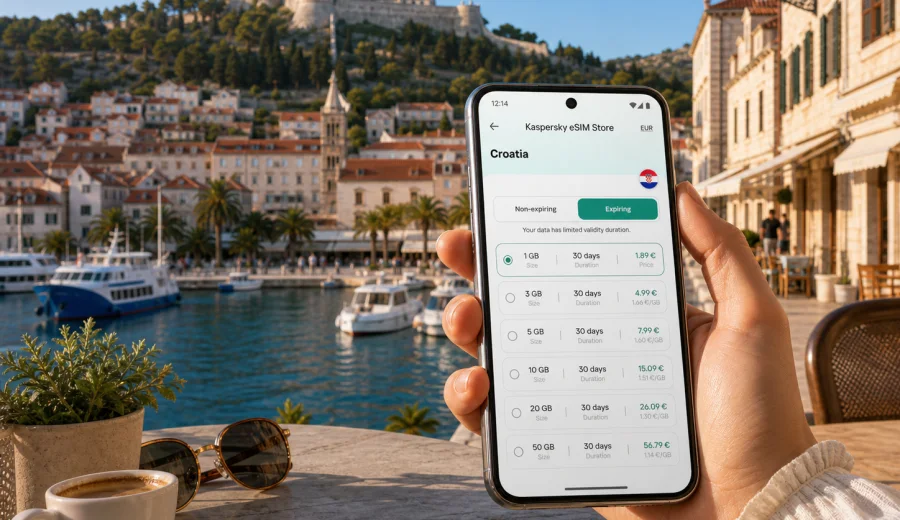
Hvar eSIM: mobile connection and internet for your trip
Hvar is a city where mobile internet starts to matter before you reach your hotel. Many visitors arrive by ferry or catamaran, step onto the waterfront with luggage, and immediately need a map, a booking confirmation, a message to the host, or a ride to the next village. An eSIM can make that first hour easier because you can prepare mobile data before the trip and connect without looking for a physical SIM card shop after arrival.
This guide is focused on Hvar itself: Hvar Town, the harbor, the old town lanes, beach clubs, hotels, marinas, day trips to the Pakleni Islands, and routes across Hvar Island. Croatia is the destination for the tariff, but the travel scenario is city-based. The goal is simple: help you plan mobile connection and internet access for a stay in Hvar without turning your first day into a search for Wi-Fi.
Why mobile internet matters in Hvar
Hvar is compact, but it is not a place where every useful movement is obvious. The harbor is easy to understand on foot, while accommodation can be up narrow streets, near the fortress road, across the bay, or outside the old center. If you continue to Stari Grad, Jelsa, Vrboska, lavender fields, wineries, or small beaches, you may depend on maps and messages more than expected.
Mobile data is useful in Hvar for:
- checking ferry and catamaran updates while moving between Split, Dubrovnik, Korcula, Brac, and Hvar;
- opening hotel, apartment, or marina check-in instructions after arrival;
- using maps in the old town, on coastal paths, and on scooter or car routes across the island;
- messaging hosts, drivers, boat operators, friends, and colleagues;
- confirming restaurant, beach club, excursion, and transfer bookings;
- working from a hotel room, marina, cafe, or terrace when Wi-Fi is not enough;
- sharing a location when meeting people in crowded waterfront areas;
- using translation, payment, banking, and travel apps.
Public Wi-Fi can help in hotels and cafes, but it is not a complete plan for a city stay. You may need internet while walking from the port, waiting for a boat, finding a late-night route back to accommodation, or checking a message while already away from a reliable network. An eSIM gives you a practical mobile data option for these moments, provided your device supports eSIM and the selected tariff covers Croatia.
Arrival scenarios: when an eSIM helps first
Most travelers reach Hvar by sea, so the first connection problem is often not at an airport desk but on the waterfront. You may land in Split or Dubrovnik, travel to the ferry terminal, and then continue by catamaran or ferry to Hvar. By the time you arrive, you may be tired, carrying bags, and trying to coordinate several small actions at once.
Typical first-hour tasks in Hvar include:
1. Confirming the exact port or meeting point.
2. Opening walking directions to the hotel or apartment.
3. Sending an arrival message to the host.
4. Checking whether a transfer, taxi, boat, or car rental is waiting.
5. Looking up the last connection to another part of the island.
6. Saving offline details in case the route passes through a weaker signal area.
If your eSIM is installed before travel, you can switch mobile data to the eSIM profile after arrival and avoid depending on the first open Wi-Fi network you find. Connection can still take a few minutes and depends on the device, local network conditions, and the chosen tariff, so it is better to leave time for setup before you need navigation urgently.
Hvar areas where mobile data is especially useful
Hvar Town has several travel zones with different internet needs. The waterfront is busy and easy to navigate visually, but the old town and accommodation streets can be less straightforward. A short walk may involve stairs, narrow passages, or a change in elevation. Mobile maps and messages are often the fastest way to keep the route simple.
| Area or route | Why you may need mobile internet |
|---|---|
| Hvar harbor and Riva | Arrival messages, boat details, marina coordination, restaurant bookings |
| Old town lanes | Walking navigation, apartment access instructions, translation apps |
| Fortica fortress route | Maps, photo backup, meeting points, weather checks |
| Beaches near Hvar Town | Directions, boat schedules, messaging, card payments where available |
| Pakleni Islands trips | Booking confirmations, meeting points, weather and return-time checks |
| Routes to Stari Grad or Jelsa | Navigation, bus or transfer updates, fuel and parking searches |
| Hotels and villas outside the center | Ride coordination, remote check-in, food delivery or taxi communication |
How to choose an eSIM tariff for Hvar
For a city article, the correct destination is still the country that covers the city. Hvar is in Croatia, so you should look for an eSIM tariff that includes Croatia or a regional option that clearly covers your route. The right choice depends on how long you stay, how much you use mobile data, and whether Hvar is the only stop.
Use this simple approach:
1. Confirm the destination. If your trip is only to Hvar and other places in Croatia, a Croatia tariff is the natural starting point.
2. Match the validity period. A weekend, a week on the island, and a month of remote work need different validity windows.
3. Estimate data volume. Maps, messengers, email, and booking apps use less data than video calls, streaming, hotspot sharing, and cloud backup.
4. Check route coverage. If you travel from Croatia to nearby countries, compare a country tariff with a suitable regional tariff.
5. Read the conditions. Look at data allowance, validity, activation details, top-up availability, and whether mobile hotspot use is allowed.
The most important rule is not to buy based only on the city name. Buy for the country or region where the eSIM tariff is valid. Hvar is the use case; Croatia is the relevant destination for the country plan.
Data planning for different Hvar trips
Your data needs in Hvar can vary widely. A traveler who checks maps twice a day will use much less data than someone working from a laptop by tethering a phone. Before choosing a tariff, think about the actual trip style rather than only the number of days.
| Trip style | Likely mobile data pattern | Planning tip |
|---|---|---|
| Weekend in Hvar Town | Maps, messaging, bookings, photos sent occasionally | A smaller allowance may be enough if hotel Wi-Fi is reliable |
| Beach and boat-focused stay | Maps, messaging, weather, boat confirmations | Keep mobile data available away from cafes and hotels |
| Island road trip | Navigation, search, route changes, parking and fuel lookups | Allow extra data for maps and unexpected detours |
| Business trip or marina stay | Email, calls in messengers, document access, hotspot use | Choose more data and check hotspot conditions |
| Remote-work week | Video calls, cloud files, work chat, backup connection | Do not rely only on accommodation Wi-Fi |
| Croatia route with Hvar stop | Multiple cities, ferry updates, hotel changes | Choose a tariff that fits the whole Croatia itinerary |
To reduce data use, download offline maps before departure, limit automatic photo backup on mobile data, and keep video streaming for Wi-Fi. This does not replace mobile internet, but it helps your eSIM data allowance last longer.
Once you have estimated your trip length and data needs, you can choose an eSIM tariff for your trip to Hvar in Croatia and compare the available data volumes, validity periods, and destination conditions before you rely on the connection.
Preparing before you travel
The best time to think about mobile connection is before you are standing in the port queue. Preparation is especially useful for Hvar because the trip often includes several transport steps: flight, airport transfer, ferry terminal, sea crossing, and then a walk or transfer from the port.
Before leaving for Croatia, check:
- whether your phone supports eSIM;
- whether your phone is locked to a mobile operator;
- whether you know how to switch mobile data between SIM profiles;
- whether you have saved accommodation, ferry, and transfer details;
- whether your banking and travel apps work with mobile data abroad;
- whether you have downloaded offline maps for Hvar and the wider island;
- whether you understand when the selected eSIM tariff becomes active and when data validity starts.
If your phone is compatible, Kaspersky eSIM Store helps you choose, arrange, and activate an eSIM tariff for mobile internet in a foreign trip. You can review the available data volumes, validity periods, and destination before you travel, then keep the eSIM ready for the moment you need it.
Before buying, check your device so you do not discover a compatibility issue after arrival. This is especially important if you use an older phone, a device bought through a carrier, or a model that may have regional differences.
Installing and activating an eSIM
The basic flow is straightforward: choose the destination, select a tariff, complete the purchase, install the eSIM profile, and activate mobile data for that profile when needed. The exact screens can vary by phone model and operating system, so follow the instructions for your device.
For setup help, use the Android installation guide or the iOS installation guide. Keep a stable internet connection during installation because the eSIM profile must be downloaded to your device. If you install before travel, you can wait to use mobile data until the trip, depending on the conditions of the selected tariff.
In practice, a useful setup sequence for Hvar is:
1. Install the eSIM while you still have reliable home or hotel Wi-Fi.
2. Keep your primary SIM active if you need your usual number for calls, SMS, or banking codes.
3. When you arrive in Croatia, set mobile data to the eSIM profile.
4. Turn on data roaming for the eSIM profile if the instructions or device settings require it.
5. Test maps and messaging before leaving the port or hotel.
6. Monitor data usage during the trip, especially if you share a hotspot.
An eSIM tariff is mainly for mobile internet. It usually does not include a regular phone number, voice calls, or SMS unless the specific tariff conditions say otherwise. For calls and messages, travelers commonly use internet-based apps over mobile data.
Local movement around Hvar
Hvar rewards flexibility. You may decide in the morning to visit a beach, take a boat, walk to the fortress, or cross the island. Mobile internet supports these small changes: you can check a departure point, message an apartment host, share a location with friends, find a transfer to Stari Grad, or adjust plans if wind, heat, or ferry timing changes the day.
If you rent a scooter or car, download offline maps and save your hotel address as well. Roads across the island can be scenic and simple, yet a wrong turn near a small beach, vineyard road, or rural junction can cost time. Offline preparation plus mobile data is the most resilient combination.
Business trips, remote work, and short stops
Hvar is known for leisure travel, but it also receives marina visitors, event guests, business travelers, creative teams, and remote workers. In these cases, mobile internet can be a backup for email, work chat, document access, schedule changes, and calls in messengers. Check whether you need hotspot sharing, how long the tariff remains valid, and whether workplace apps still require your primary number for two-factor authentication.
For a short stop, such as a day trip from Split, a yacht itinerary, or a cruise visit, keep the plan simple: save the port details, pin the return point, download an offline map of Hvar Town, and test mobile data before leaving the waterfront.
Quick answers about eSIM in Hvar
Is there a special Hvar eSIM? Usually you choose a tariff for Croatia or a regional tariff that includes Croatia. Hvar is the city use case; Croatia is the tariff destination.
Can I install an eSIM before traveling to Hvar? Yes, if your device supports eSIM and you have a stable internet connection for installation. Check the selected tariff conditions so you understand activation and validity timing.
Will an eSIM replace my normal phone number? Not necessarily. Travel eSIM tariffs are commonly focused on mobile data. Voice calls and SMS are not included unless the tariff conditions state otherwise.
Do I need mobile data if my hotel has Wi-Fi? Hotel Wi-Fi is useful, but it does not help while you are arriving by ferry, walking through the old town, taking a boat, or messaging a host from outside.
Choose mobile internet for your Hvar trip
Hvar is easier when your phone is ready for the practical parts of travel: ferry coordination, maps, hotel messages, boat plans, work updates, and movement around the island. An eSIM can reduce the need to search for a physical SIM card or depend on public Wi-Fi at the exact moment you need directions.
Kaspersky eSIM Store is an app and website where you can choose, arrange, and activate an eSIM with a suitable tariff for mobile internet in a foreign trip. For Hvar, start with the Croatia destination, compare the available data and validity options, and make sure your device is compatible before you travel.
When your route and data needs are clear, prepare an eSIM tariff for Croatia before your Hvar trip so your mobile internet plan is ready for arrival, island movement, and the everyday details of staying connected abroad.