
Travel connectivity guide
Hyderabad eSIM Guide: Mobile Internet in India
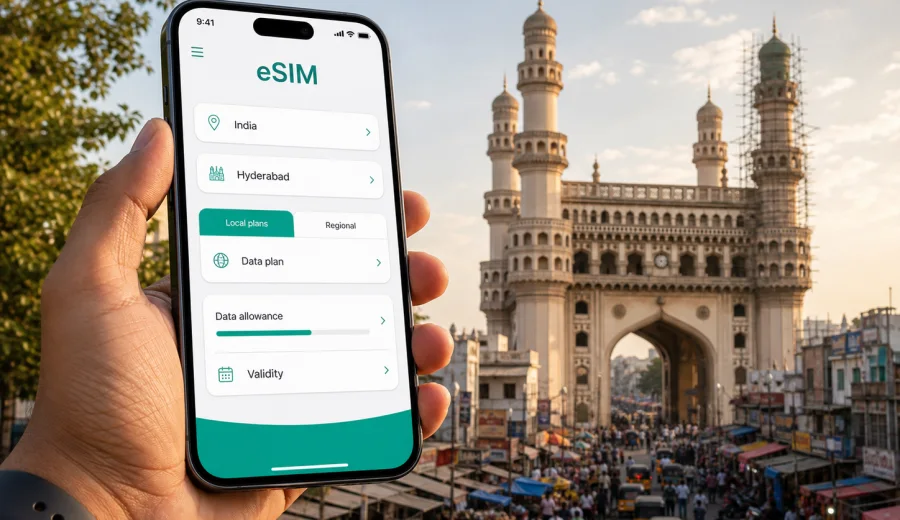
Hyderabad eSIM: mobile connection and internet for your trip
Hyderabad is a city where mobile internet starts doing useful work almost as soon as you land. You may need a ride from Rajiv Gandhi International Airport, a map route to HITEC City, a hotel confirmation in Banjara Hills, a meeting address in Gachibowli, or a translation app while walking near Charminar. An eSIM can make those first steps easier because you can prepare mobile data before the trip and activate it on a compatible phone without looking for a physical SIM card.
This guide explains how to plan an eSIM for Hyderabad, how much data you may need, what to check before buying a tariff, and how to use mobile internet across the city. The focus is practical: arrival, transport, hotels, business travel, sightseeing, short stopovers, and trips from Hyderabad to other parts of India.
Why an eSIM is useful in Hyderabad
Hyderabad is spread out, and many travel days involve moving between distant points: the airport in Shamshabad, business districts around HITEC City and Gachibowli, hotel areas such as Banjara Hills and Jubilee Hills, and heritage sites around the Old City. Even if your hotel has Wi-Fi, you will usually need mobile data between those places.
An eSIM is a digital SIM profile that can be installed on a compatible smartphone. For travel, it is useful when you want mobile data without changing a physical SIM card or depending only on airport Wi-Fi, hotel networks, or public hotspots. In Kaspersky eSIM Store, you can choose a destination, review the tariff conditions, install the eSIM, and use it for mobile internet during the trip, subject to the selected tariff and local network availability.
In Hyderabad, mobile data can help with:
- opening ride-hailing apps after landing;
- checking the airport transfer route and estimated travel time;
- using maps for the Metro, taxis, and walking routes;
- confirming hotel reservations and check-in details;
- joining work calls from coworking spaces or hotel rooms;
- using messengers for calls and group coordination;
- checking restaurant bookings, delivery apps, and digital payments;
- planning trips to Ramoji Film City, Golconda Fort, or nearby cities.
The main advantage is control. You can prepare a data plan before departure, see the volume and validity period in advance, and avoid making your first connectivity decision while tired after a flight.
Arrival at Rajiv Gandhi International Airport
Rajiv Gandhi International Airport is the main international gateway for Hyderabad. It is located south of the city, and the transfer to central or business districts can take time depending on traffic and destination. A working data connection is useful before you leave the terminal because you may need to compare transport options, contact your driver, or update your hotel about arrival time.
For many visitors, the first hour in Hyderabad looks like this:
1. Land and clear immigration or domestic arrival procedures.
2. Connect to airport Wi-Fi if needed to activate or check the eSIM.
3. Turn on the eSIM line for mobile data.
4. Open your map or ride app and confirm the destination.
5. Share your live location or arrival update with colleagues, family, or a hotel contact.
If you install the eSIM before travel, you can usually complete most setup steps while still at home. Then, after arrival, you only need to select the eSIM for mobile data and follow the activation conditions shown for the chosen tariff. Some eSIM profiles start the validity period after activation or first network connection, while others may have different conditions, so check the details before purchase.
Moving around the city with mobile data
Hyderabad travel often depends on live information. Traffic can change quickly, and the distance between areas is not always obvious from a map. A route from the airport to Gachibowli, from Secunderabad to the Old City, or from HITEC City to a dinner in Jubilee Hills may require a different plan depending on the time of day.
Mobile internet is helpful across common city scenarios:
| Scenario in Hyderabad | Why mobile data matters |
|---|---|
| Airport transfer | Ride booking, driver contact, maps, hotel messages |
| Metro and local transport | Route checks, station lookup, walking directions |
| Business meetings | Calendar updates, video calls, shared documents |
| Old City sightseeing | Navigation in dense streets, translation, payments |
| Hotel changes | Booking apps, address checks, support chat |
| Day trips | Maps, tickets, group coordination, emergency contact |
The Hyderabad Metro can be useful on some routes, especially for avoiding road traffic, but many visitors still combine Metro, taxis, walking, and private transfers. A stable mobile data setup helps you switch plans quickly. You can check whether a taxi is faster than Metro, whether a meeting location is closer to a specific station, or whether an evening route should be adjusted because of traffic.
Business travel: HITEC City, Gachibowli, and meetings
Hyderabad is one of India’s major technology and business hubs. Many international travelers come for meetings near HITEC City, Madhapur, Gachibowli, Financial District, and nearby office parks. In this part of the city, mobile internet is not only for maps. It supports the small tasks that keep a workday moving.
Before a meeting, you may need to download a presentation, check a shared document, confirm a building gate, or message a local colleague. Between meetings, you may need to join a call from the car, open an email attachment, or update your calendar. Hotel and office Wi-Fi may work well, but it is not always available during transfers or in reception areas.
For a business trip to Hyderabad, choose an eSIM tariff by thinking about the shape of your workday:
- If you mostly use messaging, email, maps, and ride apps, a moderate data package may be enough.
- If you join video calls, use cloud drives, or tether a laptop, plan a larger allowance.
- If your meetings are spread across several districts, assume more navigation and ride-app usage.
- If the trip includes other Indian cities, check whether the tariff covers the full India route.
Also check whether mobile hotspot use is allowed under the selected tariff if you plan to share data with a laptop. Conditions can differ by tariff, device, and network, so it is better to confirm before relying on tethering for a meeting.
Sightseeing, hotels, and local navigation
Hyderabad is not only a business destination. Many visitors combine work with time around Charminar, Laad Bazaar, Chowmahalla Palace, Golconda Fort, Hussain Sagar, Jubilee Hills restaurants, or museums and cafes. These are exactly the moments when mobile data becomes more useful than it looks in a travel checklist.
In the Old City, streets can be busy and landmarks are close together. A live map helps you choose walking routes, find a pickup point after visiting a market, or share a location with a group. Around Golconda Fort or Ramoji Film City, a data connection can help with ticket details, timings, and return transport. In hotel districts, you may use mobile internet to compare restaurants, confirm a reservation, or coordinate with a driver.
For hotels, an eSIM is useful even when the property offers Wi-Fi. Mobile data gives you a backup for check-in, payment confirmation, ride pickup, and messaging if the hotel network is busy or unavailable in a lobby, parking area, or restaurant.
How much data do you need for Hyderabad?
Your data needs depend more on habits than on the city itself. A traveler who only uses maps and messages will consume much less than someone who streams video, uploads large files, or uses a laptop through hotspot mode. For Hyderabad, think in practical travel days rather than abstract gigabytes.
| Traveler type | Typical mobile data use | Planning note |
|---|---|---|
| Short stopover | Maps, messenger, ride app, boarding updates | Small package can be enough if you avoid streaming |
| Weekend visitor | Navigation, restaurant search, photos, messaging | Choose enough data for several full days outside hotel Wi-Fi |
| Business traveler | Email, maps, calls, documents, ride apps | Add extra data for meetings, cloud files, and backup use |
| Remote worker | Video calls, hotspot, file sync, collaboration tools | Check hotspot rules and choose a larger allowance |
| Multi-city India route | Hyderabad plus other Indian cities | Confirm country coverage and validity for the full route |
As a simple planning rule, separate essential use from comfort use. Essential use includes maps, ride apps, messengers, hotel details, and travel documents. Comfort use includes video streaming, large social uploads, cloud backups, and long video calls. If you want predictable spending, reserve mobile data for essential use and save heavy downloads for trusted Wi-Fi.
For a simple starting point, you can review eSIM tariff options for India in Kaspersky eSIM Store and choose a package that fits your Hyderabad schedule: prepare mobile internet for your trip to Hyderabad.
Choosing an eSIM tariff for Hyderabad
Because Hyderabad is in India, choose a tariff that covers India. City pages are useful for planning, but the tariff is usually selected by country or region, not by a single neighborhood or landmark. That means the same India tariff may support your time in Hyderabad and, depending on its conditions, other Indian stops on the same trip.
When comparing options, check four things:
1. Destination coverage. Make sure India is included in the selected tariff.
2. Data volume. Match the allowance to your maps, messaging, work, and hotspot needs.
3. Validity period. Choose a duration that covers the full stay, including arrival and departure days.
4. Activation rules. Check when the validity period starts and what steps are needed after installation.
If Hyderabad is the first stop on a longer itinerary, consider the full route before choosing. A traveler flying into Hyderabad, attending meetings in Gachibowli, then continuing to Bengaluru or Mumbai may prefer one India-focused setup for the whole trip instead of planning each city separately.
Check your phone before buying
Before you choose any eSIM tariff, confirm that your phone or tablet supports eSIM and is not locked to another operator. This is especially important if you are using an older device, a device bought through a carrier, or a model version that may differ by region.
Check your device before purchase, then review the tariff conditions. Device compatibility is not only about the phone model. You should also make sure the operating system is updated, the device can add a new mobile plan, and the eSIM profile will not conflict with your main SIM settings.
Also remember that travel eSIM tariffs are usually for mobile data. They may not include a local phone number, standard voice calls, or SMS unless the selected tariff explicitly says so. For calls and messages, many travelers use internet-based apps while keeping their main SIM available for important banking or account verification messages, if their home operator settings allow it.
How to install and activate an eSIM for Hyderabad
The exact steps depend on your device and selected tariff, but the general process is straightforward. It is best to install the eSIM before departure while you have stable Wi-Fi and enough time to read the instructions.
Typical setup:
1. Check that your device supports eSIM.
2. Choose India as the destination and select a tariff by data volume and validity.
3. Complete the order in Kaspersky eSIM Store.
4. Open the eSIM details in your account, app, or email.
5. Install the eSIM using the QR code or on-screen instructions.
6. After arrival, select the eSIM for mobile data and enable the required settings.
7. Test maps or a web page before leaving the airport or hotel.
For detailed device steps, use the Android installation guide or the iOS installation guide. Keep your primary SIM settings in mind: you may want your home SIM for calls or messages and the travel eSIM for mobile data. On some devices, data roaming may need to be enabled for the eSIM line for the selected tariff to work correctly.
Do not delete the eSIM profile after installation unless the instructions or support team tell you to do so. In many cases, an eSIM profile cannot simply be moved to another device after activation.
Practical setup for different Hyderabad trips
Different Hyderabad trips need different mobile data habits. The same eSIM can support many situations, but your choice of data volume and validity should match the way you travel.
One-day stopover. If you have a long layover or a short business stop, focus on airport transfer, maps, messaging, and travel updates. A small data package may be enough if you avoid video and large uploads.
Three-day business trip. Plan for ride apps, email, calendar, maps, documents, and some calls. If meetings are in HITEC City or Gachibowli and your hotel is in another district, expect frequent route checks.
Family visit or vacation. Allow more data for shared maps, restaurant searches, photo messaging, and entertainment during transfers. If several people need data, each traveler may need a separate setup on a compatible device.
Remote work stay. Check whether hotspot use is allowed and choose enough data for backup work sessions. Use hotel or office Wi-Fi for heavy calls when possible, but keep the eSIM ready for travel days and backup access.
Multi-city India route. If Hyderabad is part of a longer trip, choose the tariff based on the whole itinerary. Confirm the validity period covers all stops and that you have enough data for travel days between cities.
Common mistakes to avoid
The most common eSIM issues are usually avoidable. Before traveling to Hyderabad, check these points:
- Do not buy a tariff before confirming that your phone supports eSIM.
- Do not assume every tariff includes calls or SMS; check the conditions.
- Do not wait until the taxi pickup point to read installation instructions for the first time.
- Do not choose a validity period that ends before your departure day.
- Do not rely on video streaming if you bought a small data package.
- Do not delete an installed eSIM profile without checking whether it can be restored.
- Do not forget to set the travel eSIM as the mobile data line after arrival.
If mobile data does not work immediately, pause and check the basics: the eSIM line is enabled, mobile data is assigned to that line, data roaming is set as required, and the device has had a few minutes to register on a local network. If the issue continues, contact support with your device model, destination, and order details.
FAQ: eSIM for Hyderabad
Is there a separate eSIM just for Hyderabad?
Usually you choose a country or regional tariff. For Hyderabad, select a tariff that covers India and check the data volume and validity period for your trip.
Can I install the eSIM before flying to Hyderabad?
Yes, that is often the most convenient approach. Install it while you have stable Wi-Fi, then activate or use it according to the tariff instructions when you arrive.
Will the eSIM give me a local Indian phone number?
Travel eSIM tariffs are usually focused on mobile data. They may not include a phone number, calls, or SMS unless this is stated in the selected tariff conditions.
How much data should I choose for a Hyderabad business trip?
For email, maps, ride apps, and messaging, a moderate allowance may work. Add more data if you expect video calls, hotspot use, large files, or a multi-city India itinerary.
Can I use the eSIM outside Hyderabad?
If the selected tariff covers India, it may be suitable for other Indian cities during the same validity period. Always check the tariff details before relying on it for the full route.
Prepare mobile internet before your Hyderabad trip
A Hyderabad trip is easier when mobile data is ready before the first taxi ride, meeting, hotel check-in, or walk through the Old City. An eSIM can help you reduce dependence on physical SIM shopping and public Wi-Fi, while keeping the setup clear: choose India, review the data allowance and validity period, install the eSIM on a compatible device, and activate it according to the instructions.
Before you travel, check your device, decide how much data you need, and choose a tariff that matches your stay in Hyderabad and any onward route in India. You can select an eSIM tariff for your trip to India in Kaspersky eSIM Store and prepare mobile internet for Hyderabad before departure.