Travel connectivity guide
Ibadan eSIM: mobile internet for your trip
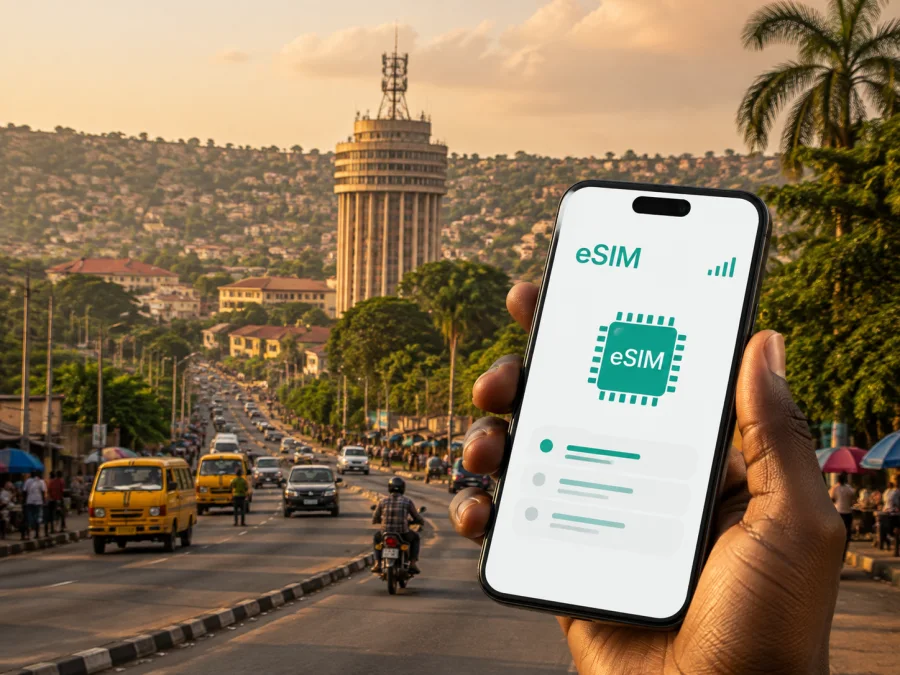
Ibadan eSIM: mobile connection and internet for your trip
Arriving in Ibadan is easier when your phone is ready for practical tasks such as finding accommodation, confirming a pickup, checking a route and messaging a host. An eSIM can provide mobile internet in Nigeria without removing your everyday physical SIM card, while your usual number remains available for messages or verification.
Ibadan is the capital of Oyo State in south-western Nigeria, with business districts, universities, markets, landmarks and residential areas. One day can combine a hotel, a meeting, a different district and a road trip outside the city. Access to maps, messaging and bookings helps you manage those changes without constantly searching for Wi‑Fi.
When an eSIM can help in Ibadan
The first hours after arrival are when a data connection is most useful: share your location, open a booking, translate a message, contact a hotel or check a changed meeting point. An eSIM lets you prepare a travel profile before leaving home or set it up after arrival, depending on the tariff and device.
Ibadan covers many districts, so one itinerary can include different road corridors and landmarks. Keep mobile data available when you:
- compare a map route before leaving a hotel or guesthouse;
- confirm a pickup point at the airport, bus terminal or roadside meeting place;
- send a message when a road journey takes longer than expected;
- check a reservation while moving between Dugbe, Bodija, Jericho, Mokola or the university area;
- look up opening details for a landmark or garden before making a detour;
- join a work call from a hotel, coworking space or café;
- share locations and arrival updates with colleagues or family.
Mobile data is not a substitute for planning. Save the accommodation address, host contact and booking details before departure, and allow time for traffic and weather.
Arrival planning: make the first connection useful
Before travelling to Ibadan, decide which tasks must work immediately: navigation, messaging and booking access. For work, add email, documents and meetings. If you continue to another Nigerian city, include that road time in your plan.
An eSIM is convenient when you do not want to search for a physical SIM card after a long journey. Install it while you have a dependable internet connection if the device and tariff instructions allow it. You can keep the profile available and select it for mobile data when needed. If you wait until arrival, store the installation details offline and make sure your phone has a way to connect during setup.
For an airport transfer or long-distance bus arrival, prepare this checklist:
- Keep the accommodation address in a note that does not require mobile data.
- Save the name and contact details of the person meeting you.
- Confirm which SIM or eSIM profile will be used for mobile data.
- Open your map and booking apps once before leaving the arrival point.
- Send a short arrival message before the journey into the city begins.
Ibadan Airport is at Alakia, between Adegbaiji and Iwo Road. Whether you use that airport or arrive by road, keep the destination and pickup plan available offline.
Moving around Ibadan: navigation, roads and meeting points
Road travel is central to getting around Ibadan. A district name or landmark may be more useful than “the city centre”. Ask for a precise building, entrance or junction, then share it with the group. A live map helps, but local confirmation still matters.
Allow flexibility when crossing the city. A short-looking route can take longer, and a meeting point may change. Build in a buffer before an appointment or remote presentation and keep a quiet backup location in mind.
For everyday movement, mobile internet supports several practical tasks:
| Task | Why it matters in Ibadan | Good preparation |
|---|---|---|
| Finding a place | A district name may not identify the entrance | Save the full address and a nearby landmark |
| Choosing a route | Road conditions and delays can change the best option | Check the route shortly before departure |
| Coordinating people | Drivers, hosts and colleagues may use different meeting points | Share a pin and a written description |
| Continuing by road | Your journey may extend beyond the city | Choose a tariff that fits the complete route |
If you use a taxi service, keep enough battery for the transfer and do not close booking information. A power bank helps; in a group, nominate one person to retain the address and route.
Districts, landmarks and hotel planning
The best eSIM choice depends on your Ibadan itinerary. Business visitors may need email and messaging; explorers may use maps, photos and translation; university visitors may move between campus, accommodation and meeting venues. Match the tariff to that rhythm.
Dugbe is a useful reference point for a commercial itinerary and is associated with Cocoa House, one of Ibadan’s best-known landmarks. Mapo Hall sits on Mapo Hill. These landmarks can help describe a meeting area, but confirm the exact destination and access details.
Bodija, Jericho and Mokola may come up when arranging accommodation, dining, meetings or local travel. The University of Ibadan gives the city an important academic focus, while Agodi Gardens offers a different kind of stop. Each setting creates different data needs, from checking a route to coordinating a return journey.
When comparing accommodation, look beyond Wi‑Fi. Check the workspace, the property’s reachable contact and whether the entrance is easy for a driver to identify. Your eSIM can back up directions, messages and essential work.
How to choose an eSIM tariff for a trip to Ibadan
Select Nigeria in Kaspersky eSIM Store, then compare the available tariff conditions for your dates and route. The app and website help you choose, arrange and activate an eSIM tariff for mobile internet during an international journey. Review the destination, allowance, validity and price shown for the selected direction.
Estimate demand from your itinerary:
- Short stopover: maps, messages, a few booking checks and arrival coordination may be the main tasks. Choose an option that covers the time between arrival and departure, including transfers.
- City break: add map use, attraction research, photo sharing and accommodation messages.
- Business visit: allow for email, document access, authentication messages through your regular line and occasional calls over data-based services. If your work involves frequent video, review the allowance carefully.
- Longer stay: consider how often you will use mobile data away from Wi‑Fi and whether the validity period follows your full schedule.
- Multi-city route: check that the tariff suits the entire route, not only the Ibadan portion.
The number of days is as important as the amount of data. A large allowance with a short validity period may not suit a slow itinerary, while a long validity period does not automatically require a large allowance. Also check when the tariff starts, how activation is described, whether top-ups are available, and what happens when the allowance is used.
An eSIM tariff is intended for mobile internet and does not automatically provide a regular number, voice calls or SMS unless its conditions say otherwise. Keep your usual SIM for those functions where appropriate.
Once you know your dates and expected usage, choose an eSIM tariff for your trip to Ibadan. Review the current Nigeria options and the terms shown at the time of purchase rather than relying on an old screenshot or a price mentioned elsewhere.
Install an eSIM before departure or after arrival
Installation labels vary by model and software version. Keep the confirmation or QR code available, use a stable connection and follow the device instructions. Check the tariff conditions for activation and validity.
The general sequence is:
- Check that the phone supports eSIM and is not restricted by an operator lock. Check your device compatibility before choosing a tariff.
- Choose Nigeria and select a tariff that matches your dates, data needs and route.
- Complete the order through the website or app. After purchase, the eSIM details should be available in your profile or in the relevant confirmation message.
- Add the mobile plan in cellular or mobile-network settings using the on-screen flow or QR code.
- Label the profile, select it for mobile data when ready, and test a basic page or message. Enable data roaming only if the tariff instructions require it.
For the device-specific steps, use the Android installation instructions or the iOS installation instructions. Do not delete an eSIM profile during troubleshooting unless the instructions or support team tell you to do so; some profiles cannot be transferred or reinstalled after activation under their particular conditions.
What to check before you buy
Take a minute to verify the details that most often cause confusion:
Device and line settings
Confirm eSIM support and check that the phone is not carrier-locked. Some models have regional variations, so use the compatibility check for the exact device rather than assuming that every phone in a product family works in the same way. Make sure you know which line will carry mobile data and whether automatic switching between lines is enabled.
Tariff conditions
Read the destination, data amount, validity period, activation wording, reload or top-up rules and any fair-use or technical limitations shown for the tariff. A city page can help you plan, but the selected tariff’s own terms control the purchase. If the trip includes another city after Ibadan, confirm that the destination scope matches the complete route.
Phone and battery habits
Download essential travel details over Wi‑Fi, keep your phone charged and save the accommodation address offline. Disable automatic photo backups or app updates over the travel line to preserve data for navigation and messaging. Use hotel Wi‑Fi for large files when suitable.
Calls, messages and support
Keep your regular number available if you need incoming verification messages, but review the roaming settings so that the wrong line does not use mobile data unintentionally. If activation does not work, check compatibility, internet access and the selected line first. Then contact support with the order details and the device information needed to investigate the issue.
Practical Ibadan scenarios
- First night: install at home if permitted, save the hotel address, then use mobile data after landing to confirm the pickup and route. Use Wi‑Fi for larger tasks once settled.
- Business trip: choose validity that includes travel days, keep calendar and presentation files offline, and confirm the exact entrance before crossing the city for a meeting.
- City exploration: use data for directions, opening information and messages with your accommodation; save the return address before leaving.
- Wider itinerary: if Ibadan is one stop on a Nigerian route, check that the destination scope and validity cover every planned stop before purchase.
Frequently asked questions
Is an eSIM useful if my hotel in Ibadan has Wi‑Fi?
Yes. Wi‑Fi can handle larger tasks, while mobile data helps during transfers, navigation, meetings and changes of plan. An eSIM gives you another way to get online without arranging a physical SIM after arrival.
Can I keep my normal SIM active?
On a compatible dual-SIM device, you can usually keep both profiles available, but the exact behaviour depends on the phone. Choose which line handles data and review roaming settings. Keeping your regular line active does not include calls, SMS or roaming charges in the travel tariff.
Do I need a local Nigerian phone number?
Not for every task. An eSIM tariff for mobile internet supports maps, email and internet-based messaging, but does not automatically include a local number, voice calls or SMS. Check separately if a booking requires a Nigerian number.
Should I install the eSIM in advance?
Installing in advance can reduce pressure during arrival if the device and tariff allow it. Read the activation wording: installation, activation and the start of validity are not necessarily identical. If you wait, keep the details accessible and arrange internet for setup.
What if I travel from Ibadan to another city?
Check the tariff’s destination scope before purchase. A Nigeria option may fit Ibadan and other Nigerian stops, but rely on the current conditions. A cross-border route may require another option.
How much data should I choose?
There is no single amount for every visitor. Estimate days, map use, messaging, work, media and time away from Wi‑Fi. Choose by expected use and validity, then control automatic updates and backups.
Prepare your Ibadan connection before you travel
The simplest plan is specific: save your accommodation and meeting details, check your phone, select a Nigeria eSIM tariff for your dates, install it according to the device instructions and choose the data line. In Ibadan, use it for arrival coordination, navigation, messages, work and movement between districts while watching the tariff conditions and battery.
When you are ready, select an eSIM tariff for Nigeria and prepare for your Ibadan journey. Kaspersky eSIM Store helps you choose, arrange and activate an eSIM through its website or app for mobile internet during an international trip.


