Travel connectivity guide
Ibon Mobile eSIM in Taiwan: what to check
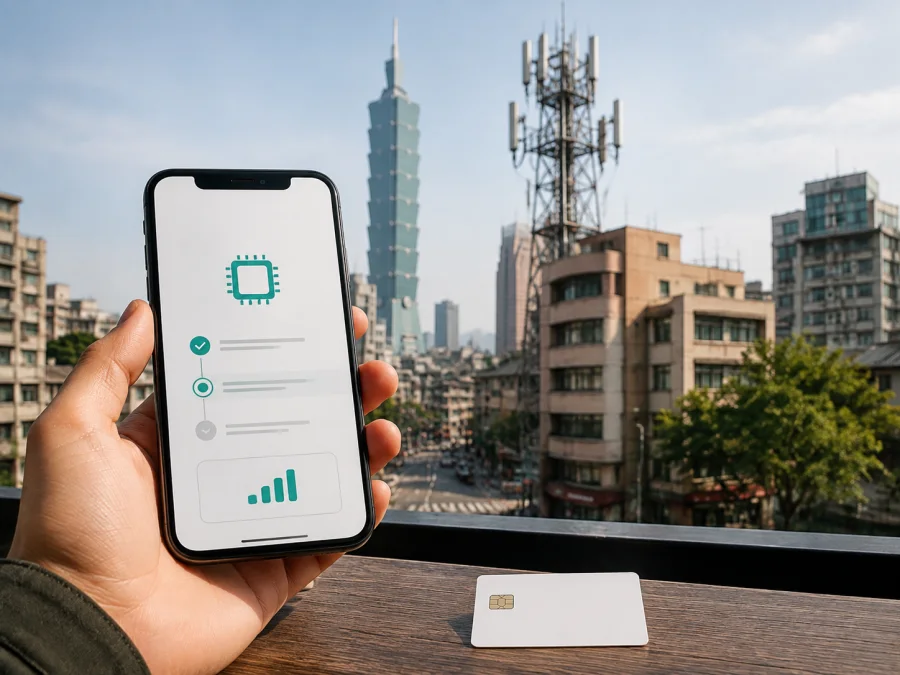
Ibon Mobile in Taiwan: eSIM options for travelers
If you are visiting Taiwan and want mobile internet without swapping a physical SIM, Ibon Mobile may appear in your search. Its public information describes local prepaid service and a separate eSIM roaming option: the first uses a physical SIM and mobile number, while the second is intended for roaming.
Checked September 3, 2026. This independent guide is not affiliated with, endorsed by, or an official partner or distributor of Ibon Mobile, 7-ELEVEN, Far EasTone Telecommunications, or any other named company. Brand names and trademarks belong to their owners; confirm current information before travel.
The short answer
Ibon Mobile’s official service page currently lists an eSIM roaming card. It says that this service is available for iOS and refers to iPhone XR or later. The same page warns that iPhones purchased in mainland China, Hong Kong, or Macao may not support eSIM in this context. It also describes obtaining a QR code through an ibon machine and scanning it to use the roaming service.
This confirms a public Ibon Mobile eSIM roaming route, not universal support for every product, phone, or destination. If your phone is Android, a different iPhone model, or a regional version covered by the warning, ask Ibon Mobile or the named provider to confirm support.
Ibon Mobile’s place in Taiwan
Ibon Mobile is presented in Taiwan as a telecommunications service connected with the 7-ELEVEN retail environment. Its official FAQ says that the telecommunications system and telephone numbers are provided in cooperation with Far EasTone Telecommunications. The same FAQ describes prepaid cards as physical SIM products that can be topped up through the operator’s stated channels.
The National Communications Commission’s communications market report, checked on September 3, 2026, describes Ibon Mobile as Taiwan’s remaining MVNO provider in its discussion of the local MVNO market. This is a market-structure description, not a claim that Ibon Mobile owns the radio network. For a traveler, the distinction helps explain why the brand on a SIM or eSIM and the network infrastructure used for service can be different parts of the same connection arrangement.
Research the local prepaid service and the travel eSIM separately: the former may suit a Taiwanese number or local enrollment, while the latter is a digital roaming profile. A page describing one product does not confirm the conditions of the other.
Is Ibon Mobile eSIM available in Taiwan?
Yes, the official ibon service page checked on September 3, 2026 has a section describing an eSIM overseas-roaming service. It says that a traveler can purchase through an ibon machine, receive a ticket, and scan a QR code. The page also gives the iOS and iPhone XR-or-later limitation and names a service partner and support route for setup questions.
This is a roaming card, not confirmation that every local prepaid line can be converted to eSIM. Confirm the current destination, model, and regional-phone conditions before purchase, and keep the QR-code instructions until testing is complete.
What is confirmed and what to check
| Question | Current public information | Your check before departure |
|---|---|---|
| Is an Ibon Mobile eSIM mentioned? | The official ibon service page lists an eSIM overseas-roaming card. | Confirm current destination and availability. |
| Which devices are named? | iOS and iPhone XR or later. | Check exact model, iOS version, and regional variant. |
| How is it delivered? | The page describes a QR code obtained through an ibon machine. | Confirm the delivery route and keep the ticket. |
| Is local prepaid service the same product? | No; the FAQ describes a physical prepaid SIM. | Decide whether you need a local number or travel data. |
| What network relationship is stated? | The FAQ says Ibon Mobile works with Far EasTone’s system and numbers. | Verify the current arrangement for the specific eSIM. |
| Is Android support confirmed? | The eSIM section currently says iOS only. | Do not assume Android support. |
Prepaid and tourist use
The official pages support a general description of local prepaid service and a separate travel eSIM route, but not a product catalogue. Eligibility can depend on the retail channel, traveler status, service partner, and phone. If you need a Taiwanese number, ask about visitor eligibility and documents; if you mainly need mobile internet, ask whether the travel eSIM and your device are accepted.
Ibon Mobile’s public help and service information refers to in-person application and original identity documents for local mobile-number enrollment. A visitor should be prepared to show a passport and any additional document requested by the operator. The pages checked in this run do not promise eligibility for every foreign visitor; confirm the current process through the official channel and the relevant service partner.
Coverage and supported technologies
The official Ibon service page says that the local telecommunications service uses the Far EasTone system and describes coverage across Taiwan and its outlying islands. The Ibon Mobile FAQ repeats the cooperation with Far EasTone. These pages are appropriate sources for the stated coverage footprint and service relationship.
Coverage describes geographic scope, not guaranteed signal or speed. Taiwan includes dense cities, underground stations, mountains, coastlines, islands, and difficult indoor locations. Check current route information and keep offline maps or essential reservations outside major urban areas.
The Ibon service page lists GSM 900/1800, 3G, and WiMAX licenses in its general technology description. This is not a current device-by-device specification, so do not infer a universal 4G or 5G promise for the travel eSIM. Check the technology stated for the product and the bands supported by your phone. The regulator’s report adds market context but is not a substitute for current eSIM instructions.
How to activate an Ibon Mobile eSIM
The official ibon page describes a QR-code-based roaming flow. Menu names can change between iOS versions, so follow the instructions supplied with the current profile.
Before collection or purchase
- Check that your iPhone supports eSIM and is not carrier-locked. The current Ibon Mobile page names iOS and iPhone XR or later.
- Check the phone’s regional origin. The page specifically warns about iPhones purchased in mainland China, Hong Kong, or Macao.
- Confirm that the current eSIM product covers Taiwan and your itinerary.
- Ask whether the product is data-focused or also supports ordinary calls. Do not assume that a travel eSIM provides a local number.
- Confirm how the QR code is delivered and save the instructions where you can reach them offline.
- If you need a local number, ask separately about the physical prepaid service and visitor documents.
Install the profile
Use a stable internet connection. On the iPhone, open Cellular settings, choose the option to add an eSIM or mobile plan, scan the QR code, and follow the prompts. Give the line a clear label such as “Taiwan travel.” Keep your home line in place while testing the new profile so that you can distinguish an installation problem from a data-selection problem.
If an ibon machine prints the QR code, retain the ticket until testing is complete. If scanning fails, check camera focus, internet connection, and whether the code was already used. If the profile cannot be added, contact the support channel on the current instructions.
Activate and test
When ready to use the service, select the travel eSIM as the mobile-data line. Follow the supplied instructions for data roaming and network selection; the correct setting depends on the profile and the phone. Turn off automatic data switching if the iPhone might move data back to the home line.
Test before leaving Wi-Fi. Confirm that the profile is visible, mobile data is assigned to the intended line, and the phone shows a connection with Wi-Fi disabled. This can reveal a carrier lock, regional-model issue, wrong data-line choice, or installation problem before you reach the airport.
Compatibility checklist
The current Ibon Mobile description is specific about iOS. Use it as a boundary rather than generalizing from one iPhone to another.
- The phone should have built-in eSIM capability and be an iPhone XR or later according to the public description.
- The phone should run a supported iOS version and be free of a carrier lock.
- Check the regional model, especially if the phone was purchased in mainland China, Hong Kong, or Macao.
- Install with a stable internet connection and enough battery.
- Decide which line handles data and which line remains available for ordinary calls and messages.
- Android eSIM support in general does not establish Android support for this Ibon Mobile roaming card; the current page says iOS only.
- A device managed by an employer or school may have policies that limit eSIM installation.
For a separate travel eSIM arranged through Kaspersky eSIM Store, use its own compatibility guidance rather than applying Ibon Mobile’s device rule. Kaspersky’s official travel-eSIM guide, checked September 3, 2026, describes choosing and activating travel eSIM data through its app or website and recommends checking eSIM support first. Kaspersky eSIM Store is not Ibon Mobile, does not own its network, and does not replace operator support.
Local prepaid service or travel eSIM?
Choose according to the job the connection must do. A local Ibon Mobile prepaid SIM is relevant when you need a local number, local enrollment, or a physical SIM through the operator’s retail route. That path can involve identity verification and a store or kiosk visit.
A travel eSIM is relevant when you want to prepare mobile internet digitally and avoid swapping a physical card. It may be data-focused and may not provide the local number or ordinary voice and messaging functions associated with local service.
Consider your route and needs: a city visit, a longer stay with local registration, an island route, and a business trip can require different arrangements. Decide whether you need a local number, messages on your home line, or an unlocked phone, then ask the relevant provider.
Kaspersky eSIM Store can be a separate option for travel internet when you prefer to arrange an eSIM through an app or website. The official Kaspersky guide explains the flow of choosing a destination, arranging a travel eSIM, installing it with a stable connection, and selecting it for mobile data. It also explains that voice calls are not the default purpose of its travel eSIM flow. This may suit a data-focused trip, but Kaspersky eSIM Store is not a mobile operator, does not provide Ibon Mobile coverage, and is not affiliated with Ibon Mobile.
When you are ready to review the travel-data route, explore the eSIM options for Taiwan. Check the current page and compatibility guidance on the date of purchase.
FAQ
Does Ibon Mobile offer eSIM in Taiwan?
The official ibon service page checked on September 3, 2026 lists an eSIM roaming card and a QR-code activation route. It currently says iOS and refers to iPhone XR or later. Confirm current destination and device eligibility before purchase.
Can I use Android with the Ibon Mobile eSIM roaming card?
The public eSIM section says iOS only, so Android support should not be assumed. Ask for confirmation for your exact model before deciding.
Can a visitor get Ibon Mobile prepaid service?
The public pages describe local prepaid service and identity verification, but eligibility and documents depend on the applicant and channel. Ask for the current passport and registration requirements.
Will it work everywhere in Taiwan?
The official information describes coverage across Taiwan and outlying islands, but no public description guarantees service at every indoor, rural, mountain, or island location. Check the current product and route information.
Can I keep my home SIM active?
Many eSIM-capable phones can keep a physical SIM and an eSIM profile available, but simultaneous use varies by model and region. Configure data selection deliberately, and review the home line’s roaming settings.
What if the Ibon Mobile device conditions do not fit?
You can consider a separate travel eSIM service. Kaspersky eSIM Store helps users choose, arrange, and activate a travel eSIM for mobile internet through its website or app. It is not a mobile operator and is not affiliated with Ibon Mobile.
Final checklist
Before leaving for Taiwan, confirm:
- whether you need a local prepaid SIM or an eSIM roaming card;
- that the current product covers your destination and route;
- that your exact phone model supports eSIM and is unlocked;
- that the phone’s regional origin fits the stated conditions;
- whether you need a local number or only mobile internet;
- which identity documents are required for local service;
- where the QR code comes from and which support team handles setup;
- which line is selected for data and whether you have tested it away from Wi-Fi;
- how your home line’s data-roaming settings are configured.
Ibon Mobile’s official pages describe local prepaid service, a Far EasTone relationship, broad Taiwan and outlying-island coverage, and a travel eSIM roaming card with iOS-focused limitations. Base the decision on the current product page, your device, route, and traveler status. Kaspersky eSIM Store offers another travel-internet route when its Taiwan option and compatibility fit your needs.
For a final destination check, review the current Taiwan eSIM options and verify conditions before purchase. Availability, activation, device support, network arrangements, and coverage may change.


