Travel connectivity guide
Ilha de Mocambique eSIM: Mobile Internet Guide
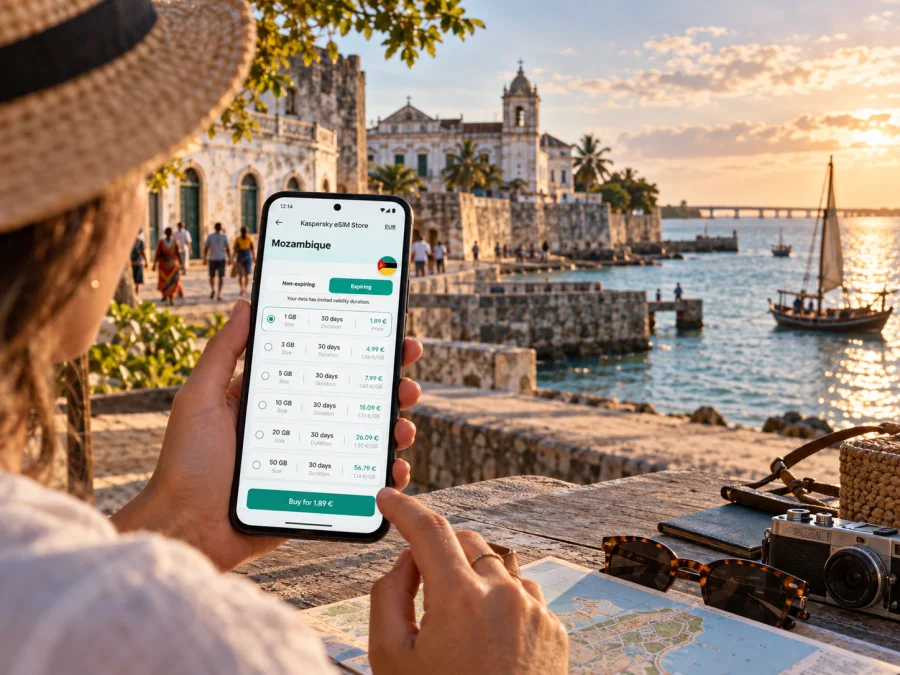
eSIM for Ilha de Mocambique: mobile connection and internet for your island stay
Ilha de Mocambique is a compact island city in Nampula Province, in northern Mozambique. Its historic streets, waterfront, guesthouses and landmarks sit within a very different setting from a large mainland city: the island is joined to the coast by a bridge, and onward travel often involves planning a road transfer as well as a flight. A travel eSIM can make it easier to use maps, message your host and check transport details without swapping your usual physical SIM.
The useful question is not simply whether a phone displays a signal icon. It is whether your device can use the particular travel plan you choose, whether that plan covers Mozambique, and how you want to manage data during the whole route. This guide focuses on those practical decisions for a stay in Ilha de Mocambique, from arrival in Nampula Province to a walk through the island’s Stone Town and Macuti neighbourhoods.
Why mobile data matters on an island visit
Ilha de Mocambique rewards an unhurried visit. The island’s historic built-up area is small enough to explore on foot, but planning around a place to stay, a driver, a meal or a next-day departure still means coordinating with people and checking details. Mobile data is useful in the moments around the walk: confirming a pickup, finding the correct entrance to accommodation, translating a message, or letting someone know that your plans have changed.
The island is connected to the mainland by a bridge built in the 1960s. That link makes it possible to arrive by road, but it does not make the island a suburb of Nampula city. The transfer is a separate part of the trip, and your itinerary may include an airport, a road journey, a stop on the mainland and the bridge before reaching your accommodation. Save the host’s address and arrival instructions before setting out, and keep them available offline in case you have a gap in mobile service.
A data connection can also help with small practical tasks that are easy to overlook when travelling: checking a booking message, keeping a digital copy of a reservation accessible, consulting a map, or sharing your location with a travel companion. It is not a substitute for confirming logistics directly. If a driver or host has arranged a specific meeting point, keep the name, phone details and written instructions somewhere accessible even when your phone is offline.
Planning your arrival in Nampula Province
For many visitors, getting to Ilha de Mocambique is a two-part journey: travel to a regional airport or mainland town, then continue overland. Mozambique’s official tourism information lists Nampula and Nacala among the airports serving the north, and its transport guidance describes road connections between Nampula, Nacala and Ilha de Mocambique. Routes and flight schedules can change, so check current transport arrangements with your airline, accommodation or driver before departure rather than relying on an old itinerary or an estimated arrival time.
If your flight lands in Nampula, the island is not at the airport. Arrange the onward ride in advance where possible and ask how the driver will identify you. If you arrive via Nacala, confirm the pickup location and expected route with your provider. In either case, do not assume that an airport taxi or a public transport connection will be available at the time you land. Confirm the actual service for your date and keep the contact number and pickup instructions in both your phone and a written or offline note.
An eSIM can help while you coordinate, but it should not be the only copy of your plan. Before leaving the airport, save your accommodation address, transfer contact, booking reference and any meeting instructions. Download an offline map covering the mainland approach and the island. If the route changes or a driver cannot reach you through an internet messaging app, you will still have the information needed to explain where you are going.
Arrival checklist
- Confirm which airport or mainland location your transfer uses.
- Ask your accommodation whether it can recommend or arrange transport.
- Save the driver’s name, meeting point and contact details before travelling.
- Keep your booking confirmation and address available offline.
- Download maps before the road journey, then use live navigation when mobile data is available.
- Leave enough time for the transfer; do not plan a tight onward connection based only on a map estimate.
On the island, the bridge is a clear geographic threshold, but mobile connectivity should still be treated as something that can vary by place, device and network. Do not assume that a plan advertised for Mozambique guarantees identical performance in every street, building or stretch of the approach road. Check the coverage wording and conditions attached to the plan, and make offline copies of anything essential.
Choosing an eSIM plan for Ilha de Mocambique
A city name alone is not enough to choose a suitable eSIM. Ilha de Mocambique is within Mozambique, so check that the plan’s destination list explicitly includes Mozambique. If your trip also includes other countries, confirm each destination separately or look for a regional plan whose stated coverage matches the full itinerary. A regional label does not automatically mean that every neighbouring country or border area is included.
Then compare the plan’s allowance and validity with how you expect to use your phone. A short visit based mostly around downloaded maps, occasional messages and booking checks may need less data than a trip where you regularly upload photos, use video calls or work online. Consider the journey to the island too: data may be useful before you arrive, not just during sightseeing. Select an allowance with a little room for unexpected route changes rather than counting only the days spent in the historic centre.
Before confirming a plan, read its displayed terms. Check the data amount, validity period, activation rules, supported destination, whether tethering is permitted if you need it, and what happens when the allowance runs out. Terms can vary by plan. A travel eSIM is generally intended for mobile data; do not assume it includes a local telephone number, ordinary calls or SMS unless the specific terms say so. Keep your regular SIM active if you rely on it for calls, banking codes or messages, and review your home operator’s roaming settings to avoid accidental charges.
Kaspersky eSIM Store is an app and website where you can choose, arrange and activate an eSIM with a suitable data plan for an international trip. To compare options for your destination, choose an eSIM plan for Mozambique and review the conditions shown for the plan before you travel. The destination page is for the country; your exact local experience still depends on the plan, partner network, device and location.
Match the plan to your travel pattern
| Your likely use | What to consider when comparing plans |
|---|---|
| A short heritage visit | A modest data allowance may be enough if you download maps and use data mainly for messages and logistics |
| A longer stay with day trips | Estimate daily use and leave a buffer for navigation, coordination and changes to transport |
| Remote work | Check allowance, validity and tethering terms; identify dependable Wi-Fi as a backup for large transfers or calls |
| A multi-country itinerary | Confirm every country in the route is included and check when the plan’s validity starts |
| Keeping your home number reachable | Check dual-SIM settings and choose which SIM handles data, calls and SMS |
This comparison is a planning aid, not a prediction of exact consumption. Navigation apps, photo backups, video playback and automatic updates can use data in the background. Before leaving, turn off automatic app updates over mobile data, limit cloud photo uploads and download music, maps or travel documents on Wi-Fi. Once on the island, you can decide whether to use mobile data for convenience or reserve it for navigation and coordination.
Local eSIM service and travel eSIM are different things
The word “eSIM” can refer to different services. A local mobile operator may offer a digital replacement for one of its own subscriber lines, with its own registration process and device conditions. A travel eSIM plan is a separate product designed for data use while visiting a destination. These are not interchangeable just because both are installed digitally.
For example, Vodacom Mozambique’s current local eSIM information describes activation for a Vodacom number and lists identity and compatible-device requirements. That local-market process should not be treated as a universal rule for every travel eSIM, nor should a traveller assume that a local operator’s eSIM page describes the plan they selected in an eSIM travel app. Read the terms for the specific plan and follow its installation instructions.
Device compatibility also depends on the exact model and regional variant. Phones sold under the same product family name can differ by market, and some variants may not support eSIM at all. A general online list for a model series is not enough if your handset was purchased in another country. Check the manufacturer’s information for the exact model number, make sure the phone is not carrier-locked, and confirm that it can add an eSIM profile. Check whether your device supports eSIM before arranging a plan.
This distinction matters in Mozambique because operator-specific eligibility and travel-plan compatibility answer different questions. A phone can be compatible with eSIM technology but still not meet a particular operator’s local subscriber requirements. Conversely, a traveller may be eligible for a travel plan that does not require a new local subscriber line. Use the terms attached to the option you are actually considering instead of inferring compatibility from the country, brand or product name alone.
Installing and activating before you go
Install the profile while you have stable internet access and enough time to follow the on-screen steps. Many travellers install before departure, then switch the eSIM on for mobile data when it is needed. However, the exact activation and validity rules depend on the selected plan: check whether validity begins at installation, activation or first connection. If the plan has a specific activation window, follow it rather than installing too early.
Keep your main SIM in place if you need your usual number for calls, texts or verification codes. In the phone’s mobile-data settings, choose the travel eSIM for data when you are ready to use it. Menu names differ across phones, but the idea is the same: leave the primary number assigned to the services you need and assign mobile data to the eSIM profile. Some eSIM plans require data roaming to be enabled for that eSIM; only change that setting after checking the plan instructions, and make sure roaming is not enabled unintentionally on your home SIM.
A simple preparation sequence is:
- Check eSIM support and carrier-unlock status for your exact phone variant.
- Confirm that Mozambique is listed as a covered destination and read validity and activation rules.
- Use Wi-Fi to install the eSIM by following the supplied steps.
- Label the new profile clearly, for example “Mozambique travel data”.
- Keep the home SIM selected for your normal calls and SMS if you need them.
- When you are ready to connect, select the travel profile for mobile data and apply any plan-specific roaming instruction.
- Open a basic webpage or messaging service to confirm that data works, then keep the activation details accessible.
If you prefer platform-specific steps, use the Android eSIM installation guide or the iOS eSIM installation guide. A QR code can only be scanned by the device on which you are adding the profile, so if you receive the code on that same phone, use the manual entry option or display the code on a second screen as directed by the provider. Do not delete a working profile simply to troubleshoot unless the plan instructions tell you to; some profiles cannot be installed again after removal.
Using data around the island
In Stone Town, a phone is useful for confirming the location of a museum, church, fort or guesthouse and for sharing your plans. Ilha de Mocambique has a compact historic core, but it is still a lived-in place rather than an open-air museum. Walk with respect for residents and private spaces, and ask locally before photographing people or entering courtyards. A map is a tool for orientation, not a substitute for local guidance when an entrance is difficult to identify.
At the waterfront, you may want to check a message, confirm a meal or arrange a boat or road transfer. Save the names of places and people in your notes rather than relying on a live search every time. Downloaded map areas and saved booking messages are especially useful if you are walking through narrow streets, moving between buildings or trying to preserve data for later travel.
Macuti Town is part of the same city and deserves the same care in navigation. Do not treat it as a shortcut or an anonymous route simply because it appears close on a map. If you are unsure where to go, ask your host or another trusted local contact for directions. Keep your phone charged and secure, and avoid handling it while crossing busy traffic or walking somewhere unfamiliar after dark.
For a day outside the island, confirm transport and timing before leaving. A map can help explain the route, but it cannot confirm that a particular vehicle, boat or connection is running that day. Ask the person arranging the trip what happens if weather, road conditions or a schedule change affects the plan. If you are crossing back to the mainland, keep enough battery and data for the return journey and any change in pickup arrangements.
What to do if the eSIM does not connect
Work through basic checks before removing or reinstalling anything:
- Confirm the plan is valid for Mozambique and has not expired or used its allowance.
- Check that the eSIM line is turned on and selected for mobile data.
- Review the plan instructions for any required data-roaming setting.
- Switch airplane mode on briefly, then off, or restart the phone.
- Move to an open location and allow the phone a little time to register.
- If the problem remains, contact the plan’s support channel using Wi-Fi, and keep the eSIM profile installed unless instructed otherwise.
The labels and steps vary by operating system. If you have a physical SIM and eSIM active together, verify which line is set for data; selecting the wrong line is a common source of confusion. If you need a verification code sent to your usual number, ensure that line remains enabled and check your home operator’s roaming charges. Do not share your eSIM QR code or device identifiers with anyone who does not need them.
Frequently asked questions
Is Ilha de Mocambique the same place as Nampula?
No. Ilha de Mocambique is an island city in Nampula Province. Nampula is also the name of the province and of a mainland city that can serve as a regional arrival point. Check the address and map pin for your actual destination before arranging a transfer.
Does a Mozambique travel eSIM include ordinary calls and SMS?
Not necessarily. Travel plans are commonly data-focused, and included services vary. Read the selected plan’s terms. Internet messaging and voice apps can work over data, but they do not turn a data-only plan into a local telephone line.
Can I install an eSIM after arriving?
That depends on the plan and whether you have internet access for installation. It is usually easier to check compatibility and install when you have reliable Wi-Fi before departure, while following the plan’s validity rules. Keep the installation instructions available offline.
Will one eSIM work across every phone variant?
No. eSIM support can differ by exact device model and sales region, and a phone may also be locked to an operator. Check the precise model and device settings before arranging a plan. Local operator eSIM requirements are separate from travel eSIM compatibility.
Prepare your connection before the island transfer
A little preparation makes the arrival in Ilha de Mocambique easier: verify the exact phone variant, check Mozambique in the plan’s destination terms, save the transfer details offline and decide which SIM will handle mobile data. That gives you a usable backup for maps and messages while leaving room to enjoy the island without checking your phone at every turn.
Use the Kaspersky eSIM Store app or website to review the available terms and choose a suitable eSIM plan for your Mozambique trip. Install and activate the plan according to its instructions, then keep your booking and route details available offline for the journey from the mainland to the island.


