
Travel connectivity guide
Iliili eSIM for mobile internet
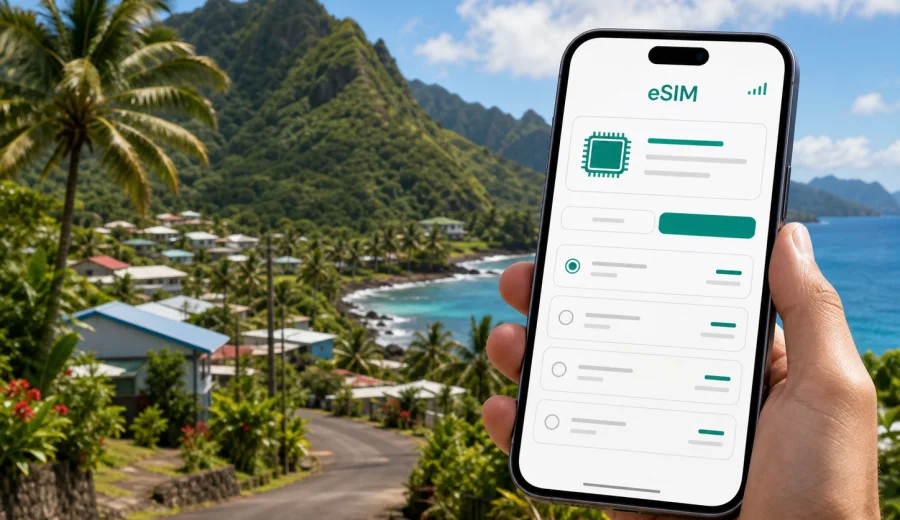
Iliili eSIM: mobile connection and internet for a trip to American Samoa
Iliili is a practical base for a trip on Tutuila, the main island of American Samoa. It is close enough to Tafuna, Pago Pago International Airport, local shops, family neighborhoods, churches, schools, and the road network that connects the western villages with Pago Pago Harbor. For travelers, this makes mobile connection more than a convenience. You may need internet as soon as you leave the airport, when you check a map, confirm a pickup, message a host, arrange transport, or share a location with someone meeting you nearby.
An eSIM helps you prepare mobile data before the trip without looking for a physical SIM card after arrival. With Kaspersky eSIM Store, you can use the app or website to choose, arrange, and activate an eSIM with a suitable data tariff for international travel. The exact conditions depend on the selected tariff, but the basic travel benefit is simple: you prepare mobile internet for American Samoa before you start moving around Iliili.
This guide focuses on Iliili, not only on American Samoa in general. It covers arrival, short stays, local movement, hotels and guesthouses, work trips, family visits, stopovers, and routes from Iliili toward Tafuna, Pago Pago, Leone, and the eastern side of Tutuila.
Why mobile internet matters in Iliili
Iliili is not a dense downtown with metro stations and tourist desks on every corner. A lot of movement happens by car, pickup, taxi, family transfer, or local bus routes along the island roads. Addresses can be described by village, road, landmark, church, store, or family name rather than by the street-number logic many visitors expect. That makes live maps, messaging, and saved location pins especially useful.
Mobile data can help with:
- navigating from Pago Pago International Airport toward Iliili or a nearby hotel;
- confirming where a driver or family member should meet you;
- checking whether a shop, office, clinic, or restaurant is open before you go;
- using messengers for calls when your travel eSIM tariff does not include ordinary voice service;
- sending location pins when road names are not enough;
- managing flight, ferry, hotel, and work updates without relying only on public Wi-Fi;
- planning short drives to Tafuna, Pavaiai, Leone, Pago Pago, or beaches around Tutuila.
The island is compact, but travel time can still depend on traffic, weather, road works, school hours, events, and where exactly you are staying. A prepared eSIM gives you a better chance of staying oriented from the first day.
eSIM in Iliili: what it does and what it does not do
For a visitor, an eSIM is a digital SIM profile installed on a compatible smartphone or tablet. Instead of inserting a plastic SIM card, you add the eSIM profile to the device and use it for mobile data during the trip. In the context of Kaspersky eSIM Store, eSIM is used for mobile internet in international travel.
It is important to set the expectation correctly:
| Question | Practical answer for Iliili travelers |
|---|---|
| Does an eSIM replace every part of a local mobile plan? | No. A travel eSIM is mainly for mobile data. Ordinary calls and SMS are included only if the chosen tariff says so. |
| Can you keep your regular SIM active? | Usually yes on dual-SIM devices. You can keep your home number for calls or messages and use the eSIM for data. |
| Is public Wi-Fi enough? | It can help in hotels, offices, or cafes, but it is not ideal for airport pickup, road navigation, or moving between villages. |
| Should you install the eSIM before flying? | Often yes. You can install it before departure and activate it according to the tariff instructions. |
| Should you check your phone first? | Yes. Before purchase, check your device and make sure it supports eSIM and is not locked to one carrier. |
Coverage, speed, and availability depend on local network conditions and the terms of the selected tariff. A travel eSIM is not a promise that every indoor corner, valley, or coastal road will have the same signal quality. It is a tool for preparing mobile data more neatly before you arrive.
Arrival at Pago Pago International Airport and the first ride to Iliili
Most visitors reach Iliili by flying into Pago Pago International Airport, which is near Tafuna on Tutuila. The distance to Iliili is not large, but the first hour after arrival is when internet often matters most. You may be tired, carrying luggage, and trying to match local instructions with the road outside the terminal.
Useful first-hour tasks include:
1. Turn on the correct eSIM line for mobile data after landing.
2. Check whether data roaming needs to be enabled for that eSIM profile, if the tariff instructions require it.
3. Message your host, family contact, colleague, or driver before leaving the airport area.
4. Save the destination in maps while you have a stable signal.
5. Keep the accommodation name, village, and any landmark in the same message thread.
If someone is meeting you, mobile data lets you share a current location rather than trying to describe a curb, gate, or parking area. If you are using a taxi or arranged transfer, it helps you confirm the route toward Iliili, Tafuna, or another nearby village. If your first stop is a store, office, or guesthouse, you can check directions before the car starts moving.
For short visits, this preparation can save a surprising amount of time. You may not be staying long enough to compare local SIM options, visit a shop, and handle setup after arrival. An eSIM is especially useful when your Iliili stay is part of a broader Pacific route and you want the phone ready before the first transfer.
Local movement: Iliili, Tafuna, and the western villages
Iliili sits in a part of Tutuila where everyday movement often flows between nearby villages. A traveler may stay in Iliili but go to Tafuna for airport access, shopping, offices, sports facilities, or meetings. You may also move toward Pavaiai, Leone, Vaitogi, or back toward Pago Pago. For this pattern, the most useful internet tasks are not dramatic. They are small, repeated actions that keep the day organized.
Examples:
- sending a message before leaving a house or guesthouse;
- checking the best time to depart for the airport;
- saving a pickup point near a road, store, church, or school;
- keeping a translation app ready if you need help with directions;
- checking weather before planning a beach stop or a longer drive;
- sharing a live location during a business visit or family errand;
- confirming whether a meeting has moved from one village to another.
Because American Samoa is in the South Pacific, travel planning also has a time-zone detail. If you coordinate with offices, airlines, family members, or colleagues in the mainland United States, New Zealand, Samoa, Australia, or Asia, make sure your calendar and messaging apps show the correct local time. Mobile data helps, but only if your device time and app notifications are set correctly.
Choosing an eSIM data amount for an Iliili stay
The right data amount depends on how you travel. A short stopover may need only enough data for maps, messaging, flight updates, and a few web searches. A business trip may need more for email, document previews, video calls, and hotspot use. A family visit may look light on paper but become data-heavy if you share photos, make internet calls, or use navigation every day.
Use this simple planning table:
| Trip style in Iliili | Typical internet use | What to consider |
|---|---|---|
| Airport stop or one-night stay | maps, pickup messages, hotel check-in, flight updates | choose a small data package with enough validity for delays |
| Weekend visit | messaging, maps, restaurant and shop checks, photo sharing | leave extra data for video messages and cloud backups |
| Family visit | messengers, shared locations, social apps, local errands | keep mobile data available outside the house, not only on Wi-Fi |
| Business trip | email, calendar, maps, work chats, files, occasional calls over apps | check whether tethering is allowed by the selected tariff |
| Island touring from Iliili | navigation, weather, route checks, beach and viewpoint planning | save offline maps too, especially before driving away from main areas |
Try to estimate data by behavior, not only by number of days. One traveler using only messages and maps may use less data in a week than another traveler using video calls, cloud photo backup, and hotspot mode in one afternoon.
Preparing your phone before departure
The best time to solve eSIM setup questions is before you are standing outside the airport. A few checks can prevent most avoidable problems.
Before your flight to American Samoa:
- confirm that your smartphone or tablet supports eSIM;
- make sure the device is not restricted to one carrier;
- update the operating system if you have postponed updates for a long time;
- keep enough battery for arrival and installation steps;
- save your eSIM installation details somewhere you can access offline;
- keep your regular SIM active if you need your usual number for banking or two-factor messages;
- turn off automatic photo or video backup on mobile data if you want to preserve the data package;
- download key map areas for Tutuila in advance.
If your travel plan includes American Samoa, you can choose a data tariff for your trip to Iliili and American Samoa in Kaspersky eSIM Store before you depart. The country landing page is the right place to start because a city article uses the tariff options for the country that the city belongs to.
How to install and activate eSIM for Iliili
Installation details can differ by device model and operating system, but the flow is usually straightforward. After you choose and arrange the tariff, you install the eSIM profile on a compatible device and follow the activation instructions for the selected plan.
General steps:
1. Open the eSIM details on a stable internet connection.
2. Add the eSIM profile to your phone before the trip or when you have reliable Wi-Fi.
3. Name the line clearly, for example "Travel data" or "American Samoa data".
4. Keep your regular SIM as the default line for calls if you need your usual number.
5. Set the eSIM as the mobile data line when you are ready to use it.
6. Enable data roaming for the eSIM only if the tariff instructions say it is required.
7. Test messaging, maps, and browser access after arrival.
For device-specific setup, use the Android installation guide or the iOS installation guide. Follow the instructions for your phone rather than guessing from another device, because menu names and dual-SIM behavior can vary.
Business trips and work days based in Iliili
Business travel to Iliili may involve meetings in nearby Tafuna, offices in the Pago Pago area, school or church-related visits, logistics tasks, community projects, or field work. These days often require more than casual messaging. You may need email access, shared documents, calendar changes, location sharing, and calls over internet apps.
For work trips, plan data more conservatively:
| Work task | Data risk | Practical tip |
|---|---|---|
| email and calendars | low to medium | sync before leaving Wi-Fi, but keep mobile data on for updates |
| maps and route checks | low | save key places before the first meeting |
| document previews | medium | download large files on Wi-Fi when possible |
| video calls | high | use Wi-Fi if available, or confirm you have enough mobile data |
| hotspot for a laptop | high | check tariff conditions and track usage closely |
If you rely on your phone for work authentication, keep your regular SIM available for security messages where needed. A travel eSIM can handle mobile data, while the physical SIM or primary eSIM may remain connected for your usual number, depending on your device and home operator settings.
Trips from Iliili across Tutuila
From Iliili, you can plan movements across Tutuila: toward Pago Pago Harbor, the National Park areas, Leone, coastal villages, beaches, viewpoints, and local events. Many routes are straightforward, but mobile internet still helps with timing and coordination.
Use online maps for planning, but do not treat them as the only source of truth. Local advice is valuable in American Samoa because road conditions, access, parking, weather, and event schedules can affect a plan. The best approach is to combine saved offline information with active mobile data for last-minute checks.
Before a day trip from Iliili:
1. Save the main route while you have a good connection.
2. Send your plan and expected return time to someone you trust.
3. Charge your phone and keep a cable in the car.
4. Download key maps or screenshots in case signal changes.
5. Keep data available for weather, messages, and route changes.
6. Avoid starting a long video upload before driving into areas where signal may vary.
This is where an eSIM can feel most useful. It is not only about browsing. It helps you coordinate the real details of travel: where to meet, when to leave, what changed, and how to get back.
Managing data wisely during the trip
Even a comfortable data package can disappear quickly if the phone is left to manage everything automatically. Before and during your Iliili stay, check the settings that quietly consume data.
Data-saving checklist:
- pause automatic app updates on mobile data;
- disable automatic cloud photo and video backup until you are on Wi-Fi;
- download offline maps before long drives;
- use lower video quality for calls when possible;
- close hotspot mode when you are not using it;
- check data usage by app in phone settings;
- keep messaging, maps, email, and banking apps prioritized;
- avoid testing multiple speed or video apps just to compare the connection.
If you travel with family or colleagues, decide who will use mobile data for navigation. If every phone runs maps, streaming, and uploads at the same time, the group uses much more data than expected. For a car ride, one active navigation phone and one backup phone are usually enough.
Common mistakes to avoid
Several eSIM problems happen because the phone was not prepared, the wrong line was selected, or data-heavy apps used the package too quickly. Before you leave for Iliili, avoid buying a tariff before confirming device compatibility, assuming a travel data eSIM includes a local phone number, deleting the eSIM profile without checking reinstall rules, keeping your home SIM as the active data line by accident, or using mobile data for full-resolution cloud backup.
If mobile data does not start immediately after arrival, check the basics first: correct data line, data roaming setting for the eSIM if required, airplane mode off, device restart, and tariff activation rules. Many setup issues are solved by reviewing these settings calmly.
FAQ: eSIM, mobile connection, and internet in Iliili
Can I use an eSIM for mobile internet in Iliili?
Yes, if your device supports eSIM, is not carrier-locked, and the selected tariff covers American Samoa under its terms. Check the tariff details before purchase.
Do I need to buy a separate city plan for Iliili?
No. For a city article, use the plan page for the country the city belongs to. Iliili belongs to American Samoa, so the relevant destination is American Samoa.
Will I get a local phone number?
Usually no. Travel eSIM tariffs are primarily for mobile data. Voice calls and SMS are available only if the selected tariff specifically includes them. Many travelers use messaging apps over mobile data for calls.
Can I install the eSIM before I travel?
In many cases, yes. Installing before departure is often convenient, but activation and validity rules depend on the selected tariff. Read the instructions before the flight.
What if my phone has only one SIM slot?
If it supports eSIM, you may still be able to add a digital SIM profile. If it does not support eSIM, you need another option. Check compatibility first.
Should I keep my regular SIM active?
If you need your usual number for banking, work, or family messages, keep it available where possible. Set the travel eSIM as the data line when you want to use mobile internet in American Samoa.
Is an eSIM better than hotel Wi-Fi?
It is different. Hotel or home Wi-Fi can be useful for heavy downloads, but mobile data is more useful while moving, meeting someone, navigating, or handling urgent messages away from Wi-Fi.
Final preparation before you go
For Iliili, the most reliable mobile internet plan is the one you understand before the trip begins. Check your device, choose a data amount that fits your real behavior, install the eSIM with a stable connection, and keep the activation details available offline. Save your accommodation pin, airport pickup contact, and key routes before your first ride from the airport.
Kaspersky eSIM Store helps you prepare mobile internet for international travel through an app or website where you can choose, arrange, and activate an eSIM with a suitable tariff. Before you fly to Tutuila, choose an eSIM data tariff for American Samoa and make sure your phone is ready for arrival in Iliili.