Travel connectivity guide
Infinix Note 60 Ultra 1TB 5G eSIM Guide
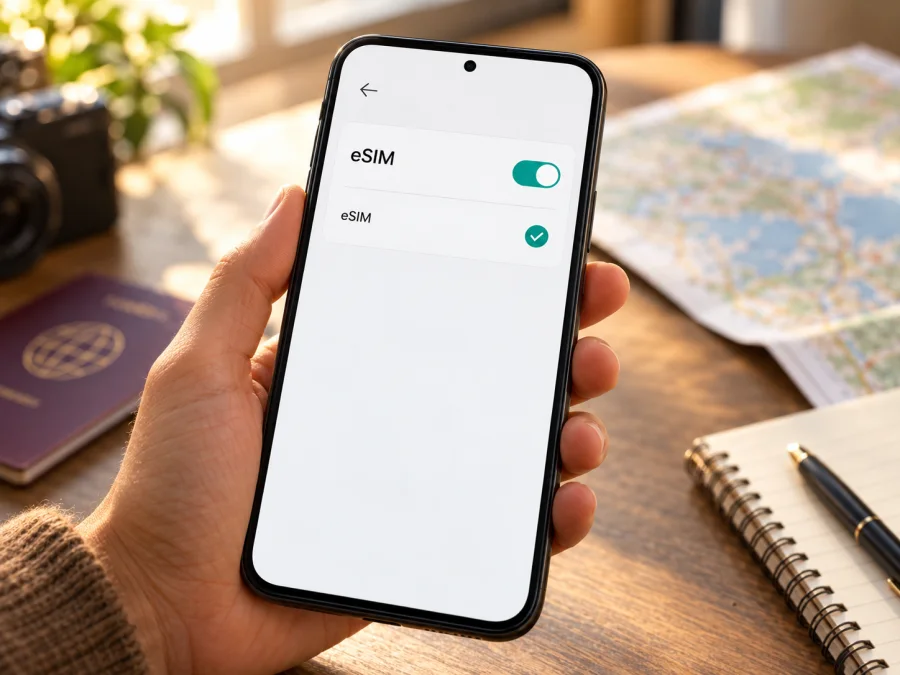
Infinix Note 60 Ultra 1TB 5G eSIM: compatibility and setup guide
Short answer: Infinix’s official product information confirms eSIM support for the NOTE 60 Ultra in at least some markets, and the Mexican specification page explicitly lists eSIM while warning that availability can depend on country and carrier. However, the exact configuration named Infinix Note 60 Ultra 1TB 5G is not confirmed by the official specifications available: Infinix’s global launch announcement describes a 12 GB RAM/256 GB storage version, while its Mexican specifications list 256 GB and 512 GB storage. The 1TB 5G configuration may be a seller description, a later or market-specific SKU, or an inaccurate listing. Do not assume its eSIM support from the family name alone. Check the phone itself and ask the seller to confirm the complete model code and eSIM capability before choosing a plan.
This distinction matters because “5G” describes mobile network capability; it does not establish whether a particular regional SKU contains an eSIM function. The practical check is whether this handset has an EID and an option to add an eSIM in its own settings, followed by confirmation that it is unlocked and usable with the intended travel plan.
Does the Infinix Note 60 Ultra 1TB 5G support eSIM?
The answer has two parts. Infinix’s official information for NOTE 60 Ultra says the model has built-in eSIM, while noting that eSIM availability depends on region and carrier. Its regional specification material also presents a model code and SIM configuration, and lists eSIM availability as conditional. At the same time, the exact “1TB” storage version does not match the storage configurations in the official specifications available. The global launch announcement identifies a 256 GB configuration and 256 GB or 512 GB on a regional specification page. They do not verify an official 1TB SKU.
So the safe conclusion for the Infinix Note 60 Ultra 1TB 5G is: eSIM is documented for the NOTE 60 Ultra product family, but the precise 1TB 5G unit cannot be confirmed from the available official variant information. A regional or retailer-specific device may differ in enabled features, firmware, supported carriers, and sales description. Treat eSIM as unconfirmed for your individual handset until you see its EID or eSIM-add menu, and verify the model code with the seller or Infinix support.
The difference between “eSIM is supported by a model family” and “this exact phone can add an eSIM” is important. A product page may describe a feature that is not available in every country. A retailer may combine specifications from multiple versions, or use “1TB” to refer to storage expansion, cloud storage, or a listing error rather than built-in internal storage. The box label, settings, and complete model identifier are more useful than a shortened marketplace title.
| Item | What can be established | What to check on this phone |
|---|---|---|
| Product family | Infinix publishes NOTE 60 Ultra information and documents eSIM for the model in official materials. | Confirm that the handset is actually a NOTE 60 Ultra, not a similarly named NOTE 60 or NOTE 60 Pro. |
| Listed storage capacity | The exact “1TB” variant was not verified in the official specifications available. Official sources show other storage configurations. | Ask whether 1TB means internal storage, memory-card capacity, or a combined marketing figure; compare the box label and Settings > About phone. |
| 5G | The NOTE 60 Ultra family is presented as 5G-capable in official specifications. | Check the full model code and the local 5G bands if cellular data coverage matters. 5G alone does not prove eSIM availability. |
| eSIM | Confirmed for the NOTE 60 Ultra in official product information, with country and carrier limitations. | Look for an EID and an “Add eSIM” or “Add mobile plan” option. Ask the seller whether eSIM is enabled in the phone’s sales region. |
| SIM lock | Not established by the model name. | Confirm the phone is unlocked and that no carrier restriction blocks adding another profile. |
| Travel plan | A travel eSIM works only where the plan has service and the device can register on a compatible network. | Check the destination, data allowance, validity, supported networks, activation timing, and any device requirements in the plan details. |
Regional and carrier versions: why the exact SKU matters
Smartphones with one family name can have different regional part numbers, firmware, network bands, or eSIM provisioning. Infinix warns that eSIM availability may depend on country and carrier. Its official NOTE 60 Ultra pages also show different storage information by region: the global launch announcement describes 256 GB, while a regional specification page lists 256 GB and 512 GB. Neither confirms the 1TB SKU named here. This does not establish which versions are sold in every market; it means the exact device should be checked directly.
Before purchase, ask the seller for the full model code, an explanation of the 1TB claim, proof of an EID or Add eSIM menu on the exact unit, and confirmation that it is unlocked. Match the box label with Settings > About phone. A generic product-page image or another phone’s settings cannot verify your handset.
Check the EID and eSIM menu yourself
An EID identifies a device’s embedded SIM hardware. Its presence is a useful sign, but regional availability and carrier lock status still matter. Menu labels vary by Android and XOS release.
- Open Settings and search for eSIM, SIM, or mobile network. Look for Add eSIM, Add mobile plan, or a similar option.
- In Settings > About phone, inspect Status, SIM status, or IMEI information for an EID. On supported phones, entering
*#06#in the dialer may show it too. Keep EID and IMEI private. - Compare the menu and identifier with the full model code on the box. If either is missing, restart, install official updates, and check again. Ask the seller or Infinix whether eSIM is enabled for this regional SKU.
- Confirm the phone is unlocked. Hardware support does not remove a carrier restriction.
If there is no EID or Add eSIM option and the seller cannot verify the exact model, do not buy a plan yet. Check whether your device is compatible before checkout.
What to confirm before buying an eSIM plan
Device support is only one part of compatibility. The phone must be unlocked, the plan must cover the destination, and the handset must be able to register on a supported local network. Travel eSIM plans are commonly intended for mobile data; check terms before expecting a phone number, ordinary voice calls, or SMS.
Before checkout, verify the EID and Add eSIM menu on your Infinix Note 60 Ultra 1TB 5G, unlock status, destination coverage, data allowance, validity, supported networks, activation timing, and hotspot terms. A 5G label does not guarantee 5G access on a particular plan or network. Keep the QR code accessible on another screen, and use Wi‑Fi for installation.
Kaspersky eSIM Store is an app and website where travelers can choose, arrange, and activate an eSIM plan for mobile data abroad. It does not change device compatibility or remove a carrier lock. After checking the phone, browse current destinations and plans. This is a general homepage for current options, not a country-specific tariff.
How to install an eSIM on the Infinix Note 60 Ultra 1TB 5G
Menu labels vary across XOS and Android releases. Follow these steps only if the phone has eSIM enabled. Keep it online over Wi‑Fi, charged, and have the activation code ready. Many QR codes are single-use.
- Install official updates and confirm an EID and Add eSIM option. Keep your home SIM if needed for calls or messages.
- Open Settings > SIM management or Mobile network, choose Add eSIM, and scan the QR code shown on another device. Enter manual details only if the plan provides them. Keep activation information private.
- Wait for the profile to download. Name it “Travel data” for clarity. If installation fails, check whether the code was already used before retrying.
- Select the travel eSIM for mobile data. Decide whether the home SIM should remain available for calls and SMS; disable automatic data switching if you do not want data to move to that line.
- Enable data roaming for the travel eSIM only if the plan instructions require it. If data still fails, use the exact APN supplied for that plan; do not guess.
- Follow the plan’s activation timing, then test service at the destination. Allow a few minutes for network registration before troubleshooting.
See the Android eSIM installation instructions. That guide says Android menus vary by model and illustrates Samsung-specific steps, so Infinix labels may differ. The iOS eSIM installation instructions are for a separate iPhone, not this Infinix.
Using the eSIM for mobile data while travelling
Before leaving, check that the profile appears, review the plan’s coverage and activation rules, and choose the travel eSIM for data. If the home SIM remains enabled for calls or messages, review its roaming charges and disable its data roaming if appropriate. At your destination, turn on the travel line and wait for it to register. Use automatic network selection first; choose a manual network only if the plan names it as supported.
For a city break, estimate data for maps, messaging, and browsing, then match the allowance and validity to your itinerary. For a multi-country route, confirm every country is included and check whether service continues across borders. Use Wi‑Fi for large downloads and backups, monitor data use, and verify whether hotspot use is allowed. A 5G-capable phone may use 4G if local coverage, bands, or the plan do not support 5G. A data-only travel plan does not replace your home number or carrier’s voice/SMS service.
Common problems and checks
There is no Add eSIM option or EID
Search Settings and the identifiers screen reached with *#06#, restart, and check for official updates. Confirm the exact model code and regional eSIM availability with the seller or Infinix. This 1TB version is not verified in the official specifications available; do not infer support from 5G or the product family name.
The QR code fails or the profile will not download
Use a stable internet connection, brighten the QR display, and check that the code belongs to this plan. It may be single-use. Review the plan instructions before retrying or deleting a profile; contact support if the code may already have been used.
The eSIM is installed but there is no service
Confirm the profile is on, selected for mobile data, and valid in the country you are visiting. Check the activation start time, enable roaming on that eSIM if required, toggle airplane mode, then wait for registration. Try manual network selection only when the plan lists supported networks.
Signal appears but data does not work
Verify the selected data SIM, remaining allowance, validity, roaming setting, and APN. Turn Wi‑Fi off briefly to test cellular data. Enter only the APN supplied for this plan. If the phone rejects the profile, check lock status, prior installation, and variant compatibility with support. Do not publish a QR code, activation code, EID, or IMEI.
Frequently asked questions
Is eSIM definite on the Infinix Note 60 Ultra 1TB 5G?
The NOTE 60 Ultra family has official eSIM documentation, but the exact 1TB configuration is not verified in the official specifications currently available. Check the EID, Add eSIM menu, model code, and regional availability.
Does 5G mean eSIM works?
No. They are separate capabilities. 5G access also depends on the plan, local network, and supported bands.
Why do official storage details differ from a 1TB listing?
Infinix lists other storage configurations. Ask the seller whether 1TB means built-in storage and confirm the phone’s About screen and box label.
Can I use physical SIM and eSIM together?
The regional specification lists physical SIM alongside eSIM, but active-line combinations may vary. Check SIM management on the actual handset.
Does a travel eSIM include calls or a number?
Do not assume so. Check the plan terms; many travel eSIMs are for data. Internet calling apps can use data.
Should I install before travelling?
Only if the plan permits it. Check when validity begins, and keep the activation code private. If the seller cannot verify the exact version, wait until you can inspect its EID or Add eSIM menu.
Before you choose a travel eSIM
The NOTE 60 Ultra family has official eSIM documentation, but the specific Infinix Note 60 Ultra 1TB 5G configuration is not listed in the official storage specifications currently available. That makes the settings on your own phone and its complete regional model code decisive. Confirm an EID and Add eSIM option, establish that the phone is unlocked, and check that the destination plan supports your route and intended use.
Once the handset passes those checks, compare the current plan allowance, validity, coverage, activation timing, and device requirements for your trip. Kaspersky eSIM Store lets you use its app and website to choose, arrange, and activate an eSIM plan for mobile data abroad. Check your device’s compatibility, then browse current destinations and plans before you travel. The homepage helps you check available options; confirm your destination and plan details on the site before making a decision.


