Travel connectivity guide
Infinix Note 60 Ultra 256GB 5G eSIM Guide
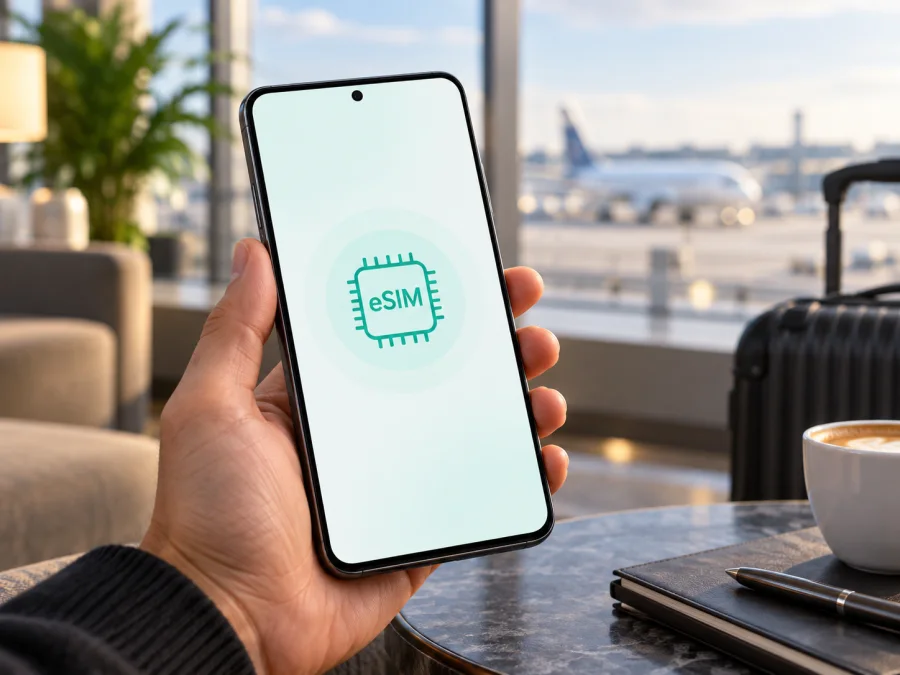
Infinix Note 60 Ultra 256GB 5G eSIM compatibility and travel setup
The Infinix Note 60 Ultra 256GB 5G supports eSIM according to Infinix’s current NOTE 60 series information. That means the 256GB 5G configuration is designed to use a digital SIM profile as well as compatible physical SIM service. Before you buy a travel plan, verify the EID and eSIM controls on your own handset: availability can still depend on the country version, firmware, carrier restrictions, and the exact unit supplied by a retailer.
An eSIM is a digital SIM profile installed in the phone. It can give you a separate mobile data line for a trip without removing your usual nano-SIM. The profile does not automatically include a regular phone number, voice calls, or SMS; check the specific plan terms. Messaging and internet calls can work through apps when data service is available.
Quick answer
| Item | Infinix Note 60 Ultra 256GB 5G |
|---|---|
| eSIM capability | Supported in Infinix NOTE 60 series information |
| Device type | Android smartphone, 5G model |
| Storage in this variant | 256GB |
| What to confirm before purchase | EID, an Add eSIM option, unlocked status, and plan compatibility |
| Typical travel use | Keep a primary physical SIM for calls and use a travel eSIM for data, if your software allows both lines to remain active |
The storage size and 5G radio do not by themselves enable eSIM; the phone’s embedded SIM hardware and its regional software do. This article is about the exact 256GB 5G configuration named above. A similar Note 60, Note 60 Pro, or another storage version should be checked separately rather than treated as interchangeable.
Regional versions and carrier restrictions
Infinix’s official NOTE 60 series announcement identifies eSIM connectivity across the series and notes that availability depends on the carrier and region, and may not be supported in every country. The Note 60 Ultra belongs to the NOTE 60 series, so the manufacturer information supports eSIM capability for this family. It does not guarantee that every handset sold under the same retail name has identical eSIM provisioning. Availability, bands, SIM combinations, and menu wording can vary by market. Some retailers also sell imported stock whose firmware or service configuration was intended for another country.
A phone can support eSIM hardware and still fail to install a particular profile if it is carrier-locked, if a local carrier blocks the feature, or if the plan is not valid for that device or destination. Carrier approval can also affect whether a physical SIM and an eSIM can be active at the same time. The status bar showing 5G is separate from eSIM support: 5G coverage depends on the destination network, supported frequency bands, plan, and local availability.
If you are buying the phone, ask the seller to confirm that the exact regional SKU includes eSIM and request the model code for the listing. If you already own it, check the handset itself. An EID is a strong sign that the phone has an eSIM component; an Add eSIM or Download a SIM option is another useful check. When neither appears, do not assume that a software update or a QR code will add missing hardware support. Contact Infinix or the seller with the model code and software version.
Compatibility checklist
Before ordering a travel plan, check each item on this list:
- [ ] The settings menu shows an eSIM or Add eSIM option.
- [ ] Dialling
*#06#displays an EID, in addition to any IMEI numbers. - [ ] The handset is unlocked for use with another provider’s profile.
- [ ] The plan supports the country or region you will visit and the phone’s network bands.
- [ ] You have stable Wi-Fi for downloading the profile, plus enough battery to finish setup.
- [ ] You know whether the plan activates at installation, first connection, or another stated time.
- [ ] You have saved the QR code or manual activation details somewhere accessible during setup.
<a id="kesim-device-compatibility"></a>
Check the phone before choosing a plan
Open Settings and search for “SIM”, “eSIM”, or “mobile network”. On XOS versions, labels and menu locations may differ, so look under Network & internet, SIM cards & mobile networks, or a similarly named section. A visible Add eSIM, Download a SIM, or Add mobile plan control indicates that the software exposes eSIM setup. You can also open the phone dialler and enter *#06#. If an EID number appears, note that it is an identifier for the eSIM hardware, not an activation code and not the same as an IMEI.
For a second check, open Settings → About phone → Status or the device information page and compare the model or build details with the box and purchase listing. Menu names can change after software updates, so use Settings search if the path is different. A missing EID and missing eSIM control are reasons to pause before purchase and ask the seller or manufacturer to verify the unit.
Check whether your device is compatible before selecting a destination plan. If the phone is eSIM-capable but locked, ask the original carrier to unlock it. If you are uncertain about a grey-market or imported device, provide its model code and EID status to Infinix support rather than relying only on the model name printed on an online listing.
Get ready to install
Installation is easiest before departure, while you have reliable Wi-Fi and time to read the plan conditions. First choose a plan that covers the places on your itinerary. Compare the data allowance, validity period, supported countries, hotspot rules, and the event that starts the validity clock. A regional plan can be convenient for a multi-country route, while a single-country plan may fit a short stay. The phone’s 256GB storage does not determine the data allowance you need.
Keep the original SIM active if you need its regular number for calls or messages. Check with your home carrier how incoming calls, SMS, and roaming are charged. A travel data eSIM is normally a separate line; it should not be assumed to replace your home mobile plan or keep its number active. For account security, make sure you can receive any sign-in codes you may need before changing SIM settings.
Before setup, update Android/XOS if an update is available, charge the phone, and connect it to Wi-Fi. Do not scan a QR code until you have read the provider’s instructions. Some activation codes can only be used once, and some plans start their validity period when the profile is installed rather than when you arrive. Follow the terms for the specific plan you selected.
Install and activate an eSIM
The exact wording on the Infinix Note 60 Ultra 256GB 5G can vary with XOS version, region, and carrier. These are the usual Android steps:
- Open Settings and go to SIM cards & mobile networks, Network & internet, or the nearest equivalent.
- Select Add eSIM, Download a SIM, or Add mobile plan. If prompted, confirm that you want to download a SIM profile.
- Choose to scan a QR code. Point the camera at the code shown by the plan provider. If scanning is unavailable, choose manual entry and type the activation details exactly as supplied.
- Keep the phone online while it downloads and installs the profile. Do not close Settings or delete the profile during this process.
- Give the line a clear label such as “Travel data” so it is easy to distinguish from your home SIM.
- Select the preferred line for mobile data. Keep calls and SMS on your usual number if that is what you want, and review the roaming setting for each line separately.
- Complete any activation step required by the plan. Some eSIMs connect only after you reach the destination; others require an activation button or a data-roaming setting.
For more detailed steps, use the Android eSIM installation instructions. The iOS eSIM installation instructions are for Apple devices, but are included for travellers setting up more than one phone in a group.
Installing a profile and starting its plan are not always the same event. The profile may be present in Settings while the package remains inactive until it reaches a supported network. Follow the activation timing in the plan details. Avoid deleting an eSIM as a troubleshooting shortcut: many profiles cannot be reinstalled after deletion, and a replacement may require help from the plan provider.
Use the eSIM during a trip
Once you arrive, open the SIM settings and confirm that the travel line is enabled and selected for mobile data. If the provider requires it, turn on Data roaming for that eSIM. Roaming on the travel profile does not necessarily mean that your home SIM will use roaming data, but check both lines carefully. Consider disabling mobile data switching so the phone does not unexpectedly use your home line for internet access.
A practical setup for many travellers is to keep the home nano-SIM enabled for important calls or one-time verification messages, while assigning mobile data to the travel eSIM. Whether this combination works depends on local SIM rules, carrier support, and the handset configuration. If you do not need the home number, turning that line off can help avoid unwanted roaming charges. Use messaging and calling apps over data for contact, remembering that app calls use the plan’s data allowance.
Kaspersky eSIM Store is an app and website where you can choose, arrange, and activate an eSIM with a mobile data plan for an international trip. Review the destination, data amount, validity, and activation conditions before you complete your choice. Your plan’s detailed terms determine which networks and services are available.
Troubleshooting common issues
There is no Add eSIM option. Search Settings for “eSIM” and check for an EID with *#06#. Install available system updates and restart the phone. If both checks fail, verify the exact model code and region with the seller or Infinix. A QR code cannot make an eSIM-capable menu appear on a version that lacks eSIM provisioning.
The profile downloads but has no service. Check that the profile is switched on, the travel eSIM is chosen for mobile data, and the plan covers your current country. If required by the instructions, enable data roaming for that line. Then toggle airplane mode for a few seconds, restart the phone, and allow it time to register. If automatic network selection fails, use manual selection only as directed by the provider.
The connection is slow or switches between 4G and 5G. Move to an area with better reception, turn off airplane mode, and verify that the selected network mode permits 5G. The destination network may have limited coverage or may not support the bands available on your regional handset. A 4G connection can still provide data if it meets your needs.
The phone reports an activation error. Confirm that the device has internet access, its date and time are automatic, and the plan is still eligible for activation. Check whether the eSIM is already installed, because repeated scans can produce an error. Keep the order details and error text, then contact the plan provider through its support channel. Do not reset network settings or erase a profile until support advises you to do so.
Frequently asked questions
Does the 256GB version support eSIM?
Infinix’s current NOTE 60 series information says the series supports eSIM, and the Note 60 Ultra is a member of that series. So the 256GB 5G variant is expected to support it. Confirm EID and the Add eSIM menu on the specific unit because regional firmware and carrier restrictions may differ.
Is eSIM the same as 5G?
No. eSIM describes how a SIM profile is stored and downloaded. 5G describes a mobile network generation. A device can support one without supporting the other, and 5G availability depends on the plan, supported bands, and network coverage.
Can I install the profile before travelling?
Often yes, but the plan’s validity may begin at installation, at first connection, or at another specified event. Read the activation conditions first. If validity begins on arrival or first use, installing in advance over Wi-Fi can reduce setup time at the airport.
Will the eSIM work in every country?
No single profile should be assumed to work everywhere. Check the plan’s destination coverage and the supported network bands. Even in a covered country, service depends on local reception, network availability, carrier agreements, and the configuration of your device.
What should I do if there is no EID?
Check again with *#06# and in the mobile network settings. If no EID or eSIM setup option appears after updating and restarting, contact Infinix or the retailer with the model code, market, and software version. Verify compatibility before buying a plan.
Final device check before your trip
Before you choose a travel eSIM, confirm the EID and Add eSIM option on your Infinix Note 60 Ultra 256GB 5G, make sure the phone is unlocked, and check that the plan covers every stop on your route. Then compare data allowance, validity, activation timing, and roaming instructions. Kaspersky eSIM Store’s app and website can help you choose, arrange, and activate an eSIM plan for mobile internet during an international trip. Set up the profile over Wi-Fi, keep the activation details available, and select the travel line for data when the plan is ready to use.


