Travel connectivity guide
Infinix Note 60 Ultra 256GB eSIM Guide
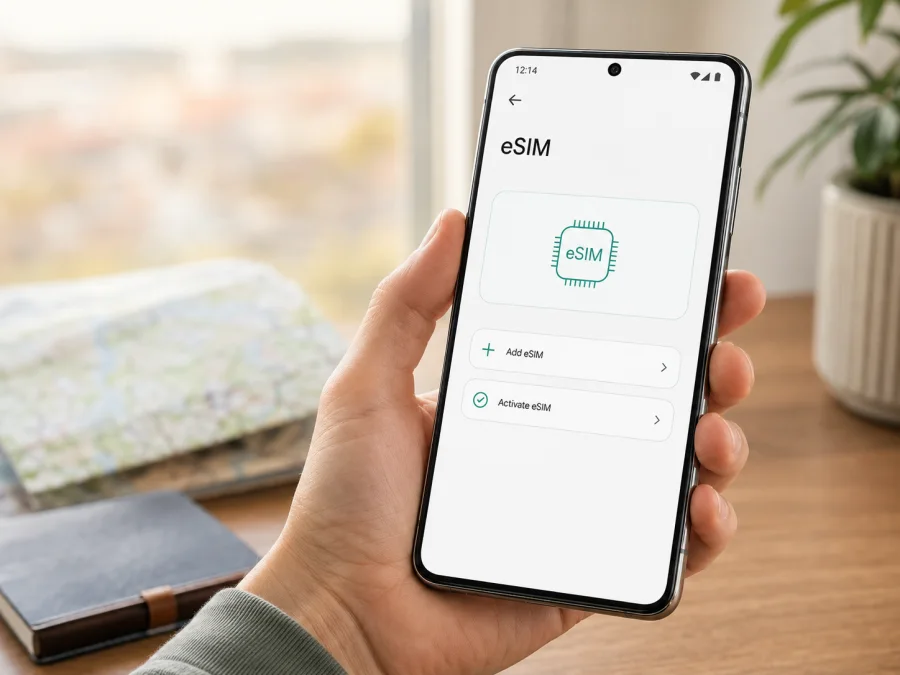
Infinix Note 60 Ultra 256GB eSIM: compatibility and setup
If you are preparing for a trip, an eSIM can keep your phone online without changing the physical SIM in your handset. The important question is whether your exact phone has an enabled eSIM module. For Infinix Note 60 Ultra 256GB, current official Infinix product pages confirm the Note 60 Ultra family, but do not give a definitive eSIM specification for this exact 256GB configuration in their accessible product information. Treat eSIM support as unconfirmed until the phone itself shows an EID and an option to add a mobile plan.
Regional listings can show different SIM arrangements, and a retailer’s description of another storage or market variant does not prove that your unit is identical. Check the handset, region, software, and operator status before selecting a travel eSIM plan.
Quick answer for the 256GB variant
Is eSIM confirmed for Infinix Note 60 Ultra 256GB? Not universally. The current manufacturer information identifies the Note 60 Ultra, but it does not conclusively state eSIM support for every 256GB regional unit. Consider the phone compatible only if its settings expose an eSIM or mobile-plan installation flow and the device reports an EID. If both are absent, assume that the unit supports physical SIM only.
“Dual SIM”, “5G”, or “Cellular” in a shop title does not automatically mean eSIM. A 5G phone can use two nano-SIM cards, and two units with the same commercial name can have different trays, modem configurations, or firmware. Storage capacity does not determine eSIM capability.
Known facts and the checks still needed
| Item | What it means here |
|---|---|
| Exact device | Infinix Note 60 Ultra 256GB |
| Product family | Infinix Note 60 Ultra; official regional pages exist, but visible specifications can differ by market |
| Storage | 256GB, preserved as part of the requested device variant |
| RAM | Not stated in the supplied device name; do not infer it from another listing |
| 5G | A cellular radio feature, not proof of eSIM support |
| SIM layout | Must be checked on the handset and in the purchase-region documentation |
| eSIM status | Not conclusively specified by current official information for this exact 256GB unit |
| Decisive test | EID plus “Add eSIM”, “Add mobile plan”, or equivalent setting |
The safest verdict is verify before purchase. An EID and an add-plan menu usually indicate that the hardware and software can accept a profile, although the selected plan and network still need to be compatible. If the EID and menu are missing, a QR code cannot add eSIM hardware that the phone does not have. A software update can change wording or enable a supported feature, but it cannot turn a physical-SIM-only model into an eSIM model.
What an eSIM does for travel
An eSIM is a digital SIM profile stored in the phone. You download it with a QR code, activation code, or provider app, then it connects through a supported network under the selected plan. Hardware, software, and destination coverage all have to align.
Travel eSIMs are commonly intended for mobile data, not an everyday number, voice service, or SMS. You may be able to keep your primary physical SIM for those services while choosing the travel profile for data. Coverage, speed, validity, fair-use rules, and activation timing depend on the plan and its local operator arrangements, so check those conditions before payment.
How to verify your exact phone
The EID is the strongest practical sign that a handset contains an embedded SIM function. It identifies the eSIM component. An EID does not guarantee that every plan will work, but its absence is a warning that the unit may not support eSIM or that the regional software has disabled it.
Check Android and XOS settings
Menu names vary with XOS version, language, and market. Use these labels as a guide:
- Open Settings.
- Open SIM card & mobile network, Mobile network, Network & internet, or the closest equivalent.
- Open SIM management or a mobile-network profile.
- Look for Add eSIM, Add mobile plan, Download a SIM, Set up eSIM, or a plus sign beside the SIM list.
- Look for EID in the same area or under device status.
If you find an EID and an add-plan action, note that they are present but do not publish the complete EID. If the screen shows only SIM 1 and SIM 2 slots, the phone may be a physical-SIM regional version. Restart once and check again after available updates.
Check region, model, and operator lock
Compare the model or regulatory identifier on the box with the identifier under About phone. An imported device can have a different tray, modem, operator profile, or XOS build even when the commercial name is unchanged. “Global version” is not a technical guarantee. Ask the seller for the exact model code and written confirmation of eSIM if it is important to your trip.
Also check whether the phone is operator-locked. A locked handset may show eSIM controls but reject another service’s profile; an unlocked handset can still be limited by local bands or carrier provisioning.
Compatibility checklist
- [ ] The order or handset matches Infinix Note 60 Ultra 256GB.
- [ ] The model and purchase region are recorded.
- [ ] Settings shows an EID.
- [ ] Settings offers an eSIM or mobile-plan installation option.
- [ ] The phone is not locked to an operator.
- [ ] XOS is up to date enough for the available workflow.
- [ ] Wi-Fi and sufficient battery are available for installation.
- [ ] The destination, data amount, and validity fit the trip.
- [ ] You know whether the plan is data-only and when validity begins.
If you want one final gate before continuing, Check your device against the EID and Settings tests above. Do it before paying for a profile: an eSIM purchase cannot compensate for a regional handset that lacks the function.
<a id="kesim-device-compatibility"></a>
What to check before buying an eSIM plan
Confirm the exact variant
Read the complete name on the order, box, or invoice. Do not silently replace Infinix Note 60 Ultra 256GB with “Note 60 Ultra” while comparing listings: the omitted suffix may conceal a different market or seller. Keep any RAM, 5G, Cellular, or other modifier with the model code when requesting support.
Confirm the EID and the menu
Verify the EID and open the add-plan flow far enough to see whether setup can begin; you do not need to scan a real QR code. If the action is greyed out or disappears after a restart, save a screenshot and resolve the issue before purchase.
Confirm the lock and network
Ask whether the unit is SIM-unlocked, whether the plan uses a compatible network, and whether tethering is allowed if you need a hotspot. 5G branding does not guarantee 5G abroad; the profile may use 4G LTE.
Confirm plan conditions
Review destination, data, validity, supported networks, activation timing, top-up or renewal terms, and refund conditions. Validity may start on installation or first connection. Keep the QR code available, and confirm that a single-country plan covers your itinerary.
Kaspersky eSIM Store is an app and website that helps you select, arrange, and activate an eSIM with a suitable mobile-data plan for an international trip. It does not change your phone’s hardware. Use the app or site for plan conditions, and use the handset’s EID and Settings screens to establish compatibility.
How to install an eSIM on Infinix Note 60 Ultra 256GB
Install over stable Wi-Fi with enough battery and the QR code or activation details from the completed order. If the phone has no EID or add-eSIM action, stop and resolve compatibility with the seller or operator first.
For general guidance, see the Android eSIM installation instructions and the iOS eSIM installation instructions. The iOS page is general guidance for Apple devices; on this Infinix phone, use the Android flow and the labels shown by your XOS version.
1. Prepare the installation
Connect to Wi-Fi, keep the QR code on another screen or paper, and make sure the phone is charged. Keep the order message until the profile works.
2. Open mobile-network settings
Go to Settings, open the SIM or mobile-network section, and choose Add eSIM, Add mobile plan, or the matching option. If there is no such action, recheck the EID, regional model, and XOS updates instead of choosing an unrelated physical-SIM menu.
3. Scan or enter the details
Scan the supplied QR code or copy the activation information exactly if manual entry is offered. Do not change punctuation or server details; the code may be single-use.
4. Download the profile
Confirm the profile and wait for the download to finish. Keep Wi-Fi connected and avoid repeated deletion and redownload attempts if it fails.
5. Name the line
Label the profile Travel data or with the destination name, and keep the primary line clearly labelled.
6. Select mobile data
When Android asks which SIM handles data, select the travel eSIM after installation. Keep calls and SMS on the primary line if needed, and review automatic data switching because it can create roaming charges.
7. Activate at the right time
Follow the plan’s activation rule: validity may begin at installation or first connection. If advance installation is allowed, leave the travel line off until appropriate. Disable it rather than deleting the profile.
8. Test the connection
Enable the travel eSIM and mobile data. If required, enable data roaming for that line, wait several minutes, and open a small webpage or map. Confirm the data indicator belongs to the travel profile.
Using eSIM mobile data abroad
Arrival day
Install over home Wi-Fi when allowed. Keep the primary SIM for important calls or codes, but disable its data roaming. After landing, enable the travel profile, select it for data, and test with a small request.
Two-line use
A compatible handset may keep a familiar number available while the travel eSIM handles data. The exact combination depends on regional hardware and XOS; follow any warning that enabling one line disables another.
Maps and messaging
Download essential maps on Wi-Fi. Abroad, use the travel profile for maps, translation, ride-hailing, and messenger calls. Choose a plan by expected data use, not 256GB storage: storage holds files, while the plan controls mobile data.
Common problems and checks
No “Add eSIM” option
Check the EID, restart, install updates, and compare the model code with the sales documentation. No EID plus no add-plan action usually means a physical-SIM regional unit or disabled support. A QR code cannot create the missing menu.
QR code will not scan
Increase the brightness of the screen showing the code, clean the camera, and show the whole code on another device if possible. Use manual entry if offered. Never publish the QR code because it may contain download credentials.
Profile will not download
Reconnect to stable Wi-Fi, leave a captive portal, check automatic date and time, and confirm that the profile is not already installed. Avoid repeated deletion and redownload attempts when the code may be single-use. Keep order details for support.
Installed but no service
Confirm that the travel line is enabled and selected for data. Enable its data roaming if required, toggle airplane mode once, and wait several minutes. Check destination coverage and the selected network.
Data uses the wrong line
Select the travel eSIM for data, turn off automatic data switching, and disable primary-SIM data roaming. Check the status bar and make a small test request.
Calls or SMS do not work
That may be normal for a data-only plan. Many travel eSIMs do not include a phone number, voice, or SMS. Keep the primary line for those services or use apps over the travel connection.
FAQ
Does Infinix Note 60 Ultra 256GB support eSIM?
Support is not confirmed universally for this exact variant. Current official Infinix information identifies the Note 60 Ultra but does not conclusively specify eSIM for every regional 256GB unit. Treat it as compatible only when the phone shows an EID and an add-eSIM or mobile-plan option.
Does 5G prove eSIM support?
No. 5G describes cellular radio capability, while eSIM describes a SIM form factor and its software support. A 5G phone can use physical SIM cards only, and an eSIM may use 4G where 5G is unavailable.
Why does it work at home but not abroad?
The profile may be waiting for its covered destination, or the wrong line may be selected for data. Check destination coverage, line activation, roaming for the travel profile, and network selection.
Final device and trip check
For Infinix Note 60 Ultra 256GB, the responsible answer is conditional: current official Infinix information does not establish one universal eSIM configuration for every regional 256GB unit. Confirm the EID, find the add-eSIM or mobile-plan menu, check that the phone is unlocked, and match the plan’s destination and conditions. Keep the full device label and model identifier together during verification.
Once those checks pass, use Kaspersky eSIM Store as the app and website for choosing, arranging, and activating an eSIM with a suitable mobile-data plan for your international trip. Review data allowance, validity, activation timing, supported-network conditions, and data-only limits. Install over Wi-Fi, select the travel profile for data, enable roaming only where required, and test with a small amount of traffic.
If the EID or add-plan menu is missing, pause before purchase and ask the seller or operator to confirm the regional configuration. Verify the device first, then choose the eSIM for the trip.


