Travel connectivity guide
Infinix Note 60 Ultra 512GB 5G eSIM Setup
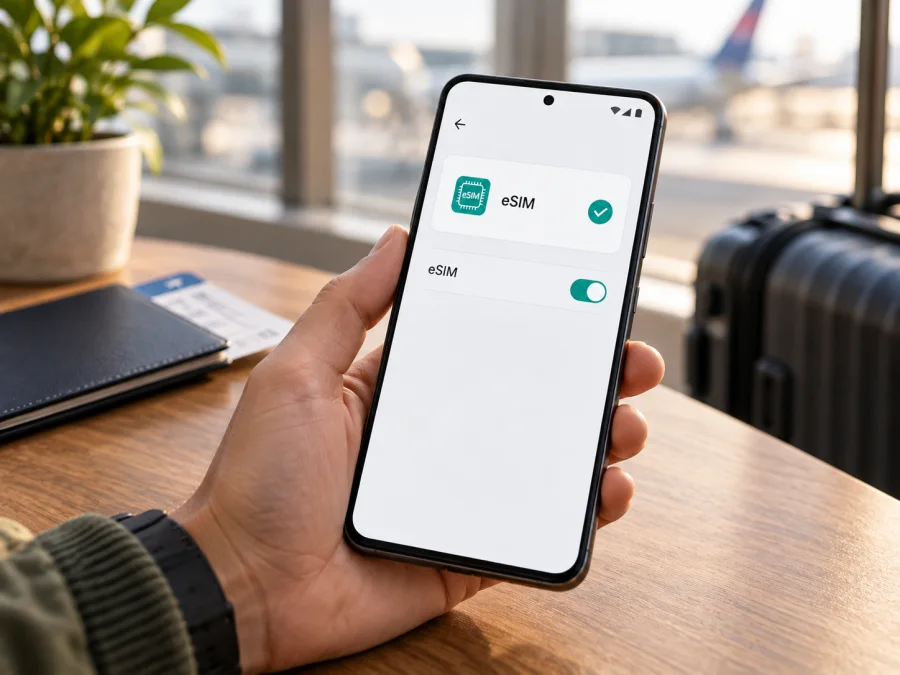
Infinix Note 60 Ultra 512GB 5G eSIM: compatibility and setup
The Infinix Note 60 Ultra 512GB 5G supports eSIM according to Infinix’s official specifications for the Indonesia-market model. The important qualification is that Infinix says eSIM availability depends on the country and carrier. A phone with the same family name sold in another market, or supplied by a carrier, may have different connectivity options or software. Check the exact handset in Settings before choosing a travel plan.
The 512GB configuration is listed by Infinix Indonesia alongside a 256GB configuration. Infinix’s global launch announcement originally described a 12GB RAM and 256GB storage version, so regional product pages and release configurations do not always match. The official Indonesian specifications also identify 5G network support and list two nano-SIM slots plus eSIM. Storage capacity and the “5G” name alone cannot confirm that eSIM is enabled on your individual unit.
Does Infinix Note 60 Ultra 512GB 5G support eSIM?
Yes, the model is listed with eSIM support in Infinix’s Indonesia-market specifications, including a 12GB/512GB configuration. The same specification page cautions that eSIM may vary by country and carrier. This means the supported model family is established, but an exact answer for a particular phone still depends on its market version, firmware and carrier status.
| Item | What is confirmed | What to check on your phone |
|---|---|---|
| Device in this guide | Infinix Note 60 Ultra 512GB 5G | Confirm the model and storage on the box, receipt or Settings screen |
| 512GB configuration | Listed on Infinix Indonesia’s product page | Confirm that the seller’s unit is the same regional model |
| 5G | Infinix Indonesia lists 5G among network technologies | 5G availability depends on local bands, carrier and plan |
| eSIM | Listed as supported by Infinix Indonesia | Infinix says availability depends on country and carrier |
| SIM options | The Indonesian listing specifies two nano-SIM slots and eSIM | Check the SIM manager; hardware and software options may vary |
| Final compatibility | Not guaranteed by the product name alone | Look for an EID or an Add eSIM option before buying a plan |
An eSIM is a digital SIM profile that is downloaded to a compatible device. A travel eSIM can provide mobile data for a selected destination without replacing the physical SIM card in the phone. Kaspersky eSIM Store is an app and website where you can choose, purchase and activate an eSIM with a data plan for an international trip. The plan’s destination, data allowance and validity period are set out in its terms. Travel data plans generally do not include a regular phone number, calls or SMS unless their terms say otherwise.
Why the exact regional version matters
Infinix’s launch information and regional listings differ: the global announcement described 12GB RAM and 256GB storage, while the official Indonesian product page lists both 256GB and 512GB versions and confirms 5G and eSIM. That page cautions that eSIM availability varies by country and carrier. The “512GB 5G” label does not identify where the phone was sold or guarantee that eSIM is enabled in every market.
Check the original country of sale, the model code on the box or in Settings, and whether a carrier supplied the phone. A carrier may restrict network use or features. “Unlocked” does not itself prove eSIM support; look for the EID or eSIM menu. For an imported phone, ask the seller to confirm the exact regional model and compare that answer with Settings.
Menu names vary by XOS version. Install official system updates, restart and check again. An update cannot add eSIM to unsupported hardware or regional firmware. If the settings are unclear, share the model code with Infinix support or the seller before buying a plan.
Check eSIM compatibility before you buy
Use the phone itself to verify that it can accept an eSIM profile. Menu names vary by XOS and Android version.
- Look for an EID. Search Settings for “EID”, or check About phone, Status or SIM status. An EID indicates eSIM hardware, but does not remove a carrier restriction or guarantee that every plan is compatible.
- Look for eSIM controls. Search Settings for “SIM”, “eSIM” or “Add eSIM”. Check SIM & network, Mobile network, Connections or SIM manager for Add eSIM, Add mobile plan or Download a SIM.
- Check the network lock. Review SIM management for eSIM controls. If the device reports that it is locked, ask the original carrier whether it can be unlocked for another provider.
- Confirm unclear results. Give the seller or Infinix the model code and country of sale. A missing menu may reflect regional software, a carrier restriction or a version without eSIM. A 5G icon or another listing is not proof.
Use this checklist before paying for a travel plan:
- [ ] The phone is the Infinix Note 60 Ultra 512GB 5G variant shown on your receipt or device information.
- [ ] Settings shows an EID or a clear option to add or download an eSIM.
- [ ] The phone is not carrier-locked, or the original carrier has confirmed that it can be unlocked.
- [ ] Your phone can connect to Wi-Fi or another internet connection during eSIM installation.
- [ ] The plan covers the country or region on your itinerary and its data allowance and validity fit your trip.
- [ ] You have checked when the plan starts its validity and whether data roaming must be turned on for that eSIM.
Check your device as well as the phone’s settings before purchasing. A compatibility list is a useful first screen; the EID, add-eSIM menu and the conditions of the specific plan are the final checks for your own handset and trip.
A few practical checks before setup
Keep your home SIM if you need its number for calls or messages. Note which line is selected for data, and save the plan instructions somewhere accessible while travelling. If installing by QR code, display it on another device or print it; the phone cannot scan its own screen.
If your eSIM menu is present, you can browse current eSIM plans by destination and review the country or region, data allowance, validity and activation conditions before selecting a plan. The store homepage is a general destination selector, not a tariff page for a particular country. Check that the destination shown in the plan matches your itinerary and that the exact phone has passed the compatibility checks above.
Install and activate an eSIM on the Infinix Note 60 Ultra 512GB 5G
XOS labels vary, but the general flow is to add a profile in SIM management and select it for mobile data. See the Android installation instructions or iOS installation instructions. The Android guide uses Samsung menus, so Infinix wording may differ.
Before starting, confirm compatibility and unlock status, connect to Wi-Fi, and have the QR code or activation details ready. Follow the plan instructions; codes may be single-use, so do not remove a profile or scan again unless instructed.
- Open mobile network settings. In Settings, tap SIM & network, Mobile network or the closest equivalent.
- Choose the eSIM option. Tap Add eSIM, Add mobile plan or Download a SIM. If absent, recheck the model code, EID and regional availability.
- Add the profile. Scan the supplied QR code or follow the app’s setup flow. Use manual entry only if the plan provides those details.
- Wait for installation. Keep the internet connection active and wait for the profile to appear in SIM management.
- Name the eSIM. Use “Travel data” or the destination name to distinguish it from your home SIM.
- Choose when to use it. Install it before departure and leave it off if the plan allows. Validity may begin at installation, activation or first connection; check the plan terms.
- Select it for mobile data. Choose the travel profile as the data line when ready. Keep your home number for calls or messages if needed, and disable automatic data switching to avoid unintended home-plan use.
- Enable data roaming if required. Follow the plan’s instructions and enable it for the travel profile, not inadvertently for your home SIM.
- Check the APN if instructed. Most profiles configure it automatically. If the plan provides an APN, enter and select that exact value; do not guess.
- Test the connection. In a covered destination, turn off Wi-Fi and open a web page. Network registration may take several minutes; follow any delayed-activation instructions.
Using the eSIM for mobile data on a trip
If the plan permits, install the profile over Wi-Fi before departure. Review its destination and validity rules. On arrival, enable the travel eSIM, select it for mobile data, and turn on roaming for that profile if required. Your home SIM may remain available for calls or verification messages, subject to carrier charges and device settings.
For a multi-country itinerary, confirm that every country is included. A regional plan’s coverage depends on its terms and local networks; do not assume that nearby countries are included. Recheck if your route changes.
Estimate usage: maps, messaging and browsing usually use less data than streaming, large downloads or hotspot use. Check whether tethering is supported by your phone and allowed by the plan. Monitor remaining data in the app or account, and download maps or documents in advance if useful.
An eSIM data plan normally does not replace your phone number. Messaging apps can use its data, while ordinary calls and SMS depend on your home SIM or another plan. If you need bank codes, check that your home line can receive SMS abroad and review carrier charges.
Troubleshooting common eSIM problems
There is no Add eSIM option. Search Settings for EID, restart and check official updates. Confirm the model code and country of sale with Infinix or the seller. If no EID or eSIM control appears, regional firmware or carrier restrictions may apply; confirm support before buying.
The QR code will not scan. Show it on another screen at good brightness, make sure it is fully visible, and scan from Add eSIM. Check whether it has already been used. Use manual setup only if provided by the plan.
Installation stops or fails. Confirm Wi-Fi works, restart the phone and check whether a profile is already listed. Retry only if allowed by the activation instructions. Contact plan support before removing a profile or requesting a replacement for a one-use code.
The profile is installed but there is no service. Make sure it is on and selected for data, the destination is covered, and the plan is active. Enable roaming for the travel eSIM if required, then toggle airplane mode or restart. Use automatic network selection unless support advises otherwise.
The phone connects but pages do not load. Check the selected data line and remaining allowance. Review the APN only if the plan supplies one, and turn Wi-Fi off while testing. If the issue persists, note your location, time and displayed network for support.
The home SIM is using data or charges appear. Select the travel eSIM for data and disable automatic switching if available. Review the home SIM’s data and roaming settings; charges are controlled by your home carrier.
You cannot transfer the eSIM to another phone. Profiles or codes may be tied to one device or one installation. Check the plan terms and contact support if you replaced or reset your phone; do not assume the QR code can be reused.
Common questions
Is eSIM confirmed on the 512GB version?
Infinix Indonesia lists a 12GB/512GB configuration and eSIM support, with availability varying by country and carrier. Check your own phone’s EID and SIM settings, especially if imported or carrier-supplied.
Does 5G mean that eSIM will work?
No. 5G does not prove eSIM support or remove a carrier lock. Check the EID, Add eSIM control and market version.
Can I keep my physical SIM active?
The Indonesian listing specifies two nano-SIM slots and eSIM, but active-line options may vary. Check SIM management, select the travel profile for data and review home-carrier roaming charges.
Do I need to install the eSIM before travelling?
Often, yes, over Wi-Fi. Validity may begin at purchase, installation, activation or first connection; check the plan and leave it switched off until needed if allowed.
Does a travel eSIM give me a local phone number?
Usually not. Unless stated in the plan terms, travel eSIMs provide data only. Messaging and internet calls may work through apps.
What should I do if the eSIM does not connect abroad?
Confirm destination coverage, profile status, data-line selection and roaming settings. Check validity and APN instructions; if it still fails, contact plan support.
Final checks before your trip
The official Infinix Indonesia listing confirms eSIM for a 12GB/512GB NOTE 60 Ultra and notes that country and carrier conditions apply. For your own Infinix Note 60 Ultra 512GB 5G, confirm the exact market model, look for an EID or Add eSIM setting, and check that the phone is not locked before choosing a plan. Then select a destination plan whose coverage, data allowance, validity and activation rules fit your itinerary.
Kaspersky eSIM Store is an app and website where you can choose, purchase and activate an eSIM with a mobile-data plan for an international trip. Review the plan details and installation steps before purchase, then keep the travel profile selected for mobile data when you want to use it. These checks help you prepare the phone and plan together, rather than relying on the model name alone.


