Travel connectivity guide
Inhambane eSIM: Mobile Internet for Your Trip
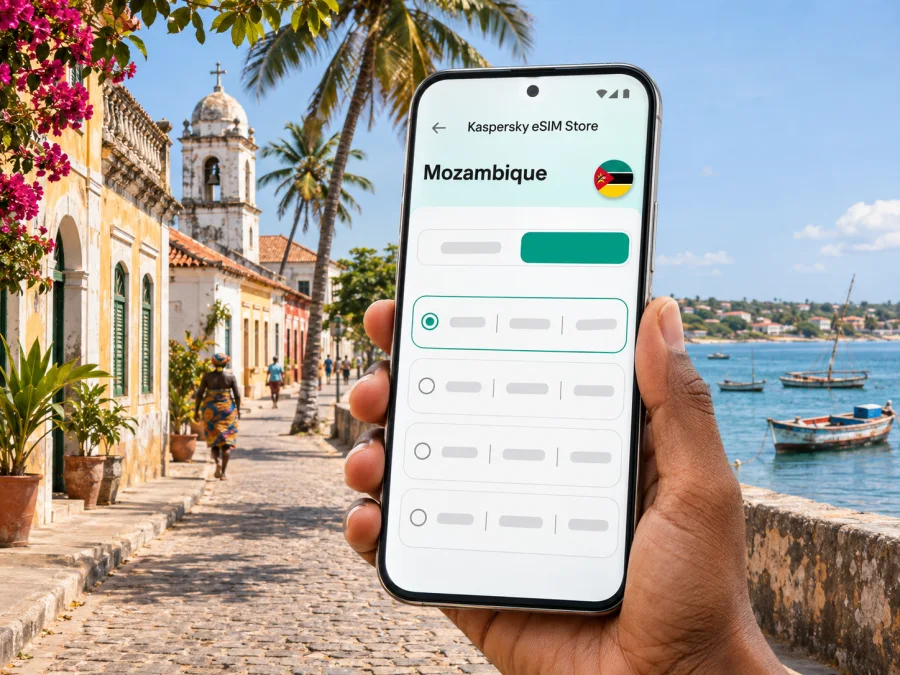
Inhambane eSIM for mobile connection and internet: a practical travel guide
Inhambane is a compact coastal city on the bay of the same name, in southern Mozambique. It can be a destination in its own right, a base for a beach stay, or a stop on a longer route along the coast. A mobile data connection is useful for checking arrival details, contacting your accommodation, finding a driver, and keeping maps or reservations available while you move between town and the shore.
An eSIM can help you prepare mobile internet for the trip without replacing the physical SIM in your phone. Before choosing one, check that your device supports eSIM, confirm that the destination and route fit the plan terms, and decide how much data you are likely to use. Coverage and performance depend on the local network, the place you are in, and conditions at the time; an eSIM is not a promise of service in every building or coastal area.
What to expect when arriving in Inhambane
Inhambane has its own airport, and Mozambique’s national tourism information also describes air travel to the area. Flight schedules and onward transport can change, so confirm your arrival arrangements with the airline and accommodation before departure. If you land at Inhambane Airport, having your hotel name, booking details, and driver contact saved offline is sensible in case you need a moment to get connected after landing.
The first connection is often needed for a few practical tasks rather than continuous browsing:
- send a message that your flight has arrived;
- open a map or confirm the pickup point;
- call up a reservation or transfer details;
- check whether your driver or host has sent an update;
- share your estimated arrival time with someone at home.
Download offline maps for the town and the places you plan to visit before you leave a reliable Wi-Fi connection. Keep the address of your accommodation in a note or screenshot, not only in an online booking account. This small preparation helps if mobile data is delayed or a route takes you through an area where reception is weaker.
The city, the bay, and nearby coastal stops
The name Inhambane is used for both the city and the wider province. This guide focuses on the city: its streets, services, waterfront setting, and the practical journeys that may begin there. The city sits beside Inhambane Bay; across the water is Maxixe, while the Indian Ocean coast and beaches lie beyond the town. These are distinct places, so check which one your accommodation or transfer refers to before you set off.
The official Mozambique tourism guide lists Praia do Tofo among the closest beaches to the City of Inhambane and also highlights Praia da Barra, where the bay meets the Indian Ocean. These coastal visits are popular reasons to stay in the area, but they are not interchangeable with a trip around the city centre. A map pin can show a destination while leaving the last part of the trip unclear: ask your host whether a vehicle, boat crossing, or other locally arranged transfer is needed for your exact route.
For a short city stay, mobile data may mostly support walking directions, messages, and practical searches. If your itinerary includes Tofo, Tofinho, Barra, or a move across the bay, expect to rely more on transport coordination and less on a single saved route. Confirm pickup times and meeting points directly with the accommodation or activity provider, and save their contact details before leaving town.
| Part of the trip | What to prepare | Why it helps |
|---|---|---|
| Airport to accommodation | Address, host contact, pickup instructions | Lets you coordinate even if data takes time to start |
| City streets and errands | Offline map, saved destination names | Reduces dependence on a continuous connection |
| Beach day near Tofo or Barra | Return plan, meeting point, provider contact | Helps coordinate a trip beyond the city centre |
| Journey via Maxixe | Confirm the crossing or road option locally | The bay separates destinations that may look close on a map |
| Longer coastal route | Check each stop and plan validity | A city-only assumption may not fit a multi-stop itinerary |
Plan mobile data around how you will use it
A short visit to Inhambane can involve a different data pattern from a week that combines the city with the coast. Instead of choosing a plan by destination name alone, estimate the tasks you will use mobile data for and then compare those needs with the plan’s stated destination, duration, and allowance.
A light-use visit
If you mainly use messaging, occasional map checks, and booking confirmations, your data needs may be modest. Download maps and essential documents in advance, use Wi-Fi where you trust it, and keep mobile data for moments when you are away from your accommodation. Do not assume a particular allowance is enough without considering app updates, photo uploads, calls over the internet, and automatic cloud backups.
A beach-focused stay
A coastal itinerary can mean more time away from your hotel and more coordination with drivers, guides, or hosts. You may use maps, messaging, and booking details throughout the day. Decide whether you will upload photographs or video while travelling; media uploads can use much more data than simple messages. If you plan to share a connection with another device, confirm that your phone and the selected plan allow hotspot use, since these details can vary.
Work or a longer stay
For remote work, video meetings and large file transfers can use data quickly. Ask your accommodation about its Wi-Fi and backup options, and do not treat a travel eSIM as a guaranteed substitute for a tested work connection. If your route includes several places in Mozambique, verify that the plan applies to the full itinerary and remains valid for its length. A plan intended for one destination may not cover every stop on a regional trip.
A useful estimate starts with your routine rather than a generic “gigabytes per day” rule:
- List the tasks that must work away from Wi-Fi: maps, messaging, email, calls, work apps, or tickets.
- Note which large downloads and updates you can complete before travel.
- Decide whether you expect to tether a laptop or another phone.
- Compare your estimated use with the allowance and validity shown for the selected plan.
- Leave some margin for changes to the itinerary, but avoid paying for a larger allowance without a reason.
Kaspersky eSIM Store is an app and website where you can choose, arrange, and activate an eSIM with a suitable plan for mobile internet on an international trip. To review the currently listed destination options and plan terms, explore eSIM plans for Mozambique. Check the displayed validity, data allowance, activation conditions, and supported use before you decide; this destination page is not a statement that any particular network or plan will work at every point in Inhambane.
Check your device before you travel
An eSIM plan is useful only if your phone can install and use an eSIM. Support varies by model and sometimes by regional version. A phone that looks identical to another variant may have different cellular capabilities, and a carrier-locked device may prevent activation even if the hardware supports eSIM.
Before paying for a plan:
- look for an eSIM or “Add eSIM” option in your phone’s mobile-network settings;
- check the manufacturer’s specifications for the exact model and sales region;
- confirm the phone is not locked to a carrier that restricts other profiles;
- make sure the operating system is up to date and the phone can access Wi-Fi during setup;
- review the plan’s supported destination, device requirements, and activation instructions.
If you are unsure, check your device’s eSIM compatibility before selecting a plan. Do not rely on a general list for a phone family if your exact model or regional variant differs. Keep your current SIM active until you understand how the phone labels its lines and which profile will be used for mobile data.
Set up the eSIM before departure or after arrival
If the plan allows installation before the trip, setting up the profile at home can reduce the number of steps you need to handle after landing. Installation and activation are not always the same event: some plans begin their validity when installed, while others start under different conditions. Read the selected plan’s terms so you do not activate earlier than intended.
A careful setup sequence is:
- Prepare a stable connection. Use Wi-Fi and keep the QR code or installation details accessible on a second screen or printed copy if needed.
- Open mobile-network settings. Choose the option to add an eSIM and follow the instructions provided for your device.
- Install the profile once. Avoid deleting it as a troubleshooting step unless the plan instructions or support team tell you to do so; some profiles cannot be installed again after removal.
- Label the lines clearly. For example, distinguish your home SIM from the travel eSIM so you can select the correct line later.
- Choose the line for mobile data. When you are ready to use the travel plan, set the eSIM as the data line if that is what its instructions require.
- Check roaming settings for that eSIM. Some travel plans may require data roaming to be enabled on the eSIM profile. Follow the plan’s directions and keep the setting for your home SIM as you prefer.
- Allow time to connect. Registration may take a few minutes and can depend on the device and local network. If it does not connect, check the profile and plan instructions before making changes.
Use the dedicated Android eSIM installation guide or iOS eSIM installation guide for device-specific steps. The exact menu labels can differ across operating-system versions and manufacturers.
Keep your home number available
Many travellers want to keep their usual number reachable while using a separate eSIM for data. Whether both lines can remain active depends on the phone and its configuration. Check which line handles calls, SMS, and mobile data, and review your home operator’s roaming terms before travel. An internet-data eSIM should not be assumed to include a local phone number, standard voice calls, or SMS unless its plan details explicitly say so.
If you use messaging or calling apps, make sure you can sign in before leaving home and know how account verification works if your home SIM is not receiving texts. Avoid switching off or deleting a line unless you understand the effect on your number and saved account access.
Getting around without relying on a live connection
Inhambane’s city, bay, and nearby coast create several kinds of journey. Navigation may involve agreeing on a pickup point or checking which side of the bay your destination is on, not only finding a street.
Before leaving, save the destination pin, accommodation address, return plan, and provider contact. Confirm the meeting point with your driver, and send updates while you have a reliable connection. Download the next day’s route and essential documents in advance. A map app cannot confirm transport availability, road conditions, opening hours, or current service; ask your host or provider for local advice.
Coverage, local networks, and realistic expectations
Mozambique’s communications regulator lists Tmcel, Vodacom Mozambique (VM), and Movitel among the country’s mobile operators. That national list does not identify which network a specific travel eSIM will use, prove that a plan supports eSIM on a particular phone, or guarantee reception at your hotel, on a road, or at a beach. The available network and service quality depend on the plan, local infrastructure, terrain, congestion, and your device.
The regulator has reported that mobile access is not uniform across all localities in Inhambane Province. Service in town does not predict reception at a remote beach or rural stop, so keep essential information offline and share your route when travelling farther afield.
If data does not work after setup, check these items in order:
- Confirm that the eSIM profile is switched on and selected for mobile data.
- Check the plan’s start date, validity, and destination coverage terms.
- Follow the plan instructions for data roaming and network selection.
- Turn airplane mode on briefly and then off, or restart the phone if the instructions recommend it.
- Move to a place with a clearer signal and wait a few minutes for registration.
- Contact the plan’s support channel with the device model, approximate location, and the steps already tried.
Do not assume that buying another plan or deleting the eSIM profile will fix a local network issue. First identify whether the problem is the plan status, phone settings, or current reception. If the device shows a network but applications cannot load, check the selected data line and any data limit or restriction configured on the phone.
City-specific scenarios
You land late
Save the property address, booking screenshot, and host contact in advance. Follow the plan’s activation instructions when ready to use the eSIM. Ask your accommodation about pickup arrangements and do not depend on a single app login to retrieve your booking.
You spend a day in Tofo or Barra
Treat either beach as an outing beyond the city centre. Confirm the route, return pickup, and meeting point with your accommodation or activity provider. Save the route and contact details offline; reception may vary between town, road, and coast.
You travel across the bay or work remotely
Maxixe is across Inhambane Bay, so confirm the crossing method and departure point locally before setting out. For a longer Mozambique itinerary, check every stop against the plan terms. If you have a work call, test the accommodation connection beforehand; mobile data speed and signal cannot be promised for a particular room or time.
A practical checklist for the day before travel
Use this short list to make the first hours in Inhambane simpler:
- Confirm your arrival, transfer, and accommodation address.
- Save host, driver, and activity-provider contacts; download maps and bookings.
- Check eSIM support and carrier lock status on your exact phone.
- Review the plan’s destination, allowance, validity, activation, and hotspot terms.
- Install the profile if permitted, then decide which line handles data and calls.
- Keep your phone charged and share your broad route if travelling beyond town.
Frequently asked questions
Is Inhambane a city or a province?
Both names are used: Inhambane is a city on the bay and the surrounding province. Confirm which place a route, hotel, or plan refers to.
Does an eSIM guarantee reception everywhere?
No. Reception depends on the local network and location. Service in town does not guarantee service at every beach, building, or rural stop.
Can I make ordinary calls and send SMS?
Only if the plan explicitly includes those features. A travel eSIM may be data-only; internet calls and messages use data and require compatible apps.
Should I install the eSIM before flying?
You can if the plan allows it, but first check when validity starts. Keep the setup details available and follow the activation instructions.
What if the phone shows no service?
Check that the eSIM is enabled, selected for data, and within validity. Follow the plan’s roaming and network instructions, allow time to register, and contact support before deleting the profile.
Prepare your Inhambane connection
A little setup before departure makes it easier to use maps, reach your accommodation, and coordinate a coastal day trip without relying on a physical SIM purchase after arrival. Check device compatibility, read the plan terms, and save essential trip details offline. Kaspersky eSIM Store is an app and website for choosing, arranging, and activating an eSIM with a suitable plan for mobile internet on an international trip. When you are ready, review eSIM options for Mozambique and choose only after confirming that the current plan conditions fit your device, dates, and itinerary.


