
Travel connectivity guide
Interlaken eSIM for mobile internet
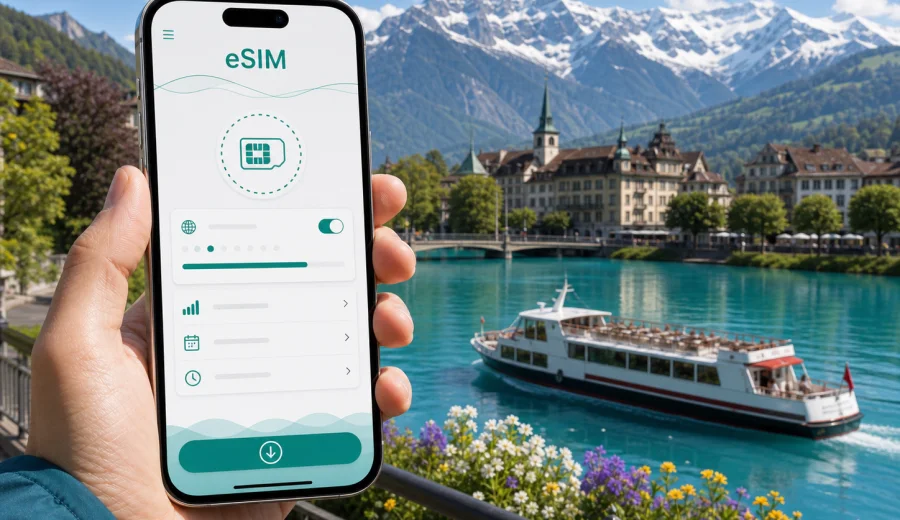
Interlaken eSIM: mobile connection and internet for a Swiss Alps trip
Interlaken is a compact city, but it can make a travel day feel very full. You may land in Zurich, Geneva, or Basel, take a train toward the Bernese Oberland, change at Bern or Spiez, arrive at Interlaken West or Interlaken Ost, and then continue almost immediately toward a hotel, a lakeside walk, a mountain railway, or a meeting. In that kind of trip, mobile internet is not a luxury. It is the tool that keeps your route, tickets, weather checks, messages, maps, and booking details in one place.
An eSIM is especially useful in Interlaken because the city is often the base, not the whole itinerary. Visitors use it for Lake Thun and Lake Brienz, the Jungfrau region, Lauterbrunnen, Grindelwald, Harder Kulm, mountain viewpoints, boat piers, ski areas, business hotels, and short Swiss rail connections. A physical SIM card may work for a longer stay, but it adds an errand at the exact moment when most travelers want to move from arrival to plans.
This guide is focused on Interlaken, not Switzerland in general. It explains where mobile connection matters most in the city, how to think about data use, what to prepare before arrival, and how Kaspersky eSIM Store can help you choose, arrange, and activate an eSIM with a suitable data plan for a trip to Switzerland.
Why Interlaken is a city where mobile internet matters
Interlaken sits between two lakes and two railway stations. That geography is beautiful, but it also means that small route decisions happen often. You may need to know whether your hotel is closer to Interlaken West or Interlaken Ost, whether a boat leaves from the lake side you expected, which platform serves a regional train, or whether mountain weather has changed before you spend money on an excursion.
Typical moments when mobile data helps in Interlaken:
- checking rail connections after arrival from Zurich, Basel, Geneva, Bern, or Lucerne;
- navigating from Interlaken West to hotels, restaurants, the Hoheweg area, or the congress center;
- using maps around Interlaken Ost before a trip to Lauterbrunnen, Grindelwald, or Brienz;
- opening booking confirmations for hotels, excursions, cable cars, and lake cruises;
- comparing walking time, bus options, and taxi pickup points when it rains;
- messaging a hotel, guide, colleague, or family member during a mountain day;
- checking weather and visibility before going up to viewpoints.
Interlaken is easy to walk in the central area, but the travel network around it is layered. Trains, buses, boats, funiculars, and mountain railways may all appear in a single day. A working mobile connection helps you make those changes calmly instead of relying only on station screens, printed notes, or public Wi-Fi.
Arrival scenarios: where an eSIM is useful first
Most international travelers do not arrive in Interlaken by plane. They arrive elsewhere in Switzerland and continue by train or car. That makes the first useful moment for an eSIM earlier than the city itself.
| Arrival route | What you may need mobile data for |
|---|---|
| Zurich Airport to Interlaken | Train changes, platform checks, hotel messages, arrival time updates |
| Geneva Airport to Interlaken | Longer rail routing, ticket details, map checks during transfers |
| Basel to Interlaken | Rail connection changes and onward navigation from the station |
| Bern to Interlaken | Shorter transfer planning, hotel check-in timing, local buses |
| Rental car route | Navigation, parking locations, hotel access, route changes in bad weather |
If you install the eSIM before departure and activate it according to the plan conditions, you can be online as soon as your device connects to a local network in Switzerland. If you prefer to activate it after arrival, make sure you still have a reliable internet connection for the setup step, such as airport Wi-Fi or your existing roaming connection.
Interlaken West or Interlaken Ost: choose your route with data
One practical detail catches many first-time visitors: Interlaken has two main stations. Interlaken West is convenient for many central hotels, shops, and the western side of town. Interlaken Ost is the key point for trips toward Lauterbrunnen, Grindelwald, Brienz, and many mountain routes.
Mobile internet helps because the better station depends on your exact plan. A hotel may look central on a map but still be easier from one station than the other. A lake cruise may leave from a pier that changes your walking route. A mountain trip may start at Interlaken Ost even if you slept near Interlaken West.
Before you arrive, save these details in your phone:
- hotel address and check-in instructions;
- the nearest station or bus stop;
- train ticket or rail pass details;
- the first route from the station to your accommodation;
- emergency contact details for your hotel or host;
- offline copies of essential documents in case the network is weak indoors.
An eSIM does not replace careful planning, but it reduces the pressure when a train is late, a platform changes, or your accommodation sends a last-minute message.
How much data do you need in Interlaken?
Your data needs depend less on Interlaken itself and more on how you travel from it. A quiet weekend with maps and messages uses much less data than a week of video calls, constant cloud backup, and social media uploads from viewpoints.
| Trip style | Likely data pattern | Practical note |
|---|---|---|
| Short stopover | Maps, tickets, messaging, restaurant searches | A smaller data package may be enough if you avoid video |
| Long weekend | Navigation, weather, bookings, light social media | Check validity period as carefully as data volume |
| Outdoor itinerary | Maps, weather, transport apps, photo sharing | Keep some data for return routes and weather changes |
| Business trip | Email, calendar, messaging, video calls | Use hotel Wi-Fi for heavy calls when possible |
| Family trip | Multiple devices, maps, streaming, shared photos | Decide whether one phone will be the main connection point |
As a simple rule, keep mobile data for tasks that matter while moving: navigation, messaging, transport, booking access, translation, and weather. Use trusted hotel Wi-Fi for heavier updates, large uploads, and long calls when it is available and appropriate.
City movement: walking, buses, boats, and mountain links
Interlaken is comfortable on foot, especially around Hoheweg, the central hotels, shops, cafes, and open views toward the mountains. Still, travelers often move beyond the flat central area. A day can start with a walk to Interlaken Ost, continue by train to Lauterbrunnen, return through Interlaken, and end with a boat or dinner near the other station.
Mobile internet is useful in these everyday city movements:
1. Check whether walking or a bus is better from your hotel.
2. Confirm whether a lake boat is practical for your timing.
3. Navigate to a meeting point for paragliding, tours, or group excursions.
4. Recheck a mountain connection before leaving the city.
5. Share your live arrival estimate with another traveler.
The city is small enough that you can solve many issues by asking at a hotel desk or station counter. But if your day includes reservations or tight connections, being online saves time and helps you avoid unnecessary detours.
Preparing your phone before the trip
Before choosing an eSIM data plan for Interlaken, check the device basics. Your phone or tablet must support eSIM, and it should not be locked in a way that prevents adding another mobile plan. Device support can also vary by model and region, so do not rely only on the product name.
Use this quick checklist:
- Check your device compatibility before you choose a plan.
- Make sure your operating system is up to date enough for eSIM setup.
- Keep your primary SIM active if you still need calls or SMS on your usual number.
- Save your eSIM installation details before travel.
- Check whether data roaming needs to be enabled for the eSIM profile.
- Avoid deleting an active eSIM profile unless you are sure you no longer need it.
Kaspersky eSIM Store is designed around a practical travel flow: choose the destination, review plan conditions such as data volume and validity period, arrange the selected option, install the eSIM on a compatible device, and activate it according to the instructions. It is not a mobile operator and does not own or operate a network; the actual mobile connection depends on the selected plan and local network conditions.
Choosing an eSIM for Interlaken through Kaspersky eSIM Store
For a city trip to Interlaken, choose the country page for Switzerland rather than looking for a separate city plan. Interlaken belongs to Switzerland, and a city article should still use a Switzerland data plan for the trip.
When you compare options, focus on four questions:
- How many days will you be in Switzerland?
- Will Interlaken be your only base, or will you also visit other Swiss cities?
- Do you mainly need maps and messaging, or will you make video calls and upload many photos?
- Are you traveling alone, with family, or for work?
After you know those answers, you can choose an eSIM plan for your Interlaken trip to Switzerland and review the available data volume, validity period, and conditions before installation. The first choice does not have to be the largest plan. It should match your actual itinerary and the way you use mobile data while moving.
Step-by-step setup before arrival
Install your eSIM while you still have stable internet access, such as home Wi-Fi. This reduces stress at the airport or railway station. Activation timing can depend on the plan, so read the instructions shown after you choose your option.
Basic preparation steps:
1. Confirm that your device supports eSIM and is not locked to one carrier.
2. Choose Switzerland as the destination for your Interlaken trip.
3. Select a data plan based on trip length, expected usage, and validity period.
4. Follow the installation flow shown for your device.
5. Label the eSIM clearly, for example "Switzerland travel".
6. Set the travel eSIM for mobile data when you are ready to use it.
7. Keep your primary line for calls or SMS if you need it.
For device-specific installation, use the Android eSIM installation guide or the iOS eSIM installation guide. The exact screen names can differ by manufacturer, operating system version, and region, so follow the instructions shown on your device as well.
Practical Interlaken data scenarios
A weekend based near Hoheweg
You arrive by train, walk to a hotel, explore the center, take photos, check restaurant options, and maybe go to Harder Kulm if the weather is clear. Your main data use is maps, messaging, weather, tickets, and light browsing. A moderate plan with enough validity for the whole weekend is usually more important than a very large data volume.
A Jungfrau region itinerary
You use Interlaken as a base for Lauterbrunnen, Grindelwald, Wengen, or mountain railways. Your phone becomes a transport assistant. You check connections, weather, visibility, ticket details, and meeting points. Keep data available for the return trip, not only for the morning departure.
A business trip or conference
Interlaken hosts meetings and events, and business travelers often need email, calendars, cloud documents, and messaging while moving between hotels, venues, restaurants, and stations. Mobile data is useful as a backup when venue Wi-Fi is crowded or when you need to work from a train. For video calls, use a stable trusted Wi-Fi connection when available to preserve mobile data.
A family trip
Families often use more data than expected. One person checks maps, another uploads photos, someone streams during a train ride, and messages go between split groups. Decide in advance which device holds the eSIM and whether hotspot use is allowed by the selected plan and your device settings.
A short stopover
Even a short visit can require reliable data. You may leave luggage, walk through the center, take a lake cruise, or continue to another town. In a stopover, the value of mobile data is not volume; it is immediate access to route changes and booking details.
What an eSIM does and does not do
An eSIM for travel is a digital SIM profile that lets a compatible device use mobile data under the conditions of the selected plan. It is helpful for internet access in a foreign country without inserting a physical SIM card.
It is also important to understand the limits:
- A data eSIM usually does not include a standard local phone number, voice calls, or SMS unless the plan conditions say otherwise.
- Calls and messages can usually be handled through internet-based apps while data is active.
- Network performance depends on local network conditions, location, device settings, and the selected plan.
- Some devices require data roaming to be enabled for the travel eSIM profile.
- Installation and activation may take a few minutes, so do not leave setup until the last possible moment.
This framing helps you use eSIM correctly: as a practical mobile internet option for travel, not as a full replacement for every service from your home mobile line.
Quick comparison: eSIM, roaming, local SIM, and public Wi-Fi
| Option | Strength in Interlaken | Limitation to check |
|---|---|---|
| Travel eSIM | Can be prepared before arrival and used without a physical SIM swap | Device must support eSIM; plan conditions matter |
| Home roaming | Keeps your usual mobile line simple | Cost and data limits depend on your home operator |
| Local physical SIM | May suit long stays or specific needs | Requires finding an offline sales point and changing SIMs |
| Public Wi-Fi | Useful at hotels, cafes, and stations | Availability, speed, and login steps can vary |
For many travelers, an eSIM is the most convenient middle path: prepare before travel, keep your primary SIM in place, and use mobile data when walking, transferring, or taking day trips from Interlaken.
FAQ
Is eSIM useful for Interlaken if the city is small?
Yes. The city is compact, but many trips from Interlaken involve rail changes, lake boats, mountain routes, weather checks, and digital tickets. Mobile internet is useful before and after you leave the central streets.
Should I choose an Interlaken eSIM or a Switzerland eSIM?
Choose a Switzerland option for an Interlaken trip. Interlaken is in Switzerland, and the city is usually covered as part of a country-based travel data plan, depending on the selected plan conditions.
Can I install the eSIM after arriving in Interlaken?
You can, but it is usually easier to install it before departure while you have stable Wi-Fi. If you wait until arrival, make sure you still have internet access for installation and account steps.
Will an eSIM give me a Swiss phone number?
Not usually. Travel eSIM data plans are mainly for mobile internet. Standard phone calls and SMS are not included unless the specific plan conditions say otherwise.
Is public Wi-Fi enough in Interlaken?
Public or hotel Wi-Fi can be useful, but it does not cover every moment of travel. You may need mobile data while walking between stations, checking a train, finding a meeting point, or returning from a day trip.
Can I use my phone as a hotspot?
That depends on your device settings and the conditions of the selected plan. Check the plan details before relying on hotspot use for a laptop, tablet, or another traveler.
Final checklist before you travel to Interlaken
Before you leave, make sure you have:
- confirmed that your phone supports eSIM;
- selected Switzerland as the destination for your Interlaken trip;
- checked the data volume and validity period;
- installed the eSIM while connected to reliable internet;
- saved hotel, ticket, and route details offline;
- understood whether the eSIM should be activated before travel or after arrival;
- kept your primary SIM available if you need calls or SMS on your usual number.
Interlaken rewards flexible planning. You may wake up to clear skies and go toward a viewpoint, change a lake plan because of weather, or decide at Interlaken Ost to continue deeper into the valleys. Mobile internet keeps those choices easier to manage.
To prepare before arrival, use Kaspersky eSIM Store to review eSIM options for Switzerland and choose a suitable plan for your Interlaken itinerary. Check compatibility first, read the plan conditions carefully, install the eSIM on your device, and keep mobile data ready for the moments when the city, lakes, stations, and mountain routes all meet in one travel day.