Travel connectivity guide
inwi eSIM in Morocco: What to Check
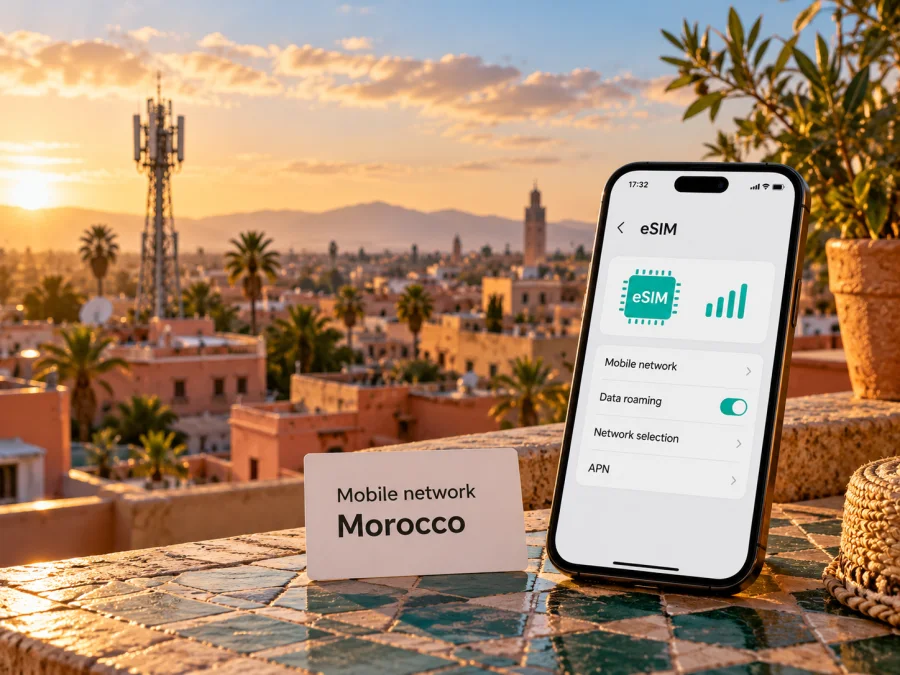
inwi eSIM in Morocco: what travelers should check
If you are planning a trip to Morocco and searching for an inwi eSIM, the key points are whether the eSIM can be issued for your situation, whether your exact phone variant supports it, and where you will need coverage. inwi offers eSIM service in Morocco, and its public information describes QR-code installation on a compatible device. Its visitor information also presents an eSIM option for people arriving in Morocco. The practical route, identity requirements, availability and applicable service terms can depend on the channel and customer type, so confirm them with inwi before relying on a line for your trip.
This guide covers inwi in Morocco. The operator’s eSIM and visitor pages were checked on 1 November 2026; Apple’s current carrier directory also lists Inwi under Morocco. These sources confirm the service, not eligibility for every device or visitor.
inwi in the Moroccan mobile market
inwi is a mobile network operator in Morocco. Its public site describes mobile offers and services for both individual and business customers, including eSIM. For a traveler, the distinction between a local inwi line and a travel eSIM is useful: an inwi eSIM is a subscription or line associated with the local operator’s service, while a travel eSIM is arranged for use abroad and can connect through a local network under its own service conditions. The two options can differ in number, voice and SMS support, eligibility, installation route, support channel and roaming behavior. Check the terms of the specific product before treating them as interchangeable.
The consumer eSIM page says new and existing customers can request an eSIM at an inwi agency; it describes an additional line or conversion of an existing inwi SIM. A separate visitor page presents an eSIM offer for people arriving in Morocco. These pages do not establish that every visitor can complete the process remotely.
The current official pages confirm the basic service and setup route, but leave practical questions for the traveler. inwi’s eSIM page describes QR activation and says to request service through an agency; the visitor page advertises an eSIM option for arrivals. Ask inwi about your eligibility, identity documents, purchase channel, installation timing and support before travel.
If you are not an inwi customer, ask whether you can register, which identity documents are accepted, whether you must appear in person, and whether your nationality and payment method are supported. Do not assume you can activate before departure.
Device compatibility: check the exact variant
An eSIM-capable product family is not enough to establish that your phone can use inwi eSIM. Features vary by model generation, country or sales region, software version and carrier configuration. Some phone variants sold in one market include eSIM hardware while a similarly named variant sold elsewhere does not. A device can also be locked to another carrier or restricted by a corporate administrator. Check the full model or part number in the manufacturer’s settings and compatibility documentation, then ask inwi to confirm it against its current requirements.
For an iPhone, review Apple’s eSIM guidance for the exact model and region. For Android, check the manufacturer’s support page and look for “Add eSIM” or “Add mobile plan” in SIM settings. A visible menu alone does not guarantee inwi acceptance. Confirm the phone is unlocked and ask the seller or administrator about restrictions on employer- or carrier-supplied devices.
Use the eSIM device compatibility guide for the general checks before choosing an eSIM. The guide is not a substitute for inwi’s own compatibility confirmation, especially if the device has a region-specific model number.
How inwi eSIM activation works
inwi’s consumer page describes a QR-code process. It advises connecting to Wi-Fi, opening the phone’s settings and scanning the QR code found with the eSIM materials. The precise labels differ by phone brand and operating-system version, but the general process is similar: obtain the operator-issued code, add a cellular plan in the device settings, scan or enter the activation details, and wait for the profile to download. Follow the instructions supplied with your own eSIM rather than relying on menu names from a different handset.
The inwi page describes Android steps including opening Settings, then Connections or SIM management, choosing an option to add a mobile plan by QR code, scanning the code and saving the downloaded profile. It also provides an iOS configuration route. Because menu wording and onboarding can change, use the current screen prompts on your phone and the instructions supplied by inwi at the time of activation. Keep the QR code private: it contains activation information and should not be posted publicly or shared with someone who does not need it.
Before scanning the QR code
- Confirm with inwi how and where your eSIM is issued, and whether an appointment, identity check or in-person visit is required.
- Check the full device model and regional variant, unlock status and software version. Confirm that the line can be installed on that device.
- Keep a reliable Wi-Fi connection available for profile download. If you will need a shop visit, ask whether staff can help with installation.
- Read the activation instructions and ask when the service begins: at purchase, when the profile is installed, or when it first connects to a network. Do not guess based on another operator’s process.
- Save account, support and proof-of-purchase details somewhere accessible without mobile data. Keep the QR code available until setup is complete, but do not assume it can be scanned again.
- After installation, select the intended line for mobile data and check the operator’s instructions for data roaming, APN or other settings. Only change settings the operator tells you to change.
If the profile downloads but does not register, check that the line is enabled, the device has signal and the correct data line is selected. Before deleting it, ask inwi whether the profile can be reused; a removed profile may not be installable again.
Coverage and network technology in Morocco
inwi publishes information about 4G service and says a compatible handset must be in a covered area. That establishes 4G as a technology offered by the operator; it does not mean that 4G will be available at every point of a route. Actual service depends on the location, local radio conditions, the device’s supported bands, indoor or outdoor position, congestion and the configuration of the line. A coverage map is a planning aid rather than a promise of continuous service.
This guide does not make a claim about inwi 5G availability or 5G access for eSIM customers because the current official material checked for this article did not establish the relevant locations, customer conditions or device requirements. If 5G matters to you, ask inwi whether it is available at your destinations and enabled for your exact line and handset. Do not infer it from a generic device specification or a signal icon observed elsewhere.
For routes through smaller towns, mountain areas, desert regions or between cities, check inwi’s current coverage information for each place and ask about the route as well as the main city. Maps are planning aids rather than guarantees. Download important addresses and travel details for offline use. Your phone must also support the relevant network bands, and dual-SIM behavior varies by device.
Is inwi eSIM suitable for a visitor?
It may be a suitable local option if inwi confirms that you can obtain the line, your device is accepted, and the service conditions fit your stay. A local operator line can be useful when you want a local mobile number or access to the operator’s standard local service. However, the public visitor page alone does not confirm every detail that matters to a particular visitor. Ask about identity verification, purchase and pickup method, language support, payment, activation timing, validity, recharge method and whether support is available after leaving an inwi shop.
A local inwi line and a travel eSIM can differ in whether they include a local number, voice or SMS, whether a shop visit is required, and how activation and support work. A travel eSIM may be data-only; check its product terms. If you want to keep a home SIM active, check dual-SIM behavior and possible roaming charges.
Do not select an option solely by the word “eSIM.” Compare the things that matter for your itinerary: whether it is data-only or includes a local number, whether you need to visit a shop, how it is activated, how the service period begins, whether top-ups are possible, which networks it can use, and what support is available if installation fails. For current inwi terms, consult inwi directly. This article intentionally does not reproduce tariff names, prices, data amounts, validity periods or bundled benefits because those details can change and depend on the offer selected.
Prepare a backup for arrival
Plan a fallback if the local line cannot be issued or activated immediately. Options include your home operator’s roaming service, Wi-Fi at a trusted location or a travel eSIM you have checked for Morocco. Keep essential directions and booking details available offline.
For mobile internet during a trip, Kaspersky eSIM Store is an app and website where travelers can select, arrange and activate an eSIM plan for an overseas destination. It can be considered as an alternative when you want to prepare travel connectivity separately from an inwi local line. It is not a mobile operator, does not own a Moroccan network and does not itself provide radio coverage. Availability, destination support, device compatibility and the conditions of a selected plan should be checked in the Store before purchase. The Morocco destination page is a place to browse and check current travel eSIM options for Morocco; it should not be read as an inwi tariff page.
Before you travel
- Confirm your exact phone variant supports eSIM, is unlocked and meets inwi’s current requirements.
- Ask inwi whether a new visitor can register, which identity documents are accepted and whether agency collection is required.
- Confirm how the QR code is issued, when service begins and whether installation needs Wi-Fi.
- Check coverage at your destinations and along the route; keep offline directions and a backup connection plan.
- Decide which SIM handles data, calls and SMS, and check roaming conditions with your home operator.
- Keep the QR code private and save support details and purchase confirmation for offline access.
Common questions
Does inwi support eSIM in Morocco?
Yes. inwi’s public eSIM page describes eSIM service in Morocco, QR-code installation and requests through an inwi agency. Apple’s current carrier directory also lists Inwi under Morocco. The device and customer eligibility still need to be confirmed for your situation. Checked 1 November 2026.
How do I activate an inwi eSIM?
The published inwi instructions describe connecting to Wi-Fi, scanning the supplied QR code in the phone’s cellular or SIM settings, and following the prompts to install the profile. The exact menu path varies by operating system and device. Use the instructions that come with your line and keep the QR code private.
Will my phone work with inwi eSIM?
Only if the exact regional variant supports eSIM and is not restricted by a carrier or administrator, and if it meets inwi’s current requirements. Check the model number and ask inwi to confirm it. A product family name by itself is not enough.
Does inwi eSIM guarantee 4G or 5G everywhere in Morocco?
No. inwi’s 4G information requires a compatible device in a covered area, so service varies by location and device. The official information checked for this article did not establish the details needed to claim 5G availability for every location or eSIM line. Confirm both technologies and the coverage for your route directly with inwi.
Is Kaspersky eSIM Store an inwi service?
No. Kaspersky eSIM Store is an app and website for selecting, arranging and activating eSIM plans for overseas travel. It is not inwi and is not affiliated with inwi. The inwi and Kaspersky eSIM Store names and trademarks belong to their respective owners.
Choosing the right connection
An inwi eSIM can be considered for a Morocco trip because inwi publicly documents eSIM service and offers an eSIM route for arrivals. Before relying on it, establish that your exact phone variant is compatible, that your visitor status and purchase route are accepted, and that coverage suits your planned destinations. Ask inwi about current eligibility and service conditions rather than assuming a QR code or tourist page answers every practical question.
If a local operator line is not a fit, or you want to arrange travel data before departure, Kaspersky eSIM Store can be another option to review. Check the Morocco destination page for current availability and read the conditions for the selected travel eSIM. Kaspersky eSIM Store is not an operator and has no affiliation with inwi. The choice depends on whether you need a local line, data for travel, or both, and on what your device and itinerary support.
Source check: inwi’s public pages “eSIM,” “Voyageurs inwi,” and “Internet 4G haut débit,” and Apple Support’s “Find wireless carriers and worldwide service providers that offer eSIM service on iPhone” were checked on 1 November 2026. The cited pages provide general service and setup information; customer eligibility, device support and coverage should be verified for the individual case.


