Travel connectivity guide
IPKO eSIM in Kosovo: activation guide
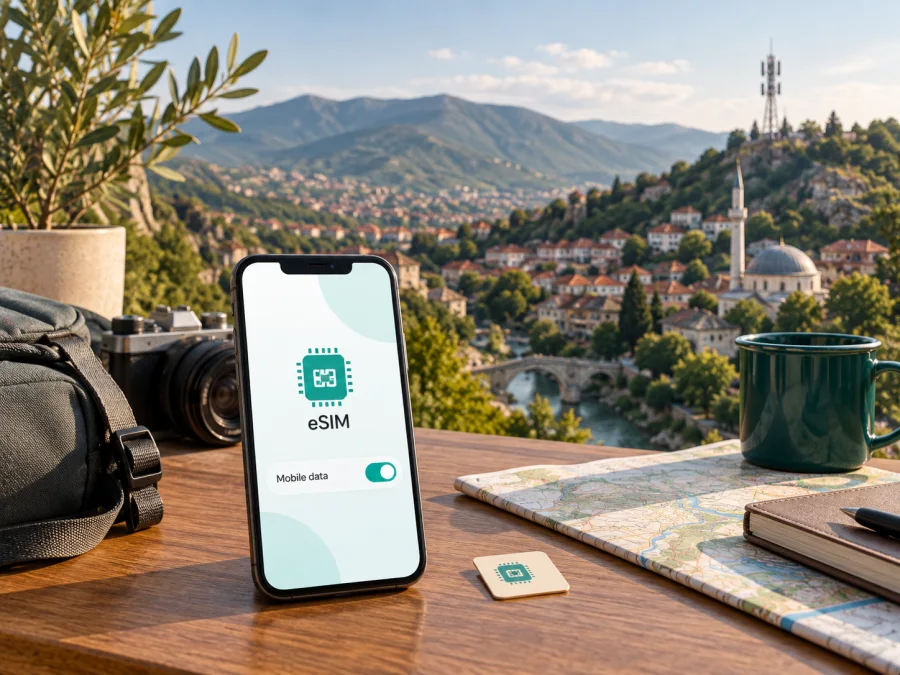
IPKO eSIM in Kosovo: activation, compatibility and travel guide
This independent guide explains how IPKO eSIM works in Kosovo, what a visitor should check before activation, and how a travel eSIM can fit a different travel scenario. It is not affiliated with IPKO, IPKO Telecommunications LLC, or any of its subsidiaries, and IPKO trademarks belong to their respective owner.
Short answer
IPKO publicly confirms an eSIM service for new and existing users of its mobile network. The eSIM is a digital profile installed on a compatible, unlocked phone, and IPKO describes activation through a QR code. It is a local operator service with IPKO’s own onboarding and support process, not a travel eSIM product.
IPKO is a local telecommunications operator with a mobile network and consumer services in Kosovo.
IPKO’s public eSIM page, English activation manual, new-client page and Coverage map were checked on 21 September 2026. They confirm eSIM availability, QR activation, general prepaid availability and published 3G/4G/5G information. A separate dedicated tourist category was not established, so visitors should confirm the current visitor or prepaid route with IPKO.
Is IPKO eSIM available as prepaid?
Yes, IPKO’s current public pages show that prepaid customers can use SIM/eSIM onboarding. This confirms general prepaid availability, but it does not mean that every visitor receives the same terms or that every prepaid offer is open to every traveller. The operator’s new-client information uses package names and detailed conditions on its live page; those changing commercial details are intentionally not reproduced here.
Instead, ask IPKO to confirm the current offer for your status and destination. A visitor should clarify whether the requested eSIM is issued as a new local line or as a conversion of an existing number, which documents or registration steps are needed, where activation can be completed, and how support works after arrival. If the trip includes time outside Kosovo, also ask whether the local service can be used under the operator’s current roaming rules and whether separate conditions apply.
The reviewed IPKO pages establish ordinary prepaid availability. They do not, in the material checked for this article, create a universal promise that any tourist can obtain an eSIM entirely remotely or without an operator-specific customer process. Treat “prepaid” as a broad service category, not as confirmation of a particular visitor product.
How IPKO eSIM activation works
IPKO describes QR-code activation and provides an English manual. The exact menu labels vary by manufacturer and model, but the practical sequence is consistent: obtain the activation material, connect the phone to the internet, add the mobile plan, scan the QR code, enter any requested security code, and allow the profile to install.
Before you start
Check the following conditions before opening the camera or scanning the code:
- Confirm that the phone supports eSIM and is not restricted by another operator.
- Install pending operating-system updates if the manufacturer recommends them.
- Connect the phone to a stable Wi-Fi or other working internet connection.
- Keep the QR code, any PIN, account information and activation instructions ready.
- Decide which line will handle mobile data and which line will handle calls or messages.
- Keep the physical SIM in place until the new profile has been tested, unless the IPKO process instructs you to remove or replace it.
IPKO’s English manual says that downloading the profile requires an available Wi-Fi connection and that the QR-code procedure can be delivered with instructions through the operator’s customer channels. The manual also notes that steps can differ by manufacturer and device model. That is why a menu path copied from another phone should be treated as an example, not a guarantee.
Android outline
On Android, open Settings and go to the connections or mobile-network area. Open the SIM manager, choose the option to add a mobile plan or eSIM, and select the QR-code scanning path. Scan the IPKO code, enter the requested PIN if shown, and confirm installation. Wait for the profile to appear in the SIM manager before selecting it for mobile data.
The wording and order can be different on Samsung, Google, Xiaomi and other devices. If the QR code is displayed on the same phone, use a second screen or follow the operator’s alternative installation instructions. Do not scan an unknown code from an unofficial message. If the profile is already installed but data does not work, check that the IPKO line is enabled and that mobile data is assigned to it.
iPhone outline
On iPhone, open Settings, choose Mobile Data or Cellular, select Add eSIM or Add Data Plan, continue, and scan the IPKO QR code. Enter the PIN when requested and wait for the profile to finish installing. Give the line a clear label so you can distinguish it from a home SIM or another travel profile.
IPKO’s manual states that a first activation call is required before mobile services can be used. Follow the current operator instructions for that step and check that the line is registered on the IPKO network. If the phone shows an activation error, do not repeatedly delete the profile. First confirm the device model, network lock, internet connection and QR-code status, then contact IPKO support.
For more device-specific guidance, use the internal eSIM device compatibility anchor in the installation section below. Compatibility can vary by model, market version and software configuration, even when two phones carry a similar commercial name.
Coverage and network technologies in Kosovo
IPKO publishes a Kosovo coverage map. Its English Coverage map page, checked on 21 September 2026, states that the IPKO network includes 3G/4G and Wi-Fi coverage and mentions 5G technology. This is a description published by the operator, not an independent measurement of speed or quality.
For travel planning, read a coverage map as an indication rather than a blanket guarantee. Service can vary between urban areas, valleys, roads, buildings and remote locations. The phone model, supported bands, local congestion, terrain, weather, maintenance and network selection can also affect the result. A 5G-capable device does not mean that 5G will be available at every location, and a phone that supports eSIM may not support every network band used in a particular market.
The useful pre-trip check is therefore specific: confirm the phone’s eSIM support, confirm that it is unlocked, review IPKO’s current coverage information for the places you will visit, and ask support whether the intended line can use the relevant mobile services. If the route leaves Kosovo, check roaming separately rather than assuming that domestic service conditions follow you across a border.
Local IPKO eSIM or a travel eSIM?
The two options solve related but different problems. An IPKO eSIM is issued within IPKO’s local mobile-service process. It may be the natural choice for someone who needs a local operator relationship, a local number or longer-term use in Kosovo and can complete the required onboarding. It also brings the operator’s own activation, support and account rules.
A travel eSIM is arranged through a separate service for mobile data during a trip. It can be useful when the traveller wants to prepare connectivity before departure, avoid searching for a shop on arrival, or keep the primary physical SIM in the phone. It normally should be understood as a data option rather than a replacement for a local phone number, ordinary voice service or local customer registration.
Kaspersky eSIM Store is an app and website that helps users choose, purchase and activate a travel eSIM for mobile internet abroad. Kaspersky eSIM Store is not a mobile operator, does not own IPKO’s network, and should not be described as the provider of IPKO coverage. Kaspersky’s official travel eSIM guidance, checked on 21 September 2026, says that users should verify device compatibility, install the profile with the provided instructions, select the eSIM for mobile data and enable data roaming on the eSIM when the device requires it. The same guidance describes the travel eSIM as data-focused, so calls and SMS may need the regular line or internet messengers.
The current Kaspersky store route for Kosovo redirects to the general store rather than presenting a dedicated Kosovo page. Check availability for a particular itinerary in the live catalogue at the time of purchase. Review the current eSIM options for Europe; this is not an IPKO activation channel.
Installation checklist for a travel eSIM
The following checklist applies to a travel eSIM only. It does not replace IPKO’s local activation instructions.
1. Check the device
Confirm that the exact phone model supports eSIM and is not carrier-locked. Regional versions can differ. You can use the internal eSIM device compatibility check as a starting point, then verify the result in the phone settings and manufacturer documentation.
2. Prepare an internet connection
Keep the phone online through Wi-Fi or another working line while downloading the eSIM profile. Install it before departure when practical, but do not switch off the line you need for ordinary calls until you understand the data settings.
3. Add the profile
Use the app’s installation flow or the QR instructions supplied after purchase. Give the profile a clear label, then choose whether it should be used for mobile data. The exact menu can vary between Android and iOS.
4. Configure data carefully
Select the travel eSIM as the mobile-data line when you want it to handle internet traffic. If the device asks for data roaming on that eSIM, enable it only after checking that the selected travel option is intended for the destination. Keep data roaming off on the home line if you want to avoid unexpected roaming use there.
5. Test the connection
After arrival, test a simple webpage or messaging action, check the active data line, and review the service dashboard. If it does not connect, restart the phone, verify network selection and confirm the profile is enabled. Support can help when the profile, device and destination are all eligible but the connection still fails.
FAQ
Can a visitor use IPKO eSIM as prepaid?
IPKO publicly lists prepaid SIM/eSIM offers. That confirms the general category, not automatic eligibility for every visitor. Ask IPKO which current registration and prepaid conditions apply to your citizenship, account status and travel dates.
Do I need Wi-Fi to activate IPKO eSIM?
You need a working internet connection to download the profile. IPKO’s English manual specifically recommends connecting the phone to an available Wi-Fi network before downloading and scanning the QR code.
Can I keep my physical SIM?
It depends on the activation scenario and the device. IPKO says that replacing an existing physical SIM with an eSIM stops the old card from being usable after activation. A dual-SIM phone can support a physical SIM alongside a new eSIM, but confirm the exact number and replacement arrangement with IPKO.
Does an IPKO eSIM work outside Kosovo?
Do not assume that it does under the same conditions. IPKO publishes roaming information separately from domestic service information. Check current roaming availability, destination rules and any activation requirements with IPKO before crossing a border.
Is a Kaspersky eSIM Store profile the same as an IPKO eSIM?
No. Kaspersky eSIM Store is a travel eSIM app and website, while IPKO eSIM is an IPKO mobile-service profile. They are separate products and activation paths. A Kaspersky eSIM Store option should not be described as IPKO service or as access to IPKO’s network unless the current public service terms explicitly say so.
What if the QR code does not work?
Stop before deleting the profile. Check the exact device model, internet connection, QR-code instructions, PIN, network lock and operating-system version. If the error remains, contact the issuing service. For an IPKO profile, use IPKO support; for a travel profile, use the support channel of the service that issued it.
Final preparation checklist
Before travelling to Kosovo, confirm the following:
- the exact phone model supports eSIM;
- the device is unlocked and has room for the profile;
- you know whether you need a local IPKO number or data-only travel access;
- IPKO has confirmed the current registration route if you want a local eSIM;
- you have a stable connection for downloading the profile;
- the QR code, PIN and support details are available offline;
- the intended data line is selected and the correct roaming setting is understood;
- coverage has been checked for the actual route, not just the destination name;
- any cross-border use has been confirmed separately;
- no commercial conditions have been assumed from an old page or an unofficial post.
IPKO’s official eSIM page, English activation manual, new-client information and English Coverage map were checked on 21 September 2026. Kaspersky’s official travel eSIM guidance was also checked on that date. Commercial offers, registration requirements, coverage, supported devices and activation workflows can change, so verify the current details with the relevant service before purchase. If a travel eSIM is more suitable for your itinerary, check the current eSIM options for Europe and confirm that Kosovo is included before completing the order.
This article describes the market neutrally. It does not represent IPKO, Kaspersky eSIM Store or any other service as an official partner, and it does not replace current operator instructions or customer support.


