Travel connectivity guide
Iquique eSIM: Mobile Internet Guide for Chile
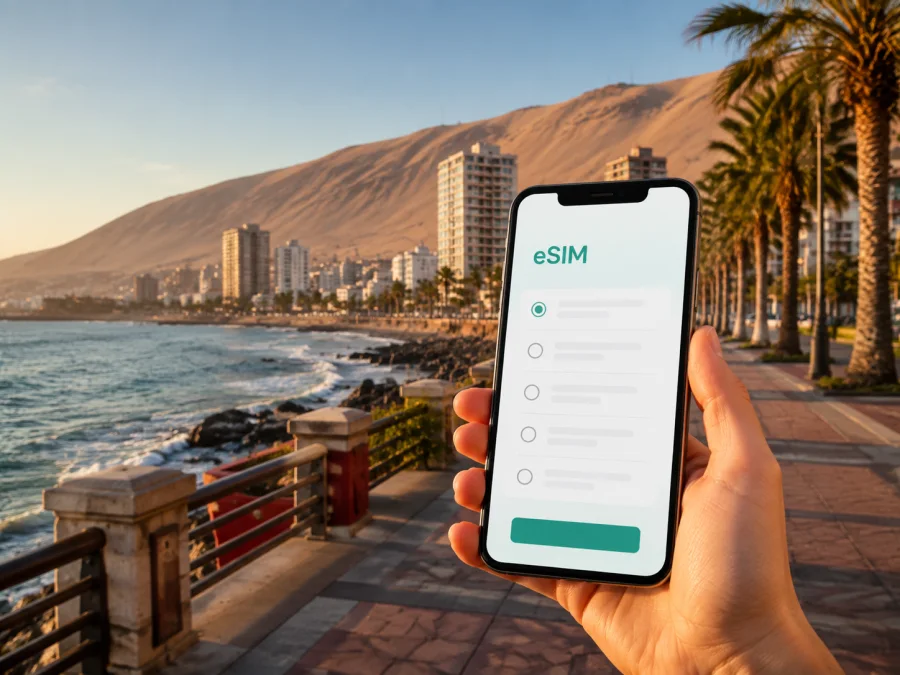
Iquique eSIM: A Practical Guide to Mobile Connection and Internet in Chile
Iquique is a city where a day can move between Pacific beaches, a compact historic core, shopping districts, and the open desert beyond the coastal hills. That variety is part of its appeal—and the reason a dependable mobile connection matters from the moment you land. You may need a map, a message, a ride, a reservation, or a route back from an excursion.
An eSIM, or embedded SIM, can help you prepare mobile internet for a trip to Iquique without changing the physical SIM card in your phone. You choose a suitable eSIM plan for Chile, install it on a compatible device, and use it for data during the journey. Your regular SIM can remain available for calls or messages if your device and home operator support dual-SIM use.
This guide covers arrival at Diego Aracena Airport, movement around Iquique, choosing a base, visiting ZOFRI or the old center, business schedules, and trips into the Atacama landscape.
Why mobile internet is useful in Iquique
Iquique is easier to explore when you know your next destination. A hotel near Cavancha is not the same starting point as accommodation close to the historic center or ZOFRI, and an inland excursion needs a separate plan for routes and meeting details.
Mobile data is especially helpful for:
- checking an accommodation address, route, or check-in instruction;
- contacting a driver, guide, hotel, colleague, or travel companion;
- translating a menu, sign, message, or practical instruction;
- confirming a booking before leaving the city;
- keeping work messages and two-factor authentication available.
Public Wi-Fi can be useful in a hotel, café, or airport, but you may need data between those places. An eSIM gives you another option when a fixed Wi-Fi connection is unavailable.
Kaspersky eSIM Store is an app and website that helps you choose, order, and activate an eSIM with a suitable mobile-data plan for a trip abroad. It does not replace a local operator or the phone number on your regular line.
Plan the connection around your Iquique itinerary
The right amount of data depends on how you will use your phone. Maps, messages, and reservations require less than video calls, large uploads, or streaming.
| Travel pattern in Iquique | Typical phone use | Planning priority |
|---|---|---|
| Beach and city walks | Maps, messages, searches | A modest package with enough validity |
| Sightseeing plus day trips | Navigation, bookings, translation | Room for route changes and time outside Wi-Fi |
| Business visit | Email, messaging, documents | Size for meetings; check hotspot rules |
| Stopover | Transfer, hotel, directions, messages | Validity for arrival and departure |
Before choosing, note three details:
- How many days will the eSIM need to remain active?
- Will you mostly use maps and messaging, or also video and large files?
- Will you travel outside Iquique and need routes or meeting information offline?
The selected option shows data volume, validity, price, and activation conditions. Use those details as the basis for your choice, and decide whether companions need separate connections or can use a hotspot when permitted.
Prepare before you leave
Most eSIM problems are easier to solve before departure. Set aside a few minutes while you still have your usual internet connection.
Pre-trip checklist
- Confirm that your phone supports eSIM and is not restricted by a carrier lock. Check your device compatibility before selecting a plan.
- Check the operating system and sign in to the app or site.
- Choose the Chile direction and compare the data volume and validity with your itinerary.
- Keep booking and transfer information offline.
- Charge your phone and carry a power bank.
- Decide which line will handle data and turn off automatic switching if available.
- Keep your regular SIM active only after reviewing its roaming and call settings.
An eSIM is a digital profile, not a second physical card. Screens differ by manufacturer and operating-system version, so follow the instructions for your device and avoid deleting the profile while traveling unless the plan conditions allow reinstallation.
Arriving through Diego Aracena Airport
Diego Aracena Airport serves Iquique from a location roughly 45 kilometers south of the city. Have the hotel address, transfer instructions, and a map view ready before you land.
If you installed the eSIM before the flight, activate it according to the plan instructions. If you install after landing, some methods need internet access, so keep the QR code or activation information accessible.
A calm arrival sequence
- Check that your regular line and travel eSIM are clearly named.
- Select the travel eSIM for data.
- Enable roaming for it only if the plan requires it; leave home-line roaming off when appropriate.
- Wait for registration, then open a page or send a test message.
- Open the saved hotel route and compare the pickup point with the booking.
The airport-to-city transfer is a useful first test: confirm that maps load, messages send, and the phone is using the intended data line. Agree on a recognizable pickup point before leaving the terminal.
Moving around Iquique
Iquique is a coastal urban area with the Pacific on one side and coastal hills behind it. Visitor activities line up along the shore, while the historic center and commercial areas add different kinds of stops. A map helps you plan the order.
Taxis, colectivos, and local buses connect the historic center, ZOFRI, and beaches. A practical mix is to walk on familiar routes, use local transport for longer cross-city moves, and arrange a car or organized excursion for a desert trip.
| Situation | Convenient approach | What mobile data adds |
|---|---|---|
| Exploring waterfront areas | Walk and use a map | Directions and messages between stops |
| Beach hotel to old center | Taxi, colectivo, or local bus | Confirm the destination and return |
| Visiting ZOFRI | Plan the route first | Save a meeting point and message companions |
| Luggage after arrival | Transfer or taxi | Keep booking details accessible |
| Heritage sites outside the city | Tour or planned car journey | Navigation and meeting updates |
Use the city’s geography to reduce backtracking. If you are shopping at ZOFRI and meeting someone later in Cavancha, save both points and agree on the time while you have a clear signal and battery.
Walking near the coast
Cavancha is one of Iquique’s best-known beach areas, with food and leisure services nearby. Playa Brava and the coastal road have longer open stretches, so save key directions before a walk, keep sun protection in mind, and limit unnecessary background apps.
Taxis, colectivos, and buses
Save the accommodation name and address in Spanish, keep a booking screenshot, and show the exact map pin when necessary. For a colectivo or bus, confirm the route and stop with local staff or your accommodation.
For late arrivals, luggage, or a tight schedule, a pre-arranged transfer or taxi may be more predictable. The eSIM gives you a practical way to access information and communicate when the plan changes.
Choosing where to stay
Choose a base according to the day’s purpose. Cavancha suits beach walks and nearby meals; the historic center suits architecture, museums, central appointments, and local streets; accommodation near ZOFRI may be practical for shopping or business. Check the exact address, airport transfer, hotel Wi-Fi, evening return, and excursion pickup before booking. Hotel Wi-Fi can handle large files or backups, while mobile data covers directions and communication away from the desk.
Once your route and base are clear, prepare an eSIM for a trip to Chile and compare its volume and validity with your stay.
Iquique for business travelers
Iquique can combine meetings, commercial errands, and a short coastal break. Business travelers may need a map pin from a colleague, a document in a messenger, a taxi arrangement, or a quick translation. A travel eSIM can keep those time-sensitive tasks separate from the roaming settings on the home line. Download large files on reliable Wi-Fi, use mobile data for coordination between the hotel, venue, and ZOFRI, and check hotspot conditions before planning to connect a laptop.
Business-day checklist
- Save the venue address as a map pin and confirm the time zone.
- Keep the contact, presentation access, and transport details available.
- Test the data line before leaving and plan a return route.
If a meeting involves confidential information, follow your organization’s security rules. An eSIM provides a data option for the journey; it does not change the security requirements of your company’s apps, accounts, or files.
Short stopovers and one-night visits
A stopover rewards preparation because Diego Aracena Airport is outside the city and transfers can use much of the available time. Choose one compact area: Cavancha for a coastal break, the historic center for a short cultural walk, or the area around your meeting. Before the flight, prepare the eSIM, save the airport-to-hotel and return routes, keep the next transport arrangement offline, and leave enough time for the departure transfer.
Trips from Iquique into the desert
One of the most meaningful excursions from Iquique is to the Humberstone and Santa Laura saltpeter works, recognized as a UNESCO World Heritage Site. Chile Travel places the sites about 47 kilometers from Iquique and describes a journey of roughly 45 minutes, depending on the route and conditions. The landscape and the preserved industrial structures make the excursion very different from a day on the coast.
Treat this as a separate connectivity scenario. Before leaving the city:
- save the tour confirmation, pickup time, and meeting point;
- download the route or keep essential directions offline;
- tell your accommodation or companions when you expect to return;
- carry water, sun protection, a layer, and a charged phone with backup power;
- do not assume an urban connection pattern continues along every desert road.
If the excursion continues beyond the saltpeter works, check the full itinerary and plan around the actual stops. Mobile data helps with booking and return coordination, but offline preparation remains important outside Iquique.
Installing and activating the eSIM
Install an eSIM with stable internet and time to read the instructions. You may scan a QR code or use an in-app flow; keep the phone unlocked and label the new line “Chile travel data”.
For device steps, use the Android installation instructions or the iOS installation instructions. Setting names vary, so use the instructions for your actual phone.
After installation, keep your home line available, select the travel eSIM for data, review roaming and automatic switching, and send a test message. If no connection appears, review the instructions and verify that the eSIM is on.
Activation timing varies. Read the selected plan’s terms before deciding whether to activate before the flight or after arrival, and keep the activation information until the trip is complete.
Calls, messages, and data boundaries
An eSIM plan for travel is generally intended for mobile data. It may not include a regular phone number, voice calls, or SMS unless the selected plan says otherwise. Use internet messengers for calls and messages where practical, or keep your usual voice line available after checking roaming charges. Set the travel eSIM as the data line, review automatic switching, and check hotspot availability before connecting a laptop.
Troubleshooting in the city
When the phone appears offline, confirm that the travel eSIM is enabled, selected for data, and not restricted by airplane mode. Check the required roaming setting, move to a clearer location, and verify validity and remaining data. If maps do not load, use a saved route and check permissions. If data ends sooner than expected, review video, backups, updates, background refresh, and hotspot use. Do not delete the eSIM first; keep the plan name, device model, and error message ready for support.
FAQ: eSIM for Iquique
Do I need an eSIM for a visit to Iquique?
No. It is an optional way to prepare data on airport transfers, city moves, and trips outside Iquique.
Can I keep my regular number active?
Often, yes, on a dual-SIM phone. Behavior depends on the device and home operator; set the travel eSIM as data and check home-line roaming rules.
Should I install it before flying?
Before departure is usually easier. Review the plan conditions before turning the line on.
Will it cover a visit to Humberstone and Santa Laura?
Service depends on network availability and the route. Keep directions and booking details offline for the desert journey.
Can I use an eSIM for normal phone calls?
Assume it is for data unless the conditions say otherwise. Use internet messengers or your usual voice line after checking roaming charges.
What should I do if my phone is not compatible?
Use another compatible unlocked device or a different connection option. Check compatibility and carrier lock before purchase.
A simple decision before purchase
Choose according to the trip: essential maps and messages for a short city stay; more room for navigation and coordination if you will move among Cavancha, the center, ZOFRI, and the airport; and extra preparation for a business schedule or desert excursion. In every case, resolve compatibility before selecting the plan and keep key routes and bookings available offline.
Get ready for your Iquique trip
Iquique is enjoyable when the connection plan follows the visit: prepare airport transfer, save addresses, choose a base, and keep offline backups for desert travel.
When ready, choose an eSIM plan for your trip to Chile, check its data volume and validity, and install it on your compatible device.


