Travel connectivity guide
Iquitos eSIM for Mobile Internet in Peru
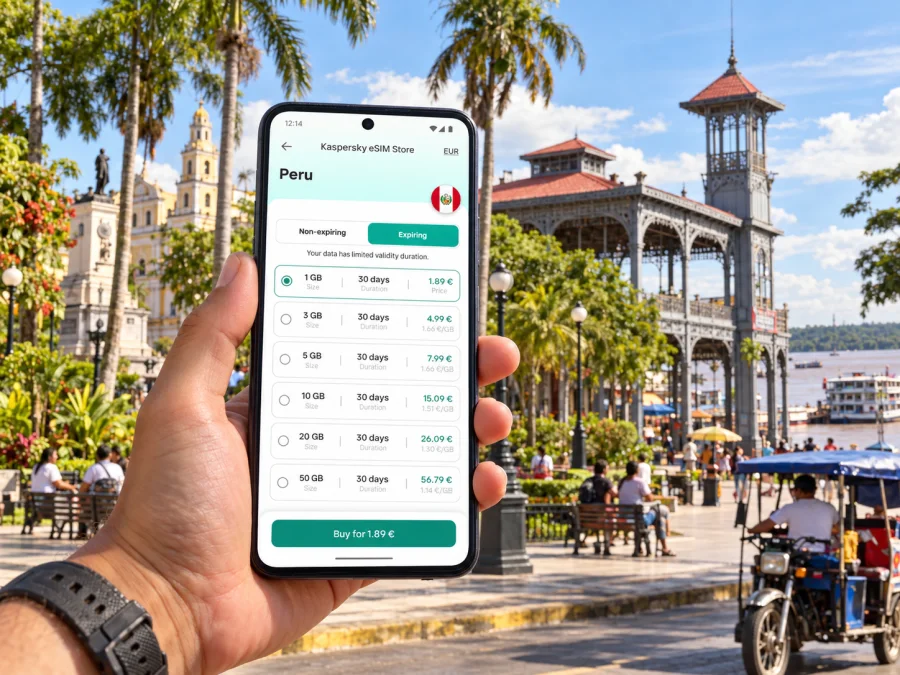
Iquitos eSIM: mobile connection and internet for your trip
Iquitos sits in Peru’s northeastern Amazon region, in Loreto, and has a very different travel rhythm from Lima or Cusco. You may arrive by air, move across the urban area by mototaxi, and then continue by boat toward a river lodge or community. A mobile data connection is useful for the practical transitions between those plans: confirming a pickup, checking a hotel address, messaging your host, and keeping maps or booking details available.
An eSIM can add a travel data line without replacing the physical SIM already in your phone. The useful question is not simply whether an eSIM is available for Peru, but whether the particular plan, your device and the places on your itinerary fit together. This guide focuses on those decisions for Iquitos and nearby river journeys.
When mobile internet helps in Iquitos
The first few hours can involve several small handoffs: the flight arrives at Coronel FAP Francisco Secada Vignetta International Airport, a driver or accommodation representative is waiting, and you need to confirm where to meet. Airport access and onward transport should be arranged with current local information; do not assume that a map pin alone tells you which exit, vehicle or meeting point to use. A working data line makes it easier to message if plans change.
Within the city, mobile data is useful for looking up an address, sharing your location with a companion, checking a reservation, translating a short message, or contacting a guide. It can also help you compare the route shown in a map with what a driver or hotel recommends. Download key addresses and booking confirmations for offline access as well: a phone should not be the only place you keep essential travel information.
Iquitos is an urban gateway to the Amazon, rather than a guarantee of continuous service along every river excursion. Peru’s official tourism information identifies Iquitos as a starting point for journeys on the Amazon River. Once you leave the built-up city, signal availability can change with distance, terrain, settlements and the network used by a plan. Confirm communications arrangements with your boat operator or lodge, and keep offline maps, contacts and meeting details for stretches where data may not be available.
| Travel moment | What data can help with | A useful backup |
|---|---|---|
| Arrival at the airport | Contacting your host or driver and opening your reservation | Save the pickup instructions and phone number before departure |
| First trip into town | Checking an address and sharing your location | Agree on a named meeting point as well as a map pin |
| Exploring central Iquitos | Looking up opening details, directions and messages | Save important places to an offline map |
| Moving between districts | Sending updates if the route or timing changes | Keep the accommodation address written down |
| Leaving by boat | Confirming departure details and contacting your host beforehand | Download documents and ask about signal along the route |
Getting oriented: airport, centre and districts
The airport’s official name is Coronel FAP Francisco Secada Vignetta International Airport. It serves Iquitos, and Peru’s tourism information describes an approximately 1 hour 40 minute flight from Lima; schedules and actual journey times can vary. Before travel, check your airline’s current flight details and confirm how your accommodation wants you to make contact after landing.
The familiar urban districts around Iquitos include Iquitos, Belén, Punchana and San Juan Bautista; the current metropolitan development plan also includes Indiana in the wider metropolitan area. The names matter when searching for an address: a hotel, office, market or pickup point may be described by district as well as by a familiar landmark. If a booking gives a street name, district, nearby landmark and contact number, keep all four together. This is more useful than relying on a dropped pin that may open at the wrong entrance or on the opposite side of a busy street.
Belén is another well-known part of the city, associated with the waterfront and its market area. It is a lived-in district, not a theme park. If you plan to visit, ask a local host or guide about the appropriate route, timing and current river conditions. For a boat departure, confirm the exact landing or meeting point and whether it differs from the address used for the return trip. Keep your phone protected from rain and splashes, and avoid handling it near the water when a printed or offline note will do.
Punchana and San Juan Bautista form part of the larger urban area too. A meeting location described simply as “Iquitos” may still be some distance from your accommodation. Verify the full address before arranging transport, and send the location to the other person while you have a stable connection. If you will travel between several stops, pin them in advance and review the sequence with your driver or guide rather than assuming that a route app captures local conditions.
A simple arrival sequence
- Before boarding, save your accommodation’s address, contact details and pickup instructions in an accessible note.
- Check that your phone has charge and that you can reach the eSIM settings without relying on a data connection.
- After landing, connect to the line you intend to use for mobile data and allow a little time for network registration.
- Message your host or driver with a clear confirmation of the agreed meeting point. If a message does not go through, use the backup contact method you arranged.
- Once in the vehicle, check that the destination matches the saved address and district before setting off.
Choosing a Peru eSIM plan for a city-and-river itinerary
Start with the itinerary rather than a guessed data amount. A short city stay with occasional maps and messaging has different needs from a longer visit with frequent photo uploads, video calls or remote work. Add the days before and after your time in Iquitos if the same plan will also be used during flights, a stopover or another Peruvian destination.
Kaspersky eSIM Store is an app and website where you can choose, arrange and activate an eSIM with a suitable data plan for an international trip. Check the plan’s destination, included data, validity period, activation conditions and any stated restrictions before you proceed. Product terms can differ by plan and may change, so rely on the details shown for the specific option you select rather than on a general assumption about Peru.
For your route, distinguish three different things:
- The country named by the plan. A Peru plan is the relevant starting point for a visit to Iquitos. Do not infer Peru availability from a plan labelled for a different country or region.
- The network arrangement for that plan. A travel eSIM connects through the network or networks specified for its service. Its performance depends on the partner network and local availability, not on the city name printed in a search query.
- The actual places you will visit. Coverage in an urban district does not establish coverage at a river lodge, on a boat or in a remote settlement. Ask the accommodation or tour operator what communication is practical on the exact route.
If you are comparing options before departure, review eSIM data plan options for Peru and check the current plan details against your dates and route. Consider whether you need data only in Iquitos or also during a multi-stop journey elsewhere in Peru. A regional plan is a separate product category: its coverage area and terms need to be checked in their own right, and the word “regional” does not promise service in every location or on every network.
Estimate data by activity
There is no single data allowance that suits every traveler. Navigation, messaging and checking text-based reservations usually require less data than frequent uploads, high-resolution video or long video calls. Hotel or café Wi-Fi may help with large downloads, but it should be treated as a convenience rather than the only way to retrieve an essential booking.
| Your travel pattern | Before choosing a plan |
|---|---|
| Short city visit | Count your days, keep maps downloaded, and estimate how often you will use directions and messaging |
| City plus guided river trip | Ask the operator about connectivity and plan your essential communication before departure from town |
| Work trip | Check whether the data amount and validity fit calls, tethering and work applications; do not assume hotspot use is included |
| Longer Peru itinerary | Confirm the plan’s validity and destination coverage for every stop, including any border crossing |
| Heavy photo or video use | Plan to upload on trusted Wi-Fi where practical and monitor mobile data consumption |
Before you buy, compare the plan’s validity with the date you expect to activate it. Some plans begin their validity under particular activation conditions; others may have a different rule. Read the conditions for the specific option and avoid installing it early if the instructions say to wait. Keep your current home line active if you need it for calls or verification codes, and check how your phone handles roaming on that line to avoid unwanted charges.
Device compatibility and eSIM setup
An eSIM requires a compatible, unlocked device. Compatibility can vary by exact model and by the regional version of a phone, even when two devices share a retail name. Check the manufacturer’s specifications for your precise model and confirm that the device is not restricted to a particular carrier. Check whether your device supports eSIM before choosing a plan.
If your itinerary includes a second phone or a tablet, verify that device separately. An eSIM installed on one device does not automatically transfer to another, and a tablet’s cellular version may differ from its Wi-Fi-only version. Do not rely on the appearance of an eSIM menu alone as proof that a particular travel plan will work; check both device support and the plan’s conditions.
Install before you travel, activate at the right time
If the plan instructions allow it, installing the eSIM before departure can reduce the work needed after landing. Installation and activation are not always the same step. Follow the plan’s instructions about when validity begins, and wait to enable the travel line or data roaming if the instructions require it. Use a stable Wi-Fi connection for setup and keep the confirmation details until the eSIM is working.
- Confirm device compatibility and remove any carrier lock that could prevent use of another eSIM.
- Read the selected plan’s installation and activation instructions, including its validity start rule.
- Add the eSIM while connected to reliable Wi-Fi, if the plan permits pre-trip installation.
- Label the line clearly, such as “Peru data,” so it is easy to recognize beside your home SIM.
- In your mobile settings, select the travel eSIM for mobile data when you are ready to use it. Keep calls and SMS on your regular line if that is what you need, and check roaming settings on that line.
- After arrival, allow the phone to register and verify the selected data line. If it does not connect, check the plan instructions, network selection and data settings before reinstalling anything.
For device-specific steps, use the Android eSIM installation instructions or the iOS eSIM installation instructions. Menu names can differ across operating-system versions, so follow the current on-screen instructions for your device and the selected plan.
Practical habits for staying reachable
Iquitos is a place where your plans may shift between city streets and river transport. A little preparation makes digital tools more useful without assuming they will be available every moment.
- Save essentials offline. Keep accommodation details, boat departure instructions, reservation numbers, important addresses and emergency contacts available without data.
- Share a plan with someone. Tell a companion or host when you expect to leave and when you expect to check in, especially before a longer excursion.
- Carry a charging option. Navigation, photos and messaging use battery. A charged power bank is useful on full days away from your accommodation.
- Protect the device. Heat, humidity, rain and water excursions call for a waterproof pouch or a secure dry place. Do not charge a wet device.
- Use data deliberately. Disable automatic cloud photo uploads and app updates over mobile data if you want to preserve your allowance.
- Keep two ways to find a place. Save a map pin and a written address or landmark; street names and pins do not always resolve a meeting-point mismatch.
- Plan for gaps. Download offline maps and travel documents before leaving a reliable connection. Ask your guide what to expect rather than relying on a coverage map for a remote stretch.
Understanding coverage without overpromising
Mobile coverage is specific to the operator, technology, place and moment. Peru’s telecom regulator OSIPTEL provides a map that lets people examine reported operator coverage by location and technology. Its descriptions distinguish guaranteed coverage from total coverage, which can include additional network capacity with variable performance. That distinction is a reminder that a coverage display is a planning aid, not a promise of a particular speed or uninterrupted service.
For Iquitos, the sensible approach is to check the exact urban area and the network arrangement shown for your plan. Do not treat a national map, another city’s experience or the presence of an operator somewhere in Loreto as proof of performance at your hotel or on a boat. Ask your accommodation about the building and ask your excursion provider about the route. Conditions can change, and indoor reception can differ from the street outside.
A Peru eSIM plan may use a local partner network, and the available network selection is determined by the specific plan. It is not the same as buying a local physical SIM directly from an operator, nor does an eSIM remove the need to review the plan’s coverage and data terms. If you need ordinary voice calls or SMS, check what the selected plan actually includes; travel data eSIMs are commonly intended for mobile data, while internet-based messaging and calling apps need a data connection at both ends.
Frequently asked questions
Will a Peru eSIM work in Iquitos?
It can be suitable if the plan explicitly includes Peru, your exact device supports eSIM, and the plan’s local network arrangement is available where you need it. Check the selected plan details and local coverage information; no country label can guarantee reception at every address or river destination.
Is Iquitos in the same connectivity environment as Lima?
No two cities should be treated as interchangeable for coverage planning. Iquitos is in Loreto in the Amazon region, and a plan’s local network partner and the location you visit both matter. Verify the city and any onward route separately.
Will I have internet on an Amazon boat trip?
Do not assume continuous mobile service on the river. Ask the boat operator or lodge about the exact route and what communication options are available. Download maps and documents beforehand and share your schedule with someone.
Can I keep my regular number?
In many compatible phones, an eSIM can be used alongside a physical SIM, but the available dual-SIM behavior depends on the device. You can choose which line handles mobile data and which handles calls or messages. Check your settings and your home operator’s roaming charges before travel.
Does an eSIM plan include a local phone number?
Do not assume it does. Check the selected plan’s inclusions. A data-only plan can support internet messaging and app-based calls when you have data, but it may not provide conventional voice calls or SMS.
Should I install the eSIM before flying?
Often this is convenient if the plan allows advance installation, but the validity start rule varies. Read the plan instructions and install or enable it at the time they specify. Keep the QR code or setup details accessible until installation is complete.
What if I arrive without a connection?
Use airport or accommodation Wi-Fi if available, confirm your saved pickup details, and check the eSIM’s data-line, activation and network settings. Avoid deleting the eSIM unless support or the plan instructions tell you to do so.
Prepare your Iquitos connection
Before departure, confirm the destination and validity of your plan, check the exact device version for eSIM support, and save your first address and pickup instructions offline. Set up the eSIM according to its activation rules, then use it for maps, messages and trip coordination while you are in the city. For river travel, plan as if mobile data may be intermittent and agree on a backup communication routine with your host or guide.
Use Kaspersky eSIM Store on the app or website to choose and arrange a suitable data plan for your international trip. Compare current options for Peru and select one that matches your stay, device and route through Iquitos.


