Travel connectivity guide
Isafjordur eSIM: Mobile Internet for Your Trip
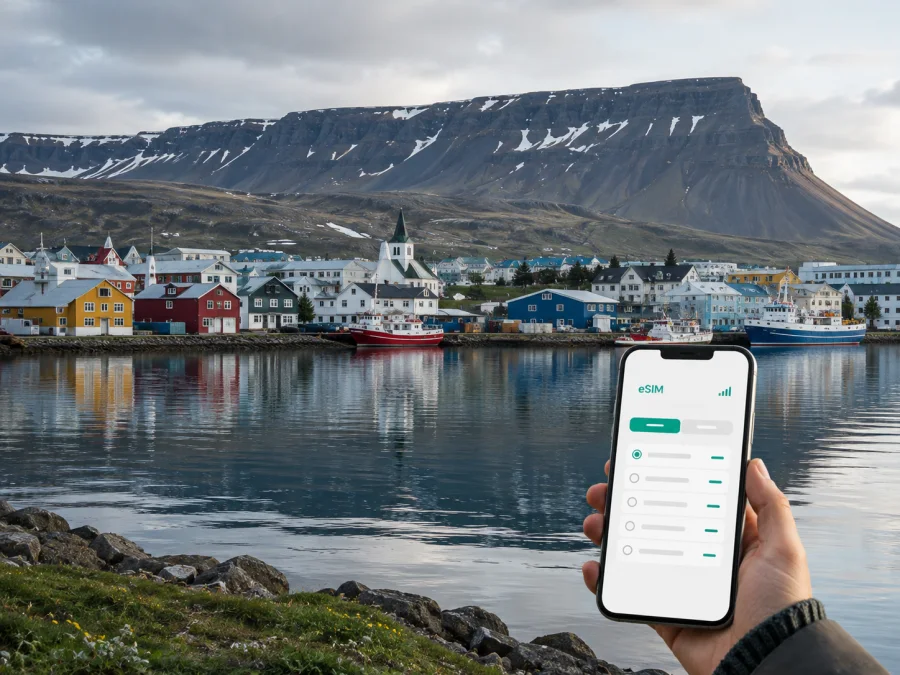
Isafjordur eSIM: mobile connection and internet for your trip
Isafjordur is a compact harbor town in Iceland’s Westfjords, surrounded by steep mountains and long fjord views. A visit here often combines a flight, a winding road journey, a boat excursion, or a short stay before continuing through the region. In each case, mobile internet is useful from the first moment: you may need to check a transfer, open a map, message a host, confirm a tour, or adjust plans when weather changes.
An eSIM, or digital SIM, can help you prepare mobile data for Iceland without replacing the physical SIM in your phone. Kaspersky eSIM Store is an app and website where you can choose, arrange, and activate an eSIM with a suitable data plan for an overseas trip. You can review the destination, data allowance, validity period, and other conditions before deciding. That makes the connection part of an Isafjordur itinerary easier to plan, whether you are travelling for a weekend, a longer road trip, or a business visit.
Why mobile internet matters in Isafjordur
Isafjordur is easy to appreciate at a slow pace, but the geography makes preparation especially valuable. The town lies at the head of Skutulsfjordur, with water, hills, and narrow roads shaping the way people move around it. A map that was downloaded for another destination may not be enough when you are looking for a guesthouse entrance, a harbor departure point, a viewpoint, or the next fuel stop.
Mobile data can support practical tasks such as:
- checking a booking message while walking from the harbor;
- following a route when you leave the central streets by car;
- contacting a host if your arrival time changes;
- using a translation tool or sending a message to a travel companion;
- checking opening times before crossing town in poor weather;
- sharing a location when meeting a guide or colleague;
- looking at a forecast before setting out on a longer Westfjords drive.
The first hours after arriving
Arrival in Isafjordur usually calls for simple decisions rather than a complicated city transfer. If you arrive by air, you may want to confirm how you will reach your accommodation, check a message from a host, or open a map before leaving the airport area. If you arrive by road or ferry connection from another part of Iceland, the same needs can arise after a long journey, especially when you reach town outside the hours you expected.
Keep these details ready before departure:
- Save the name and address of your accommodation in your notes.
- Keep the check-in instructions available offline as well as in email.
- Mark the harbor, airport, and meeting points on an offline map.
- Store a contact number for your accommodation or tour provider.
- Decide which phone line will be used for mobile data after arrival.
This small preparation reduces the amount of time spent looking at a screen while carrying luggage. It is also useful if a flight, road segment, or boat departure does not match the original plan. A travel eSIM can be installed before the trip, but you can choose when to use it for mobile data. Follow the plan’s conditions and your device settings rather than assuming that activation and data use begin at the same moment.
Getting around the town
Central Isafjordur is compact enough for many everyday trips on foot. Walking is often the most straightforward way to combine the harbor, older streets, cafés, shops, and nearby accommodation. Mobile internet still has a role: a map can help you orient yourself on an unfamiliar street, and a message can save a return walk if the meeting point changes.
For journeys beyond the center, plan for the local geography. A rental car gives you more flexibility for viewpoints and regional drives, but roads in the Westfjords can be narrow, steep, or affected by seasonal conditions. Public transport options and taxi availability should be checked for the specific date, because schedules may be limited outside busy periods. Organized excursions can reduce navigation work, yet you will still want data for pickup instructions, weather updates, and communication with the operator.
Use your phone according to the situation:
| Isafjordur situation | Useful mobile-data tasks | Sensible preparation |
|---|---|---|
| Walking in the center | Map directions, messages, booking details | Save the accommodation and meeting points |
| Airport arrival | Transfer coordination, check-in instructions | Keep a charged phone and the address offline |
| Harbor or boat meeting | Confirm time and location, share messages | Leave extra time for finding the pier |
| Regional drive | Navigation, route changes, weather checks | Download key map areas and carry offline details |
| Business visit | Email, calendar, video call, document access | Test work apps before leaving home |
| Short stopover | Quick directions and reservations | Choose a plan that matches the short stay |
Keep offline maps, a charged battery, and essential contact details even when you expect to use mobile data.
Choosing an eSIM plan for Isafjordur
Choose the country or region that matches your actual itinerary. For a stay based in Isafjordur, start with Iceland and then consider whether the same plan needs to cover other countries on your journey. If your route continues through several destinations, check the plan’s geographical scope instead of selecting a country by habit.
The right amount of data depends on what you will do in town and on the road. A light user may mainly need messages, maps, booking pages, and occasional email. A traveller working remotely may use video meetings, file transfers, cloud services, and hotspot functions. A group sharing directions or uploading many photos can use data more quickly. Do not choose by trip length alone: two days of navigation and video calls can require a different allowance from a week of occasional messages.
Review these points before selecting a plan:
- Destination: confirm that Iceland is included, and check the regional scope if you will leave the country.
- Validity: compare the plan’s active period with your arrival and departure dates.
- Data allowance: estimate maps, messaging, work tools, calls in messengers, and media uploads.
- Start of use: read when the validity period or data consumption begins under the selected conditions.
- Top-ups or renewal: check whether additional data or a new plan can be arranged if your journey changes.
- Device limits: confirm that your phone can use eSIM and is not restricted by an operator.
When you are ready to compare the available destination options, you can choose an eSIM plan for a trip to Iceland. The page is for the country associated with Isafjordur; the final choice should still reflect your dates, route, device, and expected use.
Three common data scenarios
A weekend in town. You may need directions from arrival, messages with a hotel or host, digital bookings, and occasional photo sharing. Prioritize a validity period that covers the complete stay and enough data for maps and communication.
A Westfjords road trip with Isafjordur as a base. Navigation, route research, forecasts, accommodation messages, and photo uploads can become regular activities. Download important information in advance, then select an allowance that leaves room for changes without relying on a café or hotel connection.
A business stop. Email and messaging may be light, but a single video meeting or hotspot session can use more data than a day of text messages. Check that your work applications are ready, and consider whether you will need a laptop connection before choosing the allowance.
These are usage patterns rather than fixed quotas. Video quality, automatic backups, app updates, and social-media uploads can change consumption considerably. Turn off automatic updates and background refresh for apps that do not need them during the trip, while leaving essential security and travel tools available.
Installation before the trip or after arrival
Install the eSIM while you have a stable internet connection and enough time to read each screen. Do not remove your physical SIM unless you have a specific reason to do so. Before you begin, check your device compatibility and make sure the phone is not operator-locked. Some models differ by region of sale, so the model name alone may not be enough.
The general sequence is:
- Check the device. Confirm eSIM support with the device compatibility check and make sure the phone is not blocked by an operator.
- Open mobile-network settings. Select the option for adding a new eSIM or mobile plan.
- Add the profile. Scan the QR code supplied after the order or follow the in-app installation flow.
- Label the line. Use a clear label such as “Iceland travel” so that you can identify it later.
- Select mobile data. Choose the travel eSIM for data when you want it to handle internet traffic.
- Enable data roaming if required. Some eSIMs need this setting; use the instructions for the selected plan.
- Test the connection. Open a simple page or send a message after the profile is active.
For device-specific details, use the Android eSIM installation instructions or the iOS eSIM installation instructions. The wording of menus can vary by operating-system version. If activation takes a few minutes, keep the phone powered on and check that the correct line is selected for mobile data.
If you install before travelling, you can leave the travel line turned off until you need it, subject to the selected plan’s activation rules. If you wait until you are in Isafjordur, you may need an existing connection to download or add the profile. That is why installing and checking the setup before leaving can be more comfortable for a first visit.
What to check before you buy
Use this short checklist on the day you prepare the trip:
- Is the destination listed as Iceland, or is the wider route covered by the chosen plan?
- Does the validity period fit the whole Isafjordur stay, including late arrival or an extra night?
- Is the data allowance appropriate for maps, messaging, work, and media use?
- Does the phone support eSIM according to the device compatibility check, and is it free from an operator restriction?
- Do you know which line will handle calls and which line will handle mobile data?
- Have you read the plan conditions about activation, validity, top-ups, and returns?
- Can you access the QR code or profile details when you need to install the eSIM?
- Do you have offline copies of your accommodation, transport, and meeting information?
If the connection does not behave as expected
Start with the simplest checks rather than changing every setting at once:
- Confirm that the eSIM profile is enabled.
- Check that the eSIM is selected for mobile data.
- Verify whether data roaming is required by the plan.
- Move to an open area and allow the phone a few moments to register.
- Restart the phone if the profile is active but data does not pass.
- Compare the phone’s data settings with the plan instructions.
- Contact support if the issue remains, keeping the order and device details available.
A weak or changing signal in a remote landscape is not the same problem as an incorrectly selected data line. Avoid deleting an installed eSIM while troubleshooting unless the instructions or support team specifically tell you to do so. Keeping the original profile intact may make the next diagnostic step easier.
Frequently asked questions
Is an eSIM useful if I am staying only in Isafjordur?
Yes. It can be useful for arrival messages, maps, accommodation details, bookings, and short journeys outside the center. The appropriate plan depends on your dates and data habits, not simply on the town’s size.
Does the eSIM include a phone number?
Not normally. Unless the selected plan says otherwise, an eSIM for travel is intended for mobile internet and does not include a separate number, regular voice calls, or SMS. You can use messaging and calling apps over the data connection when their accounts and settings are ready.
Do I need to change settings when I reach Isafjordur?
Possibly. Select the travel eSIM for mobile data and enable data roaming for that line if the plan requires it. Keep your primary line’s data roaming off if you do not want it to use cellular data abroad, and verify the result with a small test.
What if my phone is not compatible?
Check the device compatibility, model variant, and operator status before selecting a plan. If the phone does not support eSIM or is locked, use another suitable device or ask the operator about the restriction before travelling.
A calm way to prepare for Isafjordur
The most useful setup is the one that matches the actual trip. A visitor walking around the harbor needs a different data allowance from a remote worker joining meetings or a driver using maps through several Westfjords routes. Start with the itinerary, then consider the tasks, validity, data allowance, device settings, and offline backup.
Kaspersky eSIM Store helps you choose, arrange, and activate an eSIM with a suitable plan for mobile internet during an overseas journey. Before travelling to Isafjordur, review the Iceland destination options, check your device, install the profile when convenient, and select the travel line for data when you need it.
When your dates and usage are clear, choose an eSIM plan for your Iceland trip and prepare the connection alongside your accommodation and route details.


