Travel connectivity guide
Isfara eSIM: Mobile Data and Travel Guide
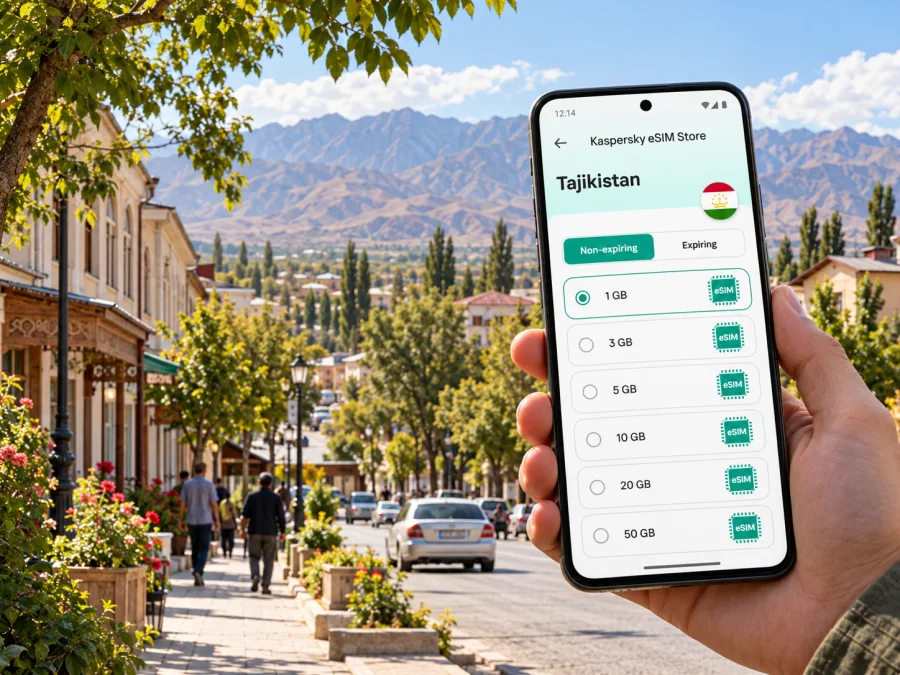
Isfara eSIM: Mobile Connection and Internet for Your Visit
Isfara is a city in the Sughd Region of northern Tajikistan, set among the foothills and valley landscapes of the country’s north. It is a practical stop for family visits, local business, and trips through the eastern part of Sughd. A phone is useful here for confirming a pickup, navigating between an address and a meeting point, translating a message, and coordinating the next leg of a journey.
An eSIM can help you prepare mobile data for the trip without replacing a physical SIM card. The important detail is to check the exact destination and conditions of the plan you choose: a plan for Tajikistan, a regional plan, and a domestic eSIM from a Tajik operator are different products. Coverage, data allowance, validity, activation rules, and device support depend on the specific offer and network available where you travel.
Isfara’s location changes how you plan a connection
Isfara lies in the southeastern part of Sughd, near the Isfara River and the western edge of the Fergana Valley, with the Turkestan Range foothills nearby. It is a border-region city, but a visit to Isfara does not automatically mean crossing into another country. If your itinerary includes travel toward a border or through nearby communities, check current route access and official travel requirements before leaving; do not rely on a map pin or a saved route alone.
The city’s wider administrative area includes several jamoats, so an itinerary described simply as “Isfara” may involve more than one central street or neighborhood. Confirm the exact destination name with your host, hotel, driver, or business contact. Ask for a map pin and a written landmark as well. If mobile data drops while you are between settlements, those details are more useful than a last-minute search.
Isfara is not a place where every visitor follows the same route from an airport gate to a hotel. Your arrival city depends on your flight and onward travel arrangements. If you land in Khujand, confirm how you will continue to Isfara and allow time for the ground journey. If you arrive elsewhere in Tajikistan, treat the domestic transfer as a separate planning step. Check current transport availability close to departure, and save the driver’s number, accommodation address, and route details before setting off.
Where mobile data helps during a city visit
A local map is useful for the practical parts of a day: locating a guesthouse, finding a meeting address, identifying a pickup point, or sharing your location when a street name is unfamiliar. In a compact town, a short trip can still involve a different spelling of a place name, a local landmark rather than a formal street address, or a destination outside the central area. Keep both the written address and a saved map pin.
Mobile data can also help with everyday coordination:
- Arrival: message your host or driver when your vehicle is close, and share a live location if you have agreed to do so.
- Getting around: compare the destination pin with the route suggested by your driver instead of assuming that the first map result is the correct entrance.
- Meetings: send a short update if a transfer or appointment takes longer than expected.
- Translation: check a word or phrase when arranging transport, food, or a service. Download an offline language pack if your chosen tool supports it.
- Day trips: save the route and essential place names before leaving the city center, especially when traveling beyond the main built-up area.
- Travel changes: check messages from an airline, accommodation, or local contact while keeping a backup copy of booking details offline.
A data connection is not a substitute for local knowledge. Ask someone who knows the area to confirm a route when the destination is outside the central streets or when road conditions may affect the journey. In unfamiliar areas, arrange the return trip before leaving rather than assuming that a ride will be immediately available.
Choose a plan for the whole Tajikistan itinerary
For an Isfara visit, select a plan by the country or region it explicitly covers, not by the city name alone. Isfara is a city within Tajikistan; a country plan is the relevant starting point if it lists Tajikistan as a covered destination. A regional plan may also be suitable, but read its country list and conditions before purchase. A city article or a map label does not prove that a particular plan includes local service.
Match the plan to your travel pattern
| Your visit | What to consider before choosing |
|---|---|
| A short stay in Isfara | Estimate how many days you need data and whether maps, messages, and occasional browsing will be enough. Check when the validity period begins. |
| A work visit with frequent calls over apps | Allow for video meetings, file downloads, and hotspot use only if the plan permits tethering. Keep a separate option for voice calls if you need a regular phone number. |
| Isfara plus Khujand or other stops | Confirm that the plan covers every country on the itinerary and works beyond one city. A country-level plan may fit a domestic route, but verify its stated coverage and terms. |
| A route near an international border | Confirm the active country selection on your phone. A signal from a foreign network may be possible near a border and could affect roaming or data use under your plan. |
| A longer stay or a need for a local number | Compare a travel data plan with a domestic operator’s terms. Registration, identity requirements, voice service, and eligibility may differ. |
Use the plan page to compare the data amount, validity, price, top-up rules, supported destination, and any restrictions. Do not infer that two plans with the same data allowance have the same validity or activation method. If your trip includes more than one country, verify all destinations before payment rather than relying on the name of a regional package.
You can check available eSIM options for a trip to Tajikistan and review each plan’s current details. Kaspersky eSIM Store is an app and website that helps you choose, arrange, and activate an eSIM with a suitable plan for mobile data while travelling abroad. The plan’s actual connectivity is subject to its stated destination, partner network, and local conditions.
Travel eSIM and a Tajik operator eSIM are not the same
Tajikistan has several local mobile operators. MegaFon Tajikistan currently publishes information about its own eSIM service and supported device models. That confirms a local operator eSIM exists; it does not establish that every operator has the same offer, that visitors can activate it in the same way, or that a travel data plan follows the same terms. A domestic product may include a phone number and voice service, while a travel eSIM may be intended for data only.
Before choosing, match the product to what you need:
- For maps and app messaging, a travel data plan may be sufficient if it explicitly covers Tajikistan.
- For a local number, ordinary calls, or SMS, confirm those features in the exact operator offer.
- For a longer stay, ask a local operator about eligibility, registration, payment, and activation.
- If you keep your home SIM active, confirm which line uses mobile data and whether calls on the home line can incur roaming charges.
Availability and terms can change. Check the relevant seller or operator when you travel. A domestic eSIM and a travel eSIM are separate products, so do not use one as evidence that the other will work.
Check the exact device before you buy
An eSIM offer does not guarantee that every phone with the same brand or family name can install it. Support may vary by model number, region of sale, carrier lock, operating-system version, and available profile slots. Some devices sold in different markets have different SIM hardware.
Before payment, check whether your exact device supports eSIM. Find the model number in Settings or on the packaging, then compare it with current manufacturer guidance. Confirm the phone is unlocked and can add another eSIM profile. If the result is unclear, ask the device maker or plan provider using the exact model code rather than relying on a broad model-family list.
Before purchase: identify the regional variant; confirm eSIM support and unlocked status; verify that Tajikistan is included; and check the plan’s data amount, validity, activation trigger, and hotspot rules.
Set up the eSIM before the first journey
Install the profile over stable Wi-Fi if possible, and read the plan’s instructions before you start. Installation and activation may be separate steps. Check when validity begins: some plans may start at installation, while others use a different trigger.
- Review the offer. Confirm destination, data allowance, validity, and activation conditions.
- Prepare the phone. Charge it and keep purchase details accessible.
- Add the eSIM. Follow the steps supplied for your operating system.
- Label the line. Use a name such as “Tajikistan data” to distinguish it from your home SIM.
- Select mobile data. Choose the travel eSIM when you want to use it, and keep the home line’s data settings under control.
- Activate at the right time. Follow the stated trigger and enable data roaming for this eSIM only if its instructions require it.
- Check service after arrival. Allow time for network registration and test data before relying on it for directions.
For guided steps, see the Android eSIM installation instructions or the iOS eSIM installation instructions. Menu labels vary by device. Do not delete an installed profile as a troubleshooting step unless support confirms it can be installed again.
Plan for patchy data and border-region changes
Service can differ between central streets, indoor locations, roads, and settlements outside the city. A country-level coverage statement does not guarantee signal at a particular address. Keep these details available offline:
- accommodation name, address, and phone number;
- driver or host contact details;
- the next destination and an offline map, if supported by your map app;
- transport and booking confirmations;
- key place names in the spelling used by your local contact.
Isfara is in a border region. If you travel near an international boundary, check the network name displayed on your phone: a nearby signal may belong to another country. Confirm that the selected network and plan conditions are appropriate before allowing data use. If the neighboring country is not included, disable data roaming or choose a supported network as directed by the provider. Signal bars do not prove that a plan covers that network.
If data stops, check that airplane mode is off, mobile data is enabled for the travel eSIM, the correct line is selected, and the plan has not expired or run out. Restart the device if needed. Follow provider instructions before changing network or APN settings. If the issue continues, use Wi-Fi to contact support and provide your device model, location, and the error message.
Practical scenarios
You arrive late and need to reach your accommodation
Save the address and a map pin, confirm how the driver will identify you, and keep the contact number on the phone. If you installed the eSIM early, wait to activate it until the plan’s instructions say to do so. Send your host a short update when you have a reliable connection. If a driver gives you a locally recognized landmark that differs from the map result, confirm the destination before setting off.
You are in Isfara for meetings
Download documents while on Wi-Fi. Estimate data needs for calls and file sharing, and check whether hotspot use is allowed before connecting a laptop. For an important video meeting, arrange a backup venue with Wi-Fi or a dial-in option. A data-only plan can support internet calling apps but does not automatically provide a local number, ordinary calls, or SMS.
You are visiting more than one town
Save maps and addresses for each stop. Confirm the plan applies across your Tajikistan itinerary and verify the pickup point and expected arrival time before leaving an area with weak signal. At each new stop, check the data line and country network shown on your phone.
You are continuing across a border
Treat this as a separate international leg. Check current entry requirements and transport access using official information before departure. Tajikistan coverage does not imply Kyrgyzstan or Uzbekistan coverage. If your plan does not include the next country, arrange another option before crossing and avoid unexpected data use.
Estimate data for the trip
There is no single allowance that fits every Isfara visit. Someone who mainly checks messages and maps may use much less than a traveller who uploads photos, streams, joins long calls, or shares data with a laptop. Estimate from your usual habits and leave a margin for delays or itinerary changes.
| Activity | Keep usage predictable |
|---|---|
| Maps | Download an offline area if available; use data for live searches and updates. |
| Messaging | Text uses less data than large photo or video transfers. |
| Calls | Use audio when video is unnecessary; use Wi-Fi for long calls where possible. |
| Work files | Sync large attachments on Wi-Fi and review automatic backups. |
| Hotspot | Check tethering rules and pause laptop background updates. |
| Streaming | Turn off autoplay or lower playback quality to conserve data. |
Compare validity as carefully as data volume. A large allowance may expire before a long stay ends, while a longer package may exceed the needs of a short visit. Use the current conditions shown for each offer, not only its gigabyte figure.
Frequently asked questions
Is there a special eSIM for Isfara?
A city-specific plan is unnecessary if your chosen eSIM explicitly covers Tajikistan. Check the destination list and terms; a city name in an article or map does not prove plan coverage.
Does an eSIM guarantee signal throughout Isfara?
No. Service depends on the network available at your location, the device, and local conditions. Keep important addresses and bookings offline.
Can a travel eSIM provide a Tajik phone number?
Not necessarily. Many travel plans are for mobile data and do not include a regular number, voice calls, or SMS. Confirm the exact terms or ask a domestic operator about its product and registration steps.
Does a local operator’s eSIM offer mean my travel eSIM will work?
No. A domestic operator product and a travel eSIM have different eligibility, network arrangements, and terms. Confirm destination support and device compatibility for the plan you intend to use.
Can I install an eSIM after arrival?
Installation often needs an internet connection, so preparing it over reliable Wi-Fi is practical. Follow the plan’s activation instructions and check when validity begins. Keep installation details accessible as instructed, and do not share them.
What if my phone does not support eSIM?
Use another compatible unlocked device if available, ask your home operator about roaming, or check local physical SIM options and registration requirements. Compare the costs and conditions before deciding.
Keep the essentials within reach
For Isfara, connectivity planning starts with the exact destination and transfer. Save addresses and contacts offline, choose a plan that lists Tajikistan, and check your exact device variant before purchase. Near an international boundary, check which network your phone has selected and do not assume neighboring-country service is included.
When you are ready, use Kaspersky eSIM Store to review the terms, choose an option for your itinerary, and follow its installation steps. Explore eSIM options for your trip to Tajikistan and confirm destination, validity, data amount, and activation details before you travel.


