Travel connectivity guide
IT&E eSIM in Guam: activation and travel guide
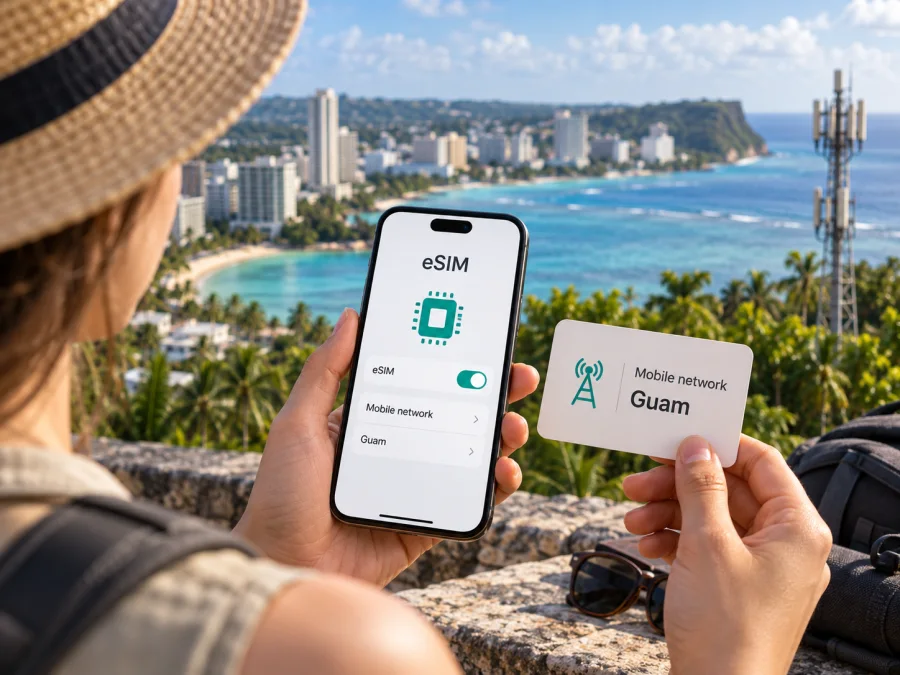
IT&E eSIM in Guam: a traveler’s guide to activation and coverage
This article is independent. Kaspersky eSIM Store is not affiliated with IT&E and is not its partner, reseller, or representative. The IT&E name belongs to its respective owner.
IT&E is a Guam-based mobile operator serving Guam and the Northern Mariana Islands. Public information confirms a tourist eSIM option and prepaid eSIM availability for international travelers. Confirm current eligibility, device support, and service conditions with IT&E before relying on it.
This guide covers the public eSIM information, device preparation, activation, and coverage. Confirm current terms with IT&E through its official support channels.
What IT&E eSIM means for a trip to Guam
An eSIM is a digital SIM profile installed on a compatible device. It connects through a mobile operator’s network and remains subject to its coverage, device requirements, and service rules. The format does not guarantee that every phone or location is supported.
IT&E publicly announced consumer eSIM service for Guam and the Northern Mariana Islands in its newsroom on February 3, 2020. The company described obtaining service by purchasing a QR code. Apple’s current “Find wireless carriers that offer eSIM service on iPhone” support page also lists IT&E under Guam in the section for prepaid plans available to international travelers. IT&E’s tourist information page provides an eSIM setup flow using a confirmation email and QR code. Together, these sources support the availability of an IT&E eSIM option for eligible travelers, while current details remain subject to the operator’s terms.
IT&E also publishes tourist and prepaid information. Check visitor eligibility, registration, payment, device rules, and service period with the operator. Do not assume that an offer includes voice, a local number, or any feature unless its current terms say so.
IT&E’s role in Guam’s mobile market
IT&E provides mobile communications in Guam and the Northern Mariana Islands for residents, businesses, and visitors. Its eSIM is a local operator option for Guam, subject to IT&E’s service terms.
The distinction matters for trip planning. A local operator option is tied to service in the destination. A travel eSIM is arranged for travel through a separate service. They may differ in number availability, activation, support, or network arrangements, so check the exact terms instead of inferring details from the eSIM format.
A travel eSIM is not automatically a substitute for a local mobile account. If you need conventional calls, texts, or verification messages, ask whether the exact service supports them; do not assume an eSIM profile includes a local number.
Availability and activation: what current sources say
IT&E’s tourist eSIM information describes an online purchase followed by an emailed confirmation containing a QR code. Its instructions say to connect the phone to stable Wi-Fi, follow the device-specific eSIM setup steps, scan the QR code after receiving the confirmation, and wait for the installation or activation process to complete. The exact screens differ by phone manufacturer and operating-system version, so use the on-screen prompts and the instructions sent by IT&E rather than relying on a generic menu name.
Apple’s support page independently lists IT&E as a carrier with prepaid eSIM activation for international travelers in Guam. This is a useful cross-check that a traveler-facing prepaid route exists, but it does not confirm that every prepaid customer, device model, or purchase channel can use eSIM. IT&E’s pages and confirmation email are the right place to verify present-day conditions, especially if you are purchasing from outside Guam or need assistance while travelling.
Before purchase or installation, confirm visitor eligibility and remote-purchase options, any registration or identity requirements, phone and software support, whether the phone must be unlocked, QR-code reuse rules, activation timing, and how to reach support. These are questions to verify, not claims that IT&E requires specific documents or steps. Read the current purchase instructions and ask IT&E about anything unclear.
A practical setup sequence
Prepare before departure and keep your existing line available until you have tested the eSIM.
Before leaving home
- Check eSIM support and unlock status. Confirm the precise phone variant with its manufacturer and ask the carrier that manages it whether it is unlocked.
- Review IT&E’s current instructions. Verify visitor eligibility, device and registration requirements, and save the setup details.
- Arrange Wi-Fi. IT&E’s tourist guide calls for stable Wi-Fi during setup. If an error appears, consult its instructions before rescanning or deleting the profile.
- Choose how to use your lines. Decide which supported line will handle data, calls, and messages; settings vary by phone.
Install and test
When you are ready, open the cellular or mobile-network settings on your phone and choose the system option for adding an eSIM. Follow IT&E’s device-specific guide, scan the QR code from its confirmation, and wait for the phone to finish adding the profile. An installed profile does not by itself prove that data service is active; check IT&E’s confirmation and the line status.
Once the service should be active, select the intended line for mobile data. If the instructions for the service say data roaming must be enabled, switch it on for that eSIM only and leave other lines configured according to your own roaming preferences. Test a web page with Wi-Fi off. If there is no service, check the profile, selected data line, and airplane mode, then restart the phone. If needed, contact IT&E rather than deleting the profile.
For general device help, see the eSIM compatibility guide. Keep a screenshot or copy of setup instructions and the operator’s support details accessible offline. This is especially helpful when you need to distinguish a profile installation issue from a coverage or account issue.
Network technologies and coverage in Guam
IT&E has publicly described LTE and 5G service in Guam. Its tourist information page refers to LTE, and a November 26, 2024 IT&E newsroom announcement reported additional 5G sites in Guam as part of a regional expansion. That announcement described a coverage objective for the island at the time; it is not a live coverage guarantee and should not be read as confirmation that 5G is available at every address today.
Coverage varies with location, building, terrain, handset, and network conditions. Treat any map as a planning aid, ask IT&E about places that matter to your itinerary, and keep essential details available offline.
The phone must also support the radio bands and network features used by the service in Guam. eSIM compatibility alone does not guarantee that a device has the right cellular hardware for every local network. Check the precise model variant with the manufacturer and ask IT&E whether it is accepted. A device may connect using a different generation of service than expected if a newer technology is unavailable at its location or not supported by the phone.
Do not use a network-generation icon as a quality score. LTE or 5G labels identify a connection technology; they do not establish a measured speed, indoor signal level, or uninterrupted coverage. The practical result depends on the exact place and time, local network load, building materials, device capability, and account configuration. IT&E’s public network announcements confirm the presence and expansion of technologies, not an individual traveler’s experience at every stop.
Local operator eSIM and travel eSIM: the useful distinction
A local operator option and a travel eSIM solve related but different planning problems. An IT&E eSIM is associated with IT&E service in Guam, and the operator’s own instructions and support are relevant to obtaining and activating it. A travel eSIM is selected for a trip through a travel-oriented service and uses the provider and network arrangements specified for that product. Read the current conditions for whichever route you choose.
Consider these questions rather than comparing unnamed offers by assumption:
| Travel question | Local IT&E route | Travel eSIM route |
|---|---|---|
| Who explains setup? | IT&E’s current instructions and support | The service through which the travel eSIM is arranged |
| What determines availability? | IT&E eligibility, device rules, and local service conditions | Destination availability and the individual travel eSIM’s terms |
| What should be checked first? | Visitor purchase steps, registration, phone compatibility, and local coverage | Device compatibility, destination coverage, activation timing, and included service type |
| Is a local number guaranteed? | Confirm with IT&E for the exact service | Do not assume one; check the product details |
| Can coverage be assumed everywhere? | No; confirm the route and locations that matter | No; check the stated coverage and network arrangements |
This reference table does not compare specific plans. Choose based on visitor eligibility, support preference, and how you will use your usual number. Before deleting a profile, ask the provider whether a new QR code is needed.
Troubleshooting common setup questions
The QR code will not scan. Confirm Wi-Fi, use the clear QR code in IT&E’s confirmation, and follow its device guide. If it appears used or invalid, contact IT&E before trying to reinstall.
The eSIM appears, but data does not work. Confirm the profile is enabled and selected for data, then follow IT&E’s activation and roaming instructions. Restart the phone. If there is still no connection, contact support rather than deleting the profile.
My device supports eSIM, but cannot connect. eSIM capability alone does not confirm that the phone is unlocked, supported by IT&E, eligible for the service, or within coverage. Check each point with IT&E and the device maker.
Can I install before travelling, and will it replace my usual number? IT&E’s tourist flow uses an emailed QR code. Ask when the specific profile can be installed and when service starts. An eSIM is a profile format; it does not automatically replace another line or guarantee a local number.
Traveler checklist
- Confirm that the phone is eSIM-capable, carrier-unlocked, and supported in its exact regional configuration.
- Check IT&E’s current visitor, registration, and purchase requirements before relying on the service.
- Keep the confirmation email and QR code available, and connect to stable Wi-Fi for setup.
- Follow the device-specific installation guide and confirm the line is active before depending on it.
- Ask about LTE or 5G availability for the locations that matter to your trip; do not infer coverage from a technology label alone.
- Keep the home SIM and roaming settings under your control, and make offline copies of maps and travel details.
- Contact IT&E directly for changes to eligibility, activation, coverage, or support procedures.
In brief
IT&E eSIM is a documented option for eligible visitors to Guam: IT&E’s tourist instructions describe a QR-based setup, and Apple’s current support list includes IT&E in Guam for prepaid eSIM activation by international travelers. IT&E has also described LTE and 5G service, with a newsroom update reporting further 5G deployment in Guam in 2024. Those facts do not guarantee compatibility or coverage at every location, so confirm the latest visitor terms, your exact device, and the places you plan to visit with IT&E.
A local operator eSIM is tied to Guam service; a travel eSIM is a separate way to prepare mobile data. Kaspersky eSIM Store helps travelers choose, purchase, and activate a travel eSIM through its app and website. It is not affiliated with IT&E and does not operate the local network. Explore eSIM options for Guam.
Public information checked September 27, 2026: IT&E Newsroom eSIM announcement (February 3, 2020) and 5G coverage update (November 26, 2024); IT&E’s tourist eSIM instructions and roaming/support pages; Apple Support’s carrier list for eSIM on iPhone; and Kaspersky’s official Kaspersky eSIM Store guide (June 17, 2025). Conditions can change; confirm current eligibility, device support, and service terms with the relevant provider.


