Travel connectivity guide
iTel eSIM in Kyrgyzstan: what to check
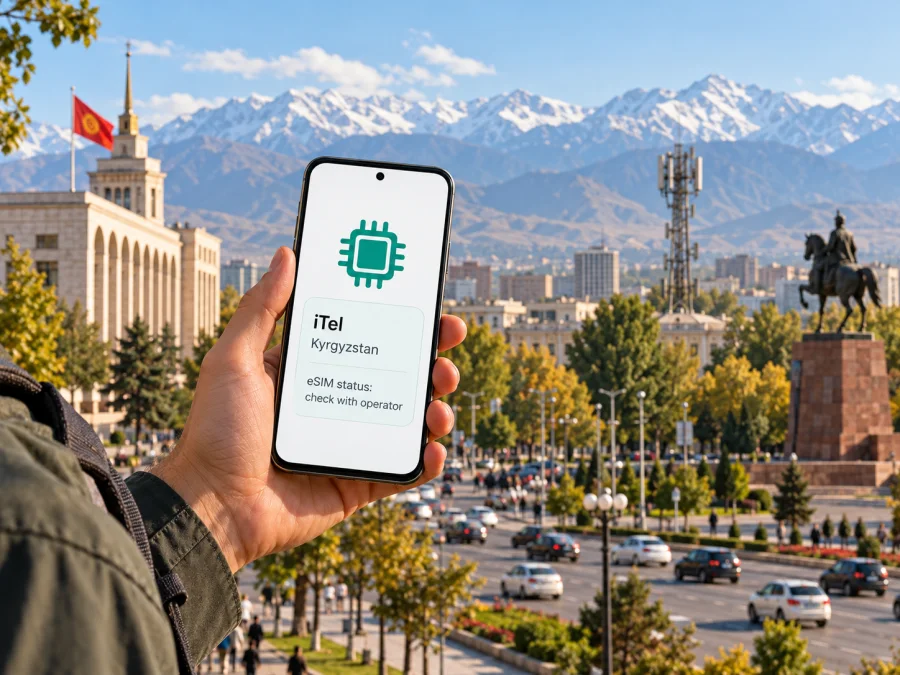
iTel eSIM in Kyrgyzstan: availability, checks and travel setup
If you are searching for an iTel eSIM for a trip to Kyrgyzstan, first confirm that iTel currently offers mobile service and eSIM to customers in the country. Public information available during this check does not confirm a current iTel consumer service, tourist offer, eSIM product, activation route, or local coverage. An entry for iTel in a network-code register is not enough to establish that a network is operating today.
That distinction matters when planning a trip. A phone can support eSIM as a technology while a particular carrier does not offer it, and a travel eSIM can connect through a local partner network without being an iTel subscription. Before buying, ask iTel through a current official customer channel whether it serves your location, whether new customers can register, whether it issues eSIM profiles, and what documents or in-country steps are required. If those points cannot be confirmed, do not assume that an iTel eSIM can be activated on arrival.
What is confirmed about iTel in Kyrgyzstan?
The International Telecommunication Union’s 2023 List of Mobile Network Codes (checked 1 November 2026) includes iTel under Kyrgyzstan and shows the code 437 11. This is a useful historical and technical identifier, but it does not by itself establish that iTel currently operates a public mobile network, sells service to consumers, supports prepaid or tourist registrations, or offers eSIM. The register does not provide current coverage, device support, activation instructions, or a customer contact route.
A current operator product page or help article confirming those details was not located in this check. Apple Support’s live directory, Find wireless carriers and worldwide service providers that offer eSIM service on iPhone (checked 1 November 2026), has a Kyrgyzstan entry for other eSIM activation methods and does not name iTel. Apple’s list is specifically about iPhone carrier support; its scope does not prove that eSIM is unavailable on every device or that no separate product exists. It does mean that iPhone owners should not treat iTel eSIM support as confirmed from Apple’s current directory.
For that reason, this guide does not claim that iTel has active coverage in Kyrgyzstan, supports 2G, 3G, 4G or 5G, or offers a local, prepaid or tourist eSIM. Those are operator-specific facts that need a current statement from iTel or a relevant official source. The safest answer to “Does iTel have eSIM in Kyrgyzstan?” is: this could not be verified from current public operator information; check directly with iTel before relying on it.
Is an iTel eSIM available for visitors?
No current public iTel source was found confirming eSIM for visitors, remote activation, prepaid registration, or a tourist plan in Kyrgyzstan. Do not infer these features from the presence of an iTel network code, from the general availability of eSIM-capable phones, or from another provider’s travel offer. The brand name in a search result may also refer to a service outside Kyrgyzstan; make sure the official page identifies the Kyrgyz Republic and the exact iTel service you mean.
If iTel responds that it offers eSIM, ask for the current process in writing or follow a clearly identified official support page. Clarify whether the offer is open to a new customer or only an existing account holder; whether registration must take place inside Kyrgyzstan; whether identification is required; and whether a local address, payment method, or in-person visit is needed. Ask which network the profile uses, which device versions are supported, whether it is data-only or includes a local number, and how to get help if activation fails. These are questions to verify, not claims about iTel’s current terms.
For a traveler, the practical distinction is between an operator-issued local subscription and a travel eSIM. An operator-issued profile, if offered, may be tied to that operator’s registration and activation rules. A travel eSIM is arranged for use in a destination and may connect through a local host network. Its provider and terms are separate from iTel. Check the actual network name and supported destination in the product details before checkout; do not assume the travel eSIM is an iTel plan or that it uses iTel’s network.
How to verify an iTel offer before departure
Use this short checklist before paying or making plans around iTel:
- Find a current contact channel that is clearly controlled by iTel. Compare the brand and company details with documents you already have or with an official regulator or business record.
- Ask whether iTel currently serves individual customers in Kyrgyzstan and issues eSIM profiles to new customers. A code-register entry or roaming reference is not confirmation of local eSIM sales.
- Confirm whether visitors can register, where registration must happen, and what identification is required.
- Request the installation method, supported handset models and regional variants, and whether an app, QR code, or in-person step is required.
- Confirm the network name, service areas, and whether the service includes data, a local number, voice calls, or SMS.
- Save the operator’s written instructions and support details offline in case you need them without mobile data.
Device and regional-variant compatibility
An eSIM-ready device is only one part of the compatibility check. The handset needs an eSIM feature enabled for its specific model and sales region, it must not be restricted by a carrier lock, and its operating system must expose the option to add a mobile plan. Some product families contain regional variants with different SIM hardware. Do not assume that two phones with the same retail name have identical eSIM support.
Before you travel, open your phone’s cellular or mobile-network settings and look for an option such as “Add eSIM,” “Add mobile plan,” or “Download a SIM.” The wording varies by manufacturer and software version. If that option is missing, contact the phone maker or seller with the exact model number and country of purchase. A settings check is helpful but does not prove that iTel supports the device; the operator must confirm its own requirements.
Also check whether the device is carrier-unlocked. A locked phone can reject a profile from another carrier even when the hardware supports eSIM. If you use dual SIM, review how the phone selects the line for mobile data and calls. Keep your home line available for one-time passcodes if needed, and select the travel profile for data only after confirming which profile you intend to use.
The official Kaspersky eSIM Store destination page for Kyrgyzstan (checked 1 November 2026) advises users to check device compatibility before selecting a travel eSIM. Its setup guidance describes installing a purchased profile from the account or by following the QR-code instructions sent by email. This describes the travel eSIM process shown by Kaspersky eSIM Store; it is not an iTel activation instruction. Use the device compatibility check for the travel profile you are considering, and separately confirm iTel support with iTel.
Installing an eSIM for a Kyrgyzstan trip
Only install a profile after you have confirmed who issued it, where it works, and when its terms begin. Keep a reliable internet connection available during setup, such as Wi-Fi, because the phone may need to download the profile. Do not scan a QR code supplied by an unverified seller, and do not delete a working eSIM while troubleshooting unless the provider tells you to do so.
Before installing
- Confirm the destination and provider. Make sure the eSIM is intended for Kyrgyzstan and identify whether it is an iTel local profile or a travel profile from another service.
- Check the exact phone variant. Verify eSIM support for the model and sales region, confirm the phone is unlocked, and check the provider’s device requirements.
- Read the activation instructions. Confirm whether the eSIM should be installed before departure or only after arrival. Installation and service activation can be separate steps.
- Keep the details available. Save the QR code or in-app instructions on another screen or device if the phone cannot display and scan its own code at the same time.
- Keep a second connection for setup. Use Wi-Fi or another working connection until the new profile has been added and the provider’s instructions say it is ready.
On iPhone
The exact menu labels depend on the iOS version. In general, open Settings, choose Cellular or Mobile Data, then choose Add eSIM. Follow the on-screen option to use a QR code or the provider’s app if that method is offered. Review the line label after installation so you can distinguish your travel profile from your home SIM. Do not select iTel as the provider unless iTel supplied the profile and confirmed that it is valid for your account and location.
On Android
Android menus differ between manufacturers and software versions. Google Pixel Phone Help’s Set up a new eSIM page (checked 1 November 2026) gives the Pixel path as Settings > Network & internet > SIMs > Add SIM > Set up an eSIM. On other Android devices, look under Connections, SIM manager, or the equivalent mobile-network menu and follow the manufacturer’s guide. Scan the provider’s QR code or use its app only if the official instructions specify that method. Name the line clearly after it is added, then check the preferred SIM settings for mobile data. If your phone does not show an eSIM option, check the manufacturer’s guide for the exact model and regional variant.
After installation
Do not assume that adding a profile means it is already connected. Follow the provider’s activation instructions and wait for the device to register on a supported network. If the provider says to use data roaming for that eSIM, enable it only for the selected travel profile and only after checking the plan’s terms. This setting can be necessary for some travel eSIMs; it does not prove anything about iTel’s service or create iTel coverage.
If data does not work, check that airplane mode is off, mobile data is enabled, and the intended eSIM is selected. Then follow the provider’s current troubleshooting steps. Avoid deleting the profile as a first response because some activation codes can only be used once; contact the issuer if the phone still cannot register.
Local operator eSIM or travel eSIM?
If iTel confirms a local eSIM product, compare its actual eligibility and setup steps with the needs of your trip. A local subscription may be appropriate if you need a local number or an ongoing domestic account, but only if the operator confirms that visitors can register and explains any in-country verification. Do not assume that a prepaid or tourist offer exists.
A travel eSIM can be useful when you need mobile data for a defined trip and want to set it up digitally. It may not include a local telephone number, voice calls, or SMS. Those capabilities depend on the exact product, so read its current terms. Messaging and internet calls can work through apps when you have data, but they still depend on your account, the app, and a usable connection.
Kaspersky eSIM Store is an app and website for choosing, arranging, and activating an eSIM plan for mobile data on an international trip. It is not a mobile network operator, does not own local radio infrastructure, and should not be described as the provider of network coverage. The official Kaspersky eSIM Store Kyrgyzstan page, checked 1 November 2026, presents the destination for browsing current travel eSIM options and includes compatibility and setup guidance. Its displayed options and conditions can change, so check the live page for details and confirm that the destination and terms fit your itinerary. No specific plan, price, data allowance, or duration is repeated here.
After the first part of this guide, you can browse current travel eSIM options for Kyrgyzstan in Kaspersky eSIM Store. This destination page is for checking travel eSIM options; it is not an iTel tariff page and does not establish that iTel provides the underlying network. Compare the travel profile’s listed destination, network information, device requirements, and activation rules with your actual route before choosing it.
Frequently asked questions
Does iTel offer eSIM in Kyrgyzstan?
This could not be confirmed from a current public iTel product page or support article during this check. The ITU’s 2023 network-code list includes iTel under Kyrgyzstan, but that entry does not prove active service or eSIM sales. Confirm the current offer directly with iTel before planning to use it.
Does the iTel network code prove current coverage?
No. The ITU code identifies iTel in a 2023 register, but it does not confirm a currently operating service, a coverage area, or eSIM availability.
A careful answer before you travel
The available public record confirms only a limited point about iTel: the ITU’s 2023 code list includes the name in Kyrgyzstan with 437 11. It does not confirm current commercial service, eSIM, coverage, prepaid or tourist registration, or support for any specific device. Apple’s iPhone carrier directory does not name iTel in its Kyrgyzstan section. Neither detail should be stretched into a claim that iTel is active or inactive today.
If you want iTel specifically, get confirmation directly from a verified iTel channel before departure. If you need a practical data connection and cannot verify iTel, check alternatives with published, current destination and activation terms, then choose according to your phone, route, and need for voice or SMS. Kaspersky eSIM Store can help you browse travel eSIM options for Kyrgyzstan, but it is not iTel, a mobile operator, or the owner of the network used by any profile. The names of iTel and other marks belong to their respective owners; Kaspersky eSIM Store is not affiliated with iTel and is not its official partner or distributor.


