Travel connectivity guide
Ivano-Frankivsk eSIM for Mobile Internet
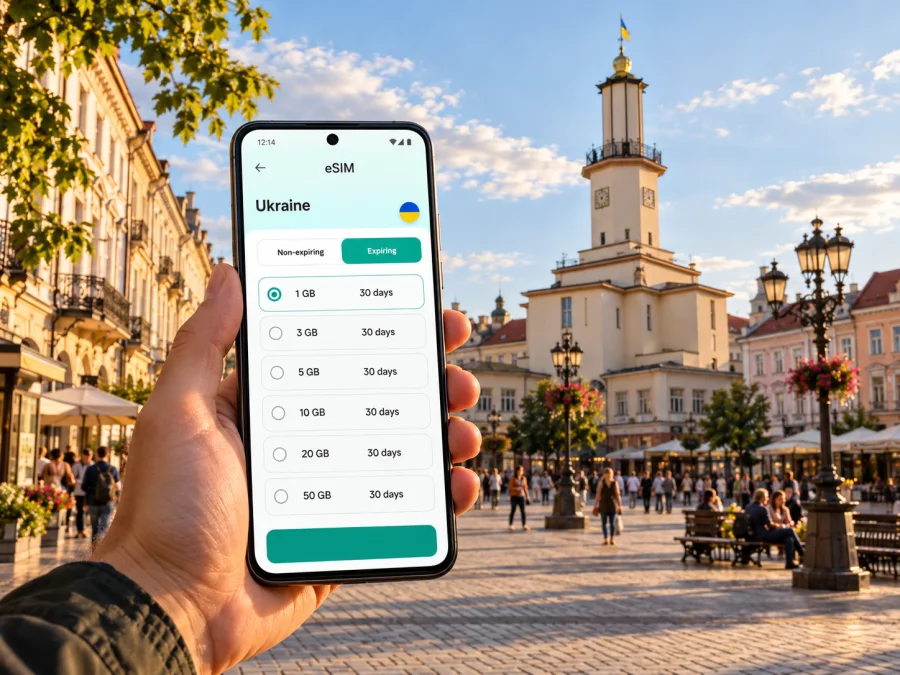
Ivano-Frankivsk eSIM: mobile connection and internet for your trip
Ivano-Frankivsk is a compact western Ukrainian city where a dependable mobile data connection can make the practical parts of a visit easier: checking a train update, finding your accommodation, messaging a host, following a map through the centre, or coordinating a meeting. An eSIM can keep travel data separate from your home SIM, provided your phone supports eSIM and the plan you choose covers Ukraine.
This guide covers ground arrival, city navigation, data allowances, and setup. Performance depends on the specific plan, its partner network, your device, location, and local conditions, so check the selected plan’s details.
Plan your arrival before you set off
Ivano-Frankivsk is the administrative centre of Ivano-Frankivsk Oblast in western Ukraine. The city has a railway station and intercity bus services. Ukraine’s airspace remains closed to civil aviation, so do not treat the presence of an airport in the city as evidence that passenger flights are available. Confirm current transport arrangements and official travel information before departure; routes and operating conditions can change.
For a rail arrival, save your ticket and accommodation details where you can open them offline. A mobile connection is useful for checking messages or changes while travelling, but it should not be the only place you keep essential information. Download the ticket to your phone, note the address in text, and keep the host’s contact details somewhere accessible without data.
The railway station is outside the historic centre. After arrival, you may need to compare a taxi or local public transport with walking, depending on luggage, weather, time of day, and where you are staying. Use a map to check the route and pickup point before you leave the station. If arranging a ride, confirm the vehicle and destination in the service you are using, and avoid relying on a map pin alone when a street number or entrance is available.
A simple first-hour checklist:
- Check the latest arrival information and identify the station exit you need.
- Open your accommodation address and save it for offline use.
- Decide whether you will take a taxi, bus, or walk before you leave the station area.
- Keep enough battery for navigation, tickets, and messages.
- Turn on the travel eSIM’s data line only when you intend to use it, following the plan’s activation instructions.
If you arrive late, have heavy bags, or are unfamiliar with the area, arrange the onward journey before boarding your train. Mobile data helps with coordination, but a pre-saved address and a charged phone remain useful if the signal is weak or the battery runs low.
Using mobile data around the city
The historic centre is well suited to a map-based visit: you can check a route, walk between central streets, and use local listings to find a café, museum, or meeting place. A phone connection is most valuable at transitions—when you leave the station, change transport, meet someone, or need to confirm a booking. Once you know the route, downloading a map area or saving directions can reduce dependence on a continuous data connection.
The city’s official information describes the Tourist Information Centre at 4A Halytska Street, by the Ratusha, as a visitor resource. Opening details can change, so check them before making a special trip. The Ratusha and Market Square are helpful orientation points in the central area. If you plan to visit a museum, observation point, or guided tour, confirm current opening times and access arrangements directly through official local information before setting out.
For a central walk, save your accommodation and starting point, check the route, and keep a return landmark available. If plans change, confirm the new route and transport option before leaving a familiar street.
Mobile coverage and data speeds are not uniform promises. Indoors, underground, at the edge of a built-up area, or during network congestion, a connection may be slower or temporarily unavailable. Treat navigation as one tool: street signs, saved addresses, and direct confirmation with your host can fill the gaps.
Choose a plan for your actual route
Start with the places you will use the eSIM. If the trip stays within Ivano-Frankivsk, a Ukraine plan may be the relevant option. If your itinerary continues to other parts of Ukraine or crosses a border, read the plan’s coverage list and check whether it includes every destination. A city name in a search query does not by itself determine the plan’s geographic scope.
Kaspersky eSIM Store is an app and website where you can choose, arrange, and activate an eSIM with a suitable plan for mobile data on an international trip. The plan details identify the destination, data allowance, validity period, price, and any conditions that apply. The mobile service is delivered through the network specified by the plan’s provider or partner; Kaspersky eSIM Store is not the mobile operator. Check the displayed network and terms for the particular option you select.
Before choosing, answer four questions:
| Question | What to consider for Ivano-Frankivsk |
|---|---|
| Where will you travel? | Confirm that Ukraine is covered. Check every additional country if your route crosses a border. |
| How long will you need data? | Match the validity period to your dates, including the day you expect the plan to start. |
| What will you do online? | Maps, messaging, email, and booking checks use less data than frequent video, large uploads, or hotspot use. |
| Which network and conditions apply? | Review the plan’s listed network, activation timing, data rules, and any restrictions before purchase. |
For a weekend centred on the old town, everyday tasks may use modest data if you rely on downloaded maps and Wi-Fi where appropriate. Video calls, cloud photo backup, streaming, and tethering can use substantially more. There is no universal allowance that fits every traveller, so estimate from your own habits and leave room for unplanned use.
You can review eSIM options for Ukraine once you know your travel dates and likely data use. Compare the listed allowance and validity with your itinerary, and check plan-specific terms before completing an order.
Estimate your data use
List the activities you expect: maps and messaging are different from frequent video calls, streaming, photo backups, or hotspot use. Pause automatic updates and photo uploads on mobile data if you want to reserve the allowance for navigation. Check the plan’s usage indicator during the trip, and confirm whether tethering is permitted before connecting a laptop.
Set up your eSIM before you need directions
Install the eSIM on a stable connection and follow the selected plan’s instructions. Installation, activation, and the start of validity may be separate steps, so check when your plan begins.
Before installation, make sure your device supports eSIM and is not restricted by a carrier lock. Support varies by exact phone model, regional variant, and sometimes the country where the device was sold. Do not infer compatibility from a product family name alone. Check whether your device supports eSIM before choosing a plan.
A careful setup sequence:
- Open the installation instructions on a stable Wi-Fi connection.
- Add the eSIM using the phone’s supported steps or QR-code method.
- Label the line, then select it for mobile data when appropriate.
- Enable data roaming only if the plan instructions require it.
- Check activation conditions; do not delete the profile unless instructed.
For guided steps, use the Android eSIM installation instructions or the iOS eSIM installation instructions. Menu names can differ by operating-system version and device manufacturer, so follow the instructions that match your phone.
Keep your home number in mind
A travel data eSIM is generally intended for mobile internet. Unless its terms say otherwise, do not assume it includes a regular number, voice calls, or SMS. You can keep your existing SIM for calls or messages if your operator and phone allow it, but check roaming charges. Review which line is selected for mobile data, calls, and messages; disable automatic data-line switching if you want to choose manually.
Moving between the centre and onward destinations
The railway station is at Pryvokzalna Street, outside the historic centre. For a hotel farther out, save the exact entrance rather than only the property name. Consider luggage, weather, mobility needs, and time when choosing whether to walk or take local transport. Stops, timetables, and availability can change, so confirm current details close to travel time.
If Ivano-Frankivsk is one stop on a wider trip, check that the eSIM plan covers every destination. Routes toward the Carpathian foothills or another city may have different coverage conditions from central streets. Download maps and keep onward tickets available offline. For a short train connection, save station details in advance and check the latest departure information rather than relying on a last-minute search.
Work, meetings, and accommodation
For a business visit, test the data line before the first meeting. Confirm that the plan permits hotspot use if you need a laptop. Messaging and document review may be practical on mobile data while moving around; schedule important video calls where you expect a stable connection and power. Keep meeting details and essential files accessible offline.
Before check-in, save the property address, booking confirmation, and entry instructions. A live connection can help you message a host or find the entrance, but saved details are useful if data is temporarily unavailable.
Three practical trip patterns
- One-day visit: save the station, meeting point, and return journey; keep the ticket offline.
- Several nights: estimate use across maps, work, photos, and calls; review validity and automatic backups.
- City plus regional travel: verify every destination in the plan and download maps for the full route.
If the connection does not work
A missing data connection does not always mean the eSIM is faulty. Check the basics in order, and compare each step with the plan instructions:
- Confirm that the eSIM profile is installed and switched on.
- Check that the travel eSIM is selected as the mobile-data line.
- Review whether data roaming is required for this plan.
- Check that the plan is valid, covers Ukraine, and has remaining data.
- Move to a different location and give the phone a moment to register on an available supported network.
- Restart the phone if the plan’s troubleshooting guidance recommends it.
- Contact the relevant support channel with the device model, plan name, and a description of the steps already tried.
Avoid deleting the eSIM profile as a first troubleshooting step. Some profiles cannot simply be reinstalled after removal. If you have no connection at the station, use saved travel details, ask the accommodation or transport provider for help, or connect to a trusted Wi-Fi network while you review the setup.
A concise pre-trip checklist
- Confirm current travel arrangements and official advisories.
- Save your ticket, accommodation address, and key contacts offline.
- Check eSIM support for your exact device variant and confirm it is not carrier-locked.
- Match plan coverage and validity to your full itinerary.
- Read the conditions for data, activation, network, roaming, and tethering.
- Install the eSIM on a reliable connection; label it and select it for data.
- Review home-SIM roaming charges, download maps, and charge your phone.
Frequently asked questions
Can I fly directly to Ivano-Frankivsk?
Ukraine’s airspace remains closed to civil aviation according to current government information. Plan ground transport and recheck official updates; an airport listing does not mean commercial flights are operating.
Will an eSIM work everywhere in Ivano-Frankivsk?
No plan guarantees service everywhere. Availability and speed depend on the plan’s network, location, device, buildings, and congestion. Keep important details offline.
Does a data eSIM replace my usual phone number?
Usually not. A travel data plan should be treated as mobile internet unless its terms specifically include voice service or SMS. You can keep your home SIM for your regular number if your device and operator support the arrangement, but check roaming charges.
Should I install the eSIM before travelling?
That can be convenient when the plan allows it and you have stable internet, but activation rules vary. Read the specific instructions and note when validity starts. Keep the profile installed unless the provider tells you to remove it.
How much data will I need?
Estimate from your route and habits. Maps and messages use data differently from video, photo uploads, or hotspot use. Compare your expected use with the plan’s allowance and validity.
Can I use the same plan outside the city?
Only if the plan’s coverage terms include those locations. Check each destination in your itinerary before travelling onward from Ivano-Frankivsk, and download maps for areas where mobile service may be less predictable.
Prepare your connection for Ivano-Frankivsk
A little preparation makes arrival and everyday navigation easier: save your addresses, check your route, and choose a data allowance that matches the way you travel. Use Kaspersky eSIM Store on the website or app to review the available plan details, then install and activate the eSIM according to its instructions. Choose an eSIM plan for your trip to Ukraine and check its coverage, validity, data allowance, and network conditions before you travel.


