Travel connectivity guide
Jacmel eSIM: Mobile Internet for Your Haiti Trip
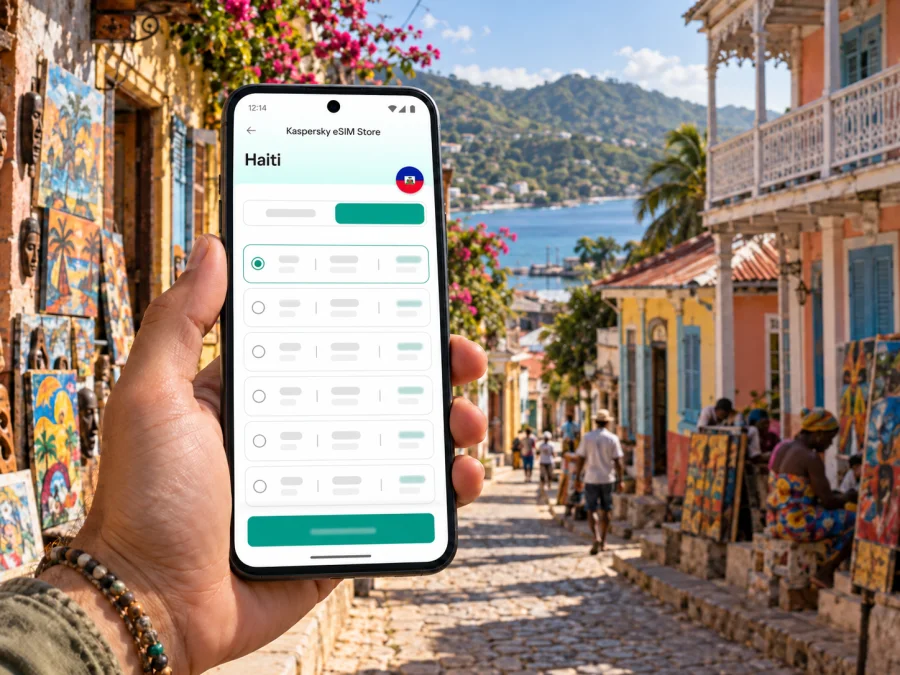
Jacmel eSIM: mobile connection and internet for your trip
Jacmel calls for a different kind of connectivity plan from a large airport hub. It is a coastal city in Haiti’s South-East, known for its historic character, visual arts, crafts and Carnival. A phone with mobile data can help you coordinate the journey, keep accommodation details close, check a route and message your host. An eSIM can be a practical way to prepare that data connection without replacing your physical SIM, provided your device supports eSIM and the selected plan covers Haiti. Check device compatibility before purchase.
This guide focuses on using mobile internet around Jacmel: arranging arrival and onward transport, finding a stay, moving between the centre and the coast, and planning a workday or short visit. As of 12 October 2026, the UK Foreign, Commonwealth & Development Office advises against all travel to Haiti. Check your own government’s latest advice, insurance conditions and local arrangements before making plans. Network availability and transport arrangements can change; an eSIM is a connectivity tool, not a substitute for a confirmed travel plan.
What makes a Jacmel connection plan different?
Jacmel is not simply a stop beside Port-au-Prince. It is a destination in its own right, set on Haiti’s southern coast and associated with an active creative scene. Haiti’s Ministry of Tourism describes Jacmel through its arts, crafts, beaches, hillsides and Carnival; UNESCO’s Creative Cities profile highlights crafts and folk art, including Carnival masks and papier-mâché traditions. For a visitor, that mix can mean switching between a booked room, a meeting point in town, a workshop or cultural event, and a coastal outing.
Mobile internet is most useful when it supports those practical transitions. You may need to contact a driver, open a map pin sent by a host, translate a message, check a booking, or let someone know that your plans have changed. A mobile data plan does not make every road, venue or service available, and it cannot guarantee a signal in every location. Keep key details available offline as well.
Actual service depends on the local network available to the eSIM, your device, location, weather, congestion and other conditions.
Plan the connection around arrival
For many international itineraries, the key connectivity decision comes before Jacmel: how you will travel from your point of arrival and who will meet you. Do not assume a particular airport, road, bus or domestic flight is operating on a convenient schedule. Confirm the route with your accommodation or a trusted local contact, then keep confirmations available offline in case plans change.
Before setting out, save your accommodation’s full name and address as text and as a map pin; your host or driver’s contact; arrival and transfer details; check-in instructions; and the essential locations you expect to use. An offline translation option can also help. A map pin alone may not be enough if data drops or a driver uses another landmark, so ask your host which local reference point is easiest to recognize.
First-hour checklist
- Confirm the eSIM is enabled and selected for mobile data.
- Open your saved accommodation address and check that the map has loaded.
- Send an arrival update before leaving a place with a dependable connection.
- Keep the host or driver’s contact available outside your messaging app.
- If the eSIM does not register, check settings before removing the profile.
Agree on an exact pickup point and confirm that you and the driver mean the same entrance, street corner or landmark. If plans change, send a concise update while you have a connection and agree on the next check-in time.
Moving around Jacmel and keeping directions usable
Jacmel’s character is tied to its historic centre, coastal setting and creative life. You may plan a day around the town centre, a craft or cultural stop, a meal, the waterfront or an event such as Carnival. Check locally whether a specific site, road or event is open; destination descriptions do not guarantee access on the day.
Use mobile data to check the next leg, rather than improvising every leg as you go. Before leaving your accommodation, ask which entrance or landmark to use, consider how you will return, and save the details. A short message with a named destination and agreed time is more useful than a vague request to “meet downtown.” If a place has more than one spelling or map pin, compare it with the address your host provided.
For a walk or short outing, load directions before setting out, save a note or screenshot, use data for updates and route corrections, and tell your host when you expect to return. Jacmel is also associated with craft and folk-art traditions, including papier-mâché masks used for Carnival, as UNESCO notes. Check current opening and event arrangements locally. For a coastal or hillside outing, confirm access and transport with your host or guide, keep enough battery for messages, and save a return plan that does not depend on being online.
Choosing an eSIM plan for a Jacmel trip
Start with the destination and coverage terms, not the city name. Jacmel is in Haiti, so check that the plan explicitly includes Haiti. A city article cannot establish whether a specific package works there or which local network it uses. Review the plan’s data allowance, validity period, activation rules and any restrictions on tethering or supported services.
Kaspersky eSIM Store is an app and website where you can choose, purchase and activate an eSIM with a suitable plan for mobile internet on an international trip. The mobile service depends on the selected plan and available partner network. Haiti’s telecom regulator lists Digicel and Natcom among the country’s mobile operators, and both document eSIM for their own services. These facts describe the local operator market; they do not identify the network used by every travel eSIM or prove service quality at a specific Jacmel location. Check the plan details rather than assuming a country listing guarantees a particular result.
Compare options against your itinerary:
| Question | What to check |
|---|---|
| Is Haiti included? | Confirm it is named in the destination list, especially for a regional plan. |
| How long will you need data? | Match validity to the trip and check when it begins. |
| What will you do online? | Messaging and maps use less data than video calls, uploads or streaming. Estimate your own use. |
| Will you share data? | Check whether hotspot use is permitted. |
| Are you visiting other countries? | Confirm each one is covered; a Haiti plan does not automatically include a neighbour. |
| What if plans change? | Read activation, top-up, expiry and refund terms before purchase. |
For a Jacmel-only trip, a Haiti plan may be simpler to evaluate than a regional option, but compare the actual terms and price. A regional plan is useful only if it covers every country on your route and its allowance and validity fit the full trip. You can review eSIM options for Haiti and check the current details for your dates. Plans are listed by country or region, rather than as separate network listings for each city.
Estimate data use without overbuying
Messaging, maps and booking updates usually need less data than video calls, uploads, streaming or hotspot use. Estimate from your own habits, download maps and work files in advance, pause photo backups over mobile data, and check whether tethering is allowed. These are planning cues, not fixed consumption figures: app settings, file sizes and call quality all affect data use. Check the plan’s remaining allowance when available before topping up.
Staying connected during a work visit
Ask your accommodation about its internet access and treat mobile data as a possible backup, not a guaranteed replacement. Video meetings need a steadier connection than text messages. For an important call, confirm the location and connection in advance, download documents, keep your phone charged and agree how colleagues can reach you if the call drops. For a one-day stop, prioritize pickup coordination, the meeting address, messaging and return arrangements over background updates or video playback.
Install and activate the eSIM
Set up the eSIM over a stable internet connection and allow time to follow the instructions. First confirm your phone supports eSIM and is not carrier-locked. Device features can differ between regional variants, even when model names look similar. Check your device’s eSIM compatibility before choosing a plan.
- Choose the destination and review the plan’s data, validity, activation and usage terms.
- Complete the purchase in Kaspersky eSIM Store.
- Open the installation details in your profile or plan instructions.
- Add the eSIM using the device setup flow or QR code, if offered.
- Label the line clearly, then select it for mobile data when you are ready to use the plan.
- Keep your primary number active if needed for calls or SMS; check its roaming terms.
- Follow the plan instructions for activation and data roaming. Some plans require roaming on for the eSIM.
Use the Android eSIM installation instructions or iOS eSIM installation instructions for device-specific steps. Menus vary by manufacturer and software version. Installation may finish before the profile connects to a local network. Do not delete a profile just because it has not connected immediately; some cannot be reinstalled after removal. Check the settings and plan instructions, then contact support through the service interface if the issue continues.
If the connection is slow or unavailable
A travel eSIM relies on the network and plan available at your location. A weak or unavailable connection may result from coverage, signal conditions, congestion, device settings or a temporary network issue. No city guide can guarantee a working signal in a specific hotel, street or outing area.
Try these checks in order:
- Move to a place with a clearer signal, if it is safe and practical to do so.
- Check that airplane mode is off and the eSIM line is enabled.
- Confirm that the eSIM is selected for mobile data.
- Review the plan instructions for network selection and data-roaming settings.
- Restart the phone once if the plan instructions allow it.
- Check the plan’s destination, validity and remaining data.
- If service is still unavailable, contact support and keep the eSIM profile installed while troubleshooting.
If you need a message to go through urgently, use another available connection or contact method. Keep your accommodation details and key contacts saved offline so a temporary data issue does not leave you without basic information.
What eSIM does and does not replace
An eSIM is a digital SIM profile installed on a compatible device. In Kaspersky eSIM Store, the travel eSIM is intended for mobile data under the selected plan. It does not automatically provide a conventional local phone number, voice calls or SMS unless the plan details explicitly say otherwise. You can often keep a physical SIM active for your usual number and use the eSIM for data, subject to your phone’s dual-SIM capabilities and your home operator’s charges.
Before departure, decide which line should handle mobile data and which line should receive calls or verification messages. Check your home carrier’s roaming terms if you leave its line on. An eSIM can reduce dependence on buying a physical SIM after arrival, but it does not replace a local emergency plan, a host contact, or current information about transport and travel conditions.
Jacmel eSIM questions
Will a travel eSIM work everywhere in Jacmel?
No plan can promise that. Service depends on the selected plan, location, device and local conditions. Check Haiti coverage details and keep key information offline.
Is Jacmel a separate eSIM destination?
Plans are generally listed by country or region. Jacmel is in Haiti, so check the Haiti terms. Country-level availability does not guarantee service at every venue.
Which Haitian operator will my travel eSIM use?
Do not assume one from the destination alone. CONATEL lists Digicel and Natcom as Haiti’s mobile operators, but the network for a travel eSIM depends on the specific plan. Check its terms or ask support.
Can I use the eSIM for ordinary calls and SMS?
The travel eSIM is for mobile data unless its terms say otherwise. Internet calling and messaging depend on the app and connection. Keep your regular number active for conventional calls or SMS and check roaming charges.
Should I install the eSIM before travelling?
Installing before departure over a stable connection is often practical. Follow the plan’s activation steps and check when validity starts.
What if my phone does not show an eSIM option?
Check the exact model and regional variant, verify eSIM compatibility, confirm the phone is unlocked, and consult its manufacturer. If it lacks eSIM support, use another data option.
Can I rely on the eSIM for maps and rides?
Use it as one part of your plan. Save addresses and pickup details, confirm arrangements with your host and keep an offline backup.
A practical plan for your stay
Before departure, check your government’s current travel advice for Haiti, confirm your route and reconfirm who will meet you. Then prepare your phone: verify compatibility, choose a plan that includes Haiti, install the profile over a stable connection, and save essential addresses and contacts offline.
In Jacmel, use mobile data for updates, messages, maps, coordination and light work. Confirm local arrangements directly, allow for changes, and keep a backup for essential information if service is interrupted.
When ready, choose an eSIM plan for Haiti in Kaspersky eSIM Store. Review the destination, allowance, validity and activation terms, then install it on a compatible device with the Android or iOS guide.


