Travel connectivity guide
Jacqueville eSIM: Mobile Internet for Your Trip
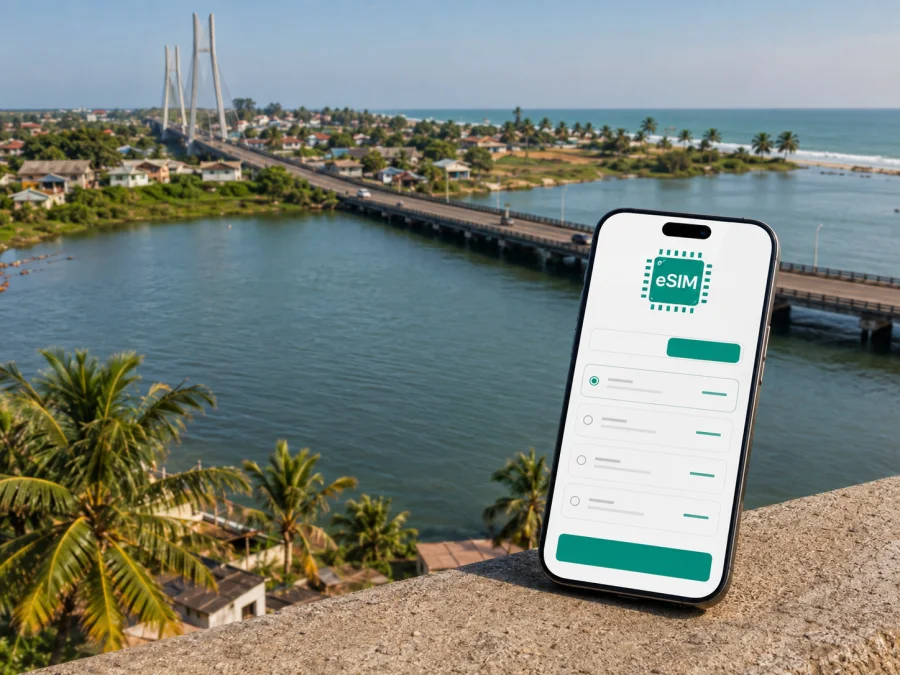
Jacqueville eSIM: Mobile Connection and Internet for a Smooth Trip
Jacqueville is a practical destination for a coastal break, a visit in the Grands-Ponts region or a quieter stay within reach of Abidjan. The town lies between the Ébrié Lagoon and the Gulf of Guinea, so mobile internet is useful from the first transfer to the last walk along the shore. You may need it to coordinate a pickup, open a map, confirm accommodation, translate a message, share your location or keep a work call on schedule.
An eSIM, or digital SIM, can help you prepare mobile internet for travel without replacing the physical SIM card in your phone. Kaspersky eSIM Store is an app and website where you can select a destination, review the available data volume, validity period and price, then arrange activation on a compatible device.
When an eSIM can help in Jacqueville
Jacqueville has a different travel rhythm from a large capital. You may move between the town centre, a hotel, the lagoon side and the coast rather than follow one compact urban route. Plans can change with weather, road conditions, opening hours or a driver’s availability. Mobile data lets you adapt without making every decision at the hotel or searching for Wi-Fi.
The most useful tasks are checking the route from the Abidjan area, coordinating a driver, confirming accommodation, using maps, translating a short message and staying in touch during a coastal walk. The Philippe Grégoire Yacé Bridge was put into service in 2015 and spans the Ébrié Lagoon, linking the Jacqueville side with the road network toward Songon and Abidjan. Prepare the final transfer and exact address even when the main route is clear.
Plan for areas and movement
A single map pin is rarely enough for a city trip. Jacqueville combines a town setting with lagoon and coastal landscapes, and visitors often move between them during one day. Treat the following as practical travel zones rather than formal administrative districts.
| Part of the stay | Likely online task | Useful preparation |
|---|---|---|
| Town centre | Maps, messages, purchases and meeting points | Keep data for short route checks and calls |
| Lagoon side and bridge approach | Arrival coordination and navigation | Save the address and confirm the destination |
| Coastal or beach-side stay | Weather, reservations and photo sharing | Limit automatic media backups |
| Outer stops or business locations | Route changes, driver contact and work tools | Carry addresses in text as well as map pins |
The lagoon side is also a reason to avoid overconfident route assumptions. A map may show the destination, while the last part depends on the road, property entrance and local directions. Ask the host for a recognisable approach if the pin is insufficient.
How to choose an eSIM tariff for Jacqueville
Start with the country and route. For a stay in Jacqueville, the relevant destination is Ivory Coast. If your itinerary also includes Abidjan or another place in the same country, read the conditions to make sure the tariff’s geographical scope covers the whole route. If you cross a border, review that leg separately rather than assuming it is included.
Estimate how you will use the connection. This guide helps you compare your routine with the conditions shown for an available tariff.
| Travel pattern | Main uses | What to compare |
|---|---|---|
| Short stopover | Arrival messages, a few maps and browsing | A modest data allowance and suitable validity |
| Weekend by the coast | Navigation, reservations, messages and selected uploads | Validity covering arrival and departure |
| Several days of sightseeing | Maps, translation, social posts and transport coordination | More data if you stream or upload frequently |
| Remote work or business | Email, documents, calls, authentication and chats | Validity and data for your work applications |
| Jacqueville plus Abidjan | Road transfer, city navigation and two stays | A country tariff whose terms fit both locations |
Compare these details before confirming an order:
- the country or region where the tariff is valid;
- included data volume and validity period;
- when the validity begins;
- whether the option is expiring or non-expiring under its stated terms;
- whether top-up or another purchase is available if more data is needed;
- activation, use and refund conditions.
Leave some margin for delays, route changes and urgent messages. Turn off automatic updates and photo backups over mobile data, and use a suitable Wi-Fi connection for large downloads when possible.
When your dates and route are clear, keep a reserve for the return transfer and choose an eSIM plan for your trip to Jacqueville to review the current options for Ivory Coast. Use the conditions shown at the time of selection as the basis for your decision.
Install the eSIM before departure or after arrival
Installing before departure can reduce tasks at the airport or on the road. It is convenient when you have a stable internet connection, enough battery and time to read each screen. Some travellers wait until arrival so the travel profile is not used accidentally before the trip. Either approach is reasonable when it follows the tariff’s activation conditions.
Check the device first
Your phone must support eSIM and must not be locked in a way that prevents another mobile profile from being used. Support can vary by model, market and software version. Before purchase, check your device, then make sure the phone can connect to the internet during installation.
Installation sequence
- Select Ivory Coast and a tariff that fits your stay in Jacqueville.
- Complete the order and open the profile or QR code in your Kaspersky eSIM Store account or message.
- Open mobile-network settings and choose the option to add an eSIM or mobile plan.
- Scan the QR code or follow the on-screen steps. If the code is on the same phone, use the manual method supported by the device.
- Label the profile “Ivory Coast trip” or another clear name.
- Set the travel eSIM as the line for mobile data when you want to use it.
- Check the activation instructions. Some devices may require data roaming to be enabled for the travel eSIM.
Follow the Android installation instructions or the iOS installation instructions for your platform. Menus vary, so use the labels on your own phone rather than copying a path from another model.
After installation, do not immediately remove your physical SIM. Confirm which line handles mobile data, whether the travel profile is active and whether a small page or message uses the intended profile. If your home line remains enabled, review its data settings to avoid accidental roaming on the wrong line.
Navigation and local transport
The bridge and road approach are important arrival landmarks, but local movement still needs planning. In Jacqueville, a trip may include a car, taxi, driver arranged by a host or a short walk after a vehicle transfer. Ask your accommodation about the best local option for the exact time and destination, then keep the conversation in your messenger.
Use data for the details that change in real time:
- send your location when a meeting point is hard to describe;
- check the route after a driver suggests a different road;
- message if your arrival time changes;
- compare the booking address with the place you are being taken to;
- translate a short question about direction or timing;
- save a route screenshot before entering a less convenient stretch.
For walking, store the destination in several forms: a written address, the host’s number and a map pin. If you take photographs near the coast or lagoon, check battery and data settings first; automatic cloud uploads can consume the allowance when you need data for navigation.
Before leaving, send the destination and expected return time to the person meeting you. Save the place and the way back when you arrive, especially for accommodation outside the centre or a beach-side stop.
Hotels, coastal stays and business visits
Accommodation planning has two parts: choosing a place and reaching it. A booking page may show a name and pin, while final directions come from a host or driver. Contact the property before departure to confirm check-in time, payment details, entrance and Wi-Fi availability. Keep the answers in your messages.
At check-in, ask which services depend on Wi-Fi. Reserve the eSIM allowance for outdoor navigation, messages and urgent work rather than large files in the room. Protect the phone from sand and moisture near the coast, and carry a power bank for a long day.
For business, choose by work pattern rather than days alone. Email and text are light; video meetings, cloud synchronisation and repeated image uploads need more planning. Before travel:
- save meeting addresses and contact numbers;
- download documents you must open offline;
- pause non-essential backups and updates, charge the phone and laptop, and decide which line handles data.
If a call becomes unstable, close background applications and move to a more suitable spot. Keep a text-based fallback channel for an important meeting. The eSIM is part of preparation, not a substitute for checking your device, tariff and work tools.
Day trips and data management
Jacqueville’s coast and lagoon encourage short outings. You might spend the morning near the shore, return through town and then travel toward the bridge or another nearby stop. A reserve of data is valuable at the end of the day.
For a day away from your accommodation, prepare:
- Starting and return addresses.
- A screenshot or offline note with the route.
- Host, driver or organiser contacts.
- Enough data for maps and messages after planned photo sharing.
- A charged phone, power bank and confirmed plan for the last ride back.
Review the data counter once a day. Give priority to maps, messages, translation, reservations and transport coordination; video streaming, large updates and automatic synchronisation can wait. If the allowance falls faster than expected, check which application is responsible before selecting additional data.
If the eSIM does not connect
Start with settings rather than reinstalling the profile. Confirm that the eSIM is enabled, selected for mobile data and allowed to use data roaming if the tariff instructions require it. Check that airplane mode is off, the phone has a signal and the intended profile is selected. A restart can help the device register the profile again.
Review the order conditions: the tariff must cover Ivory Coast, its validity must have begun under the stated rules and its allowance must not be exhausted. Do not delete the profile unless instructions or support tell you to; some profiles cannot simply be restored after removal.
If the problem continues, note the device model, profile status, selected data line and exact message on screen. Contact support with those details. This helps separate an installation question from a device-setting or tariff-condition question.
Frequently asked questions
Is an eSIM useful for a short visit to Jacqueville?
Yes, if you need mobile internet for the arrival transfer, maps, messages or reservations. Choose validity covering the complete stopover and compare the data volume with your routine.
Can one eSIM cover Jacqueville and Abidjan?
Check whether the selected tariff covers the same country and whether its conditions fit both parts of your route. Do not assume that a city name creates a separate tariff or that a cross-border leg is included.
Does a travel eSIM include a regular phone number?
Not unless the selected tariff says so. These tariffs are intended for mobile internet, so ordinary calls and SMS may not be included. Internet-based messengers can be used for calls and messages when available.
Should I keep my normal SIM active?
You can keep it active if you need its number, but check which line is selected for mobile data. Disable data use on the home line when necessary so the phone does not use the wrong profile.
When should I install the eSIM?
Before departure can simplify arrival, provided you follow the activation rules. Installation after arrival is also possible with a suitable connection and enough battery. Test the data line and keep the QR code or profile information accessible until setup is complete.
Jacqueville eSIM checklist
- [ ] Confirm Ivory Coast as the tariff destination and cover the whole stay.
- [ ] Check eSIM support and any operator lock on the phone.
- [ ] Save the accommodation address, host contact and bridge-side arrival details.
- [ ] Install and label the profile with a stable connection if that fits the activation rules.
- [ ] Choose deliberately which line handles mobile data and keep the Android or iOS instructions available.
- [ ] Download essential maps and documents, limit background data, and pack a charger or power bank.
Jacqueville is easier to enjoy when the practical details are ready before the first transfer: the right address, a workable route, a charged phone and a tariff that matches the trip. Kaspersky eSIM Store helps you select, arrange and activate an eSIM with a suitable tariff for mobile internet during an overseas journey. Review the conditions and prepare the compatible device before moving through the town, along the coast or back toward Abidjan.
Prepare your mobile internet for Jacqueville
When your dates and route are clear, choose an eSIM plan for Ivory Coast, compare the available data and validity options, and install the selected eSIM on your compatible phone before the journey or according to the activation instructions after arrival.


