Travel connectivity guide
Jahra eSIM: Mobile Internet in Kuwait
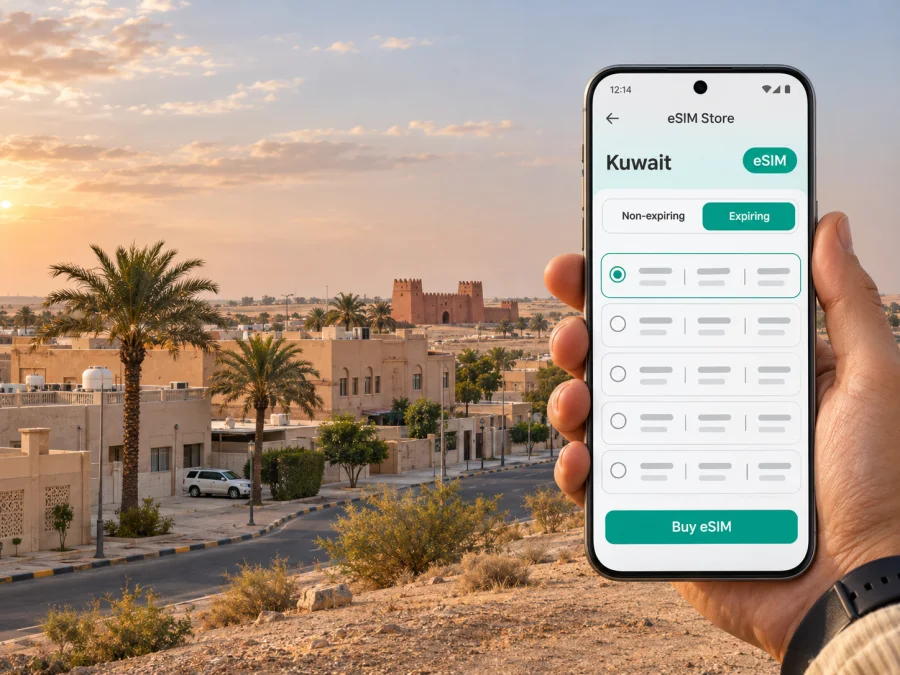
Jahra eSIM for mobile connection and internet in Kuwait
Jahra is a practical base for work, family visits and road trips in northwestern Kuwait. A mobile data connection can help you confirm a pickup, follow a route from the airport, check a booking or message your host while you move between neighbourhoods. An eSIM can make that preparation easier when you want a travel data profile without replacing the physical SIM already in your phone.
Jahra is both the name of a city and the central place name within Al Jahra Governorate, one of Kuwait’s six governorates. The wider governorate includes many districts and far-flung areas, so a plan that is described simply as “for Jahra” should not be assumed to cover only the built-up city—or to cover every route beyond it. Before choosing an eSIM, check that its listed destination is Kuwait and read the specific data, validity, network and activation conditions shown for that plan.
When mobile data helps in Jahra
Jahra is not a compact waterfront resort where every stop sits along one promenade. Visitors may be staying in a residential district, attending an appointment, visiting family or using the city as a starting point for a drive farther north or west. In those situations, a working data connection is useful for small, frequent tasks rather than only for browsing.
| Moment | What you may need online | A useful preparation |
|---|---|---|
| Before leaving the airport | Your hotel address, pickup details, messages and a route | Save the destination in writing and download a map area if your app allows it |
| Finding a building in Jahra | Turn-by-turn directions, a pin or a local contact | Confirm the address and district with your host; spellings can vary between map listings |
| Moving between appointments | Traffic information, navigation and schedule updates | Keep the next destination and a contact number available offline |
| Staying in a hotel or visiting family | Messaging, email, bookings and account access | Use Wi-Fi where convenient and mobile data when you need a connection while out |
| Driving beyond the city | Route changes, location sharing and updates | Check the route and data coverage assumptions before setting off; carry a charger |
Navigation is particularly helpful when an address includes a block, street and building number rather than a landmark. Ask your host to share a map pin as well as the written address. Keep the pin in your messages, and take a screenshot of the route or address before you leave a place with dependable Wi-Fi. This gives you a useful fallback if data is temporarily unavailable or a map app cannot resolve a transliteration.
If you use ride-hailing or arrange a pickup, check that the app is signed in and that the payment method works before you travel. A newly installed app may ask for verification, and some services may rely on a local phone number or other account requirements. A data-only eSIM should not be treated as a replacement for an existing number: keep your regular SIM active if you need calls or SMS on it, and check your home operator’s roaming terms before departure.
Getting from the airport to Jahra
Most international visitors arrive at Kuwait International Airport, which is in Farwaniya Governorate rather than Jahra. The airport is not in the city centre, and the onward trip to Jahra is a road journey. Your actual time and route depend on traffic, the terminal, the pickup point and your destination within the governorate; check live directions on the day instead of relying on a fixed estimate.
At arrival, connect to airport Wi-Fi if available and convenient, or use mobile data once your travel profile is ready. Before going to the vehicle, compare the destination pin with the name and address given by your hotel or host. If you are meeting a driver, agree on a pickup point and share your location in the messaging app you already use. A screenshot of the reservation, address and driver instructions can help if you need to switch between apps or lose signal briefly.
The airport authority lists passenger options such as buses, taxis, car rental and limousine transport. The right choice depends on luggage, arrival time and your destination. Confirm current operating details and booking conditions directly with the service.
When you arrive at a hotel or residence, confirm the neighbourhood and nearest main road with the person meeting you. The name Jahra may refer to the city, a district or the wider governorate in everyday directions. If the trip continues to a different settlement, industrial area or a remote destination, make sure the address is not being mistaken for central Jahra. This simple check often prevents more confusion than repeatedly zooming in and out of a map.
Choosing an eSIM plan for a Jahra trip
Start with the route rather than with a data amount. For a stay entirely in Jahra, check the plan’s country of use and whether its terms explicitly include Kuwait. If your itinerary also includes Kuwait City, the airport area or a drive to another part of the country, compare the plan’s stated coverage area with the whole route. The city name in a search query does not establish where a plan works.
Kuwait’s communications regulator lists Zain, Ooredoo, STC and B.wireless among the country’s licensed service providers. That describes the local operator market; it does not tell you which network a particular travel eSIM uses. Check the network information and conditions shown for the plan you are considering rather than assuming a named local operator is included.
Next, estimate how you will use data. Messaging, address searches and occasional map checks generally consume less than frequent video calls, media uploads, streaming or using your phone as a hotspot. If you expect to work remotely, include video meetings and cloud file transfers in your estimate. Download large files, offline maps, music and entertainment over Wi-Fi before leaving when that is practical.
Use this checklist when comparing the conditions displayed for a plan:
- Destination: Kuwait must be included as the country of use. If your route crosses a border, confirm that the plan also covers the other country; country plans do not automatically extend to neighbours.
- Data allowance: Match the allowance to your expected map use, messaging, browsing, calls over apps and any work tasks. Avoid assuming that “unlimited” or high-speed data is included unless the plan states it clearly.
- Validity: Check when the validity period begins. It may start at purchase, installation, activation or first connection, depending on the plan terms.
- Network and speed: Read the listed network access and any speed or fair-use conditions. Availability can vary by place, building, device and local network conditions.
- Sharing: If you need hotspot or tethering, confirm that the plan and phone settings permit it.
- Calls and texts: Treat the travel eSIM as data-only unless voice calls, SMS or a phone number are expressly listed. Keep your existing line for calls and verification codes if needed.
- Renewal and top-ups: Check whether data expires, renews or can be topped up, and how to review remaining allowance.
- Refund and support terms: Read the applicable conditions before purchase and save the order details somewhere you can access offline.
For a short stay focused on messaging and navigation, a smaller allowance may be enough; remote work, streaming and hotspot use need a larger estimate. Background syncing and app updates also affect consumption, so review your phone’s data use during the first day.
If you want to review the currently listed options, check eSIM plans for a trip to Kuwait. Kaspersky eSIM Store is an app and website where travellers can choose, arrange and activate an eSIM with a suitable plan for mobile data abroad. The destination page is for Kuwait; it is not a separate Jahra tariff, a promise of coverage at a specific address or a fixed offer. Read the current terms displayed for each plan before choosing.
Plan your connection around the day
Airport arrival and first transfer
Before departure, save your accommodation address, booking reference and host’s contact details. Install before flying over stable Wi-Fi if the plan allows, or arrange another way to retrieve the details after arrival. Do not delete an installed profile just because it is not selected for data; some profiles cannot be recovered after removal.
After landing, check which line is selected for mobile data and whether the travel eSIM is enabled. Keep data roaming turned off or on according to the plan’s setup instructions; some travel profiles require it, while the exact setting depends on the provider and device. Avoid enabling roaming on your home SIM unless you have confirmed the charges with your home operator. A dual-SIM phone can often keep a regular number available while using a separate data line, but labels and options differ across models.
A day of errands or meetings
In a day with several stops, keep addresses in a note in the order you will visit them. Send a location pin to a colleague or host if someone is meeting you. If you are using maps continuously, set the screen brightness to a comfortable level and carry a power bank; navigation and mobile data can drain the battery more quickly than standby use.
For a video meeting, test audio first and use stable Wi-Fi if available. Keep mobile data as a backup only if the allowance is sufficient and hotspot use is permitted. Performance can vary indoors and at a particular venue.
A drive beyond Jahra
The governorate’s mapped districts include Jahra, Jahra Industrial, Taima, Qasr, Saad Al-Abdulla and Al-Jahra Desert, among others. These labels refer to different areas and are not interchangeable destination names. If your trip goes beyond the central city, confirm the precise place, route and expected stops with your driver or host. Downloading maps for offline use and sharing your itinerary before leaving are sensible precautions for any longer drive.
Do not assume that a city plan will cover every distant road or that a data connection will remain continuous. Follow road and safety instructions, avoid interacting with a phone while driving, and set navigation before the vehicle moves. A second passenger can manage route changes and messages. If you are travelling alone, stop safely before checking your screen.
Device and setup checks before departure
An eSIM can only be installed if the device supports it and is not restricted by a carrier lock or device policy. Support can differ between regional variants of one phone family, so check the exact model rather than relying on its family name. Check whether your device supports eSIM before choosing a plan.
Confirm that your phone has enough battery and can access the QR code or installation details. If the code is on the phone you are setting up, you may need manual entry or a second screen to scan it. Keep your normal SIM if you rely on its number.
Installation steps
- Connect to reliable Wi-Fi and open the eSIM installation details from your order.
- In your phone’s cellular or mobile network settings, choose the option to add an eSIM or mobile plan.
- Scan the supplied QR code, or use the manual activation details if that method is offered.
- Give the new line a clear label, such as “Kuwait travel”, so it is easy to identify beside your regular SIM.
- Select the travel eSIM for mobile data when you want to use it. Follow the plan’s specific guidance about data roaming and activation timing.
- After connection, open a simple webpage or messaging app to confirm that data works. If it does not, check the selected data line, profile status and plan instructions before changing other settings.
See the Android eSIM installation guide or iPhone and iOS eSIM installation guide for device-specific steps. Menu names can vary by operating system version and manufacturer. The plan’s own activation instructions take priority if they describe a different sequence or a required setting.
Troubleshooting mobile internet in Jahra
If the phone shows signal but apps cannot load, confirm that the travel eSIM is selected for data and its allowance and validity remain active. Check that airplane mode is off and the line is enabled. A restart may help; follow the plan’s guidance before changing network selection or deleting a profile.
If installation fails, verify that the phone has an internet connection, that the QR code is valid and that the eSIM profile has not already been added. Many QR codes are intended for one installation. Do not remove the profile as a first troubleshooting step; contact the plan’s support channel using the details associated with your order.
If service is inconsistent, try again in a different location. Indoor position, congestion, device settings and the network available to the plan can affect performance; no plan can guarantee signal in every room or along every road. If the issue continues, record the location, phone model and error message for support.
| What you see | First checks |
|---|---|
| No data after installation | Confirm the eSIM line is on, is selected for data, and has completed activation under the plan’s instructions |
| Calls or texts no longer arrive on your usual number | Check the default voice line and keep your home SIM enabled if you need it; review home roaming settings separately |
| Data use rises quickly | Review app-level usage, disable automatic backups or updates on mobile data, and use Wi-Fi for large transfers |
| Maps cannot find the address | Ask for a pin and written address, verify spelling and district, then try a saved or offline map |
| Hotspot is unavailable | Check the plan’s tethering terms and the phone’s personal hotspot settings |
Questions travellers ask
Is Jahra a city or a governorate?
Both names are used geographically, but they describe different scales. Jahra is a city and district name; Al Jahra Governorate is the larger administrative area that contains the city and multiple other districts. Confirm which one an address or booking refers to before travelling.
Does an eSIM for Kuwait work everywhere in Jahra?
No plan should be assumed to work at every address or on every road. Check the destination, listed network access and conditions shown for the specific plan. Actual service can vary with location, indoor conditions, the device and the available local network.
Can I use an eSIM for the airport transfer and in Jahra?
Potentially, if Kuwait is included in the plan and the eSIM is correctly installed and active. Check the plan’s terms, prepare the airport pickup details in advance and keep an offline copy of the destination. The plan page does not guarantee service at a particular airport terminal, route or building.
Will an eSIM give me a Kuwaiti phone number?
Not necessarily. Travel eSIMs used for data may not include a local number, voice calls or SMS. Read the plan details and keep your regular number available if you need calls, messages or verification codes.
Should I install the eSIM before I travel?
You can install it before departure if the plan instructions allow and you have stable Wi-Fi. Check when validity begins so you do not activate earlier than intended. If you install after arrival, arrange an alternative internet connection for retrieving the setup details.
Do I need to turn on data roaming?
Follow the instructions for the specific eSIM. Some travel plans require data roaming for that eSIM profile to connect. This setting is separate from roaming on your home SIM, so confirm which line is selected before enabling it.
Is Kaspersky eSIM Store the local mobile operator?
No. Kaspersky eSIM Store is an app and website for choosing, arranging and activating an eSIM plan for mobile data while travelling abroad. The local network, supported destination and plan conditions are determined by the specific offer and its terms.
A simple departure checklist
Before leaving for Jahra, make sure you can answer these questions:
- Does the eSIM plan explicitly include Kuwait and match the whole route you expect to take?
- Does your exact phone variant support eSIM, and is the device unlocked?
- Do you know when the plan starts and which line will be used for mobile data?
- Have you saved your accommodation address, pickup information and essential contact details?
- Do you know whether the plan requires data roaming on its eSIM profile?
- Can you access the installation information and support details if you are offline?
- Have you checked the plan’s allowance, validity, hotspot rules and any speed conditions?
When these details are settled in advance, mobile data can make arrival, navigation and everyday coordination in Jahra less complicated. For a visit that continues to other parts of Kuwait, keep the full route in mind and check the plan conditions for the country rather than assuming that a city label is a coverage promise.
Choose a plan for your Kuwait visit
Review the destination, data allowance, validity period and setup instructions, then choose an eSIM plan for your trip to Kuwait. Kaspersky eSIM Store helps you select, arrange and activate an eSIM plan for mobile data during an international trip. Check the current plan terms and device compatibility before you travel to Jahra.


