Travel connectivity guide
Jalal-Abad eSIM: Mobile Internet in Kyrgyzstan
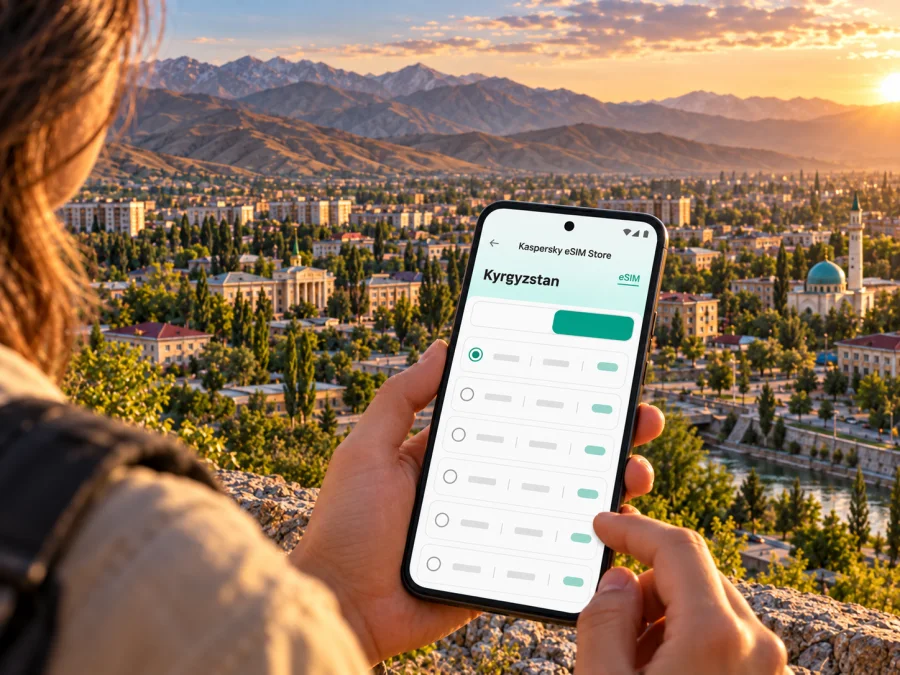
Jalal-Abad eSIM for mobile connection and internet
Jalal-Abad is a useful base for a trip through southern Kyrgyzstan, whether you arrive for meetings, visit family, or plan to continue toward the region’s valleys and mountain landscapes. A travel eSIM can help you get mobile data for maps, messages, bookings and route checks without changing the physical SIM in your phone. The city is now officially called Manas, so you may see both names in travel information: use the current airport and transport listings when booking, and keep “Jalal-Abad” in mind when searching older guides.
The practical question is less “Will my phone have a signal everywhere?” and more “How can I plan for the parts of this trip where I need data, and what should I check before I leave?” Coverage depends on the local network, terrain, device and location. Prepare for central streets and out-of-town journeys as separate situations, and keep offline essentials available.
First, understand the city name and arrival point
Kyrgyzstan’s President’s Administration announced on 17 September 2025 that the city of Jalal-Abad had been renamed Manas. It remains in Jalal-Abad Region. The English-language name “Jalal-Abad” is still common in travel searches and in some transport references, while more recent local notices may use “Manas.” For example, Airports of Kyrgyzstan’s May 2026 notice referred to the domestic route as Bishkek–Manas and identified the destination airport as Jalal-Abad. Confirm the spelling, operating date and departure point on your ticket because schedules can change.
This matters for mobile data because the airport, the city centre and a mountain road are different places, not one continuous coverage promise. Before departure, save your accommodation address, pickup details and the first leg of your route. If a driver meets you, agree on the meeting point and keep it in a message or screenshot. An eSIM is most useful when it lets you retrieve those details and contact the people expecting you after landing.
Arrival checklist
- Save your lodging address in both Latin and Cyrillic spelling if you have it.
- Download the relevant map area for offline use and pin the airport, accommodation and meeting point.
- Keep your reservation, flight details and driver’s contact information available offline.
- Confirm which airport and route appear on the final itinerary; do not rely on an old blog post or a saved search result for current schedules.
- If you need a local pickup, exchange a short message before boarding and agree on where to meet.
Where mobile internet helps most in Jalal-Abad
In the built-up city, data is useful for everyday tasks rather than constant streaming. You may need a map to find a hotel or office, a messenger to coordinate a pickup, a translation tool for a short conversation, or a booking app to check a change. A working data connection also makes it easier to share your location with someone you are meeting. None of these uses requires the phone to be online every second: download what you can in advance and use mobile data for updates and decisions that depend on current information.
| Trip moment | What data can help with | A useful fallback |
|---|---|---|
| Leaving the airport | Confirming the pickup point and opening the route | Screenshot the booking and address before departure |
| Finding accommodation | Checking a pin, entrance note or host message | Save the address and nearby landmark offline |
| Moving around the city | Comparing routes and sharing your location | Download an offline map and keep a paper address card |
| Work or appointments | Joining a call, opening a document or sending a change | Download files in advance; use stable Wi‑Fi for long calls |
| Starting a day trip | Reviewing directions and checking in with your driver | Save the route, meeting time and return plan before leaving |
The table is a planning aid, not a coverage promise. Service can vary indoors and along rural roads. For a video call or large upload, use reliable Wi‑Fi when available.
Think in routes, not just in a city pin
Jalal-Abad is often part of a longer southern Kyrgyzstan itinerary. You might spend the first night in town, then travel toward a village, a nature area or another city. The route can pass through changing terrain, and the mobile experience may change with it. City-level availability on a country page should not be read as a promise of uninterrupted service along every road or trail.
Before leaving the centre, tell your accommodation or travel companion where you are going and when you expect to return. Download maps and any tickets or confirmations while you have a stable connection. If your plan includes a remote stop, ask the local guide or driver what communication method they expect to use. Keep your phone charged, carry a power bank if appropriate, and do not treat a data plan as a substitute for local safety advice.
A simple route plan should record the exact start and destination, your driver’s contact and pickup point, the expected return time, and an offline copy of the itinerary shared with someone you trust.
If your trip continues beyond Jalal-Abad
Choose a country-level or regional data option by checking where the selected package is valid, then compare that coverage area with every stop on the itinerary. A city article can help with arrival and local planning, but your product choice needs to follow the whole route. If you are moving between distant destinations, do not assume that a plan labelled for one place automatically covers another; read the current destination and package conditions before payment.
The Kyrgyzstan destination page in Kaspersky eSIM Store, checked on 17 October 2026, lists Beeline as the local operator for the displayed Kyrgyzstan offer. That is specific to the offer shown on that page. It does not describe every operator in the country, every eSIM plan sold elsewhere, or the signal available at a particular address. The actual service also depends on the local operator’s coverage and your handset’s supported radio bands and settings. To review current options for the country, choose a data plan for travel in Kyrgyzstan.
Choose a plan around your actual use
Start with the travel pattern, not a guess about how much data a city “requires.” A short city stay with saved maps and occasional messages is different from a work trip with regular video meetings or a journey where you upload photos each day. Look at the plan’s destination, data allowance, validity period, activation conditions and any restrictions on sharing data. These details can change, so review the current offer before checkout.
Use this quick estimate as a decision framework:
- Mostly maps, messages and practical checks: download maps and documents before the trip; estimate data for updates, not for content you can store offline.
- Frequent social posting or photo backup: check whether automatic cloud uploads are enabled and pause them on mobile data if you want to manage usage.
- Remote work: account for calls, shared files and hotspot use. Confirm that the plan and device support tethering before relying on it for a laptop.
- Several stops across Kyrgyzstan: verify the package’s country or regional scope against all destinations rather than choosing from the first city name you see.
Data-only travel eSIMs generally do not replace a regular phone number. The current Kyrgyzstan destination page explains that the eSIM is for internet access and has no associated phone number for ordinary calls or SMS. You can continue using your usual number for calls and texts if your primary SIM remains enabled and your home operator’s roaming settings and charges are understood. Internet-based calls and messaging can work through apps when data is available.
Check your phone before you buy
An eSIM is a digital profile stored in a compatible device. Support can differ between regional variants of a phone that share the same marketing name, and a device may also be locked to a home carrier. Check the exact model number and sales region, confirm that your handset is unlocked, and verify eSIM support with the manufacturer or carrier that sold it. Do not infer compatibility from a friend’s similar-looking phone.
Check whether your device supports eSIM before choosing a plan. If you use two SIMs, decide which line will handle mobile data and which will remain available for your usual number. Review the data-roaming setting for the travel eSIM: some devices require it to be enabled for the selected profile, while others show different controls. Follow the installation instructions for your operating system and the selected plan.
Installation steps
- Prepare the device. Connect to Wi‑Fi, install available system updates and confirm that the device is unlocked and compatible.
- Select the destination and plan. Check the package’s coverage area, data amount, validity and activation rules.
- Add the eSIM profile. Use the in-app or account installation flow, or scan the supplied QR code if the plan provides one. Follow the device prompts.
- Label the line. Give the travel profile a clear label such as “Kyrgyzstan data” so it is easy to identify beside your regular SIM.
- Set mobile data to the travel eSIM. Keep your regular line’s settings intentional, and check the home operator’s roaming policy to avoid unwanted charges.
- Connect when appropriate. Some plans begin using data only after the profile connects in the destination; others have their own activation conditions. Read the chosen plan’s terms rather than assuming every plan starts the same way.
For platform-specific steps, use the Android eSIM installation guide or the iOS eSIM installation guide. Installing a profile and beginning to use its data are separate events; the plan conditions determine when its validity or data use begins.
Keep your connection useful and your data under control
Manage data by pausing automatic photo backups and app updates, downloading maps and work files on Wi‑Fi, and checking that the travel eSIM is selected for mobile data. If you need a hotspot, confirm device support and the plan’s terms, then test tethering before an important meeting. Monitor usage in the app or phone settings.
A practical 10-minute pre-departure check
- The exact phone model supports eSIM and is not carrier-locked.
- The package covers Kyrgyzstan and every other planned stop.
- The allowance and validity fit the length and style of your trip.
- Your accommodation, transport and booking details are saved offline.
- The eSIM is installed correctly and labelled clearly.
- Mobile data is assigned to the travel profile, with your home SIM settings understood.
- You know whether your plan requires data roaming on the eSIM.
- Essential maps and files are downloaded, and the phone has enough charge.
Common Jalal-Abad travel scenarios
You arrive late and go straight to your hotel
Before travel, save the hotel’s name, street address, entrance instructions and contact details. Keep your airport transfer confirmation as a screenshot. After landing, use mobile data to check for a last-minute message or map update, but make the meeting point clear before you arrive. If a connection is delayed, the saved details still give you a way to explain where you are.
You have a full day of appointments
Pin the office, hotel and any meeting venue while connected to Wi‑Fi. Download documents and calendar details for offline access. Use mobile data for route changes, short messages and confirmation calls through internet apps. For a long video meeting, arrange a dependable Wi‑Fi location and keep a backup dial-in or messaging option if your work allows it.
You are using the city as a starting point for a day outside town
Save the route and the return plan before leaving. Ask your driver or guide about expected mobile coverage and check-in arrangements for the actual route. Do not rely on a map loading for the first time once you are outside town. Leave a copy of the itinerary with someone, and keep enough battery for navigation and an unexpected change.
You are in Jalal-Abad only briefly between connections
For a short stop, confirm the airport name on your booking, save onward departure details and keep transfer contacts offline. Verify current schedules close to travel rather than relying on an old timetable.
Troubleshooting when data does not work
If the eSIM does not connect, check that the profile is installed and enabled, selected for mobile data, and valid for the destination. Review whether its settings require data roaming. Toggle airplane mode, wait for network registration, then restart the phone if needed. Service can vary by location, so ask a local contact if the problem persists.
Avoid deleting an eSIM profile as a first troubleshooting step. Some profiles cannot be reinstalled or transferred after removal or activation. If the plan’s instructions do not resolve the problem, contact the support channel shown in your account and include your device model, current location and the steps you have already tried.
Frequently asked questions
Is Jalal-Abad the current official name of the city?
No. The city was renamed Manas in 2025 and is in Jalal-Abad Region. “Jalal-Abad” remains useful in search and may still appear in airport or older travel references. Check the current spelling used on your booking and local notices.
Does an eSIM guarantee coverage throughout the city and surrounding mountains?
No. A country-level eSIM offer does not guarantee service at every address, road or trail. Coverage depends on the local operator, terrain, device and network conditions. Save critical information offline and confirm connectivity expectations with a local guide for remote trips.
Which local operator is listed for the Kaspersky eSIM Store Kyrgyzstan offer?
The Kyrgyzstan destination page checked on 17 October 2026 lists Beeline for the displayed offer. That information applies to that specific listing; other plans and local SIMs may use different arrangements. Review the current offer and its terms before purchase.
Can I use the eSIM for normal calls and SMS?
The country page describes the eSIM as data-only and says it has no associated phone number for ordinary calls or SMS. Internet messaging and voice apps can work over data. Keep your regular SIM active if you need its number, and review your home operator’s roaming settings and charges.
Do all phones with the same model name support eSIM?
Not necessarily. Regional versions can differ, and carrier locking can affect use. Check your exact model number and region with the device maker or seller, then use the compatibility checker before buying.
Should I install the eSIM before reaching Kyrgyzstan?
You can prepare it before departure if the device is connected to Wi‑Fi and the plan’s instructions allow it. Installation does not always mean that data use has started. Check the activation and validity conditions for the plan you select, then switch mobile data to the travel eSIM when you intend to use it.
Will the plan work if I travel from Jalal-Abad to another country?
Only if the package explicitly includes that destination. A Kyrgyzstan-only plan should not be assumed to cover a neighboring country. Check each stop in the coverage details or choose an appropriate regional option if the current catalogue offers one that includes your full route.
Prepare your eSIM for Jalal-Abad
For a smoother arrival, check your device, choose a package that matches the full itinerary, install the profile while you have Wi‑Fi, and save your essential addresses offline. Kaspersky eSIM Store is an app and website where you can select, purchase and activate an eSIM with a suitable data plan for an international trip. Review the current package conditions and choose an eSIM plan for your trip to Kyrgyzstan before departure.


