
Travel connectivity guide
Jamaica eSIM: Mobile Internet for Travel
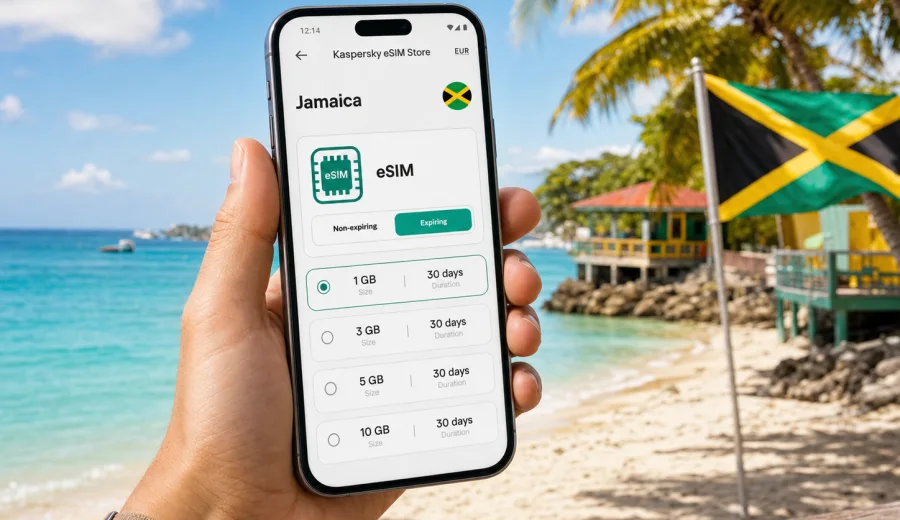
eSIM in Jamaica: mobile connection and internet for your trip
Jamaica is a country where mobile internet is useful from the first hour of travel. You may need it at the airport, on the road to a resort, while checking a hotel booking, when calling a driver, or when sharing your location with family. The island is not difficult to enjoy offline, but a reliable data plan makes the trip calmer and easier to manage.
An eSIM helps you prepare mobile connection before you arrive or shortly after landing. Instead of looking for a physical SIM card, you install a digital SIM profile on a compatible phone and use mobile data for maps, messengers, bookings, payments, and everyday travel tasks. For many visitors, this is a practical way to reduce dependence on hotel Wi-Fi and standard roaming.
Kaspersky eSIM Store is an app and website where you can choose, arrange, and activate an eSIM with a suitable data plan for international travel. It is not a mobile operator and does not replace the local network. The practical value is simple: you can compare available options by destination, data amount, validity period, and price before choosing the plan that fits your route.
Why mobile internet matters in Jamaica
Jamaica combines beach stays, city stops, mountain roads, music venues, excursions, and long drives between regions. A trip may include Montego Bay, Kingston, Ocho Rios, Negril, Port Antonio, Blue Mountains, or the South Coast. Even if you plan to stay mostly at one resort, mobile data is useful outside the lobby, at the beach, in a taxi, or during a day tour.
Common situations where mobile internet helps:
- checking airport transfer details after landing;
- using maps between Montego Bay, Ocho Rios, Kingston, and Negril;
- contacting a hotel, driver, host, tour guide, or restaurant;
- receiving bank confirmations and travel alerts;
- using messengers for calls over data;
- finding opening hours and routes for attractions;
- translating short phrases, menus, or service messages;
- checking weather before boat trips, waterfalls, or mountain routes;
- uploading documents to airline or booking apps.
Public Wi-Fi can be convenient, but it is not always available when you need it most. It may be limited to hotels, cafes, lounges, and selected public areas. Mobile data gives you a separate option for everyday travel tasks, especially when you move between cities or spend time away from large tourist zones.
What an eSIM does for a Jamaica trip
An eSIM is a digital SIM profile built into a compatible smartphone or tablet. You do not insert a physical card. You install the profile, select it for mobile data, and use the chosen data plan according to its terms. In travel use, an eSIM usually focuses on mobile internet. Voice calls and SMS are not normally included unless the specific plan says so.
For Jamaica, an eSIM is useful because it separates your trip data from your home mobile plan. You can keep your regular SIM active for calls or bank messages, while the eSIM handles data for maps, chats, and apps. Many phones allow a physical SIM and an eSIM to work side by side, but settings differ by device and operating system.
Before buying any eSIM plan, check three things:
- your device supports eSIM;
- your device is not locked to one operator;
- the selected plan conditions match your travel dates and data needs.
If you are not sure whether your phone supports eSIM, use the compatibility check before purchase: check your device. This step is important because an eSIM profile may not work on an unsupported or locked device.
Jamaica travel scenarios and data needs
Different trips use mobile data in different ways. A short resort stay is not the same as a two-week island route with remote work and daily navigation. The table below gives practical planning examples.
| Trip style | Typical mobile data use | What to consider |
|---|---|---|
| 3-4 day beach break | Low to moderate | Maps, transfers, messengers, restaurant searches |
| 7 day resort stay | Moderate | Hotel Wi-Fi may cover evenings, but tours and transfers still need data |
| Island road trip | Moderate to high | Navigation, route checks, weather, messaging, booking changes |
| Remote work stay | High | Video calls and cloud work can use data quickly |
| Family trip | High if tethering is used | One phone may share data, but the plan must allow enough traffic |
| Cruise or multi-country route | Variable | Check whether you need Jamaica only or a regional option |
You do not need to estimate every megabyte perfectly. It is usually enough to decide whether you need light, balanced, or heavy use:
- Light use: messengers, maps, booking checks, occasional browsing.
- Balanced use: daily navigation, social apps, photos, ride coordination, email.
- Heavy use: laptop tethering, video calls, streaming, cloud backups, frequent uploads.
For most travel days, maps, messaging, and booking apps matter more than entertainment streaming. If you plan to watch video, upload large files, or use your phone as a hotspot, choose a larger data allowance and check whether tethering is supported by the selected plan.
Where visitors usually need data
Many visitors arrive through Sangster International Airport near Montego Bay or Norman Manley International Airport near Kingston. The first mobile data task is often simple: message a driver, confirm pickup, open a map, or check the address of a hotel. Having an eSIM ready can make this part of the trip less dependent on airport Wi-Fi or a physical SIM counter.
In Montego Bay, data is useful for resort transfers, restaurant reservations, beaches, and short excursions. In Negril, it helps with route planning along the coast and coordination for boat trips or sunset spots. In Ocho Rios, visitors often use data for waterfalls, tours, and transport timing. Kingston adds a different rhythm: city navigation, museums, music venues, business meetings, and food stops can all depend on quick access to maps and messages.
Outside major visitor areas, plan more carefully. Road routes may be scenic but longer than they look on a map. Keep hotel addresses, booking numbers, and emergency contacts available offline as well. Mobile internet is useful, but it should not be your only copy of critical travel information.
eSIM, roaming, local SIM, and Wi-Fi: what is the difference?
There is no single best option for every traveler. The right choice depends on your phone, budget, route, time, and need for convenience.
| Option | Best for | Main advantage | Main limitation |
|---|---|---|---|
| Travel eSIM | Visitors with compatible phones | Can be prepared before or shortly after arrival | Usually data-focused, device must support eSIM |
| Standard roaming | Short trips with low data use | Uses your existing number and SIM | Costs and conditions depend on your home operator |
| Local physical SIM | Longer stays or local phone number needs | May include local voice/SMS depending on plan | Requires store visit, physical SIM slot, and setup time |
| Public Wi-Fi | Hotels, cafes, airport lounges | No mobile data plan required | Not always available, speed and access can vary |
An eSIM is often chosen for convenience and predictability. You can review the plan terms in advance, install the profile on a compatible device, and keep your regular SIM available. That does not mean an eSIM is always better than roaming or a local SIM. It means it can be a practical option when your main task is mobile internet for travel apps.
How to choose an eSIM plan for Jamaica
Start with your itinerary. A traveler staying at one hotel for three nights may need a smaller plan than someone driving from Montego Bay to Negril, then to Ocho Rios and Kingston. Think about how often you will use mobile data away from Wi-Fi.
Use this checklist before choosing:
- Trip length: match the validity period to your actual travel dates.
- Data volume: choose enough traffic for maps, messages, browsing, and uploads.
- Activation timing: check when the plan starts counting validity.
- Device support: confirm eSIM compatibility and operator unlock status.
- Hotspot needs: check the plan terms if you want to share data with a laptop or family member.
- Backup access: keep important documents available offline.
- App settings: disable automatic cloud backups over mobile data if you want to save traffic.
If you want to prepare your mobile internet before departure, you can choose an eSIM plan for Jamaica through Kaspersky eSIM Store and review the available data options for your trip.
Practical data planning for Jamaica
Mobile data use can grow quickly if your phone is allowed to sync everything. A few settings can make the same plan last longer.
Before departure:
1. Download offline maps for Kingston, Montego Bay, Negril, Ocho Rios, and your planned route.
2. Save hotel addresses, tour confirmations, and flight details offline.
3. Turn off mobile data backups for photos and videos.
4. Update your travel apps while still on home Wi-Fi.
5. Check whether your banking, airline, and hotel apps can receive verification messages through your regular SIM or another method.
During the trip:
- Use mobile data for navigation, messages, and urgent searches.
- Save streaming, large uploads, and app updates for trusted Wi-Fi.
- Monitor data use in phone settings and in the app when available.
- Keep a small data reserve for the final transfer and airport day.
- Use airplane mode plus Wi-Fi when you do not need mobile data.
A good rule for travel is to protect the last 10-15% of your data allowance. The end of a trip often includes check-in changes, transport timing, gate updates, and messaging. Running out of data on the airport transfer day is more inconvenient than using less video earlier in the week.
How to install and activate an eSIM
The exact installation flow depends on your device and operating system, but the general process is straightforward. You choose a plan, receive installation details, add the eSIM profile to your phone, and select it for mobile data. If the phone asks about data roaming for the eSIM line, follow the plan instructions and your device settings.
For step-by-step setup, use the official installation guides: Android installation guide and iOS installation guide. Read the guide before you travel if you have not installed an eSIM before.
Typical setup steps:
1. Confirm that your phone supports eSIM and is unlocked.
2. Choose Jamaica as the destination and select a suitable data plan.
3. Complete the purchase flow.
4. Install the eSIM profile using the provided instructions.
5. Name the line clearly, for example "Jamaica data".
6. Set the eSIM as the mobile data line when you are ready to use it.
7. Keep your regular SIM settings as needed for calls, SMS, or bank confirmations.
Do not delete an eSIM profile unless you are sure you no longer need it. Some eSIM profiles cannot simply be reinstalled after deletion. If you are unsure, check the plan details or support information first.
Compatibility and phone settings
eSIM support depends on the exact model, region, and sometimes the operator lock status of the device. Two phones with similar names may not have the same eSIM capabilities in every market. That is why checking compatibility is not a formality.
Before you buy, confirm:
- the device supports eSIM;
- the phone is not locked to a single carrier;
- the operating system is up to date enough for stable eSIM setup;
- you have internet access for the installation step;
- you understand which SIM line will be used for mobile data.
Dual SIM settings can be especially important. Many travelers keep their home SIM active for calls or SMS and use the eSIM for mobile data. Check your phone's labels and default lines so you do not accidentally use roaming data on your home SIM.
Jamaica route examples
Use these examples to think about how much mobile data you may need.
Montego Bay and Negril
This route often includes airport pickup, resort stays, beach time, restaurants, and transfers along the coast. Mobile data is useful for messaging drivers, checking route times, using maps, and coordinating reservations. A balanced plan is usually enough if the hotel Wi-Fi handles video and large uploads.
Ocho Rios and the north coast
Waterfalls, tours, beaches, and day trips can create many short data sessions. You may open maps repeatedly, message guides, confirm pickup points, and check weather. Download offline maps before the day starts, then use mobile data for live updates.
Kingston and Blue Mountains
Kingston is more city-focused, with navigation, meetings, restaurants, and cultural stops. Blue Mountains routes can involve earlier starts and longer drives. Keep offline documents and maps ready, and avoid depending only on live connectivity in mountain areas.
Multi-stop island trip
If your trip crosses several regions, choose a data allowance that covers navigation and communication every day. Long drives often use data in small but steady amounts. The more you rely on mobile maps, online bookings, and messaging, the more valuable a comfortable data buffer becomes.
What to know about calls and messages
Travel eSIM plans are commonly data-only. That means they provide mobile internet access according to the selected plan, but not necessarily a local phone number, traditional voice calls, or SMS. If voice and SMS are important, read the specific plan terms carefully.
For many travelers, internet-based communication is enough:
- messaging apps for calls and texts;
- email for hotel and airline updates;
- app notifications for ride, booking, or payment confirmations;
- web forms for restaurant and tour reservations.
Keep your regular SIM available if you expect bank SMS, airline messages, or calls from home. On dual SIM phones, you can usually choose which line handles mobile data and which line handles calls or messages.
Data saving checklist
Use this checklist if you want your Jamaica eSIM plan to last through the full trip:
- Download offline maps before arrival.
- Turn off automatic video playback in social apps.
- Disable photo and video cloud backups on mobile data.
- Use lower quality for video calls when possible.
- Keep app updates on Wi-Fi only.
- Avoid using hotspot for streaming unless your plan has enough data.
- Close navigation when you no longer need active directions.
- Check data consumption every day on long trips.
These steps are simple, but they make a visible difference. The biggest data users are usually video, cloud backups, app updates, and laptop tethering. Maps and messages are usually lighter, especially when offline maps are already saved.
Quick answers
Can I install an eSIM before flying to Jamaica?
In many cases, yes. You can install the eSIM before departure if you have a compatible device and a stable internet connection. Check the selected plan terms to understand when validity and data use begin.
Does an eSIM replace my regular SIM?
Not necessarily. Many travelers use the eSIM for mobile data and keep the regular SIM for calls or SMS. Your phone settings determine which line is used for each task.
Will an eSIM give me a Jamaican phone number?
Usually no. Travel eSIM plans are often focused on mobile data. If a phone number, voice calls, or SMS are required, check the specific plan details before purchase.
Is hotel Wi-Fi enough for Jamaica?
It may be enough for evenings at a resort, but it will not help during transfers, tours, restaurant searches, route changes, or airport tasks. Mobile data gives you a separate connection option when Wi-Fi is unavailable or inconvenient.
Should I use a regional plan instead of Jamaica only?
If your itinerary includes multiple countries, compare a regional option with a country plan. If your trip is only Jamaica, a Jamaica-focused plan is usually easier to match to the destination.
What if my eSIM does not connect immediately?
Check that the eSIM is installed, selected for mobile data, and allowed to use the settings required by the plan. Restarting the phone can also help. If the issue continues, use the support route provided in the app or website.
A simple pre-trip setup plan
Use this sequence a few days before departure:
1. Confirm your phone model supports eSIM and is unlocked.
2. Decide how much data you need based on route and trip length.
3. Choose the Jamaica plan that matches your travel dates.
4. Install the eSIM while you still have stable Wi-Fi.
5. Save offline maps and key documents.
6. Label your SIM lines clearly in phone settings.
7. On arrival, switch mobile data to the eSIM when you are ready.
This approach keeps the process controlled. You do not need to solve every connectivity question at the airport, and you can focus on the first practical steps of the trip: transfer, hotel check-in, and communication.
Final thoughts: prepare mobile internet before Jamaica
Jamaica is easier to navigate when your phone is ready for maps, messages, bookings, and travel updates. An eSIM can be a practical way to prepare mobile internet for the island without relying only on roaming, public Wi-Fi, or a physical SIM purchase after arrival.
Kaspersky eSIM Store helps you choose, arrange, and activate an eSIM with a suitable data plan for international travel. Before buying, check device compatibility, review the data amount and validity period, and make sure the plan fits your route. If Jamaica is your next destination, prepare an eSIM plan for your Jamaica trip and set up mobile data before you need it on the road.