Travel connectivity guide
Jamii Telecommunications eSIM in Kenya: what to check
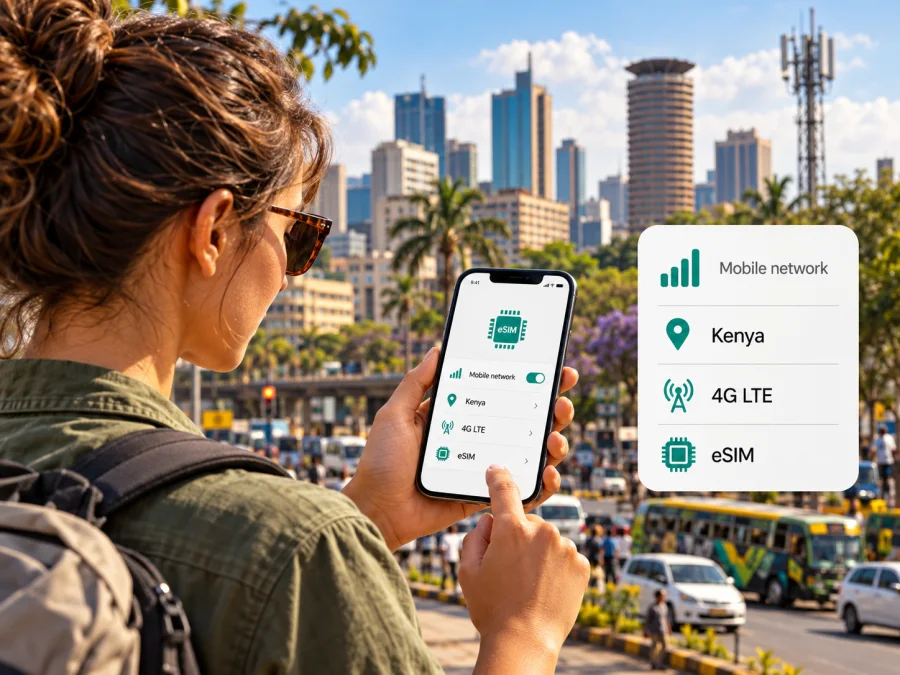
Jamii Telecommunications eSIM in Kenya: availability, setup and travel advice
If you are travelling to Kenya and looking into a Jamii Telecommunications eSIM, the first distinction is between a local Faiba Mobile connection and a travel eSIM intended for data abroad. Jamii Telecommunications Limited (JTL) currently presents Faiba Mobile as its mobile service and says customers can order a SIM or eSIM. That confirms that an eSIM option is advertised, but the public pages do not explain every step of issuing or activating one. Check the current process with JTL before relying on it for arrival day.
JTL’s homepage, Faiba Mobile page, and Network Coverage page were checked on 1 November 2026. Kaspersky eSIM Store’s Kenya destination page was also checked that day.
What Jamii Telecommunications does in Kenya
Jamii Telecommunications Limited is a Kenyan telecommunications company. Its consumer mobile service is marketed as Faiba Mobile; JTL also offers fixed connectivity and business services. For a visitor searching for “Jamii Telecommunications eSIM”, it is useful to know that the company name and the retail mobile-service name may appear in different places: JTL identifies the company, while Faiba Mobile is the name used for its mobile offering.
JTL’s current website describes Faiba Mobile as a 4G service and invites customers to order either a SIM or eSIM. Its mobile information pages describe prepaid mobile service, app-based account management, and a network map. This is enough to establish that an eSIM is currently advertised within the operator’s own mobile offering. It does not, by itself, establish how every visitor can obtain one, whether the issuance route is fully online, or which registration documents a non-resident must provide. Ask JTL to confirm those details before travelling or before making an in-person visit.
For a traveller, this is a local Kenyan mobile service, rather than a product designed specifically for international visitors. A local line may be useful when you want a Kenyan mobile identity or need services tied to a local number. A data-only travel eSIM can be more straightforward when the main requirement is mobile data and you want to keep your existing number active. Neither choice is automatically right for every trip: device support, registration, coverage where you will go, voice and text needs, and the time available to arrange service all matter.
What is confirmed, and what still needs checking
JTL’s current website advertises ordering a SIM or eSIM for Faiba Mobile; its mobile pages describe prepaid service, and its coverage information refers to 4G/LTE and Band 28. Those sources do not explain visitor eligibility, accepted documents, or the complete eSIM issuance and activation flow. Treat these as questions for JTL support, rather than assuming either that a visitor qualifies or that the service is unavailable. Confirm requirements before travel and save the answer while you have a reliable connection.
Does a Jamii Telecommunications eSIM suit a trip to Kenya?
It may suit a traveller whose phone supports eSIM, whose exact device variant meets JTL’s network requirements, and who can complete the operator’s registration steps. A local service may be useful if you need a Kenyan mobile identity; a travel eSIM may be enough if you mainly need data and prefer to keep your home number active. Before deciding, ask JTL whether a short-term visitor can obtain Faiba Mobile eSIM, which identity documents are accepted, whether a local visit is required, and how the profile is delivered.
The word “eSIM” does not guarantee that every phone can use every operator’s service. Carrier support, regional device variants, software settings, and provisioning rules matter. Two phones sold under the same family name may have different hardware by market. Check the exact model code in device settings and ask JTL to confirm it. Do not assume eligibility or remote activation from the fact that an eSIM option is advertised.
Before arranging service, ask JTL:
- Is Faiba Mobile eSIM currently available to non-resident visitors?
- Which identity documents and registration details are accepted?
- Can the profile be ordered and activated remotely, or is an authorised shop visit needed?
- How is the profile delivered, and is a working internet connection needed for installation?
- Does the exact handset variant support the required eSIM and LTE configuration?
- What is the recovery process if installation fails, the profile is deleted, or the phone is replaced?
- Which locations on your itinerary appear on the current coverage map?
Keep your primary SIM active until the new connection works. Do not erase or move an eSIM profile before learning JTL’s re-issue process; recovery may require operator support.
Coverage and network technology
JTL describes Faiba Mobile as a 4G/LTE service and its current network information identifies LTE Band 28 in the 700 MHz range. Its coverage page provides a map and regional directory for towns and estates in Kenya. This operator guide is not a promise of continuous signal; local conditions vary with terrain, buildings, device support, congestion, and maintenance.
Do not assume that an eSIM will connect wherever a phone displays coverage for another Kenyan network. The device must support the relevant radio bands, and the eSIM must be provisioned for the service. Check the coverage map for the specific places you plan to visit, then ask JTL about any long drives or rural stops between them. If your plans include remote areas, keep offline maps, booking details, and essential contact information available on the phone. A second connection may be useful as a contingency, but coverage and roaming arrangements should be checked separately rather than presumed.
The public information reviewed for this article supports discussing Faiba Mobile’s 4G/LTE footprint. It does not establish a particular 5G offer for Faiba Mobile, so this guide makes no claim that a Jamii Telecommunications eSIM provides 5G. Nor does a published coverage map allow a fair quality comparison with other operators. Actual availability can change with location and conditions; check current operator information close to departure.
Check the device variant, not only the model name
Before buying or requesting an eSIM, confirm three separate things:
- eSIM hardware: the phone has an eSIM function enabled in its market variant. Some models sold under one family name have different capabilities in different regions.
- Network compatibility: the precise device variant supports the LTE bands and network configuration that JTL requires. JTL’s coverage information references Band 28; ask the operator whether additional requirements apply.
- Carrier and software status: the phone is not locked in a way that prevents another profile from being installed, and its operating system is current enough to show the eSIM settings.
On many phones, an “Add eSIM” or “Add mobile plan” control appears in the cellular or SIM settings, but menu labels vary by manufacturer and operating-system version. Its presence is a useful initial clue, not final confirmation of compatibility with a particular service. You can also check the device’s IMEI or eSIM identifiers where the manufacturer provides that option. Share the exact model code with JTL support if you are unsure. Do not infer support from a retailer listing for a different country variant.
Local operator eSIM or travel eSIM?
A local Faiba Mobile eSIM is issued under JTL’s registration and service process in Kenya. It may be relevant if you need a local number or account relationship, but confirm visitor eligibility and activation directly with JTL. A travel eSIM is arranged for mobile data during a trip through a digital storefront and local network partners. It may suit someone who mainly needs data and wants to retain a home SIM, subject to handset capability and the product’s terms.
Kaspersky eSIM Store is an app and website that helps travellers choose, purchase, and activate an eSIM data plan for a trip abroad. It is not a mobile operator, does not own a network, and does not itself provide mobile internet coverage. Its Kenya destination page presents travel eSIM options and names local telecommunications providers; review the current network and service details before selecting an option. This is not a Jamii Telecommunications product and should not be treated as a Kenyan local number.
If you mainly need data while travelling, you can browse the current eSIM options for Kenya. The page is a destination storefront, not a statement that a particular operator tariff is included.
| Travel need | Local Faiba Mobile eSIM | Travel eSIM |
|---|---|---|
| Kenyan local line | Ask JTL whether registration fits your circumstances. | Confirm whether the product includes a phone number; many are data-focused. |
| Mobile data | Check device compatibility, registration, and local coverage. | Review the destination, named network, included service, and instructions. |
| Advance setup | Ask whether remote issuance and installation are supported. | Follow the product-specific installation and activation steps. |
| Keep home SIM | Confirm dual-SIM use and any home-carrier roaming charges. | A compatible phone may allow a primary line and travel data profile together; verify settings. |
| Rural or multi-city travel | Check JTL’s current map for each location and route. | Check the named local network’s coverage information. |
This is a needs-based distinction, not a universal ranking. Registration, voice service, device support, coverage, and time available to arrange service can change what works best for an itinerary.
How to prepare and install an eSIM
The exact installation route depends on whether JTL issues the profile directly and how it provisions it. JTL’s current public pages confirm eSIM availability but do not provide a full, step-by-step eSIM guide for every customer type. Follow the instructions supplied with the profile and verify any steps with JTL support. The general checklist below helps prevent common setup problems; it is not a substitute for the operator’s activation instructions.
Before installation
- Confirm that the exact phone variant supports eSIM and that the device is not restricted by a carrier lock.
- Confirm that the profile is for the intended service and that the operator has approved your registration.
- Connect to stable Wi-Fi or another working internet connection if the installation flow requires a profile download.
- Keep the activation message, QR code, or in-app instructions accessible on a second screen or printed copy if possible. A phone generally cannot scan a QR code displayed on that same phone without a supported manual or app-based alternative.
- Make sure you understand when to switch mobile data to the new line, whether data roaming needs to be enabled for that profile, and whether your home SIM should remain active.
- Do not delete or transfer the profile until JTL explains its replacement and recovery process.
During installation
Open the mobile or cellular settings on the device and use the system’s option to add a mobile plan or eSIM. If the operator provides a QR code, scan it using the device’s setup flow. If the profile is delivered through an operator app or activation link, use that official route instead. The available labels differ between Android manufacturers and iOS versions, so use the current on-screen prompts and the provider’s supported instructions. Avoid sharing the QR code: it may grant access to the profile or allow someone else to attempt activation.
After the profile is added, give it a clear label such as “Kenya” or “Faiba” so that you can distinguish it from your primary line. Select which line handles mobile data, calls, and texts according to your needs. If you want to retain your home number for incoming calls or messages, check its roaming settings and charges with your home carrier. Keep the new eSIM’s data roaming setting aligned with JTL’s instructions; toggling roaming has different implications for different profiles and service arrangements.
For instructions on using eSIM on Android and iOS compatible devices, check the device guidance and operating-system menus. The compatibility check is only one step: the specific regional model must also meet the network requirements confirmed by JTL.
Test the connection safely
Once the profile is installed, verify that it appears in the SIM list, that the intended line is selected for data, and that the phone registers on the service where coverage is available. Try a basic webpage or messaging app, then test voice or SMS only if the service is expected to include them. If you cannot connect, check that airplane mode is off, restart the phone, confirm the data-line selection, and review the activation instructions. Avoid changing many settings at once; record the original configuration so you can restore it.
If the phone shows no service, the problem may be location, coverage, registration, a provisioning delay, a device variant, or an incomplete installation. Move to an open area shown on the coverage map and try again. If that does not resolve it, contact JTL using its current support channel and provide the model code and a description of the screen message. Never send a complete activation QR code in a public forum. If you are already travelling and need connectivity immediately, use another available connection to contact the operator or select a travel-data option that is compatible with your phone.
Practical checklist for visitors
Before departure, decide whether you need a Kenyan number, data only, or both. Confirm eSIM support on the exact phone variant, ask JTL about the LTE configuration, visitor registration and activation route, and review the coverage map for your destinations and travel legs. Save operator instructions and support details offline, keep account recovery available, and maintain a backup connection until the new line has been tested.
After arrival, install or activate only through the route JTL confirms as official. Check which SIM is selected for data, whether the primary line could incur roaming charges, and whether the eSIM’s roaming setting matches the operator’s instructions. Test the connection before relying on it for navigation, transport, or account verification. Keep key contacts, maps, and accommodation details available offline in case service is temporarily unavailable.
Frequently asked questions
Does Jamii Telecommunications offer eSIM in Kenya?
Yes. JTL’s current website and Faiba Mobile pages advertise ordering a SIM or eSIM. They do not explain every customer’s eligibility or the complete issuance process, so visitors should confirm requirements directly with JTL.
Is a Faiba Mobile eSIM available to tourists?
The public pages reviewed do not clearly state whether short-term foreign visitors can register, which documents they need, or whether activation requires a local step. Ask JTL about visitor registration, profile delivery, and activation timing before relying on the service.
Can I activate it before travelling?
The pages reviewed do not set out a full advance-activation process. Ask JTL whether the profile can be issued and installed outside Kenya and when it becomes usable. Plan a backup connection if local verification may be needed.
Will any eSIM phone work with the service?
No universal compatibility can be assumed. The exact regional phone variant must support eSIM and meet the service’s network requirements. JTL’s coverage information references LTE Band 28; confirm your model code and supported bands with the operator.
Does this article confirm 5G availability?
No. The current mobile information reviewed establishes 4G/LTE and references Band 28. It does not establish a particular Faiba Mobile 5G offer.
Is a travel eSIM the same as a local Faiba Mobile eSIM?
No. A local eSIM is issued under the operator’s process. A travel eSIM is arranged for mobile data while travelling and may use a local telecommunications provider. Check the named network and included service; do not assume a travel data profile includes a Kenyan phone number.
Where can I check travel eSIM options for Kenya?
Kaspersky eSIM Store provides an app and website for choosing, purchasing, and activating eSIM data plans for travel. Its Kenya destination page shows current destination options. It is not a Jamii Telecommunications tariff page, and details may change.
Final checks
Jamii Telecommunications currently advertises eSIM through its Faiba Mobile service in Kenya, and its public materials describe prepaid mobile service and a 4G/LTE network. The practical unknowns for a visitor are eligibility, registration documents, the precise activation route, and compatibility of the exact handset variant. Confirm each directly with JTL, review its coverage information for your route, and keep a backup way to get online until the connection has been tested.
If you mainly need mobile data for travel and want to review a separate travel-focused option, browse Kenya in Kaspersky eSIM Store and check the current network and service details before selecting anything. Kaspersky eSIM Store is not affiliated with Jamii Telecommunications Limited. The operator and service names in this guide belong to their respective owners.


