Travel connectivity guide
Janjanbureh eSIM: Mobile Internet for Your Trip
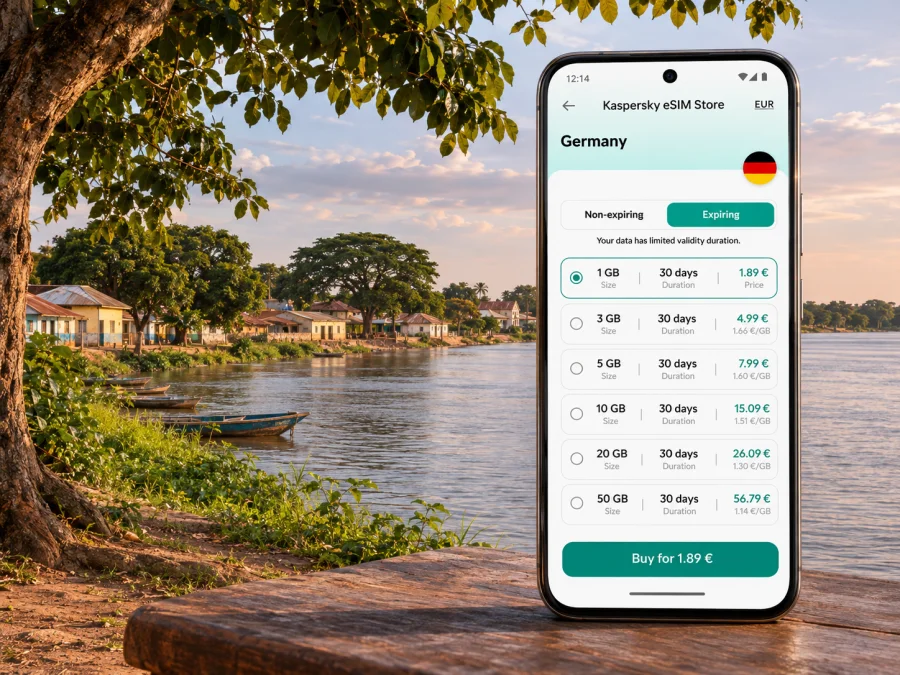
Janjanbureh eSIM: mobile connection and internet for your trip
Janjanbureh is an inland town on an island in the River Gambia, far from the country’s busy Atlantic coast. Visitors come for its river setting, community-led tours and layered history. That makes the practical side of a visit different from a short stay in a coastal resort: you will travel inland by road, arrange local transport in advance and spend time away from larger service centres.
A travel eSIM can be useful for maps, messages, booking details and updates while you move around The Gambia. It is a digital SIM profile installed on a compatible, unlocked device. Kaspersky eSIM Store is an app and website where you can choose, purchase and activate an eSIM with a suitable mobile-data plan for an international trip. Whether a current option covers The Gambia, which local network it uses and what service is available in Janjanbureh must be checked in the live plan terms; the town’s exact coverage cannot be guaranteed from general country information.
What to know about Janjanbureh before you travel
Janjanbureh is also known through its former name, Georgetown, and the island has also been called MacCarthy Island. These names appear in older maps, records and travel material, so it can help to search with both Janjanbureh and Georgetown when checking accommodation, meeting points or historical information. The town is in The Gambia’s Central River Region, along the country’s main river.
The place is not a dense city with a single transport hub. The centre is compact, the surrounding settlements and river landscape are part of the experience, and local excursions may be arranged with guides. The Janjanbureh Tour Guides Association promotes heritage, village, river and wildlife experiences. Historic Georgetown was added in 2025 to UNESCO’s Network of Places of History and Memory linked to Enslavement. The Kankurang, a Manding initiatory rite, is inscribed on UNESCO’s Representative List of the Intangible Cultural Heritage of Humanity. These are living and difficult histories: plan visits respectfully, follow local guidance at heritage locations and ask before photographing people or ceremonies.
Janjanbureh can also fit into a wider inland itinerary. The River Gambia National Park and other protected areas are in the broader region, but access arrangements differ from a walk around town. Confirm the route, transfer, guide and return plan before setting out; a nearby map pin does not guarantee easy access or mobile signal.
Why mobile data can matter here
In a large city, a visitor can often use a hotel lobby or a nearby shop to get directions. In a river town, the useful moments for mobile internet may come earlier: confirming the driver, finding the right turn on the approach, contacting a guesthouse, sharing an arrival time or checking a change in a river excursion. Once you are on the island, a connection may help with messages and saved bookings, but should not be your only source of information.
| Part of the trip | What a phone can help with | A sensible backup |
|---|---|---|
| Before leaving the coast | Confirming the pickup, accommodation and expected arrival | Save the host’s number and address offline |
| On the road inland | Reviewing an offline map and sending an update when service is available | Download the route and agree on a meeting point in advance |
| Walking around town | Checking saved directions, notes and reservations | Ask your host or guide for local directions |
| A river or village outing | Keeping the itinerary and contact details available | Confirm arrangements with the guide before departure |
| An onward journey | Checking the next leg and telling someone when you leave | Keep a written schedule and a power bank |
The table describes possible uses, not guaranteed signal. The regulator lists several operators in The Gambia, but its public information is not a live Janjanbureh coverage map. A travel eSIM also depends on current roaming arrangements and the local network available. Ask your host or guide about recent conditions and keep essentials available offline.
Arriving and getting around without relying on a live map
If you arrive at Banjul International Airport on the coast, Janjanbureh lies inland. The road journey and any river crossing or boat segment depend on the route and current arrangements. A local guide or accommodation host can advise which transfer makes sense for your dates. Confirm the pickup location, vehicle, estimated duration, possible stops and whether the final approach requires a ferry or other river transport. Do this before your travel day rather than assuming a ride-hailing app or continuous navigation will be available.
Before leaving the coast, download a map for the route and accommodation area. Save alternate names if your booking uses Georgetown or MacCarthy Island, and screenshot the reservation, driver contact and transfer details. Agree on a meeting point with your group in case someone loses service or battery.
Inside town, walking and locally arranged transport may be more useful than turn-by-turn directions. Map pins can be imprecise, especially for small guesthouses, river camps or community venues. Ask your host for a landmark or a short description of the final approach. If someone is meeting you, send a message before you set off and again when your transport is close, while you still have service.
Keep these trip details offline
- Accommodation name, phone number and a screenshot of the booking.
- The driver’s name and contact details, plus the agreed pickup point.
- A downloaded map of the route from the coast and the Janjanbureh area.
- Guide and excursion details, including the meeting time and return arrangement.
- Copies of travel documents stored securely on your device, if appropriate.
- A note of important numbers and addresses that can be read without an internet connection.
Offline preparation matters on day trips, when a river journey or nature outing may take you beyond service. Ask your guide about communication and contingencies; do not assume a phone will be able to call for help on a remote excursion.
Choosing mobile internet for a Janjanbureh itinerary
Start with the route, not a headline data allowance. If your visit includes the coast, an inland transfer, a few days in Janjanbureh and an onward trip, check that the plan’s destination and regional coverage match every country on your itinerary. A plan for one country may not cover a neighbouring country or a regional border crossing. Read the supported destinations and the conditions for each plan before purchase.
Next, estimate how you will use data. Downloading maps, sending text messages and checking email usually requires less mobile data than frequent video calls, uploading large files or streaming. Where hotel or guesthouse Wi-Fi is available, you may choose to use it for large downloads, but its presence and quality vary by property. For work that cannot be interrupted, ask the accommodation in advance about its connection and power arrangements and prepare a second way to reach colleagues.
The date on which validity begins is important. Some plans begin when installed, while others start when the eSIM first connects to a supported network. The terms differ, so do not install too early unless the plan allows it. Check the validity window, data allowance, supported country, activation instructions, top-up options and whether tethering is included. Never assume that a plan can be moved to another phone after installation.
The Store’s live English homepage is the verified place to browse current destinations and plan terms. Use it to check whether The Gambia is currently listed and review the specific plan conditions before making a decision: browse current destination options in Kaspersky eSIM Store. This is a general Store link, not a confirmation of a Gambia-specific tariff or of coverage in Janjanbureh.
A quick way to estimate your data needs
| Your likely use | Preparation that can reduce uncertainty |
|---|---|
| Maps and short messages | Download maps before departure; keep messages mostly text-based |
| Email and web searches | Use mobile data for essential checks and save confirmations offline |
| Frequent photo sharing | Upload when you have a dependable connection and power |
| Remote work | Test the accommodation connection and agree on a backup contact method |
| Calls with family or colleagues | Check whether your chosen app works over data; keep your usual voice line available if needed |
Actual usage varies by app and background syncing. Turn off automatic photo backup, app updates and video autoplay if you want to reserve data for navigation and messages.
Local SIM, travel eSIM or home roaming?
There is no single best option for every traveller. A local SIM may make sense if you need a Gambian number or expect a longer stay, but ask the operator about registration, current bundles and where to buy it. A travel eSIM can be convenient if its current terms cover your destination and your phone supports eSIM. Home-network roaming lets you keep using your existing number, but rates and included data depend on your home provider. Compare the actual terms rather than assuming one option is always cheaper or more reliable.
A travel eSIM is generally for mobile data, not a local number, calls or SMS unless the plan says otherwise. If your phone supports dual SIM, you can keep your usual line for calls or verification messages; check its roaming charges and disable its mobile data if needed.
Prepare your phone before travelling inland
Check that the device supports eSIM and is not locked to a carrier. Compatibility can differ between regional variants of the same model, so confirm the exact model and market version in the manufacturer’s information and your phone settings. Check whether your device supports eSIM. If you cannot confirm support, plan how you will connect using another suitable device or a local SIM option rather than purchasing on assumption.
Before installation, use stable Wi-Fi, charge your phone and keep the activation details handy. Open a QR code on another screen or follow manual setup instructions. Keep the code private, and do not delete an installed profile unless the provider says it can be added again.
Install and activate the eSIM
Menu labels vary by device and software version. Follow the plan’s instructions if your settings use different wording.
- Review the plan first. Confirm the supported destination, data allowance, validity start, installation method and any roaming requirement.
- Connect to reliable Wi-Fi. Add the profile before departure when the plan’s validity rules make that practical.
- Add the eSIM profile. Scan the QR code or enter the details manually, following the plan’s instructions.
- Label the line. Choose a clear name such as “Travel data” so you can distinguish it from your usual SIM.
- Select the data line. Set the travel eSIM as the mobile-data line only when you intend to use it.
- Check data roaming for that eSIM. Some travel plans require it; follow the plan’s own instructions and ensure roaming is not enabled on your home line by mistake.
- Test carefully. When the plan should be active, check the displayed network and a simple webpage. If it does not connect, review the plan and support instructions before changing settings repeatedly.
See the Android eSIM installation guide or the iOS eSIM installation guide. Keep your regular number selected for calls if needed, and confirm the line used for mobile data.
If the eSIM is installed but there is no data
Check that the eSIM is on, selected for data, valid in your country and within its validity period. Enable data roaming on that line only if the plan requires it. A restart may help; do not delete the profile unless support confirms it can be installed again.
In Janjanbureh, ask your host whether service is available nearby; signal varies by location and provider. If needed, contact plan support over Wi-Fi and use offline directions. No signal in one place does not prove the profile is faulty, and service in one part of town does not guarantee it elsewhere.
Stay connected around town and on excursions
For a walking day, keep the phone charged, save key details locally and bring a power bank. Maps, camera use and searching for a signal can drain a battery. A paper note with your accommodation and guide contact is a simple backup.
For a heritage walk, confirm the meeting point and how to contact your guide. Follow local guidance at commemorative and community sites, and ask before taking photographs. Saved notes and location sharing may help when data is available, but do not replace local interpretation or permission.
For river and wildlife outings, confirm the duration, return point and how changes will be communicated. Save booking details in advance, protect devices from water and dust, and do not assume mobile service reaches boats or protected areas.
If your itinerary continues beyond Janjanbureh, save contacts for each transfer and allow for changes. Check mobile-data terms for every country on a cross-border route; a Gambia plan may not apply elsewhere.
Practical checklist for the day before departure
- [ ] Confirm the town, island and accommodation details; search both Janjanbureh and Georgetown if older records use that name.
- [ ] Agree with your host or guide on the transfer, arrival point and a way to contact them.
- [ ] Download an offline map for the coast-to-inland route and the town area.
- [ ] Save reservations, tickets, guide details and return arrangements for offline access.
- [ ] Check eSIM compatibility, carrier lock status and exact device variant.
- [ ] Read the chosen plan’s destination list, activation rules, validity and roaming instructions.
- [ ] Keep mobile data switched off on your home SIM unless you have checked its roaming terms.
- [ ] Charge the phone and power bank; keep a written contact note as a backup.
- [ ] Ask about cash, transport and local arrangements instead of assuming every service can be booked online.
- [ ] Plan for limited or intermittent service during excursions and on the route inland.
Common questions
Is Janjanbureh a city or a town?
Janjanbureh is commonly described as a town on an island in the River Gambia. Older references may use Georgetown for the town or MacCarthy Island for the island. These names refer to the same historic area in this context, not to a separate coastal city.
Will a travel eSIM work throughout Janjanbureh?
That cannot be guaranteed. A plan must list The Gambia as a supported destination, and actual service depends on its network arrangements and local signal. Public national operator information does not establish coverage at every street, accommodation or excursion site in Janjanbureh. Check with your host about recent local conditions and keep important information offline.
Can I use the eSIM for calls and text messages?
Usually a travel data eSIM is for mobile internet only. Calls through internet apps may work where you have data, but a local number, ordinary voice calls and SMS are not included unless the plan terms say so. Keep your regular SIM if you need your usual number and review its roaming charges.
Should I install the eSIM before travelling?
Often that is convenient, provided the plan’s validity does not start too early. Read the activation terms first. Install on stable Wi-Fi, save the instructions and wait to select the eSIM for mobile data until the appropriate time.
What if my phone does not support eSIM?
Use another compatible and unlocked device or check local SIM options directly with a mobile operator. Do not assume that two regional versions of the same phone have identical eSIM support. Confirm your exact model before purchasing a plan.
Is there a Gambia plan in Kaspersky eSIM Store right now?
Availability can change. Check the live Store and read the destination and network terms shown for each current option. A general Store page does not confirm a Gambia-specific plan or signal in Janjanbureh.
Choose a plan only after checking the details
A reliable Janjanbureh trip plan combines a suitable data option with offline maps, confirmed transfers and realistic expectations about signal away from larger centres. Check device compatibility, review the live destination and plan terms, and keep local arrangements accessible without internet. If the current Store options match your trip, use Kaspersky eSIM Store to review available destinations and choose a suitable eSIM plan. Install it according to the plan’s activation window, then keep your accommodation and guide details available offline as you explore Janjanbureh.


