Travel connectivity guide
Jardin Exotique eSIM: Mobile Internet in Monaco
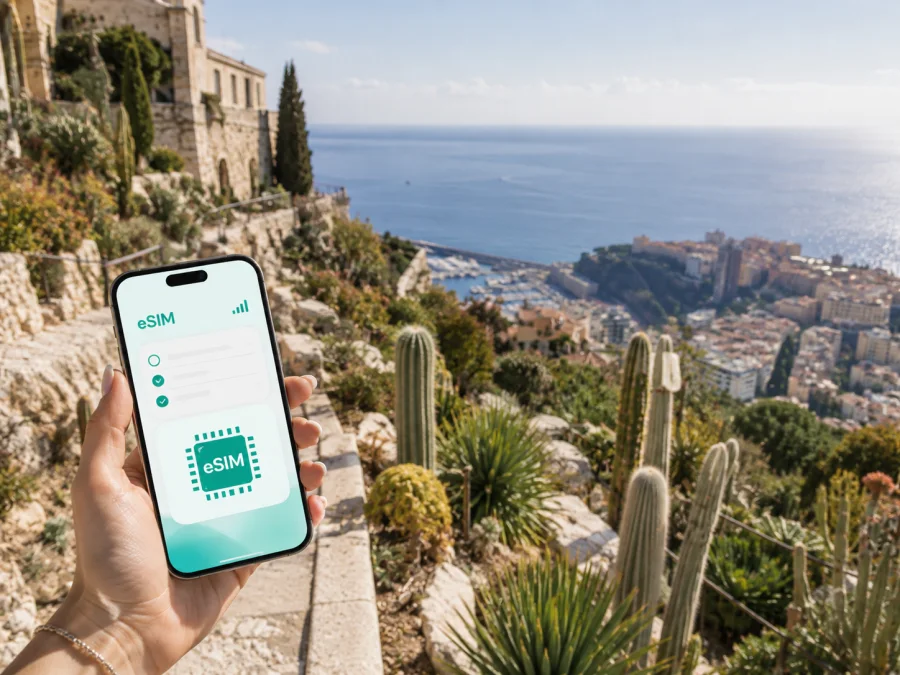
Jardin Exotique eSIM: Mobile Connection and Internet in Monaco
Jardin Exotique is one of Monaco’s most distinctive areas: a hillside destination with a famous succulent garden, dramatic views and a practical connection to the rest of the principality. A visit can be a short stop on a Monaco itinerary, a longer stay near the western side of the city-state, or part of a day that continues towards Monte-Carlo, the port or the French Riviera. In each case, mobile internet helps with the small decisions that make a day easier: finding the right entrance, checking a route, confirming a reservation, calling a ride or sharing an update with people at home.
An eSIM can provide a convenient way to prepare mobile data for a trip to Monaco without replacing a physical SIM card. With Kaspersky eSIM Store, you can use the website or app to choose, arrange and activate an eSIM with a suitable travel tariff under the selected offer’s conditions.
Why mobile data matters around Jardin Exotique
Jardin Exotique is not a flat resort district where every point is reached by a simple straight walk. Slopes, stairways, lifts, roads and changes in elevation shape the experience. A map is useful before you leave your hotel, but it becomes even more valuable when you are already moving between the garden, the city centre, the station area and the coast.
Mobile internet can help you:
- check the walking route before starting a climb or descent;
- compare public transport and walking options when the terrain is steep;
- locate a hotel entrance, meeting point or restaurant;
- confirm opening information before crossing the district;
- use translation, messaging and online reservations while moving around;
- stay in touch during a short visit when there is no time to look for Wi-Fi.
The most useful benefit is continuity. You do not have to plan every turn around the next café, lobby or public network. You can keep the map, booking confirmation and transport information available as you move through Jardin Exotique and onward to another Monaco district.
The same preparation works for a sightseeing stop, a hotel stay, a business visit or a day trip from the French Riviera. Jardin Exotique may be the main destination, but data use can begin during the transfer, continue through central Monaco and end after you leave the principality.
Arriving in Monaco and reaching Jardin Exotique
Monaco does not have a commercial airport of its own. Many visitors arrive through the wider Côte d’Azur travel network and then continue by road, rail or another arranged transfer. The final approach can involve a change of vehicle, a walk from a stop or a hotel transfer, so it is useful to have the address, booking messages and route available before you arrive.
Arrival checklist
- Save the full name and address of your accommodation.
- Keep your booking confirmation available offline as well as online.
- Check where your transfer ends and how much walking remains.
- Allow for luggage, slopes and stairs when comparing routes.
- Keep your usual SIM available for calls if needed, while setting travel data deliberately.
An eSIM is useful when the first task after arrival is coordination: a driver may need a message, a host may send a door code, or a meeting time may change between the station and your accommodation.
Moving between Jardin Exotique and other districts
The district works well as a starting point for exploring more of Monaco, but movement should be planned with the landscape in mind. A route that looks short on a map may feel different when it includes elevation changes. Use navigation to compare walking with a bus, lift or a combination of short connections. When you are tired, carrying luggage or travelling in warm weather, the most direct route is not always the most comfortable one.
From the garden area, visitors may continue towards the historic Rock, the port, La Condamine or Monte-Carlo. Those districts can involve reservations, events, shopping or a business meeting, so a working data connection helps you change plans without returning to the hotel for every update.
Use navigation in stages
- Start with the destination entrance, not just the district name.
- Check whether the route is primarily on foot, by road or through a transport connection.
- Look at the final approach and identify the street or landmark where you need to arrive.
- Save key details before boarding transport or leaving the area.
For a group, one person can keep the route open while another handles tickets or reservations. For a solo traveller, an eSIM makes it easier to combine navigation, messaging and translation on one device.
Choosing an eSIM tariff for a Jardin Exotique trip
The right choice depends less on the name of the attraction than on the rhythm of your travel. A visitor who spends one afternoon in Jardin Exotique may need data mainly for maps, messages and occasional searches. Someone staying for several days and moving between Monaco, Nice and nearby towns needs to read the coverage description and validity conditions more carefully.
Before selecting a tariff, consider four questions:
- Where will you use it? Choose a tariff that explicitly covers Monaco or the wider region required by your itinerary. If your route crosses a border, read the listed destination scope rather than assuming that a city plan covers every stop.
- How long will you need data? Match the validity period to the real trip, including arrival and departure days. Check when the validity begins under the selected tariff’s conditions.
- What will you do online? Maps, messaging and booking pages usually require less data than video calls, photo backups or frequent media uploads. Work travel often needs a wider margin.
- Which device will use the profile? Confirm eSIM support and check whether the device is unlocked before completing the purchase.
Kaspersky eSIM Store lets you review the destination and the available tariff conditions through its site or app. When your plan is clear, you can choose an eSIM tariff for a trip to Monaco and compare the information that matters to your stay. The goal is not to choose the largest allowance by default; it is to select a suitable balance of data, validity and route coverage.
Maps, short messages and booking pages usually need less data than video calls, photo backups or frequent media uploads. Work travel often needs a wider margin. This is only a planning guide: device settings, app behaviour and video quality affect consumption, so review background refresh, cloud backups and automatic updates before departure.
Prepare before leaving home
The easiest installation is usually the one completed while you still have a stable internet connection and time to read the instructions. You can arrange the eSIM before travel, then decide when to turn it on according to the tariff conditions and your itinerary.
Pre-trip checklist
- Confirm that your phone supports eSIM and is not locked to an operator. Check your device compatibility before purchase.
- Update the operating system if an update is available and appropriate for your device.
- Make sure you can access the account or email where the eSIM details will appear.
- Decide which line will remain your default for calls and SMS, if you keep a physical SIM active.
- Label the new profile clearly, such as “Monaco travel data”.
- Note the selected tariff’s data allowance, validity and activation conditions.
- Carry a charger or power bank if you expect to use navigation throughout the day.
An eSIM is intended for mobile data unless the specific tariff says otherwise. It normally does not provide a separate ordinary phone number, voice calling or SMS. You can continue using messaging and calling apps over the internet, while your regular line can remain available for other services if your device and operator settings allow it.
How to install and activate the eSIM
The exact menu names vary between manufacturers and operating-system versions. Use the instructions for your device together with the details shown after your purchase. If you want a direct walkthrough, see the Android installation instructions or the iOS installation instructions.
A simple installation sequence
- Connect to the internet. Use a reliable Wi-Fi connection or an existing data line while adding the profile.
- Open mobile network settings. Choose the option for adding a mobile plan or eSIM.
- Scan or enter the supplied details. Use the QR code or the information provided in your account or email.
- Name the profile. A clear label helps you select the right line later.
- Choose the data line. Set the travel eSIM as the line for mobile data when you want to use it.
- Review roaming settings. Some devices may require data roaming to be enabled for the travel eSIM; follow the selected tariff and device instructions.
- Test the profile at a suitable time. Activation and network registration can take several minutes and depend on the device and local network.
If you install the profile before departure, avoid deleting it simply because it is not being used yet. Read the tariff conditions first: the moment of activation and the start of validity can depend on the selected offer. When you arrive, check that mobile data is assigned to the travel profile and that your main line is not unintentionally using roaming data.
Using the phone during a day in Jardin Exotique
The garden and hillside setting invite a slower pace, but your phone may still serve several practical needs.
| Scenario | Useful preparation |
|---|---|
| Sightseeing | Open the route, save the accommodation address and check the next connection before leaving the garden area. |
| Business visit | Keep meeting details in your usual apps; check battery, sound and data use before a video call. |
| Stopover or family visit | Save confirmations and agree on a meeting point; let mobile internet support the plan. |
Managing data and avoiding common mistakes
Most eSIM problems during a city visit are not caused by the destination itself. They come from selecting the wrong line, starting the tariff at the wrong time, or letting background apps use data unexpectedly.
| Situation | What to check first |
|---|---|
| No mobile data after arrival | Confirm that the travel eSIM is turned on and selected for mobile data |
| The phone uses the home line | Review the default data line and disable automatic switching if needed |
| The profile cannot be added | Check internet access, QR-code details and device compatibility |
| Data is used faster than expected | Review video, cloud backup, updates and background refresh |
| You are travelling beyond Monaco | Re-read the tariff’s listed country or regional coverage |
| The connection is not ready immediately | Wait several minutes, recheck settings and follow the device instructions |
Do not remove a profile in frustration before checking the terms and support guidance. If the issue remains, note the device model, the selected profile, the settings you changed and the time of the attempt. That information makes a support request more useful.
Frequently asked questions
Is an eSIM useful for a short visit to Jardin Exotique?
Yes. It can help with maps, messages, booking details and transport information during a few hours or a day. Choose validity and data for the complete itinerary, not the garden visit alone.
Does the Monaco travel eSIM include a phone number?
Usually not, unless the specific tariff states otherwise. It is intended for mobile internet; regular calls and SMS remain separate, while internet calling and messaging apps can use the data connection.
Should I use the eSIM while travelling outside Monaco?
Check the destination scope first. A Monaco tariff should not automatically be treated as regional coverage for every nearby town or country; read the conditions if your route includes France or another destination.
Does Kaspersky eSIM Store replace a local operator?
No. Kaspersky eSIM Store is an app and website that helps you choose, arrange and activate an eSIM with a suitable travel tariff. It does not automatically replace a local operator; the selected tariff determines what is included.
A practical plan for your visit
For most travellers, the process is straightforward:
- Decide whether Jardin Exotique is a short stop, your base or one point on a wider route.
- Check eSIM support and operator lock status.
- Select a tariff for every destination on the itinerary.
- Compare data, validity and activation conditions.
- Install the profile, then select it for mobile data on arrival.
- Keep essential addresses and reservations offline.
This approach leaves room for the actual experience: the garden, the views, the steep streets and the transition from a quiet hillside to Monaco’s busier districts. Mobile internet is there to support those decisions, not to dictate the day.
Prepare your Monaco eSIM before the trip
If Jardin Exotique is on your itinerary, arrange the practical details before you start travelling. Check your device, read the tariff conditions, install the eSIM at a convenient time and keep your arrival information close at hand. When you are ready, prepare an eSIM tariff for your Monaco trip through Kaspersky eSIM Store, then activate it according to the selected offer and your device instructions.


