Travel connectivity guide
Jawwal eSIM in Palestine: travel setup
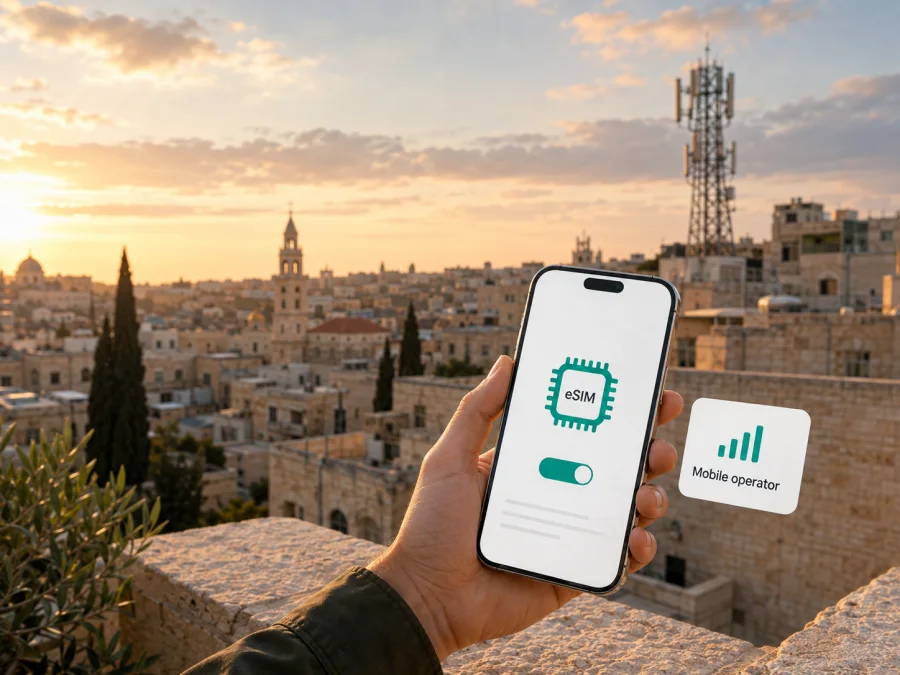
Jawwal in Palestine: eSIM for travel
If you are planning a trip to Palestine and want mobile data without replacing your physical SIM card, Jawwal eSIM is a local option to investigate. Jawwal is the mobile brand of the Palestinian Cellular Communications Company. Its current company information describes a Palestinian communications provider established in 1995, with mobile and fixed-line communications, internet, and information technology services. A company update checked on September 7, 2026 says Jawwal serves more than three million subscribers across its sectors.
The practical question for a traveler is narrower: can you obtain a Jawwal eSIM for your situation, complete the required identity checks, install it on an unlocked phone, and use it where you are going? Jawwal’s public eSIM information confirms the service and documents QR-based installation. The precise path can depend on whether you are opening a new line, converting an existing one, replacing a SIM, or using a particular customer category. Verify the current process with Jawwal before departure.
This guide focuses on service, eligibility, setup, and travel preparation. Conditions and network circumstances can change, so the operator’s current instructions should remain the final reference.
What Jawwal eSIM means in Palestine
An eSIM is a digital SIM profile built into a compatible device. Instead of inserting a plastic card, you receive activation information, usually a QR code, and download the profile through the phone’s cellular settings. The profile identifies a line on the operator’s network in much the same broad way as a physical SIM. Depending on the handset, a physical SIM may remain active for another purpose.
Jawwal’s eSIM help page, checked September 7, 2026, describes QR-based activation and says a subscriber can retain the number when changing from a conventional SIM. It also explains that the profile is associated with the device used for installation. Do not assume one QR code can be reused on several phones or moved without a new procedure.
Jawwal’s market position and service context
Jawwal’s public company updates place it within Palestine’s domestic communications market. An August 2026 update says the business continues network-capacity work and was preparing to launch 4G in the West Bank at the time of publication. This is market context, not a promise of 4G at every location.
Its consumer pages show digital journeys alongside ordinary SIM processes. The Plus flow describes choosing physical SIM or eSIM, selecting an identity document, completing applicable verification, and receiving the QR code by email or through a showroom. A foreign passport holder should not assume the same result as a locally registered subscriber. For Jawwal use outside Palestine, the operator separately advises subscribers to check the destination, visited network, and data-roaming settings.
Is Jawwal eSIM available to a traveler?
Jawwal’s current public pages confirm Jawwal eSIM as an available service in its customer ecosystem, with the clearest confirmation for documented subscriber journeys rather than a universal tourist product. The eSIM help page says a showroom visit may be required for identity verification. The Plus flow describes document selection and showroom collection or QR delivery by email. Another support page covers a defined prepaid-subscriber replacement route outside the country.
These are several activation paths, not one guarantee for every visitor. Eligibility may depend on whether you are opening, converting, or replacing a line. Jawwal may require the line to be registered in the same person’s name as the identity document. Confirm the current application channel, accepted documents, showroom requirement, email process, and visitor eligibility before relying on the service.
Jawwal says the phone and operating system must support eSIM. Its examples include selected iPhone, Samsung Galaxy, and Google Pixel generations; some computers, tablets, and wearables are excluded from the described service. Check the exact model and regional variant.
Documents and restrictions for travelers
Registration is the main difference between a local Jawwal line and a data-only travel eSIM. Jawwal’s Plus instructions name Palestinian ID, Jerusalem ID, or passport and describe verification for some journeys. A passport category does not guarantee eligibility for every nationality, status, location, or service, nor prove that a tourist can complete everything online.
Jawwal also documents a remote replacement route for Gaza prepaid subscribers abroad. It requires the line to be registered in the subscriber’s name and uses identity information, the mobile number, and a short face video. This is not a general route for all travelers. Ask Jawwal about your case and allow time for any showroom or identity check.
Before depending on Jawwal eSIM, check:
- whether you need a new line, a conversion, or a replacement;
- whether your passport or other document is accepted;
- whether electronic identity verification or a showroom visit is required;
- whether the line will be registered to the person making the request;
- where the QR code will be delivered;
- which support channel remains available during the trip.
Use Jawwal’s public support route for identity documents and activation questions. A QR code is sensitive setup information, so do not forward it or send documents to unofficial accounts.
Technologies and coverage: a careful summary
Jawwal’s public pages describe 3G service, while its company update discusses preparation for 4G in the West Bank. Its roaming page separately lists 4G and 5G roaming for selected foreign destinations. This should not be confused with domestic 4G availability in Palestine or a travel eSIM’s host network.
The careful conclusion is that Jawwal documents 3G and eSIM support for compatible devices and is preparing newer capabilities in parts of Palestine. The sources do not justify saying a Jawwal eSIM will use 4G or 5G everywhere, or making universal claims about service, congestion, or continuity. Coverage can vary between the West Bank and Gaza and between indoor and outdoor locations, so download essential maps.
Radio bands, software, regional variants, and operator locks can affect registration. An eSIM menu does not prove that a profile will work. Check the exact model, update the operating system, and confirm that the device is unlocked.
How to prepare before departure
Start with the connection you actually need. If you already have an eligible Jawwal line and need its local number, ask about conversion or replacement. If you are arriving as a visitor and need only data, ask whether Jawwal supports that use case under current registration rules. If a local line is uncertain, a travel eSIM may be more practical for data.
Once Jawwal confirms the request, prepare the phone with stable internet access and sufficient battery. Keep the physical SIM in place until the new profile works if the instructions allow it. Do not delete an existing profile or reuse a QR code without operator guidance.
The general installation sequence is:
- Check eSIM support, an unlocked device, current software, and battery.
- Connect to Wi-Fi, open mobile-network settings, and choose Add eSIM.
- Scan the Jawwal QR code or use approved manual-entry instructions.
- Let the profile download, label the line, select it for mobile data, and test the connection.
On iPhone, labels commonly include Cellular and Add eSIM; on Android, the route may be under Network, Connections, SIM manager, or Mobile network. If the QR code is on the same phone, show it on another screen or use the manual option if available.
For a Jawwal line used abroad, follow roaming guidance and enable data roaming when required. For a local profile in Palestine or a travel eSIM, follow the relevant instructions and choose the intended line for mobile data. A phone can show signal while routing data through the wrong SIM, so check the selected profile.
Use the device-compatibility guidance when preparing a travel eSIM through Kaspersky eSIM Store. Confirm that the device is unlocked and able to install an additional profile while keeping your main line available.
If activation or data fails
If the QR code will not scan, check the display, internet connection, device eligibility, and software version. Jawwal recommends restarting the phone and trying again, then contacting support if the problem continues. Do not repeatedly delete and reinstall the profile; a replacement process may be needed.
If the profile downloads but data does not work, check that the Jawwal line is switched on, selected for mobile data, and not overridden by automatic data switching. Confirm airplane mode is off, the handset is unlocked, and the settings match the instructions. If a phone is lost, report it to Jawwal promptly; its eSIM information says the account can be disabled and a new QR code may be created for an eligible replacement phone.
Local Jawwal eSIM or travel eSIM?
The decision is functional rather than a ranking.
| Situation | A local Jawwal eSIM may fit when | A travel eSIM may fit when |
|---|---|---|
| Number | You need an eligible local line and its number | You need data rather than a local number |
| Existing service | You already use Jawwal and want its local account | You want a separate data profile for a visit |
| Preparation | Jawwal has confirmed your registration route | You prefer to arrange data before arrival |
| Support | You want help with a Jawwal line | You want support for travel-eSIM installation |
| Route | Your local service needs are within Palestine | The selected travel product covers the journey |
A local eSIM may require documents, identity checks, a showroom, and a specific customer flow. A travel eSIM may be prepared before a flight, but it may be data-only and may not provide a local telephone number. Check the destination, device, activation conditions, and support model.
Kaspersky eSIM Store is an app for iOS and Android and a website that helps a user select, arrange, install, and activate an eSIM tariff for mobile data on an overseas trip. It is not a mobile operator, does not own Jawwal’s network, and is not the provider of Jawwal coverage. Its role is to help prepare a travel-data connection on a compatible device. The official Kaspersky travel guide checked September 7, 2026 describes stable internet for installation and selecting the correct eSIM for data.
Ask whether you need a local Palestinian number or only mobile internet, whether you have time for Jawwal registration, and whether the phone is unlocked. Save setup directions and offline maps before departure; on arrival, select the intended data line and test a simple webpage.
Frequently asked questions
Can I keep my Jawwal number with eSIM?
Jawwal’s eSIM help page says a subscriber can retain the number when converting from a conventional SIM. The conversion still depends on the current process, registered owner, and compatible phone.
Can a tourist get Jawwal eSIM with a passport?
Jawwal’s public ordering flow includes a passport category, but that does not establish universal tourist eligibility. Ask about your nationality, purpose, location, documents, and whether a showroom or identity check is required.
Does an eSIM provide calls and SMS?
A local Jawwal eSIM is an operator line, so calling and messaging depend on the service associated with that line. A travel eSIM arranged through Kaspersky eSIM Store is intended for mobile data and should not be assumed to include a standard local number, voice calls, or SMS unless its current conditions explicitly say so.
Is 4G or 5G guaranteed for a trip?
No blanket guarantee should be inferred. Jawwal’s current materials document 3G service and discuss preparation for 4G in the West Bank, while the roaming page describes 4G and 5G roaming in selected foreign destinations. Check the technology and coverage for the exact place and date of your journey.
Final checklist
- [ ] The phone is eSIM-compatible, unlocked, charged, and running supported software.
- [ ] Jawwal has confirmed the eligibility and document process, or you have selected a separate travel-data route.
- [ ] The QR code or travel profile is available through the approved channel.
- [ ] The chosen data line is clearly labelled.
- [ ] You know whether data roaming is required for the active profile.
- [ ] Offline maps, bookings, and essential contacts are saved.
- [ ] You know which provider to contact if activation fails.
Current public information supports Jawwal eSIM as a local service with documented QR activation and prepaid-related journeys, while also showing that eligibility and technology conditions are not identical for every traveler. Verify details close to departure and choose the connection model that matches your need for a local number or travel data.
Kaspersky eSIM Store can help you prepare a compatible travel eSIM for mobile data when a local Jawwal registration route is not the right fit. Review the available eSIM options for Palestine after checking your device, destination, and the current conditions shown at purchase.
Kaspersky eSIM Store and Jawwal are separate services. Kaspersky eSIM Store is not affiliated with, endorsed by, or an official partner of Jawwal unless a current public statement from the relevant parties says otherwise. Product names and trademarks belong to their respective owners.
Information checked September 7, 2026. Jawwal’s eSIM help, Plus ordering, subscriber-support, roaming, and company-update pages may change; verify current eligibility, activation steps, supported devices, network conditions, and travel requirements with the operator before relying on them.


