
Travel connectivity guide
Jebel Ali eSIM for Mobile Internet
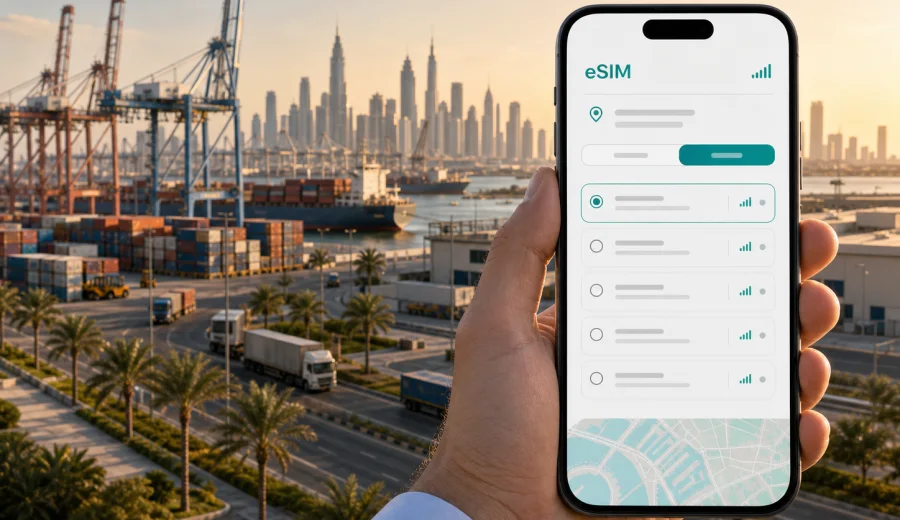
Jebel Ali eSIM: mobile connection and internet for your trip
Jebel Ali is not the part of Dubai where every trip begins with a beach photo or a mall entrance. It is a practical destination: a port district, a free zone, a logistics base, a hotel area for business travelers, and a gateway to southern Dubai, Dubai Parks and Resorts, Expo City, Dubai Marina, Abu Dhabi road trips, and Al Maktoum International Airport. If your route includes Jebel Ali, mobile internet is not just a travel extra. It is how you find the right gate, confirm a pickup point, share documents, join a call from a hotel lobby, and move between large business zones where walking from one building to another can take longer than expected.
An eSIM can make that first day simpler because you do not need to look for a physical SIM card after arrival. You choose a suitable data plan for the United Arab Emirates, install the eSIM on a compatible device, and use mobile data for maps, messaging, bookings, transport apps, and work tools. Kaspersky eSIM Store is an app and website where you can choose, arrange, and activate an eSIM with a suitable mobile internet plan for an international trip.
This guide is written for travelers who are actually going to Jebel Ali: people arriving for meetings in JAFZA, seafarers and logistics teams moving around the port, visitors staying near Ibn Battuta or Dubai Marina and commuting south, families going to theme parks, and passengers with a stopover or transfer in the wider Dubai area.
Why mobile internet matters in Jebel Ali
Jebel Ali is spread out. The district includes industrial areas, the free zone, port access roads, warehouses, hotels, metro stops, and long road links toward central Dubai and Abu Dhabi. Many places are easy to reach by car but not always easy to navigate on foot. A stable mobile connection helps you handle the details that usually decide whether the trip feels smooth or stressful.
Common Jebel Ali situations where mobile data is useful:
- checking a driver pickup point at a hotel, gate, warehouse, or office tower;
- using maps when a destination name has several similar entries;
- confirming meeting times with local contacts through messengers;
- opening email attachments, access passes, booking references, and cargo or event documents;
- tracking taxi or ride-hailing arrivals in large car parks;
- using translation tools when discussing addresses, delivery points, or hotel requests;
- staying reachable while moving between Jebel Ali, Dubai Marina, Downtown Dubai, and Abu Dhabi.
Public Wi-Fi can help in hotels and some venues, but it is not a full travel plan. You may need internet before check-in, in a taxi, at a security gate, in a parking area, or while walking between transport stops. With an eSIM, your phone can use mobile data without replacing your physical SIM card, provided your device supports eSIM and the selected plan is active for the destination.
Jebel Ali arrival scenarios: airport, port, road, and hotel
Your connectivity plan should match how you enter the city. Jebel Ali is often part of a wider Dubai itinerary, so the first online moment may happen before you reach the district itself.
| Arrival route | What you may need internet for | Practical eSIM use |
|---|---|---|
| Dubai International Airport | Transfer messages, hotel address, ride-hailing, route check | Activate data before leaving the terminal or once you have Wi-Fi for setup |
| Al Maktoum International Airport | Taxi pickup, maps, hotel check-in details | Keep booking confirmations and the eSIM instructions ready |
| Cruise or port-related arrival | Crew communication, berth or gate details, transport coordination | Use messaging and maps without relying only on venue Wi-Fi |
| Road trip from Abu Dhabi | Navigation, traffic updates, hotel directions | Choose a plan for the United Arab Emirates, not only one city |
| Dubai Metro to Jebel Ali or UAE Exchange area | Station exits, onward taxi, walking directions | Save enough data for maps and ride apps after leaving the station |
If your company, hotel, or event organizer provides pickup instructions, download them before travel. Still, keep mobile internet ready for changes. In large business and logistics districts, the difference between the right gate and the wrong gate can be several kilometers.
How eSIM helps during local movement
Jebel Ali trips often involve several short but important transfers: hotel to meeting, meeting to warehouse, warehouse to port gate, port gate to metro station, metro to Dubai Marina, and then back to a hotel. Each segment is easier when your phone stays online.
For transport, mobile data helps you:
1. Compare a car route with a metro route before leaving.
2. Share your live location with a driver or colleague.
3. Open a building name in maps instead of relying on a partial address.
4. Check whether you are closer to Jebel Ali, UAE Exchange, Ibn Battuta, Energy, or DMCC stations.
5. Adjust plans if traffic on Sheikh Zayed Road changes your timing.
For work, mobile data helps you:
- join a meeting if a hotel or office Wi-Fi login is slow;
- receive last-minute gate passes or visitor QR codes;
- confirm delivery or site visit details;
- use cloud documents without waiting for a secure office network;
- keep messaging apps available during transfers.
For leisure, mobile data helps you:
- book restaurants near Dubai Marina or JBR after a day in Jebel Ali;
- navigate to Dubai Parks and Resorts, Expo City, or a mall;
- share trip updates with family;
- translate menus or signs;
- check opening hours inside apps you already use.
Choosing an eSIM plan for Jebel Ali
For a city article, the key point is simple: choose a plan for the country where the city is located. For Jebel Ali, that means the United Arab Emirates. You do not need a separate Jebel Ali-only plan. Your practical decision is about data volume, validity period, route, and device compatibility.
Before choosing a plan, estimate your use:
| Trip type | Likely data pattern | What to consider |
|---|---|---|
| One-day business visit | Maps, messaging, email, taxi apps | A smaller data package may be enough if video calls are limited |
| Three to five days in Jebel Ali and Dubai | Maps, messaging, browsing, bookings, light social media | Choose a validity period that covers arrival and departure days |
| Logistics or port work | Frequent documents, calls through apps, route changes | Leave extra data for attachments and hotspot use if allowed by the plan |
| Family trip with parks and hotels | Navigation, photos, messaging, tickets, entertainment | Several devices may need separate connectivity plans |
| Dubai plus Abu Dhabi route | Intercity maps, messaging, hotel and restaurant apps | A United Arab Emirates plan is the relevant country choice |
Do not select a plan only by the largest data number. A short trip may need less data but reliable timing. A longer work trip may need a plan with enough validity to cover the whole stay. Check the plan conditions before purchase, including the destination, traffic allowance, validity period, activation logic, and whether tethering is allowed under that plan.
When to set up your eSIM
The calmest option is to arrange the eSIM before your trip while you still have stable Wi-Fi. You can then arrive with the eSIM profile already installed and switch mobile data to it when you are ready, according to the instructions for your device and the selected plan.
If you prefer to wait until arrival, make sure you can access Wi-Fi at the airport, hotel, office, or another reliable location for installation. eSIM setup needs an internet connection at the installation stage. After that, the eSIM uses mobile data once it is active and configured correctly.
At this point in planning, you can use Kaspersky eSIM Store to prepare an eSIM plan for your trip to Jebel Ali by selecting the United Arab Emirates as the destination and comparing the available data volume and validity options.
Installation steps before you go
The exact steps depend on your phone and operating system, but the general flow is straightforward.
1. Check that your device supports eSIM and is not locked to one carrier.
2. Choose the United Arab Emirates as your destination.
3. Select a plan by data volume and validity period.
4. Complete the purchase flow.
5. Install the eSIM profile using the instructions on screen or the QR code provided.
6. Give the eSIM a clear label, such as UAE travel data.
7. Keep your main SIM for calls or messages if you need it, and set mobile data to the eSIM when appropriate.
8. Turn on data roaming for the eSIM if the instructions for your device or plan require it.
For device-specific setup, use the Android eSIM installation guide or the iOS eSIM installation guide. Follow the steps for your phone carefully, because eSIM menus and labels can differ between device models and software versions.
Compatibility checks that prevent problems
Before you pay for any eSIM plan, confirm that your phone can actually use it. eSIM support depends on the device model, region, and sometimes carrier restrictions. A phone may look new enough and still lack eSIM support in a specific version.
Use this quick checklist:
- The device supports eSIM.
- The device is not locked to a single mobile carrier.
- You know where the eSIM or cellular plan menu is in settings.
- You have stable internet for installation.
- You understand when the selected plan starts counting validity.
- You have not deleted an eSIM profile that you may still need.
If you are unsure, check your device before choosing a plan. This is especially important for work phones, company-managed devices, dual-SIM phones bought in different regions, and older tablets.
Jebel Ali business trips: what to prepare
Business trips to Jebel Ali tend to be schedule-driven. Meetings may be tied to port access, free-zone buildings, industrial sites, hotel conference rooms, or supplier visits. Mobile internet supports the small operational tasks that keep the day moving.
Prepare these items before leaving your hotel:
- full address and building name;
- contact name and phone or messenger details;
- visitor pass, QR code, or email confirmation;
- passport or ID requirements requested by the host, if any;
- offline copy of the meeting agenda;
- enough phone battery for maps and calls;
- a backup route in case a driver cannot enter a specific gate.
Use mobile data for the live parts: driver coordination, message updates, map corrections, and checking whether your next stop is closer to Dubai Marina, JAFZA, Dubai South, or central Dubai. Do not rely on a single saved screenshot when the route includes access roads and security gates.
Trips from Jebel Ali to the rest of Dubai and the UAE
Jebel Ali is well placed for routes across the western and southern side of Dubai. With mobile data, it is easier to connect several parts of the trip without treating each transfer as a separate problem.
Useful route examples:
- Jebel Ali to Dubai Marina for dinner after meetings;
- Jebel Ali to Expo City for events or exhibitions;
- Jebel Ali to Dubai Parks and Resorts for a family day;
- Jebel Ali to Downtown Dubai for client meetings or sightseeing;
- Jebel Ali to Abu Dhabi for a same-day business or leisure trip;
- Jebel Ali to Al Maktoum International Airport or Dubai South.
Because these routes remain within the United Arab Emirates, the country plan is the relevant planning unit. If your journey continues to Oman, Qatar, Saudi Arabia, or another country, check whether you need a separate destination plan or a regional option. Plan details can differ, so review the coverage and validity before you travel.
Simple settings that help save data
Before departure, adjust a few phone settings so your travel data goes where it matters.
- Download offline maps for Dubai and the UAE route you expect to use.
- Turn off automatic app updates on mobile data.
- Pause cloud photo and video backup.
- Disable video autoplay in social apps.
- Use lower video quality for calls when possible.
- Keep work files available offline before site visits.
- Monitor data use in your phone settings during the first day.
These steps do not replace a suitable data plan, but they reduce surprises. They are especially useful in Jebel Ali because travel days often include a mix of maps, messages, emails, and document handling.
FAQ: eSIM and mobile internet in Jebel Ali
Is there a separate eSIM for Jebel Ali?
Usually, you choose an eSIM plan by country or region, not by one district. For Jebel Ali, select the United Arab Emirates as the destination and check the plan conditions before purchase.
Will the eSIM give me a local phone number?
Travel eSIM plans are commonly focused on mobile data. Calls and SMS are not included unless the specific plan says they are. For calls, many travelers use messaging or calling apps over mobile data.
Can I use eSIM for laptop work in Jebel Ali?
You may be able to use your phone as a hotspot if your selected plan and device allow it. Check the plan conditions first, and watch data use because laptops can consume data quickly.
Final checklist before your Jebel Ali trip
Before you leave, make sure you have:
- selected the United Arab Emirates as the destination;
- checked your device compatibility and carrier lock status;
- chosen a data volume and validity period that fit your route;
- installed the eSIM while you have reliable internet;
- saved setup instructions in case you need them later;
- downloaded key maps, hotel details, and meeting addresses;
- paused background updates that could consume data;
- checked whether data roaming must be enabled for the eSIM profile.
Prepare mobile internet for Jebel Ali with Kaspersky eSIM Store
Jebel Ali is a destination where practical connectivity matters: wide roads, business zones, port access, hotel transfers, metro links, and frequent movement across Dubai. Preparing an eSIM before the trip can help you spend less time looking for Wi-Fi or a physical SIM card and more time handling the reason you came.
In Kaspersky eSIM Store, you can choose the United Arab Emirates as your destination, compare available data volumes and validity periods, and arrange an eSIM for a compatible device. Review the plan details, install the eSIM carefully, and keep the setup instructions available for arrival day.
Choose an eSIM plan for your Jebel Ali trip and prepare mobile internet before you move between the airport, hotel, free zone, port, and the rest of Dubai.