Travel connectivity guide
Jeddah eSIM: Mobile Internet for Your Trip
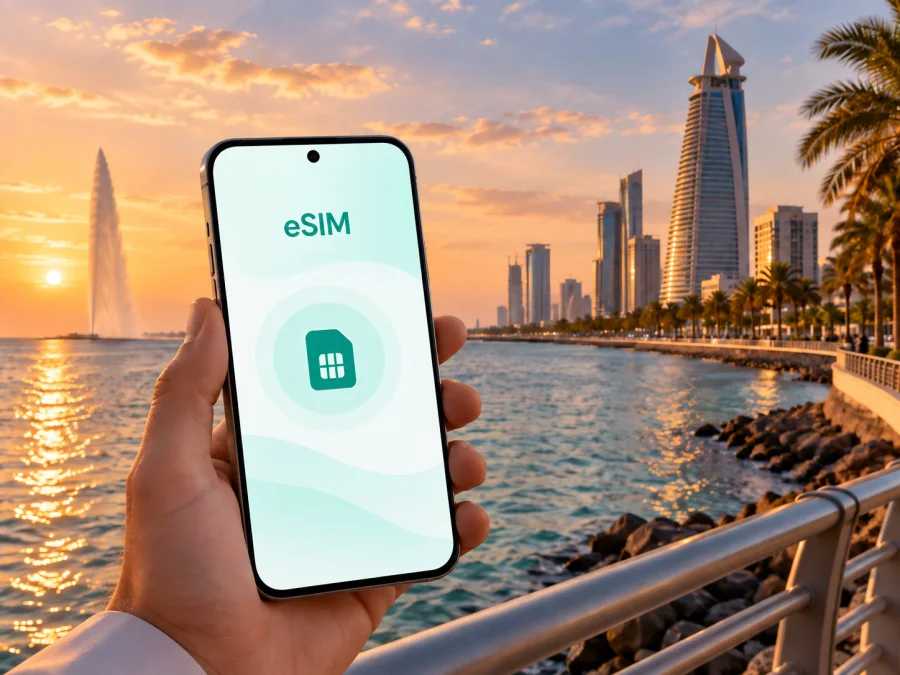
Jeddah eSIM: mobile connection and internet for your trip
Jeddah may be your first Saudi Arabian stop, a Red Sea base, a business destination, or a short transfer point before another city. Mobile internet helps with the practical details: maps, hotel addresses, ride arrangements, translation, messages, and work calls.
An eSIM, or virtual SIM card, can prepare mobile data for Jeddah without removing your regular SIM. Choose around your length of stay, data habits, onward route, and phone.
Why mobile internet matters when you arrive in Jeddah
King Abdulaziz International Airport is the main international gateway to Jeddah. After landing, travelers may need to move between the airport and a hotel, meet a driver, check a booking, or coordinate with colleagues. Airport Wi‑Fi can be useful while you are inside the terminal, but it is not a complete plan for the journey from the airport to your accommodation. A mobile data connection gives you another option when you leave the terminal, walk through a busy arrival area, or need to check information on the move.
Jeddah is a broad coastal city with different travel patterns. The Corniche, Al-Balad, modern commercial districts, hotels, offices, and the airport each create different routes, but all benefit from easy access to maps and messages.
Here are common tasks for which mobile internet may be useful:
- checking a hotel’s pin and entrance instructions;
- arranging or updating a taxi or ride-hailing trip;
- comparing a walking route with a car route before leaving;
- using translation and messaging apps;
- checking reservations before setting out;
- sharing an arrival update or joining a work call;
- downloading a map area before a day trip.
Also confirm which SIM is selected for data, when the tariff begins, how much traffic your habits may use, and whether data roaming must be enabled for the eSIM.
Jeddah travel scenarios and the right eSIM approach
The best tariff choice depends on the trip rather than on the city name alone. A one-night stopover has a different pattern from a week of sightseeing, and a work trip with frequent video calls can use more data than a visit focused on museums and walking.
| Jeddah scenario | Typical data tasks | Choose with this in mind |
|---|---|---|
| Airport stopover | Rides, hotel messages, maps | Short validity and essential data |
| Corniche weekend | Maps, messages, photos | A modest package if hotel Wi‑Fi covers heavy use |
| Historic-city visit | Walking navigation, translation, uploads | More data if you share photos throughout the day |
| Business trip | Calls, email, files, rides | Allowance and tethering conditions |
| Route beyond Jeddah | Navigation, bookings, travel-day messages | Country or regional scope and validity |
Use this as a planning aid. Review traffic, validity, activation conditions, and tethering rules for the selected tariff. If you leave Jeddah, confirm the destination scope covers the route.
Before departure: prepare your phone for Jeddah
Treat eSIM setup as part of travel preparation. Purchase and installation can be done before departure while you have stable internet, or after arrival. The right timing depends on when the selected tariff starts, so read its conditions before scanning the QR code.
Use this pre-departure checklist:
- Check that your phone supports eSIM and is not locked to another operator. Check your device compatibility before selecting a tariff.
- Update the phone’s operating system if an update is already available and convenient.
- Keep the purchase or profile details accessible.
- Save your hotel address and first transfer details offline.
- Decide which line stays active for calls and SMS and which line handles data.
- Keep your regular SIM if you need its number for verification messages.
The eSIM does not automatically replace your everyday number. Unless the tariff says otherwise, it is for mobile internet and does not include a separate number, ordinary calls, or SMS. You can use messaging services over data while keeping your usual line for services that need it. Review home-operator roaming settings before departure.
How to choose a tariff for a Jeddah itinerary
Start with four questions rather than price alone:
- How many days will you spend in Jeddah and in Saudi Arabia overall?
- Will you stay mostly on hotel or office Wi‑Fi, or use data while moving around?
- Will you stream video, join calls, upload photos, or use your phone mainly for maps and messages?
- Will you need the same eSIM beyond Jeddah during the rest of the trip?
For a stopover, a smaller package may cover maps, messages, rides, and browsing. Calls, attachments, video meetings, and hotspot use can raise consumption quickly. Compare the traffic allowance with validity: a large package is unnecessary if most use is on Wi‑Fi, while a short validity may not fit a longer route.
Read the tariff card carefully. Look for:
- the country or region in which the tariff can be used;
- the amount of mobile data included;
- the validity period and the point at which it starts;
- whether the plan is one-time or can be topped up;
- whether hotspot use is allowed;
- any activation or installation conditions;
- the support route if the profile does not install as expected.
Kaspersky eSIM Store is a website and app for choosing and activating an eSIM tariff for mobile internet during an international trip. To review the country for Jeddah, choose an eSIM tariff for a trip to Saudi Arabia. Check the traffic, validity, and conditions shown for the selected tariff.
Arrival at King Abdulaziz International Airport
The first minutes after landing are easier when the eSIM plan is simple. If installed before flying, select it as the mobile-data line when you are ready. If installing after arrival, use airport Wi‑Fi or another available connection. Keep your regular line for calls or messages if needed.
Once active, test a map, message, or accommodation detail. If data does not work, check the selected line, activation status, and roaming setting. Keep the destination and map pin in your notes; agree on a clear meeting point if someone is collecting you.
Moving around Jeddah: plan by district and by time of day
Jeddah’s districts create different navigation needs. Around the Corniche and Al-Hamra, a waterfront walk can be combined with restaurants and hotels. In Al-Balad, streets, façades, markets, and courtyards reward slower walking. Modern commercial areas may involve longer car journeys and large complexes where the correct entrance matters.
For each day, save three points in your map application:
- The place where you are staying.
- The first destination and its exact entrance or meeting point.
- A practical return point, such as a hotel, major venue, or transport pickup location.
Before leaving, check whether the route is for walking or driving. A short map distance may not feel short in heat, humidity, or traffic, and pedestrian and car routes can differ. Allow time for venue access and avoid tightly timed cross-city appointments.
Mobile data also helps with a changed restaurant pin, meeting point, or driver landmark.
A practical city plan for different kinds of visitors
For a short stopover
Keep the route compact, save the airport and hotel locations, and use data mainly for maps, messages, and transport. A short stopover benefits more from a clear sequence than from trying to cover every district.
For a leisure stay
Group plans by geography: a waterfront day and a separate visit to Al-Balad can be easier than repeated cross-city journeys. Use hotel Wi‑Fi for large downloads and mobile data for maps, bookings, messages, and on-the-go research.
For a business trip
Test email, calendar, authentication messages, maps, and the meeting application on mobile data before the first meeting. If you need a hotspot, check that the phone and selected tariff support it, and keep the agenda available offline.
For a route beyond Jeddah
Check the tariff’s country or regional scope and validity before purchase. Save transport confirmations and accommodation details for the next stop while you still have a connection, and reserve data for travel-day changes.
How to install and activate the eSIM
The exact menu names vary by phone model and operating-system version, but the overall sequence is usually similar. Have a stable internet connection available for installation, and keep the QR code or profile details accessible on another screen if your phone cannot scan its own display.
1. Check the device and tariff conditions
Confirm device compatibility, the absence of an operator lock, the supported destination, the validity period, and the moment at which data use begins. If you are unsure about the phone menu, read the Android installation instructions or the iOS installation instructions for your platform.
2. Add the mobile plan
Open the mobile-network or cellular settings and choose the option for adding an eSIM or mobile plan. Scan the QR code or follow the profile instructions. Give the line a clear label such as “Jeddah trip” so you can identify it later if several SIMs are stored on the phone.
3. Choose the data line
When the phone asks which line should handle mobile data, select the travel eSIM if that is the purpose of the tariff. Keep your regular line for calls and SMS only if you understand the roaming settings and possible charges from your home operator.
4. Enable the required settings
If the tariff instructions or phone prompts require data roaming for the eSIM, enable it for that line. Avoid enabling roaming on your everyday line by mistake. Turn off automatic switching between lines if your phone has that feature and you want more control over which profile uses data.
5. Test a light task
Open a map or send a short message. If the connection does not appear, wait a few minutes, check the selected data line, and review the tariff instructions. A restart can help after a profile is added, but it is better to follow the instructions for your particular device than to repeat random changes.
The installation and activation steps are separate from the tariff’s validity rules. Installing a profile does not necessarily mean that every day of the package has already been used; the applicable condition is the one displayed for the selected tariff. If you plan to install before flying and use the eSIM only after landing, verify that plan’s activation behavior first.
Keep your data use under control
Maps and messaging are usually lighter than video, photo backup, and system updates. To keep a package under control:
- disable automatic app updates and cloud photo backup over mobile data;
- download large files before leaving the hotel when practical;
- review background refresh and check the phone’s data counter;
- use trusted hotel or office Wi‑Fi for large work files when appropriate.
If you share data with a laptop or tablet, confirm the tariff’s tethering conditions first. A computer can consume traffic quickly through file synchronization or updates, so use the tariff profile for the authoritative balance where available.
Common issues and calm troubleshooting
If the eSIM is installed but there is no data, check that the travel profile is switched on and selected for mobile data, then review the tariff’s roaming instructions. If the QR code will not scan, increase screen brightness, use mobile-network settings, or display the code on another screen. If the allowance falls quickly, check video quality, background refresh, photo backup, hotspot use, and system updates. Do not assume a profile can be moved to another phone after activation; that depends on the tariff conditions.
Frequently asked questions about eSIM use in Jeddah
Is an eSIM useful for a short Jeddah stopover?
Yes. It can help with maps, messages, transport, and hotel information after leaving the airport. Choose the allowance and validity around the stopover rather than a longer holiday.
Can I keep my normal number while using an eSIM?
Often, a dual-SIM phone can keep both lines active, but options depend on the model and operator. Select the travel eSIM for data and check possible roaming charges on your home line.
Does the travel eSIM include calls and SMS?
Not unless the selected tariff says so. This travel eSIM use case is mobile internet; use internet-based calling and messaging where appropriate, and keep your normal line if you need ordinary SMS.
Should I install the eSIM before flying?
It can be convenient, but check when validity begins. Some travelers install in advance and enable data after landing; others wait until arrival.
Will the eSIM work in every phone?
No. Device support, regional model differences, and operator locks matter. Check your device compatibility before purchase and follow the relevant Android or iOS instructions.
Can I use the same eSIM beyond Jeddah?
That depends on the selected tariff’s country or regional scope and validity period. Read the destination details before purchase if your route continues elsewhere.
Prepare your Jeddah eSIM
Jeddah rewards a flexible plan: the waterfront, historic center, business districts, airport, and onward routes each place different demands on your phone. Prepare the eSIM around how you will move through the city, check conditions before activation, and keep control of which line uses data. When you are ready, choose an eSIM tariff for your Jeddah trip through Kaspersky eSIM Store, then install and activate it on your device according to the tariff instructions.


