Travel connectivity guide
Jeju City eSIM: Mobile Internet & Travel Guide
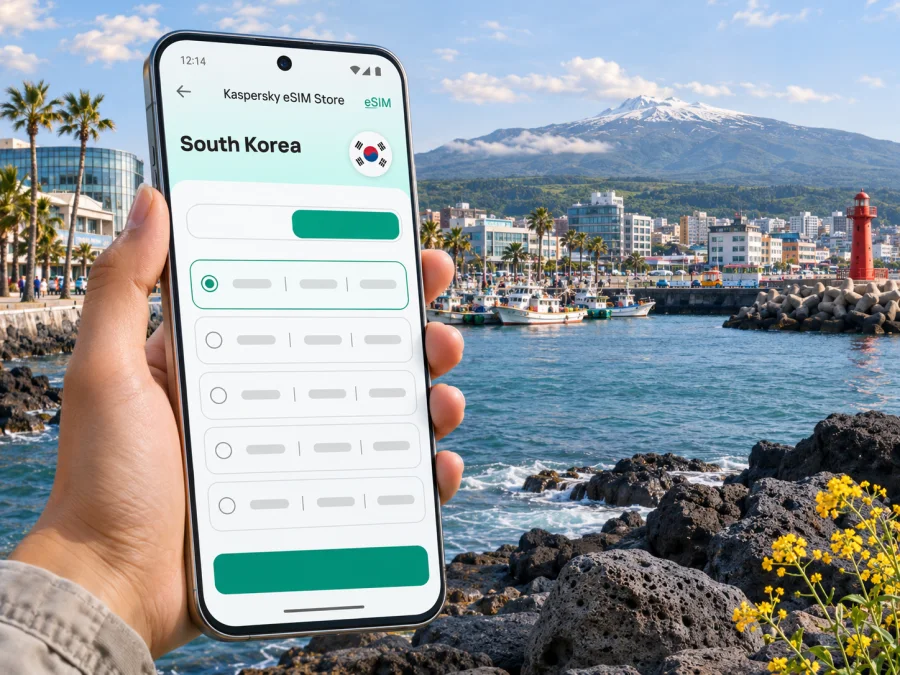
Jeju City eSIM: mobile connection and internet for your trip
Jeju City is often the first place visitors experience on Jeju Island: Jeju International Airport sits within the city, and buses, taxis and rental-car services connect the airport with urban districts and destinations around the island. If you want maps, bookings and messaging to work while you move between the arrivals hall, your hotel and the coast, planning mobile internet before you land can make the first hours simpler.
An eSIM is a digital SIM profile that can connect a compatible, unlocked device to a mobile network under the conditions of the selected plan. Kaspersky eSIM Store is an app and website where you can choose, purchase and activate an eSIM plan for mobile internet during an international trip. The plan’s country or regional coverage, data allowance, validity and activation rules depend on its displayed terms. A city name in a travel plan does not guarantee service at every address or on every route, so check the destination and conditions before purchase.
Why mobile internet is useful in Jeju City
Jeju City is both an urban destination and a practical base for exploring the island. Within the city, you may use your phone to locate a guesthouse in the old town, check a bus stop, confirm a restaurant reservation, translate a menu or share your arrival time. Outside the central districts, a day can involve longer rides between the coast, villages and trailheads. Having a working data connection helps you check the next leg while plans change.
Typical moments when mobile data can help include:
- opening a map after leaving the airport and checking the route to your accommodation;
- looking up bus stops, departures and transfer points before boarding;
- messaging a host if your arrival time changes;
- translating a short notice or reading opening hours while out;
- checking a ferry or tour update before travelling beyond the city;
- using cloud-based tickets, reservations or ride-hailing services where available;
- contacting travel companions if a group separates in a market or at the waterfront.
These tasks do not require constant high-volume use. But navigation, video calls, photo backups and streaming can consume data quickly. Estimate your habits before choosing a plan, and remember that a hotel’s Wi-Fi may be useful for larger downloads while mobile data covers journeys between places.
Jeju City, Jeju Island and South Korea: know the scope
Jeju City (Jeju-si) is a real city on Jeju Island, within Jeju Special Self-Governing Province in South Korea. It is not a separate island or a different country. Jeju International Airport is in Jeju City, while places often included in a Jeju itinerary—such as Seogwipo, Jungmun, Seongsan and the western coast—are elsewhere on the island. The distinction matters when you choose a plan: a city-specific article helps with local travel, but the plan itself should be checked for South Korea or regional coverage as shown in its terms.
Think about your actual route:
| Trip pattern | What to check before choosing data |
|---|---|
| Airport, hotel and central Jeju City | Whether the plan covers South Korea and when its validity begins |
| Jeju City plus several island day trips | Whether coverage applies beyond the city and whether your data allowance suits navigation and bookings |
| Jeju followed by Seoul, Busan or another country | Whether the selected plan covers every destination, or whether separate plans are needed |
| A brief airport stop | Whether you will need data during the stop and how long the plan remains valid after activation |
A plan’s country label is a starting point, not a promise about a particular building, mountain road or ferry. Coverage depends on the local network and conditions, and signal can vary with terrain, indoor walls, congestion and the plan’s technical terms. Review the stated destination and check the provider details shown for the selected plan. If you need a voice number or ordinary SMS, confirm that separately: travel eSIM plans are often data-focused, and calls or texts may not be included unless the terms explicitly say so.
Arrival at Jeju International Airport
After landing, first orient yourself around the terminal and confirm how you will reach your accommodation. The airport’s current passenger information places city and intercity bus stops by Gate 2, taxis outside Gate 3 after crossing the pedestrian crossing, and limousine buses by Gate 5. Check airport signs and current departure information on the day, since route arrangements and schedules can change.
For a hotel in central Jeju City, compare the stop closest to your address with the bus route, expected wait and amount of luggage you have. A taxi may be more convenient if you arrive late, travel with children or have bags that make transfers difficult. If you are continuing toward Seogwipo or Jungmun, the airport limousine route is one option; the airport lists Route 600 between the airport, Jungmun and Seogwipo. Confirm the route, timetable and fare before boarding rather than relying on an old screenshot.
Keep your accommodation address available in a form you can show to a driver or host. Korean place names may appear in different romanized spellings in maps and booking records. Save the Korean address or a map pin while you have Wi-Fi, and keep an offline copy of your reservation details. Mobile data is helpful, but a sensible arrival plan also works if setup takes longer than expected.
A practical arrival sequence:
- Before departure, install the eSIM profile if the plan allows installation in advance, and keep the installation instructions accessible.
- At the airport, connect to Wi-Fi if available and confirm that the eSIM appears in your phone’s cellular settings.
- Select the eSIM for mobile data only when you are ready to use it, following the plan’s instructions about activation and data roaming.
- Check that the home SIM remains selected for calls or texts if you intend to keep using it, and review roaming settings to avoid unintended charges.
- Open your saved hotel pin and choose a bus, taxi or other route from the terminal.
Installation and activation are different steps. Some plans start their validity when the profile is installed; others begin under a different condition specified in their terms. Read the selected plan’s wording before installation so you can time it appropriately. Do not delete a profile to troubleshoot unless the plan instructions or support team tells you to do so; some eSIM profiles cannot simply be downloaded again.
Getting around the city and planning island journeys
Jeju City is spread out, and a map can help distinguish places that sound close from those that require a bus or taxi ride. The airport and bus terminal are useful reference points; Dongmun Traditional Market, the old downtown, the waterfront and newer commercial areas each create different route patterns. Look up the exact entrance or stop for your destination, not just the neighborhood name, and leave time for walking between a bus stop and the place you are visiting.
Public buses serve both city journeys and routes farther across the island. South Korea’s official tourism information describes airport buses to Jeju City, Seogwipo, beaches and the Jungmun Tourist Complex. It also notes that cash is not accepted on some local routes. Payment methods and stop locations vary, so check current details before travelling and carry a suitable transport payment option. Your eSIM provides data access; it does not replace a transit card or guarantee that a particular payment app will work.
Choosing an eSIM plan for Jeju City
The most suitable plan depends on the trip, not on a generic claim that one option is best for every visitor. Start with the country or region covered. Then compare the amount of data, validity period, price, activation terms and any limits shown on the specific plan. If your itinerary stays on Jeju, check the South Korea destination terms; if you continue to another country, verify that it is included rather than assuming nearby destinations share coverage.
A quick way to estimate data needs is to list the activities you expect to do:
| Use during the trip | Data planning note |
|---|---|
| Maps, messaging and basic web searches | Usually lighter use, though repeated map loading and image-heavy pages add up |
| Social posts and photo uploads | Uploads can use more data, especially when images sync automatically |
| Video calls or remote meetings | Allow a larger buffer and test your setup before relying on it for work |
| Streaming and cloud backups | Prefer hotel Wi-Fi when practical; these activities can use data quickly |
| Several people sharing one connection | Check whether tethering is permitted and account for everyone’s use |
This is a planning guide, not a data guarantee. Apps differ, settings change consumption, and operating-system updates may use data in the background. Turn off automatic backups or app updates over mobile data if you want to conserve your allowance. Your phone’s data-usage screen can help you monitor consumption during the trip.
If you want to compare the currently displayed options for the country, review eSIM plans for South Korea and read each plan’s terms before choosing. Kaspersky eSIM Store is the app and website used to select, purchase and activate a suitable eSIM plan for an international trip; the local network and coverage are subject to the selected plan and its network arrangements.
Check the phone before you travel
Your phone must support eSIM and be unlocked for use with another provider. Support can vary by exact model, sales region and carrier variant, even when two phones share a familiar product name. Do not infer compatibility from the brand alone or from a device sold in a different market. Check the exact model identifier, the manufacturer’s regional specifications and your current carrier’s unlock status. If anything is unclear, confirm with the seller or carrier before purchase.
You can also check the device details using the eSIM compatibility checker. Treat it as one step in the check, alongside the phone’s own settings and the plan requirements. Make sure the device can connect to Wi-Fi during setup, has enough battery, and has a recent operating-system version if required by the installation instructions.
Before departure, check that:
- your exact phone variant supports eSIM in the country where it was sold;
- the phone is not locked to a carrier that blocks another eSIM profile;
- you can access the account or email used to receive installation details;
- you know whether the plan starts on installation, activation or first network connection;
- you understand which SIM is selected for mobile data and whether data roaming must be enabled for the travel eSIM;
- your home SIM’s roaming settings will not create charges you did not intend;
- your phone can display the QR code on another device, or you have a manual installation option if offered.
Device settings differ. On many phones, you add an eSIM under Cellular, Mobile Network or SIM Manager, but labels and steps depend on the manufacturer and software version. Follow the instructions provided for your device: installation instructions for Android and installation instructions for iOS. If you install before travel, label the profile clearly, such as “South Korea trip,” while keeping your regular line identifiable.
How to use mobile data without surprises
After the eSIM is installed, open the SIM or cellular settings and confirm which line is assigned to mobile data. If your phone supports multiple SIMs, you may be able to keep the home line active for calls while directing data through the travel eSIM. Exact options vary by device. Some plans require data roaming to be enabled on the eSIM profile; follow the plan instructions and avoid enabling roaming on the wrong line.
Use Wi-Fi for large tasks when convenient. A few small habits can help your allowance last:
- download maps, tickets and booking details before leaving Wi-Fi;
- set photo backup and app updates to Wi-Fi only;
- reduce video quality when you need to use mobile data;
- close apps that refresh content continuously;
- check the phone’s data counter after a day of navigation and messaging;
- use a personal hotspot only if the plan permits tethering and you understand the extra data use.
An eSIM plan for mobile internet may not include a local phone number, standard voice calls or SMS. If these are important, check the plan terms explicitly and keep your existing number available where possible. Messaging and voice calls through internet apps may work over data, but app access and call quality depend on the service, device, network and connection conditions.
Practical plans for common Jeju City visits
- Short city break: Save your hotel pin and airport route, group nearby visits and choose a plan whose stated South Korea coverage and validity fit the stay.
- Island excursions: Check that your plan covers the whole route, review bus schedules and save offline maps before travelling toward beaches, Hallasan or Seogwipo.
- Work trip: Test meetings and hotspot use in advance; video calls can use more data, and tethering depends on plan terms. Keep a Wi-Fi option for critical work.
- Late arrival or layover: Save your address and onward transport details before boarding. Check when plan validity begins and whether leaving the airport fits your connection time.
If the connection does not work
A missing signal after arrival does not always mean the eSIM is unusable. Check the basics in order, and avoid deleting the profile while troubleshooting:
- Confirm that the profile is on, selected for mobile data and valid for your location and date.
- Follow the plan’s instructions about data roaming for that eSIM.
- Briefly toggle airplane mode or restart the phone if the instructions recommend it.
- Check that your home SIM is not selected for data; try another location if reception may be weak.
- Contact the plan service’s support with your device model and error message. Never share account passwords.
Manual network selection should only be used if the plan instructions recommend it. The network names available to you depend on the eSIM arrangement and local service. Do not assume that seeing a particular operator name means your plan includes access to every network in South Korea.
Frequently asked questions
Is Jeju City on Jeju Island?
Yes. Jeju City is a city on Jeju Island in South Korea. Jeju International Airport is located within Jeju City, which is why many visitors begin their island trip there.
Does an eSIM for South Korea work in Jeju City?
It can if the selected plan includes South Korea and its terms cover your use. Check the plan’s destination, validity, network information and device requirements. Coverage can vary with location, terrain, buildings and network conditions.
Will my travel eSIM keep my usual phone number?
Usually the travel eSIM is a separate profile for mobile data and does not replace the number on your regular SIM. Calls and SMS depend on your existing line and the specific plan. Check settings and roaming charges before travel.
Do I need to activate the eSIM at the airport?
Not necessarily. Installation, activation and the start of a plan’s validity can be separate events. Follow the selected plan’s instructions and check when its data period begins so you can set it up at a convenient time.
Can I rely on bus service alone?
Buses connect Jeju City with other parts of the island, and public transport can work for many itineraries. Some routes involve longer intervals or transfers, so check current schedules and payment rules. For remote or multi-stop plans, compare bus travel with other options and leave extra time.
What if my exact phone variant is not confirmed?
Do not assume support based on a similar model name. Check the exact regional variant with the manufacturer or seller and confirm that the phone is unlocked. If eSIM support cannot be confirmed, use a compatible device or ask your carrier about alternatives before buying a plan.
Prepare your Jeju City connection
Before you leave, check your device, review the South Korea plan details and install the profile according to its instructions. Save your first address and transport route offline, then choose the mobile-data line you intend to use once you are ready. These small steps can make it easier to get from Jeju International Airport to your accommodation and stay organized as you explore Jeju City and the island.
Use Kaspersky eSIM Store, the app and website for choosing, purchasing and activating an eSIM for international travel, to choose an eSIM plan for your South Korea trip. Compare the displayed data allowance, validity, destination and activation rules, and select the option that fits your own itinerary.


