Travel connectivity guide
Jelgava eSIM: Mobile Internet for Your Trip
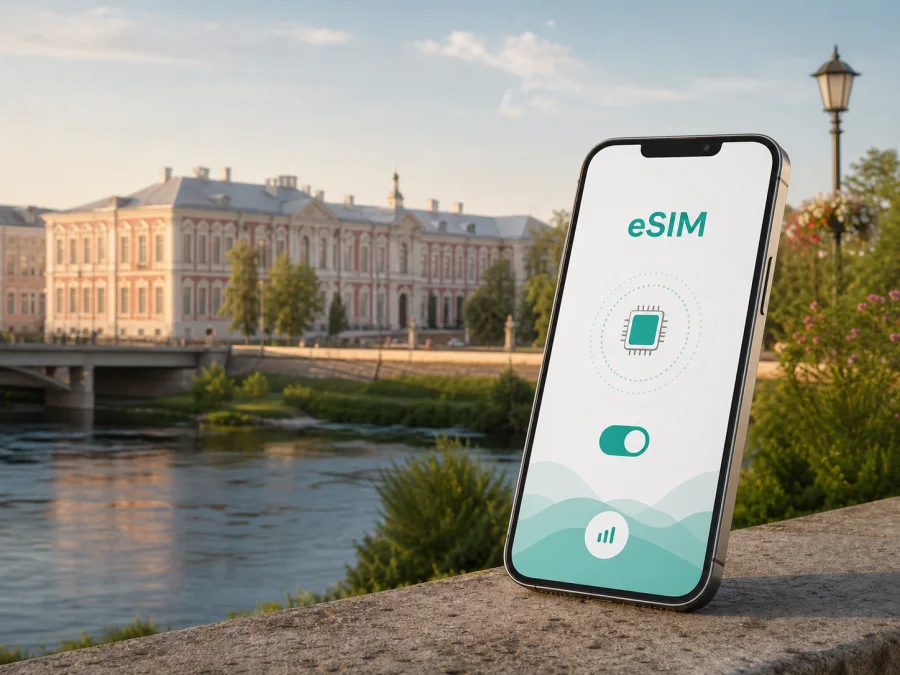
Jelgava eSIM: mobile connection and internet for your trip
Jelgava is a practical destination for a short break, a university visit, a business meeting or a route through central Latvia. Many central journeys can be made on foot, while the railway station and local buses make the city useful as a base for nearby places. A reliable mobile connection helps from the first minutes after arrival: check a transfer, open a map, confirm a hotel booking, message a host and follow a changing itinerary without looking for Wi‑Fi first.
An eSIM is a digital SIM card that can be installed on a compatible phone. For a trip to Jelgava, it prepares mobile internet for Latvia without removing your everyday physical SIM card. Kaspersky eSIM Store is an app and website where you can choose, arrange and activate an eSIM with a suitable plan for mobile internet during an overseas trip. The right choice depends on your route, stay and expected data use.
Why mobile internet is useful in Jelgava
A visitor may arrive with a hotel address, a rail ticket, a meeting location and several places saved on a map. Those details are easier to manage when your phone can load directions and messages as you move between them. Mobile data also reduces dependence on public Wi‑Fi in airports, cafés and shared accommodation.
An eSIM can help in these city situations:
- Arrival and transfer: check accommodation details, compare the route from the station or message a driver with luggage in hand.
- Walking around the centre: navigate between Jelgava Palace, the riverside, Pasta Island and central streets.
- Local transport: look up a stop, confirm a departure time in the relevant service and share your location. Check current schedules and fares close to the journey.
- Accommodation: message a host, open a reservation and find an entrance on a side street.
- Work trips: send a file, join a work chat or make an online call from a hotel or café.
- Day trips: keep navigation available when Jelgava is one stop on a wider Latvian itinerary.
Before you leave
Save your accommodation address, first destination and booking details offline. Decide whether to install the eSIM before the trip and enable it later, or install it after arriving using Wi‑Fi.
- [ ] Confirm that your phone supports eSIM and is not restricted by an operator. Check your device compatibility before choosing a plan.
- [ ] Check that the plan covers Latvia and that its validity matches your stay.
- [ ] Estimate data use from maps, messages, email, social media and work calls.
- [ ] Keep your main number available if you need ordinary calls or SMS on your usual SIM.
- [ ] Keep the QR code or activation details accessible on another screen or in your profile.
This preparation is useful when you reach Jelgava late or go straight to a meeting: you can focus on the route instead of searching for a shop or password.
Getting to Jelgava and staying oriented
For many international visitors, the journey to Jelgava begins elsewhere in Latvia. Riga is a common arrival point, and the onward journey may involve a train, bus, pre-arranged transfer or a combination. The best option depends on arrival time and your final address, so check current departure information shortly before setting out and keep enough battery for navigation.
Jelgava railway station is an important reference point for arrivals by train. From there, your next step may be a walk, local bus or taxi, depending on accommodation and luggage. A live map helps you compare the street entrance with the map pin. If someone is meeting you, send a landmark and expected arrival rather than a vague description of the centre.
For a change of transport, save the key stop or address in your notes. If you use a taxi service, check the vehicle details and destination in the relevant booking message. Let opening hours, weather and time available determine your route; treat the map as a planning aid, not a substitute for checking current information.
Choosing an eSIM plan for a Jelgava trip
There is no single correct data allowance. A weekend visitor using messages and occasional maps has different needs from a remote worker, a family sharing photos or someone travelling around Latvia after Jelgava. Start with your activities, then compare allowance and validity.
| Travel pattern | Typical data activity | What to consider |
|---|---|---|
| Short city break | Maps, messages, tickets and occasional browsing | A smaller allowance may be enough if video and large uploads are limited |
| Family or cultural weekend | Navigation, group chats, photos and bookings | Leave room for frequent photo sharing |
| Business trip | Email, documents, messages and meetings | Confirm whether tethering is permitted |
| Jelgava plus other Latvian cities | Navigation, reservations and travel updates | Check that the Latvia plan remains suitable beyond the city |
| Longer stay | Regular browsing, work and communication | Compare validity with the full period and review top-up conditions |
Read the plan details rather than choosing only by gigabytes. Confirm destination, allowance, validity, activation conditions and hotspot rules. Cost depends on the selected destination, allowance and validity.
For a straightforward Jelgava itinerary, a Latvia plan is the natural starting point. If the trip includes neighbouring countries, compare a regional option with a country-specific one. Choose for the whole route, not just the first night.
You can choose an eSIM plan for a trip to Jelgava after checking these details. This is the relevant destination step for Jelgava; there is no need to search for a separate city plan. Kaspersky eSIM Store helps you review the available option, select an allowance and validity period, and continue with the purchase and activation flow. The eSIM and underlying mobile service remain subject to the selected plan and local network.
Installing eSIM before or after arrival
Installation requires a compatible, unlocked device and an internet connection during setup. Menu names differ between models and operating-system versions, so use the relevant Android eSIM installation instructions or iOS eSIM installation instructions.
Install before the journey
Install before departure if you want the profile ready before landing or before leaving Riga for Jelgava. Use a stable connection, keep activation information available and remember that installing a profile and using its data are separate decisions. If the plan permits, leave the eSIM off until you are ready to use it.
- Check eSIM compatibility and operator-unlock status.
- Connect to reliable Wi‑Fi.
- Open mobile-network settings.
- Add the eSIM using the QR code or activation details from Kaspersky eSIM Store.
- Label the profile, for example “Latvia travel”.
- Keep your everyday SIM for your regular number if needed.
- Enable mobile data on the travel profile when ready.
Do not delete your main SIM profile. If several lines appear, check their labels carefully: selecting the wrong data line can make an installed profile appear not to work.
Install after arriving
This can work with Wi‑Fi at your accommodation or another reliable connection. It is less convenient if you need navigation immediately or have a tight transfer, so keep the accommodation address and transport plan offline. After adding the profile, select it for mobile data and check network registration. Connection can take a few minutes and depends on the device and local network. Some devices may require data roaming for the eSIM profile; enable it only for the intended travel line and follow the plan instructions.
Practical city scenarios
Arrival with luggage
If you arrive in Riga and continue to Jelgava the same day, open the saved accommodation address and confirm the next transport leg before leaving the airport. At the station, use navigation for the final walk or identify the local stop. Mobile data is useful because this route has several hand-offs: airport, onward transport, station, accommodation and perhaps a late check-in. Message a person meeting you when you leave the previous stop and again at a clear landmark.
Staying near the centre
Central Jelgava is convenient for combining a walk with planned visits. Use a map towards Jelgava Palace, the river area or Pasta Island, then return to accommodation between activities if needed. Save the next address before setting off because a venue can have more than one entrance. Plan two or three fixed points and leave space between them; this keeps navigation and data use manageable. Upload large photo backups later over Wi‑Fi.
Business meeting or remote work
Business travellers need punctual navigation, messages, calendar access, documents and perhaps an online meeting. Check the meeting address, identify a backup route and confirm whether the accommodation provides a suitable workspace. If you need tethering for a laptop, review the plan conditions. Video meetings and folder synchronisation can use data quickly, so choose an allowance that reflects the workload.
A wider Latvian route
If Jelgava is one stop before another Latvian city or a return to Riga, plan for the whole route. Check that the selected Latvia plan applies beyond Jelgava and remains valid for the trip. If the route crosses a border, confirm whether a regional or separate country option is needed.
What to check when something does not work
Work through likely causes before deleting the profile.
| Symptom | First checks |
|---|---|
| The eSIM is not visible | Confirm installation finished and the profile is listed in mobile-network settings |
| The profile is visible but data does not work | Select it for mobile data, check mobile data is on and review the required roaming setting |
| The phone uses the wrong line | Review the default data line and labels for the physical SIM and eSIM |
| Setup stops at the QR step | Display the QR code on another screen or use manual details if provided |
| Data runs out sooner than expected | Review video, cloud backup, hotspot use and app updates |
| The connection is intermittent | Move location, wait a few minutes and recheck device and plan conditions |
Confirm that the plan is valid for Latvia, the correct profile is active and the device has a usable signal. If the issue remains, note the device model, visible error and steps already taken before contacting support.
Important limitations
An eSIM plan for mobile internet is not automatically a replacement for every mobile service. Unless the selected plan says otherwise, it does not include a separate phone number, ordinary voice calls or SMS. Keep your usual SIM active for your main number when appropriate, and use messaging applications over the internet.
Some phone models vary by market, and a device can support eSIM while still being locked to an operator. Check compatibility before purchase and read the conditions for activation, validity, data use and refunds. Whether a profile can move to another phone depends on the terms and the device; do not assume that transfer is available.
If the instructions require data roaming for the travel eSIM, turn it on for that profile only and keep your main line’s data settings under control. The selected plan is also subject to its stated conditions and the local network.
Frequently asked questions
Is an eSIM useful for a short visit to Jelgava?
Yes. Even a short visit can include finding accommodation, checking a transport change, opening a booking or messaging a host. Select validity and allowance for the actual length and intensity of the trip.
Can I keep my regular number while using an eSIM?
Usually, a compatible dual-SIM phone can keep a physical SIM and an eSIM together, but exact behaviour depends on the device. Select the travel eSIM for mobile data and retain your regular line for calls or SMS when appropriate.
Does the eSIM include calls and text messages?
No, unless this is specifically stated in the selected plan. This travel eSIM is intended for mobile internet and does not automatically include a separate number, ordinary calls or SMS. Internet messaging services can use the data connection.
Should I install it before travelling?
Installing before departure can be convenient because you can use a stable connection and complete setup calmly. You may also install it after arrival with reliable Wi‑Fi. Check when validity begins before enabling data.
What if my phone does not support eSIM?
Use another compatible device or choose a different way to access mobile internet. Do not purchase a plan until you have checked the model, regional version and operator-lock status.
Is an eSIM a VPN?
No. Kaspersky eSIM Store is not a VPN. It helps you choose, arrange and activate an eSIM for mobile internet during an overseas trip. The selected plan remains subject to its terms and the local network.
Prepare your connection for Jelgava
A city trip is easier when the first practical tasks are considered: the route from the station, the hotel address, the data needed for work and the way to keep your regular number available. An eSIM can provide a flexible mobile-data option without replacing the physical SIM, provided the device and selected plan meet the requirements.
When your destination is Jelgava, choose the plan for Latvia, compare allowance and validity with your itinerary, and install the eSIM using the relevant instructions. Then you can prepare an eSIM plan for your Latvia trip and arrive ready to navigate, communicate and move through the city at your own pace.


