Travel connectivity guide
Jenin eSIM for Mobile Internet in Palestine
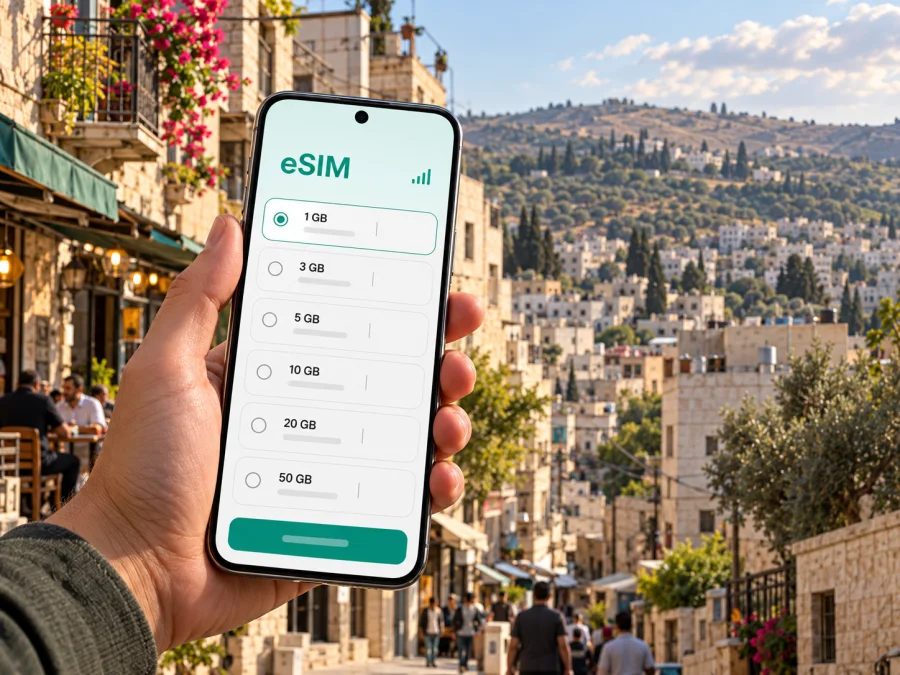
Jenin eSIM: mobile connection and internet for your trip
Jenin is a practical base for exploring the northern West Bank, with a lively urban center, markets, local services and routes through a landscape of valleys and olive groves. A working mobile connection can help you coordinate with a host, check a route, translate a message or update colleagues. An eSIM may be useful for mobile data if the selected plan explicitly supports Palestine and your device is compatible.
There is an important distinction between planning for connectivity and planning for travel. Access, checkpoints, road conditions and security can change quickly in the West Bank. Check current advice from your government, local authorities and trusted contacts before setting out, and follow local instructions. A phone and data plan cannot guarantee access to a place or make an unsafe journey safe.
This guide focuses on practical preparation for Jenin: how to plan data use, what to check in a travel eSIM, and how to keep essential information available if service or movement is interrupted.
What to know before planning a visit
Jenin is a city in the northern West Bank, within Palestine; Jenin is also the name of a governorate. Those geographic labels describe the location and do not mean that a travel eSIM sold for a broad destination will necessarily connect there. Product availability, the network used, coverage and roaming terms depend on the specific plan and its provider.
The Palestine travel information currently published by the UK Foreign, Commonwealth & Development Office describes heightened tension in the West Bank, warns that checkpoints and road closures may occur, and advises against all travel to the Jenin refugee camp. Conditions can change after an advisory is published. If you are considering travel, review the latest official guidance for your nationality and destination, confirm the situation locally, and reconsider plans when advised. This article is not a safety assessment or a substitute for current official advice.
Keep your itinerary flexible. A route that appears short on a map may take longer or become unavailable because of a checkpoint, closure or a change in local conditions. Confirm the day’s plan with your host, employer, guide or other trusted local contact. Avoid relying on a single map route or a fixed arrival estimate.
When mobile data is useful in Jenin
Data is most useful when it supports a specific task. In Jenin, common travel needs include sharing a live location with a trusted contact, confirming a meeting point, checking messages from accommodation, translating a short request, and reviewing directions before leaving a familiar area. If you are travelling for work or aid activity, secure your meeting details and local coordination arrangements before departure.
A connection is not a substitute for local knowledge. Map data can be incomplete, a road can be closed after a route is calculated, and an app may keep showing a cached direction that no longer fits the situation. Use navigation as one source of information, check important turns in advance and ask a trusted local contact when a route is uncertain.
| Travel moment | How data may help | A sensible backup |
|---|---|---|
| Before leaving your accommodation | Confirm a meeting time and destination | Save the address in Arabic and English, if available |
| Moving through the city | Review directions or message your host | Keep the next turn and contact details available offline |
| Arranging a pickup | Share a pin and clarify a meeting point | Agree on a recognizable landmark in advance |
| Working remotely | Send short updates or join a low-bandwidth call | Download files and keep a phone number for urgent coordination |
| A route changes | Receive an update from a local contact | Pause somewhere appropriate and verify before continuing |
Download offline maps for the area if your map app supports them, but treat these as a navigation aid rather than a live source of road or security information. Save accommodation details, meeting points and key telephone numbers somewhere accessible without mobile data. Keep a paper note or a second device for the most important details if your work or itinerary makes that practical.
Choosing a travel eSIM for Jenin
Do not choose a plan solely because its destination name says Palestine, West Bank or Middle East. These labels can describe different coverage areas. Before paying, open the plan details and verify that Palestine is included, whether the service is intended for the West Bank, which network or networks are listed, and whether roaming is required on the eSIM line. If the coverage description is unclear, ask the provider for written confirmation before purchase.
An eSIM profile is a digital SIM installed on a compatible device. It can provide mobile data through a participating network, according to the plan’s terms. It does not automatically provide a regular local phone number, voice calls or SMS; check the plan description if you need those services. Keep your usual SIM active for calls or account verification if your device allows dual SIM and your home operator’s roaming settings and charges are understood.
Compare plan details, not just the data allowance
| What to check | Why it matters for a Jenin itinerary |
|---|---|
| Destination and coverage wording | Confirm the plan names Palestine and check whether its coverage applies to your exact route and location. |
| Network and roaming instructions | These determine how the eSIM is expected to connect; local signal can vary by place and conditions. |
| Data allowance | Messaging and maps usually need less data than video calls, uploads or cloud backups. Estimate your use realistically. |
| Validity period | Check when the plan starts counting time: purchase, installation, first connection or another event stated in its terms. |
| Tethering or hotspot | If you need to connect a laptop, verify that sharing data is allowed by the selected plan. |
| Calls and SMS | A data-only plan may not include either. Arrange a separate way to reach local contacts when needed. |
| Refund, transfer and top-up terms | eSIM profiles and plans may have limits on reuse, transfer or refund after installation or activation. Read the terms first. |
For a short stay, estimate the tasks you will perform rather than selecting the largest package by default. Navigation, chat and email have different data demands from video meetings, photo uploads and streaming. Turn off automatic media downloads, app updates and cloud photo sync over mobile data if you want to preserve your allowance. Use Wi-Fi for large downloads when you trust the network and its terms.
If your visit includes other places in Palestine or a cross-border itinerary, check each segment separately. A regional plan may cover one segment but not another, and border or checkpoint access may be restricted independently of telecom coverage. Confirm all destination and entry requirements before travel, and do not assume an eSIM’s geographic label determines where you are permitted to go.
Kaspersky eSIM Store is an app and website that helps you choose, order and activate an eSIM with a suitable mobile-data plan for international travel. The destination page is a starting point for reviewing current options; it is not a promise that every listed plan connects in every part of Jenin or Palestine. Review the available eSIM options for Palestine and confirm the individual plan’s coverage, network, validity, data allowance, price, activation rules and any restrictions before checkout.
Device and account preparation
Check your exact phone model and regional variant for eSIM support before purchase. A model family can have different hardware or software configurations by market, and carrier locking can also prevent activation. If your phone was bought through an operator, ask whether it is unlocked. Check whether your device supports eSIM and verify the manufacturer’s instructions for your particular model and region.
Before installation, make sure you can access the email address or account used for the order and that your device has enough battery and a stable internet connection. Some eSIMs use a QR code; others may be installed in an app or through manual details. Follow the instructions supplied with your selected plan. Do not scan an installation QR code from an untrusted source, and do not delete an installed profile while troubleshooting unless the provider’s instructions tell you to do so.
A practical pre-trip checklist:
- Confirm that your phone supports eSIM and is not carrier-locked.
- Verify the plan’s exact destination coverage and its start-of-validity rule.
- Save your accommodation address, host contact and essential itinerary offline.
- Keep your usual SIM details and account recovery method accessible.
- Install or prepare the profile where the plan instructions recommend; check whether activation should wait until arrival.
- Note the provider’s support route and the plan’s troubleshooting steps.
- Charge a power bank and keep your device available for maps and coordination.
Installing and activating an eSIM
Installation steps vary by phone and plan. Read the order confirmation and the plan’s activation instructions first. Depending on the product, you may need Wi-Fi to add the profile, and the validity period may begin at installation or only after the eSIM first connects. Do not guess which rule applies: check the plan terms before starting.
- Connect to a stable Wi-Fi network and open the eSIM setup instructions for your device.
- Add the eSIM profile by the method supplied for your plan, such as scanning its QR code or following in-app steps.
- Label the new line clearly, for example “Travel data”, so it is easy to distinguish from your home SIM.
- Choose which line will use mobile data. Keep your usual line selected for calls and texts if that suits your needs and your roaming charges are clear.
- At the time specified by the plan, enable the eSIM line and, if instructed, data roaming for that line. Avoid changing roaming settings on your home SIM by mistake.
- Check the provider’s connection guidance if the phone does not register. Confirm the selected data line, network selection and APN only as directed by the provider.
For device-specific steps, use the Android installation guide or the iOS installation guide. The exact menu labels can differ by operating system version and manufacturer. Keep the confirmation message until the plan is working and the trip is complete.
Arrival and moving around the city
Build a connectivity check into your arrival routine. Once it is appropriate and safe to do so, confirm that the travel line is enabled, the intended line is selected for data and the plan has started according to its terms. Open a simple webpage or send a short message. If the phone shows no service, use the plan’s troubleshooting instructions and available Wi-Fi; do not assume that repeatedly deleting and reinstalling the eSIM will help.
Jenin’s visitor experience is often described through its old city, markets, local theatre and the agricultural landscape of the surrounding north. These details can help you orient a visit, but access to a particular venue or route should be checked locally before you go. Opening hours, transport and public conditions can change. Ask your host or another trusted local contact which areas are accessible and how best to reach the day’s destination.
In crowded streets and markets, keep your phone secure and use a saved destination rather than walking with your screen continuously visible. Before meeting a driver, agree on a clear pickup point and confirm it in a message. If a conversation depends on translation, download the relevant language pack beforehand where available. A few saved Arabic place names can make it easier to share an address even if a map pin fails.
A low-friction day plan
Before leaving: Check current local updates, confirm that the route and destination remain appropriate, and send your expected arrival time to the person you are meeting. Save the address and a backup contact method.
During the journey: Keep the phone charged, use navigation as a guide and verify unexpected route changes with a trusted contact. If you encounter a closure or an uncertain situation, stop in a suitable place and get current local guidance before continuing.
At the destination: Confirm your return arrangement while you have a connection. If you are visiting a market, old-city area or local venue, do not assume that it will be open or accessible simply because it appears on a map.
At the end of the day: Recheck your next day’s plans, charge your phone and power bank, and save any new meeting or transport details offline. This reduces dependence on a continuous signal.
Data use when connectivity is limited
No plan can guarantee a signal at every address or at every moment. Coverage depends on the provider and partner network, your device, local infrastructure and current conditions. If data stops working, first check whether your plan is active, the eSIM is selected for data and the phone has not switched to airplane mode. Then follow the provider’s troubleshooting steps. If the plan’s destination or roaming rules are uncertain, contact support over Wi-Fi before changing settings at random.
Make a lightweight data setup before the trip:
- Set map apps to download the Jenin area over Wi-Fi, if available.
- Disable automatic updates and large backups over mobile data.
- Set messaging apps to download media manually.
- Lower video-call quality when a stable connection is not essential.
- Keep key documents and addresses offline, while protecting sensitive files with your device’s normal security settings.
- Use trusted Wi-Fi for large files and avoid entering sensitive account details on networks you do not trust.
These steps do not increase network coverage, but they make the available data more useful and help you continue with essential tasks during a temporary interruption.
Work trips and coordination
For a business visit, confirm the meeting location, local contact and entry arrangements before departure. Agree how to reconnect if mobile data is interrupted, and download only the files you need. A data eSIM may support app-based calls when connected, but it may not include a local number or ordinary voice service; test your communication method and keep a backup contact route. If travelling with colleagues, share essential addresses and timings rather than relying on one person’s phone.
Common questions
Will a Palestine eSIM work everywhere in Jenin?
No plan should be assumed to work everywhere. Coverage depends on the provider, its partner network, your device and current local conditions. Check the plan’s written coverage description and ask the provider about the exact area if it is not clear.
Does an eSIM include calls and text messages?
Not necessarily. Many travel eSIMs are designed for data, and voice calls or SMS may not be included. Read the plan details and keep another way to contact local people if voice service is important.
Can I install it before travelling?
Often an eSIM profile can be installed before departure, but the best timing depends on its activation rule. Review whether validity begins at purchase, installation or first network connection. Follow the exact instructions for the plan you selected.
What should I do if the phone shows no service?
Check that the correct eSIM is enabled and selected for mobile data, confirm the plan’s validity and follow its network instructions. Some plans require data roaming on the travel line. If the issue persists, connect to Wi-Fi and contact the plan provider. Keep your existing SIM available if it is safe and useful to do so.
Is a travel eSIM enough for navigation?
It can help with live maps and messages when the plan connects, but download offline maps and save key addresses before leaving. Check current routes locally because map information may not reflect closures or changing conditions.
Should I visit the Jenin refugee camp?
Current official travel advice from the UK FCDO advises against all travel to the Jenin refugee camp. Review the latest advice issued by your own government and local authorities before planning any visit, and follow their guidance.
Can I use one plan for Jenin and another destination?
Only if that plan explicitly covers every destination on your itinerary. Check the exact country or regional list, roaming rules and network details. Do not infer coverage from a plan’s broad regional name.
Prepare a flexible connection plan
For a trip to Jenin, the useful sequence is straightforward: confirm that travel is appropriate under current guidance, check local access and routes, verify the eSIM’s exact coverage in Palestine, and prepare offline details in case mobile service is interrupted. Choose data based on the tasks you expect to perform, and keep a separate plan for calls and urgent coordination if needed.
When you are ready, use Kaspersky eSIM Store to review and order a suitable travel eSIM, then install it according to the plan instructions. Explore current eSIM options for Palestine and check the latest coverage, allowance, validity and activation terms before you travel.


