Travel connectivity guide
Jinja eSIM: Mobile Internet for Your Trip
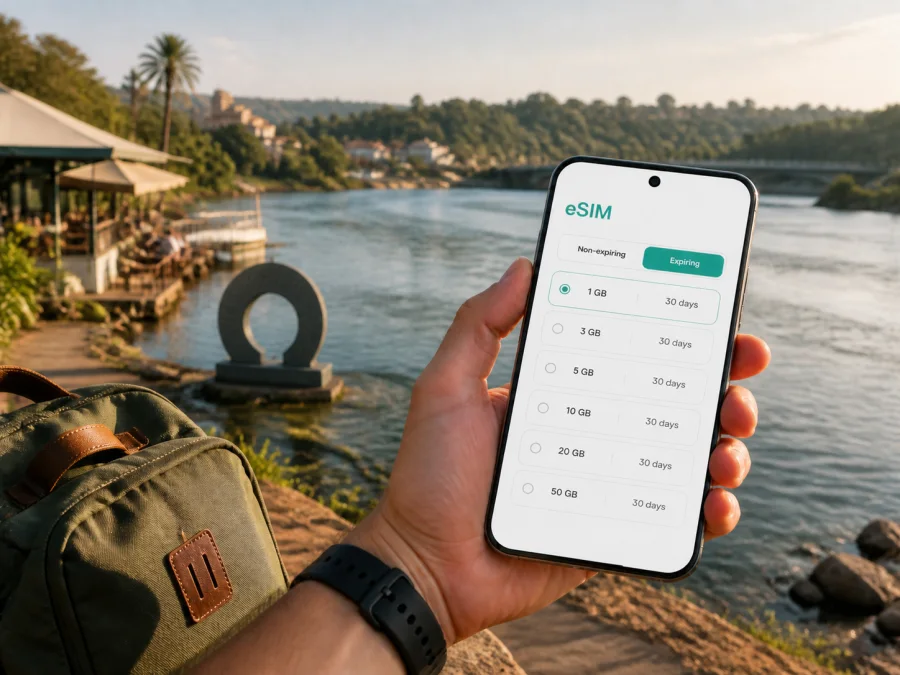
Jinja eSIM: mobile connection and internet planning for your trip
Jinja rewards a traveler who can stay oriented. The city sits in southeastern Uganda beside Lake Victoria and is closely associated with the place where the Nile begins its journey north. Your first hours may involve a road transfer from Entebbe International Airport or Kampala, a hotel check-in, a meeting in the centre, or a walk towards the river. In each of these situations, a working mobile connection helps you use maps, message a driver, confirm a reservation and keep your plans flexible.
An eSIM, or digital SIM card, can provide mobile internet for a trip without removing the physical SIM card in your phone. You choose a prepaid eSIM tariff for the relevant destination, install it on a compatible unlocked device and use the selected line for data. Kaspersky eSIM Store is an app and website that helps you choose, arrange and activate an eSIM tariff for an international journey. The conditions of the tariff, including data allowance, validity and activation details, should always be checked before purchase.
Why mobile internet matters in Jinja
Jinja is compact enough for short walks in central areas, but a visit rarely stays within one street. You may move between your accommodation, the town centre, the Nile waterfront, the Source of the Nile area and places around Bujagali. You may also be travelling through Jinja on the way to another part of Uganda. A connection is useful not because every moment needs a screen, but because small practical decisions come up throughout the day.
Maps, local movement and pickup points
Jinja’s central grid is easier to understand once you have a map open, but a destination name can still be interpreted differently by a driver or a local transport rider. Send a precise pin, mention a recognizable nearby place and confirm the pickup side of the road. When you leave the centre for the river, an attraction or a hotel outside the busiest streets, check the route before setting off rather than relying on memory.
Motorcycle taxis, locally known as boda-bodas, are a familiar part of movement around Ugandan towns. Agree on the destination and fare before starting and use judgment about luggage, weather and road conditions. A car with a driver may be more comfortable for airport transfers or several stops. Walking can be pleasant in central Jinja during daylight, but keep a map and accommodation contact available.
Hotels, guesthouses and short stays
Accommodation in Jinja may be a short urban stop, a base for Nile activities or a room between business appointments. Before booking, check late-arrival details, the entrance location, Wi-Fi arrangements and how to reach staff away from reception. Hotel Wi-Fi may cover a quick message, while mobile data is useful on the road or during a pickup. One lobby test does not describe every room or nearby street: walls, congestion and local conditions can affect the experience.
Choosing an eSIM tariff for a Jinja itinerary
The right choice depends on how you will use your phone, how long you will stay in Jinja and whether Uganda is one stop in a wider route. Start with the destination shown in the tariff details. For a trip centred on Jinja, select Uganda when the tariff is organised by country. If the itinerary crosses borders, compare it with a regional option only when the displayed coverage and conditions match the countries you will visit.
Estimate your data needs by activity
There is no universal data amount for a city break. A traveler who uses downloaded maps and hotel Wi-Fi may need much less than someone who makes video calls, uploads photographs or uses a phone as a hotspot. Build a simple estimate from the tasks that matter to you:
| Trip activity | What can consume data | Planning approach |
|---|---|---|
| Arrival and transfers | Maps, driver messages, booking updates | Keep data available from the road transfer onward |
| Central sightseeing | Map searches, translation, photos and chats | Download essentials, then allow room for live updates |
| Nile or Bujagali excursions | Navigation, coordination and occasional uploads | Plan for data outside the hotel and town centre |
| Business travel | Email, documents, calls and meeting links | Choose more capacity if mobile hotspot use is possible |
This is a planning framework, not a promise about how much data a particular app will consume. Video, automatic photo backup and system updates can use data quickly, so review background refresh and automatic updates before departure.
Match the tariff to the length of the stay
Check the validity period and when it begins. Some tariffs start counting from activation or first use, while other conditions may apply. If you install a profile before leaving home, make sure you understand whether installation alone starts the validity period or whether the package begins when the eSIM connects in the destination. Keep the purchase confirmation and QR code accessible until the profile is working.
For a short Jinja stopover, a smaller prepaid package may be enough if most large downloads happen on Wi-Fi. A longer stay or route with several transfers may justify more capacity. Base the decision on expected use and the tariff’s displayed conditions, not on a claim that one package suits everyone.
Plan for a city and an onward route
Jinja may be the main destination, a base for nearby Nile activities or a stop between Kampala and another part of the country. Write down every place where you expect to need mobile internet. Then check whether the chosen Uganda tariff is intended for the full route and whether its validity covers the final travel day.
When you are ready to compare destination options, you can choose an eSIM tariff for your trip to Uganda. Review the country, data allowance, validity, price and activation notes. Kaspersky eSIM Store helps you choose and activate the tariff; it does not operate the local mobile network or guarantee coverage in a particular Jinja location.
Prepare your phone before leaving
eSIM preparation is easiest with stable Wi-Fi, a charged phone and time to read the on-screen instructions.
Compatibility and operator lock
First, confirm that your phone or tablet supports eSIM and that it is not locked to an operator. Support varies by model, market and software version, so the model name alone is not always enough. You can check whether your device supports eSIM before selecting a tariff. Also make sure you know the screen-lock code or account credentials that your device may request during installation.
Keep your regular SIM active if you still need its number for calls or messages. The travel eSIM is generally intended for mobile data, and ordinary calls or SMS are not included unless the specific tariff says otherwise. Internet messaging and calling apps can work over data, subject to the app, device and account settings.
Installation before the trip
The exact menu names differ between iOS and Android versions, but the overall sequence is straightforward:
- Check the device compatibility and operator-lock status.
- Choose the Uganda destination and a tariff that fits the stay.
- Complete the order and keep the QR code or activation details available.
- Connect the phone to reliable Wi-Fi.
- Add the eSIM in the device’s mobile or cellular settings.
- Label the new line clearly, for example “Uganda travel data”.
- Leave your primary line selected for calls if required, and set the travel eSIM as the mobile-data line when you arrive.
- Follow the tariff instructions about data roaming for the eSIM profile.
For device-specific steps, use the Android installation instructions or the iOS installation instructions. Read the instructions for your operating system rather than copying menu names from a different phone. If the profile installs but data does not start, check the selected data line, mobile data, data roaming setting required by the tariff and the network selection options.
Installation after arrival
Installing after landing is possible with Wi-Fi, but it adds a dependency at a busy moment. In Jinja, keep the QR code on another screen or in printed form and avoid deleting the profile while troubleshooting. After activation, open a webpage or send a message and confirm the intended data line.
Practical Jinja scenarios
Arrival, sightseeing and a short stopover
Before a road transfer from Entebbe or Kampala, save the hotel pin and send the driver your arrival details. During the trip, keep the booking message open and share a pin if the meeting point changes. In central Jinja, use mobile data for a walking route and save the route back before your battery is low. For a Nile or Bujagali outing, confirm the pickup and return points and keep data for changes and messages rather than automatic photo backup. If Jinja is an overnight stop, install and label the eSIM in advance and save the next destination offline.
A work trip with meetings in different areas
Prepare calendar details, meeting links and essential documents before leaving the hotel. Choose data capacity that reflects your work pattern if a hotspot may be needed, and keep a charged power bank. The eSIM does not replace every office network requirement: access to corporate systems may still depend on security policies and separate authentication.
A simple checklist for travel day
Use this checklist before leaving for Jinja:
- [ ] The device supports eSIM and is not operator-locked.
- [ ] The Uganda tariff’s allowance, validity and activation conditions are clear.
- [ ] The QR code or activation details are stored where you can open them.
- [ ] Mobile data is assigned to the intended profile.
- [ ] You know whether data roaming must be enabled for the eSIM.
- [ ] Your hotel address, driver contact, map pins and power bank are ready.
The most important checks are the device, the tariff conditions and the data-line setting. When these are clear, mobile internet becomes a quiet part of the trip instead of a problem to solve after arrival.
What to do if data does not work
Troubleshooting is easier when you change one setting at a time. Confirm that the eSIM profile is switched on, mobile data is enabled and the travel line is selected for data. If the tariff requires data roaming, check that setting for the travel profile rather than changing every line on the phone. Move to an open area, wait briefly for registration and restart the device only after saving any information you need.
If the problem continues, review the tariff’s activation status and installation instructions. Check that the device is not locked and keep your order information ready when contacting support.
Some problems are environmental rather than related to the eSIM: a temporary local issue, weak indoor signal, congestion or a building that blocks radio signals. Test the profile in more than one place and keep offline map details and hotel information available.
Frequently asked questions
Is an eSIM useful if I am staying only in central Jinja?
It can be. Even a short stay involves arrival coordination, maps, messages and booking updates. The value depends on how much you use data, how reliable your accommodation Wi-Fi is and whether you will travel outside the centre. Choose the allowance and validity for the actual itinerary rather than buying more capacity than you expect to use.
Can I keep my usual phone number?
You can usually leave your primary SIM in the phone if the device supports dual-SIM use, but settings differ by model. The travel eSIM is intended for data unless the selected tariff explicitly includes other services. Decide in advance which line handles calls, SMS and mobile data, and check the roaming terms of your primary operator.
Should I install the profile before flying to Uganda?
Installing before departure is often easier because you can use stable Wi-Fi and take time to read the instructions. Check when the tariff validity begins, since activation rules vary. If you install after arrival, arrange a reliable internet connection and keep the QR code accessible on another device.
Will the eSIM cover a trip from Jinja to another Ugandan city?
That depends on the selected destination tariff and its conditions, not on the article or the city name alone. If your route continues beyond Jinja, check the Uganda coverage description, validity and data allowance before purchase. Keep the same profile only when the displayed conditions fit the full itinerary.
What if I need help during the trip?
Review the installation guidance, selected data line, roaming requirement and profile status, then contact support with the order and device details if needed.
Prepare your Jinja connection with a clear plan
Jinja travel is easier to manage when the digital basics are ready before the road transfer, check-in or first river excursion. Identify the places where you will need maps and messages, select a Uganda eSIM tariff that matches the length and style of your route, check compatibility, and install the profile while you have time and Wi-Fi. Keep offline copies of the most important details, then use mobile data for the updates that cannot wait.
When you are ready, select an eSIM tariff for Uganda in Kaspersky eSIM Store. Check the displayed conditions, complete the purchase, follow the installation guidance for your device and activate the travel eSIM according to the tariff instructions. This gives you a practical starting point for arrival in Jinja, local movement, work appointments and onward travel without relying on a physical SIM-card change.


