Travel connectivity guide
Johannesburg eSIM: Mobile Internet for Your Trip
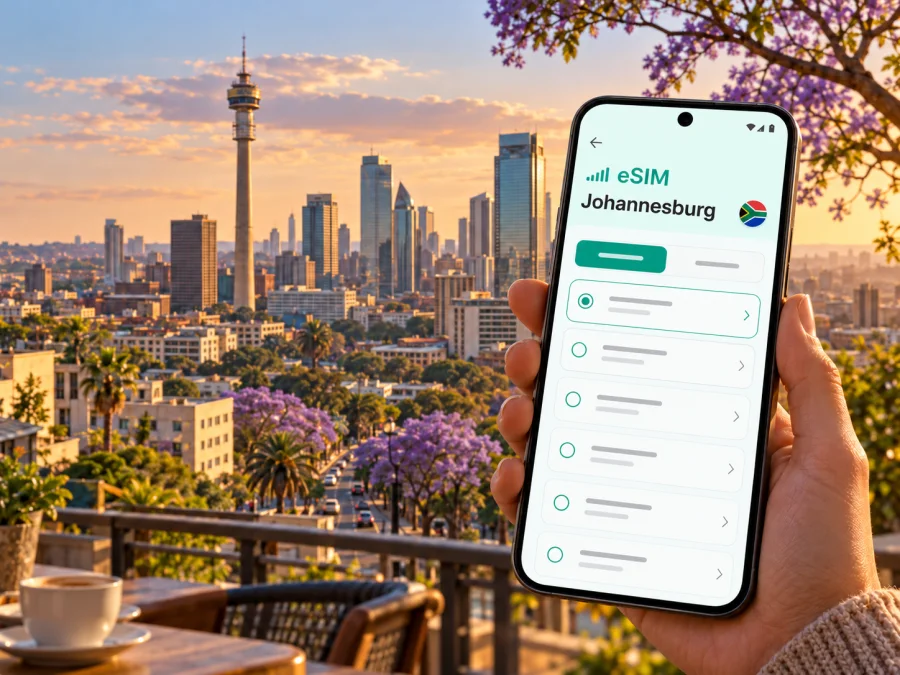
Johannesburg eSIM: mobile connection and internet for your city trip
Johannesburg is a large, spread-out city where an address, a route and a last-minute change of plan can matter as much as the destination itself. Mobile internet helps you check directions, contact a driver, find a hotel entrance, confirm a meeting point and keep travel details available while you move between neighbourhoods. An eSIM can make that data connection easier to prepare before you leave, without replacing the physical SIM already in your phone.
The city is often called Joburg or Jozi. Its business districts, cultural sites and residential areas are separated by substantial distances, so a trip that looks close on a small map may involve a drive across busy roads. Think of connectivity as a practical travel tool: use it to plan each leg, check the current situation and keep an offline backup for the moments when a signal or battery is unavailable.
First arrival: O.R. Tambo and the journey into Johannesburg
O.R. Tambo International Airport is commonly described as Johannesburg’s airport, but its site is in Kempton Park, within the City of Ekurhuleni, outside the City of Johannesburg. That distinction matters when entering a destination into a map or arranging a pickup: use the airport’s full name rather than assuming it is in the city centre. The airport is east of Johannesburg, and the onward journey depends on your destination, time of day and traffic.
There are several ways to continue from the terminal. Gautrain’s airport service connects O.R. Tambo with stations including Sandton and Marlboro; the broader rail network also serves Rosebank and Park Station, among other destinations. The train is a useful option when your hotel or meeting is near a station, but it will not take you to every address. Check the current timetable, station information and final connection before travelling, especially if you arrive late or need to reach a specific neighbourhood.
Taxis and hotel shuttles are alternatives. Airports Company South Africa advises passengers to use accredited metered taxi services and directs visitors to the airport information desk for assistance. Some nearby hotels operate their own shuttle services. Confirm the pickup point and vehicle details with the provider, then share your destination with the driver. If you use a ride-hailing app, follow the airport’s signs and the app’s current pickup instructions rather than accepting an unsolicited offer in the terminal.
Save the exact hotel address and entrance before leaving the terminal. For a pickup, match the vehicle and driver details in the app; if you are offline, use the information saved before departure.
A simple arrival checklist
- Save your hotel address and pickup details before boarding.
- Check the rail route against your actual destination and confirm the final connection.
- Keep booking details available offline and verify the active data line after landing.
Choose a base that fits the places you will visit
Johannesburg does not have one compact visitor centre from which every attraction is a short walk. Many travellers choose a base according to the purpose of the trip: business meetings around Sandton, shopping and dining near Rosebank, cultural visits in the inner city, or a stay closer to friends and family elsewhere in the metropolitan area. Your data needs also follow this pattern. A visitor moving among several districts may rely on navigation and messaging more than someone staying near one venue.
| Area or travel purpose | What to plan | How mobile internet can help |
|---|---|---|
| Sandton | Meetings, hotels, shopping and transfers around a busy commercial district | Check the correct building, entrance, meeting pin and journey time |
| Rosebank | Hotels, restaurants, galleries and the Gautrain station | Find a walking route between nearby stops and confirm opening details |
| Braamfontein and the inner city | Universities, museums, civic and cultural destinations | Use precise addresses and check your return route before setting out |
| Soweto | A broad area with sites that are often visited on a planned excursion | Coordinate with a local guide or driver and save meeting points |
| Airport or brief stopover | A tight window between flights, hotel check-in or a meeting | Keep flight, pickup and next-leg details accessible while moving |
Treat these as planning zones, not guarantees about street-level conditions. Ask your host for a location pin, building name and entrance. Group nearby appointments where possible; this reduces backtracking and leaves room for traffic and the walk from a drop-off point.
Plan for roads, rail and the last kilometre
A map app can estimate a journey, but it cannot promise a fixed arrival time. Main roads can slow down, a venue can have multiple entrances, and a route that looks direct may be less convenient than a rail journey plus a short transfer. Check directions shortly before leaving and again if plans change. If you are heading to a meeting, save the destination in advance and leave enough time to contact the host if the entrance is unclear.
Gautrain is especially relevant when the airport, Sandton, Rosebank or Park Station fits your itinerary. Its official information describes an airport service linking O.R. Tambo with Sandton and Marlboro, and commuter services that include Rosebank and Park. Services, departure intervals and connections can vary by line, day and time. Confirm the live schedule and station access before you set out; a previously saved timetable may be out of date.
Elsewhere, options include a taxi, ride-hailing service, hotel shuttle or bus. The City operates Rea Vaya and Metrobus, but check current routes, fares, payment requirements and the walk from the stop. For an unfamiliar trip, ask your host which option fits the exact address.
Use mobile data to find a station exit, check a connection or share an arrival update. Save important locations offline and carry a power bank on long days; screenshots are useful backups but do not reflect live changes.
Prepare your eSIM and data plan around the itinerary
Before choosing a plan, list the tasks you expect to do online. A trip built around map directions, messaging, ride bookings, email and web searches usually consumes data differently from one that includes frequent video calls, uploads or streaming. Estimate your use honestly, then check the plan’s data allowance, validity period, destination coverage and activation terms. The options shown for South Africa can change, so read the current details before purchase instead of relying on an old screenshot or a remembered price.
An eSIM plan for travel generally focuses on mobile data. Do not assume that it includes a local telephone number, ordinary voice calls or SMS; check the terms of the specific plan. Messaging and internet calls may work through apps you already use, but you may still need your regular number for bank verification, account recovery or calls to local services. Keep your home SIM available if your device supports dual SIM and you need those functions, while setting the travel eSIM as the data line when appropriate.
Kaspersky eSIM Store is an app and website that helps you choose, arrange and activate an eSIM with a suitable plan for mobile internet on an international trip. Before travelling, you can review the available South Africa eSIM options and compare the current data amount, duration and terms with the way you expect to use your phone in Johannesburg. The page is for South Africa as a country destination; it is not a separate Johannesburg tariff, and network availability and service conditions depend on the selected plan and local providers.
Match the destination to your route. A South Africa plan may suit a Johannesburg-only visit if its terms fit your dates; for cross-border travel, confirm every country is included. For a short stop, estimate likely use before choosing a large allowance.
Estimate data for your day
There is no single data allowance that suits every traveller. Maps, messaging and checking opening hours use data differently from video calls, streaming or large photo uploads. Background refresh and cloud backup can also use data unexpectedly. Review your phone’s usage settings before departure, restrict automatic downloads if useful, and estimate based on your own routine.
Check whether a plan is fixed-volume or time-limited, when validity begins, and how balance and top-ups work. If you plan to use a hotspot, confirm that tethering is supported by your device and plan. Treat hotel or café Wi-Fi as a convenience rather than a guaranteed connection.
Check compatibility before purchase
The phone must support eSIM, be able to add another mobile plan and be free of any carrier restriction that would prevent using it. Support varies by device model, country or regional variant, and network lock status. The name of a phone family is not enough to confirm that a particular handset will work; check the exact model number and manufacturer guidance, then check your device’s eSIM compatibility before you choose a plan.
Also confirm that you can access the installation information when you need it. Some phones can install an eSIM through an in-app flow, while others may use a QR code or manual details. A second screen or printed QR code can make setup easier if the phone cannot scan its own display. Avoid deleting an installed eSIM while troubleshooting unless support or the plan instructions specifically tell you to do so, because an activation code may not be reusable.
Install before departure, activate with care
If possible, install the eSIM while you have a stable internet connection and enough time to read each step. Installation and activation are not necessarily the same moment: the conditions depend on the selected plan and the device. Check the plan’s start rules so you know whether its validity begins at purchase, installation, a scheduled time or first connection in the destination. Keep your home SIM selected for calls and texts if you need it, and choose the eSIM for mobile data only when you are ready.
A typical setup sequence is:
- Confirm that the phone is unlocked and supports eSIM.
- Review the South Africa plan’s allowance, validity, supported use and start conditions.
- Purchase the plan and keep the confirmation or installation details accessible.
- Add the eSIM using the app’s instructions or the supplied QR code.
- Label the lines clearly, for example “Home” and “Travel”, so you can identify them later.
- At the destination, select the travel eSIM for mobile data and follow the plan instructions for data roaming if required.
- Check that data works before relying on it for a long drive, a meeting or a time-sensitive pickup.
For device-specific setup, follow the Android eSIM installation guide or the iPhone eSIM installation guide. Menu names can differ between operating system versions and manufacturers. If your phone asks which line should handle calls, messages or data, read the selection carefully; changing the data line does not automatically change which number receives regular calls or verification texts.
If the eSIM does not connect
Check that the eSIM is enabled and selected for mobile data, airplane mode is off, and the phone has restarted. Review the plan’s activation conditions and whether its instructions require data roaming. Do not delete the profile unless the troubleshooting instructions say to. If needed, use trusted Wi-Fi or your home SIM under its roaming terms to contact support; service quality can vary by provider, location, device and local conditions.
Make mobile internet useful across a city day
Use a connection for key decisions: which entrance to use, when to leave, where to meet a driver and how to contact a host.
Before leaving: confirm the pin and route, save the address, check your battery and group nearby appointments.
At pickup: match driver and vehicle details, confirm the destination and use the building or entrance name, not only the district.
If plans change: confirm the full address, share the update and check the route from your current location.
On an outing: agree on a meeting point and return pickup. Keep the guide’s details offline in case someone loses data or battery.
Common travel scenarios
A business visit centred on Sandton
Save each office or hotel as a separate destination, including the building name and entrance. Gautrain can be useful for the airport-to-Sandton part of the journey, but check the onward distance from the station to the appointment. For a meeting with a fixed start time, compare the rail journey and road option on the day, and leave room for the last kilometre, security check-in and possible traffic changes. Keep calendar details and the host’s number accessible if you lose data temporarily.
A stay near Rosebank
Rosebank has a Gautrain station and a mix of hotels, shops, restaurants and cultural venues. Use mobile maps to confirm whether a destination is actually within a comfortable walk from your accommodation; a route can cross a large road or lead to a different entrance than expected. For dinner or an evening event, arrange the return journey before leaving and check the pickup point with the venue or driver.
A day that includes Soweto
Soweto is a large urban area rather than a single attraction. Many visitors plan a guided or pre-arranged visit to places such as Vilakazi Street and the Hector Pieterson Memorial. Confirm the day’s stops with your guide, save the meeting pin and ask how the return trip is organised. Mobile data helps with coordination, but it does not replace local guidance or an agreed transport plan. Avoid packing too many distant stops into one day; distances and traffic can make a tight itinerary stressful.
Frequently asked questions
Is O.R. Tambo International Airport in Johannesburg?
It is Johannesburg’s principal international airport by common usage, but the airport itself is in Kempton Park in the City of Ekurhuleni. Use “O.R. Tambo International Airport” as the destination when arranging transport, and check whether your onward trip is by rail, shuttle, taxi or another service.
Does an eSIM give me a South African phone number?
Do not assume that it does. Travel eSIM plans commonly focus on data, and the selected plan’s terms determine what is included. If you need regular calls or SMS on your existing number, keep your home SIM active where your device and carrier allow it, and check roaming charges with your home provider.
Should I install the eSIM before travelling?
Installing before departure can make setup less rushed, provided you have a reliable connection and understand when the plan starts. Read the activation rules first. If validity starts on first network connection, installation may be possible in advance; if the terms specify another start point, follow those terms.
What if I have no data after landing?
Check that the eSIM is enabled and selected for mobile data, and review any roaming setting required by its instructions. Use airport Wi-Fi or your home SIM under its own terms to consult support if needed. Do not remove the eSIM profile unless the troubleshooting instructions tell you to.
A practical final check
Before your Johannesburg trip, confirm three things: your phone can use eSIM, the selected South Africa plan fits your dates and expected data use, and you know how to switch mobile data to the travel line. Save the airport-to-accommodation route, your hotel’s exact address, and the names of the buildings or entrances you need. Check transport schedules and pickup instructions again on the day, because services and local conditions can change.
When these details are ready, you can focus on the city rather than troubleshooting at the curb. Use Kaspersky eSIM Store to choose an eSIM plan for your South Africa trip, review its current terms, and install it using the instructions for your device. Select the travel eSIM for data when appropriate, keep your home line configured for the calls or texts you need, and retain an offline backup for essential addresses and bookings.


