Travel connectivity guide
Johor Bahru eSIM: Mobile Internet for Your Trip
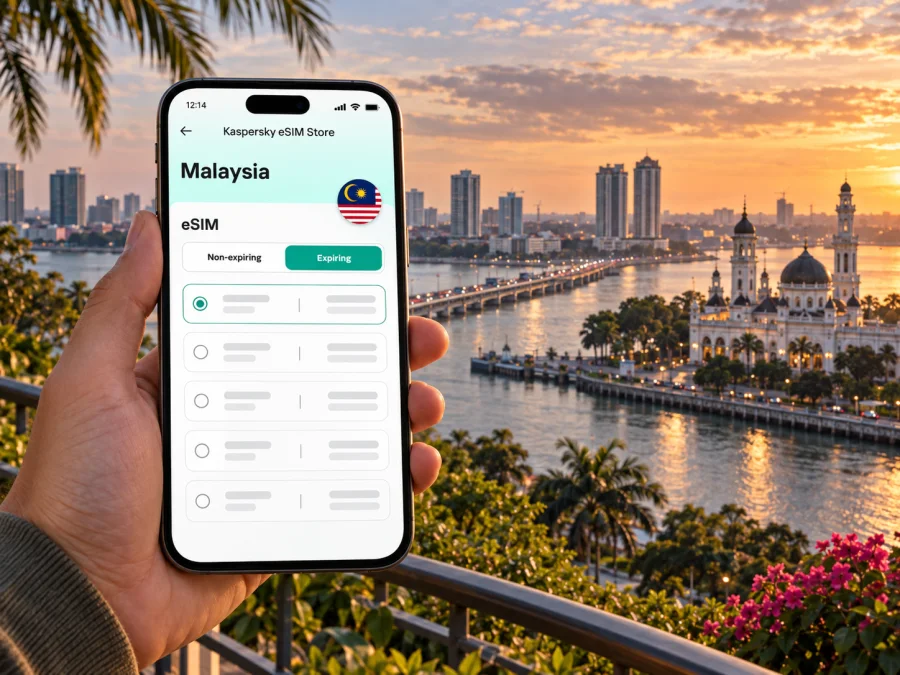
Johor Bahru eSIM: mobile connection and internet for your city trip
Johor Bahru is a practical southern gateway as well as a destination in its own right. You may arrive for a weekend of food and heritage, cross the Johor Strait from Singapore, attend a meeting near the city centre, or use the city as a starting point for a wider visit to Johor. In each case, mobile internet helps with the first decisions: confirming your hotel, finding the right terminal, checking a route, and letting someone know you have arrived.
An eSIM can make that preparation easier when your phone supports it. Kaspersky eSIM Store is an app and website where you can choose, order, and activate an eSIM with a suitable data plan for an international trip. It is useful to think about the connection as part of your route planning: decide when you need data, check the plan’s coverage and validity for Malaysia, and keep offline copies of essential details in case you are temporarily without a signal.
Start with the way you are entering Johor Bahru
The best arrival plan depends on whether you are flying into Senai International Airport, coming overland from Singapore, or arriving by intercity bus or train. Your first useful map pin should be the exact entrance of your accommodation or meeting venue, not just “Johor Bahru.” The urban area is spread out, and two places with similar names may be in different parts of the city.
From Senai International Airport
Senai International Airport is outside the central city area, so allow time for the road journey when setting a pickup or onward connection. Before you leave the terminal, confirm the address with your hotel, check the pickup point shown by your chosen transport service, and save the destination in your map app. If you have a connecting bus, keep the terminal name and departure time visible offline as well as online.
Across the causeway from Singapore
Johor Bahru’s proximity to Singapore shapes many short visits. The Woodlands–JB Sentral rail link and the road causeway are separate crossing options, each with its own immigration and transport steps. If you are travelling across the border, allow a flexible buffer for queues and follow current instructions from the relevant authorities and transport operator. Keep your ticket, accommodation address, and onward plan easy to retrieve even if you switch between Wi-Fi and mobile data during the crossing.
JB Sentral is a useful orientation point once you reach the city. It is next to the Sultan Iskandar Customs, Immigration and Quarantine Complex, and the nearby City Square and Komtar JBCC area gives you places to pause, eat, or regroup. The station is a strong starting pin for the centre, but it is not a substitute for checking the precise location of a hotel elsewhere in Johor Bahru.
If you arrive by bus or train
Larkin Sentral is an important bus terminal for regional journeys, while JB Sentral serves rail connections and the central area. Confirm which terminal appears on your ticket: they are not interchangeable, and a trip between them takes planning. Store the ticket screenshot, note the terminal name in your itinerary, and check the route from there to your accommodation before you board.
Choose a base that matches your plans
Johor Bahru’s centre is compact enough for a focused walking visit around several landmarks, but many hotels, malls, offices, and family attractions are farther apart. Choose accommodation based on the places you need to reach most often. That choice affects whether you will rely on short walks, buses, taxis, or a mix of transport—and how often you will need maps and live updates.
| Area or landmark | A useful fit | What to check before you go |
|---|---|---|
| JB Sentral and City Square | Border arrivals, rail connections, a short city stay | The correct station exit, crossing queue, and exact hotel entrance |
| Jalan Dhoby and the old centre | Heritage walks, cafés, and independent shops | Opening hours, walking distances, and weather |
| Bukit Chagar and the waterfront side | A central base with access to transport and the Strait | The address and pickup point; “waterfront” covers more than one location |
| Larkin | Bus departures and onward regional travel | Whether your ticket departs from Larkin Sentral or another terminal |
| Tebrau and Austin | Shopping, dining, and attractions farther east | Road travel time and the best return option for your schedule |
Getting around without losing time
Johor Bahru is a city where route choice matters. A distance that looks modest on a map may involve a busy road, a heat-exposed walk, or a transfer between transport modes. Check the full route—not just the straight-line distance—and use the arrival point shown by the venue or driver. Keep a second route in mind if you have a timed appointment.
Walking in the centre
Walking works well for a deliberate cluster of central stops. You can connect parts of the old town, food streets, religious landmarks, and the area around City Square in a single outing, while navigation helps you find entrances and make turns on smaller streets. It is sensible to check the heat and rain forecast, carry water, and avoid assuming that every road crossing is comfortable for pedestrians.
Buses, rail, and local transfers
Johor’s tourism information describes city buses serving routes from hubs including Larkin Sentral and central stops near JB Sentral. Routes and operating details can change, so confirm current service information before relying on a particular departure. A map connection can help identify the stop closest to a landmark, but allow extra time to locate the correct bay and confirm the direction of travel.
Rail is particularly relevant if your itinerary includes JB Sentral or travel across the border. Check the latest timetable and ticket conditions with the operator, and keep a separate plan for reaching your final destination after leaving the station. In the city, a taxi or app-based ride may be more direct for an address away from a transit corridor, especially with luggage or in heavy rain. Confirm the destination in the app before the trip begins.
Navigation habits that help
- Save your hotel, the arrival terminal, and any meeting venue as separate map pins.
- Keep the full street address and building name in your notes, not only the map link.
- Check estimated journey time again shortly before departure.
Plan mobile internet around the shape of your visit
Johor Bahru itineraries often combine navigation with quick practical tasks: confirming a border crossing, checking a bus terminal, messaging a host, finding a restaurant, or updating colleagues about an arrival time. These activities do not necessarily require constant high-volume use, but they do depend on having a suitable plan and a device configured correctly.
Before selecting a plan for Malaysia, estimate how long you will stay and how you use your phone. Messaging and route searches usually call for less data than long video calls, frequent video streaming, or uploading large files. Hotel and café Wi-Fi can help with heavier tasks, while mobile data is useful between destinations and when you need directions on the move. Check the plan’s data allowance, validity period, supported destination, and activation instructions before placing an order; details vary by plan.
Kaspersky eSIM Store helps travellers choose, order, and activate an eSIM with a suitable plan for mobile internet abroad. You can review eSIM plan options for Malaysia and compare the listed allowance and validity with the length and pace of your Johor Bahru visit. A plan is a better fit when its terms match your route and expected use, rather than simply choosing the largest data amount.
Check the phone before you travel
Your device must support eSIM and be eligible to use one; model variants can differ by market, and a carrier lock may affect activation. Check whether your device supports eSIM before choosing a plan. Also confirm that you will have internet access when installing the eSIM, and keep the setup details available on another screen or device if possible.
An eSIM plan in this travel context is intended for mobile data. Do not assume it includes a separate local phone number, conventional voice calls, or SMS unless the specific plan terms say so. You can continue using your usual number for calls or messages according to your home plan, and use internet-based messaging when connected to data or Wi-Fi. Check any roaming settings and charges associated with your existing line before departure.
Install before the first trip across town
If you are setting up an eSIM for the first time, give yourself time to read the plan instructions and complete the installation while you have a stable internet connection. Installation and activation are separate steps on some devices and plans. Follow the instructions shown for your plan and phone, and avoid deleting an eSIM profile after installation unless the provider’s guidance tells you to do so.
- Check the requirements. Confirm eSIM support, device eligibility, internet access, and that you can retrieve the QR code or installation details.
- Open mobile settings. Choose the option to add a mobile plan or eSIM on your device.
- Add the profile. Scan the QR code or follow the manual setup details provided for the plan.
- Label the line. Give the profile a clear name, such as “Malaysia data,” so you can distinguish it from your usual line.
- Choose mobile data. Set the travel eSIM as the data line when you are ready to use it, following the plan instructions.
- Wait for registration. Connection can take a few minutes. If the plan instructions require a data-roaming setting, enable it for the travel eSIM only.
- Keep it for later if needed. If you do not want to use the plan yet, leave the profile installed and follow its activation rules; do not assume that validity starts only when you first browse.
For device-specific steps, use the Android eSIM installation guide or the iOS eSIM installation guide. Menu labels can differ by operating-system version, so follow the wording on your own phone and the instructions supplied with your plan.
A short visit, a workday, or a stopover
Short excursions from Johor Bahru
Before you leave
- Confirm the destination country and dates shown in the plan.
- Compare the plan allowance and validity with your expected use.
- Check device support and any network lock that could prevent installation.
- Install the profile while you have reliable internet, if the instructions allow advance setup.
- Save your hotel, terminal, and meeting addresses offline.
- Screenshot tickets, booking details, and essential instructions.
- Confirm how to select the travel eSIM for mobile data and how your usual line will behave.
- Carry a charging cable or power bank for long days using navigation.
- Recheck border, train, bus, and venue details close to departure.
Frequently asked questions
Is an eSIM useful for a short visit to Johor Bahru?
Yes, if your phone supports eSIM and the plan’s destination, data allowance, and validity fit your visit. It can help with directions, messages, and changing travel details without needing to find a physical SIM shop after arrival.
Is JB Sentral the same as Larkin Sentral?
No. JB Sentral is the rail and central-city hub beside the border complex. Larkin Sentral is a separate bus terminal. Check the station or terminal printed on your ticket before choosing a route.
Can I rely on mobile data for every part of a day trip?
Coverage and indoor reception can vary, so do not make an essential plan depend on continuous data. Download maps, tickets, and addresses in advance, and confirm transport details before setting out.
Does a travel eSIM replace my regular phone number?
Usually, a data-focused travel eSIM does not provide a separate number or conventional calls and SMS unless the plan says otherwise. Keep your existing line configured as needed and review its roaming terms.
When should I install the eSIM?
Follow the plan’s activation guidance. If advance installation is permitted, set it up before travelling while you have reliable internet, then select it for mobile data when you are ready. Validity may begin under plan-specific conditions, so read those terms first.
Prepare your connection for Johor Bahru
A little preparation makes the city easier to navigate: keep the correct terminal and hotel pin close at hand, plan realistic transfers, and save key details for moments when you are offline. Choose a plan that matches the length and data needs of your trip, check your phone’s eSIM support, and follow the installation guidance for your device.
When you are ready, choose an eSIM plan for your Malaysia trip through Kaspersky eSIM Store, the app and website for choosing, ordering, and activating an eSIM plan for mobile internet abroad. Set it up according to the plan terms, then keep your route, tickets, and essential addresses ready for your time in Johor Bahru.


