
Travel connectivity guide
Jolly Harbour eSIM: Mobile Internet Guide
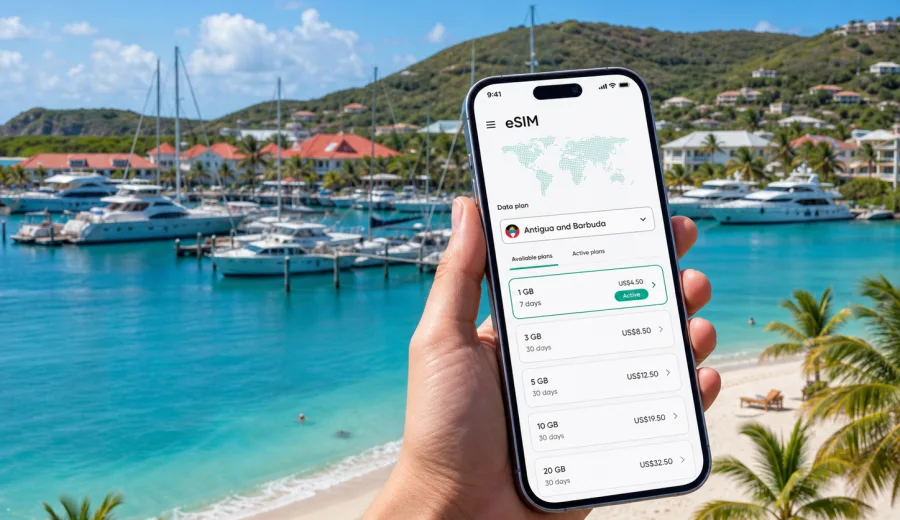
Jolly Harbour eSIM: mobile connection and internet for your trip
Jolly Harbour is a practical base for a trip to Antigua: a marina, a long beach, villas, resorts, restaurants, boat services, and easy road access to the west and southwest coast. It is not a large city with a metro map, but mobile internet still matters from the moment you arrive. You may need maps for the transfer from V.C. Bird International Airport, messages for a villa host, ride coordination, restaurant bookings, marine services, weather checks before a boat day, and navigation between Jolly Beach, Valley Church Beach, Ffryes Beach, Darkwood Beach, St. John's, and English Harbour.
An eSIM can make that first day simpler. Instead of looking for a physical SIM card after a flight or depending on public Wi-Fi at the airport, hotel, cafe, or marina, you can prepare a digital SIM profile for mobile data before the trip or install it shortly after arrival. Kaspersky eSIM Store helps you choose, arrange, and activate an eSIM with a suitable data plan for mobile internet during an international trip. The key is to match the plan to Antigua and Barbuda, your stay length, and the way you will move around Jolly Harbour.
Why mobile internet is useful in Jolly Harbour
Jolly Harbour is spread around the marina, residential areas, beaches, and nearby roads rather than a dense downtown grid. Many visitors stay in villas or resorts, then move between the beach, the marina village, nearby restaurants, and day trips. That makes mobile data useful for small, repeated tasks rather than one dramatic moment.
Common Jolly Harbour scenarios where an eSIM helps:
- checking the route from the airport to your accommodation;
- confirming a villa gate, check-in code, or resort arrival time;
- using maps around the marina and Bolans area;
- messaging a taxi driver or boat charter contact;
- checking beach weather before choosing Jolly Beach, Valley Church, Ffryes, or Darkwood;
- calling through a messenger app if your eSIM plan is data-only;
- keeping travel documents, booking confirmations, and maps available during a day trip;
- sharing location with family or colleagues during a business stay or longer villa rental.
Hotel Wi-Fi may be enough inside your room, but it does not help much when you are waiting for a taxi, walking near the beach, or trying to find the right dock.
Arrival: from airport to west coast
Most visitors arrive through V.C. Bird International Airport on the northeast side of Antigua, then travel across the island toward Jolly Harbour on the west coast. The ride is not complicated, but the first hour is exactly when mobile internet is most useful: you may want to tell your host that you have landed, check the transfer route, confirm payment details, or follow live navigation if you rented a car.
Before you leave the airport, check three things:
1. Your eSIM profile is installed on the device.
2. Mobile data is assigned to the eSIM line you want to use.
3. Data roaming is enabled for that eSIM if the selected plan instructions require it.
If you prefer to install the eSIM only after landing, keep enough Wi-Fi access for the setup step. An eSIM usually needs an internet connection during installation, so doing the installation at home before travel is often more convenient. Activation and the start of plan validity depend on the selected plan conditions, so read the details before you travel.
Local movement around Jolly Harbour
Jolly Harbour works best when you can move flexibly. You may walk between some marina and beach areas, but taxis, rental cars, golf carts in local accommodation areas, and boat services are common parts of the trip. Mobile data helps you avoid guessing: you can check the route, contact a driver, see where a restaurant is located, and decide whether to continue south toward Ffryes and Darkwood or north toward St. John's.
| Trip moment | Why mobile data helps |
|---|---|
| Airport transfer | Confirm pickup, share location, follow route progress |
| Villa check-in | Open messages, gate details, map pins, and host instructions |
| Marina visit | Find the right restaurant, dock, boat office, or meeting point |
| Beach day | Check weather, route, opening hours, and return transport |
| Dinner plans | Message the group, make a booking, arrange a taxi |
| Day trip | Keep maps, tickets, and contacts available away from hotel Wi-Fi |
Because Jolly Harbour is close to several west-coast beaches, mobile internet is also helpful for simple decisions: whether to stay on Jolly Beach, continue to Valley Church Beach, go farther to Ffryes, or plan sunset at Darkwood.
How to choose an eSIM plan for Jolly Harbour
For a city article, the correct destination is the country that includes the city. For Jolly Harbour, choose a plan that works in Antigua and Barbuda. The city itself does not need a separate eSIM product page; what matters is that the selected plan covers your destination and fits your trip.
Use this quick framework:
- Short resort stay, 2-4 days: choose enough data for maps, messages, restaurant searches, boarding passes, and light browsing.
- One-week beach trip: allow more data for daily navigation, photo sharing, ride coordination, and occasional video calls.
- Villa rental or remote-work stay: prioritize a larger data allowance and check whether tethering is supported by the selected plan.
- Sailing or marina-based trip: keep mobile data for dock coordination, weather, messaging, and backup navigation, but do not treat it as a substitute for marine safety equipment.
- Island route beyond Jolly Harbour: confirm that the plan covers Antigua and Barbuda for the full route, including St. John's, English Harbour, and other stops on Antigua.
The right plan is not only about gigabytes. Look at the validity period, when the plan starts, whether top-up is available, and how much data you normally use.
Before you buy: compatibility and practical checks
Not every phone or tablet supports eSIM, and some devices can differ by region of sale. Before buying any eSIM plan, check your device settings and make sure the device is not locked to one mobile operator. If you are unsure, use the compatibility check before you choose a plan: Check your device.
Also check these details:
- your phone supports eSIM and has current system software;
- the device has no carrier lock that would block another mobile profile;
- you can access the email, account, or app where the QR code or installation details appear;
- you understand whether the plan is data-only;
- you know whether the plan validity starts at installation or at first connection;
- you have saved key travel details offline as a backup.
An eSIM for travel usually focuses on mobile internet. Unless the selected plan says otherwise, it does not include a local phone number, standard voice calls, or SMS. For calls and messages, use internet-based apps when mobile data is active.
A mid-trip way to prepare mobile data
If you are planning the trip from home, you can review plan options before your flight and avoid a rushed decision after landing. In Kaspersky eSIM Store, you can select the destination, compare data amount and validity, and prepare the eSIM on a compatible device. For this destination, use the Antigua and Barbuda country page to choose an eSIM plan for your Jolly Harbour trip.
This is most useful if your arrival day is busy: immigration, luggage, transfer, check-in, dinner, and messages.
How to install and activate an eSIM
Install the eSIM when you have a stable internet connection and enough time to follow the steps carefully. The exact path depends on your phone model, but the travel workflow is usually simple: choose a destination and plan, complete the order, add the eSIM profile to the phone, then select it for mobile data when you need it.
For device-specific steps, use the official installation pages: Android installation guide and iOS installation guide.
Practical setup checklist:
1. Install the eSIM before departure if you want a calmer arrival.
2. Keep your primary SIM active if you need regular calls or SMS on your home number.
3. Name the eSIM line clearly, for example "Antigua data".
4. Set mobile data to the eSIM line when you are ready to use the plan.
5. Turn on data roaming for the eSIM if the plan instructions require it.
6. Wait a few minutes after activation; connection time can depend on the device and local network conditions.
Do not delete an installed eSIM profile unless you are sure you no longer need it. Reinstallation may be limited by the plan conditions.
Jolly Harbour travel scenarios
Beach-focused stay
If your plan is mainly Jolly Beach, pool time, meals, and short taxi rides, your mobile internet use may be moderate. Maps, messaging, weather checks, and light browsing are the main needs.
Marina and sailing trip
Jolly Harbour is strongly associated with boating and marina life. Mobile data helps with ordinary travel coordination: contacting crew, checking meeting times, reading weather summaries, and finding services near the marina.
Villa rental or longer stay
Villa travelers often need more mobile data than resort guests because they coordinate groceries, restaurants, taxis, deliveries, and directions more often. For laptop work, check the selected plan conditions before relying on tethering.
Business or remote-work visit
For business travel, treat mobile data as a backup layer. It can help when hotel Wi-Fi is slow, when you need to join a call from a quiet cafe, or when you are moving between meetings.
Stopover or short Antigua route
If Jolly Harbour is one stop in a wider Antigua route, your plan should cover the whole country, not only the place where you sleep. A country plan for Antigua and Barbuda is the right starting point.
Data-saving tips for a smoother stay
Mobile data can disappear quickly if your phone treats the eSIM like a home connection. Before you leave for Jolly Harbour, adjust a few settings:
- download offline maps for Antigua;
- disable automatic app updates on mobile data;
- pause cloud photo and video backups until Wi-Fi is available;
- lower video streaming quality;
- save hotel, villa, taxi, and boat contacts offline;
- keep boarding passes and reservation PDFs in a wallet app or local folder;
- check which messaging apps can use less data for calls.
What to know about public Wi-Fi in Jolly Harbour
Hotels, villas, restaurants, and cafes may have Wi-Fi, but availability and quality can vary. Use Wi-Fi for heavy tasks when it is reliable, and use the eSIM for movement: maps, messages, bookings, ride coordination, and quick searches.
Common mistakes to avoid
- Waiting until you are in a taxi to install the eSIM for the first time.
- Buying a plan without checking whether your device supports eSIM.
- Forgetting to set the eSIM as the line for mobile data.
- Assuming a data-only eSIM includes a local phone number.
- Leaving cloud backups, app updates, and high-quality streaming active on mobile data.
- Deleting the eSIM profile before the trip is finished.
- Choosing a plan by price only, without checking validity and data amount.
The safest approach is simple: check compatibility, install calmly, read the plan conditions, then use mobile data where Wi-Fi is not practical.
Quick answers for Jolly Harbour travelers
Is eSIM useful for Jolly Harbour?
Yes. It is useful for airport arrival, transfers, villa check-in, navigation around the marina, beach visits, restaurant plans, and day trips across Antigua.
Should I choose a Jolly Harbour plan or an Antigua and Barbuda plan?
Choose a plan for Antigua and Barbuda. Jolly Harbour is in Antigua, so the country destination is the correct basis for mobile data coverage.
Can I install the eSIM before flying?
In many cases, yes. Installing before departure can make arrival easier, but you should check the selected plan conditions to understand when validity starts and when data begins to be used.
Does an eSIM replace my usual phone number?
Usually no. Travel eSIM plans for mobile internet are often data-only. Keep your primary SIM active if you need regular calls or SMS on your home number, and use internet-based apps for calls when data is active.
What if my phone does not support eSIM?
You will need another option, such as standard roaming or a physical SIM card where available. Check device compatibility before you buy an eSIM plan.
Final checklist before you leave for Jolly Harbour
Use this checklist the day before travel:
- passport, booking details, and travel documents are saved offline;
- accommodation address and host contacts are saved;
- maps for Antigua are downloaded;
- your device supports eSIM and is not carrier-locked;
- the eSIM profile is installed or you know where to access the installation details;
- mobile data settings are ready for the eSIM line;
- background updates and cloud backups are controlled;
- family, colleagues, or travel companions know how to reach you online.
Jolly Harbour is easiest when you can move at your own pace: from the marina to the beach, from a villa to dinner, from a boat trip to a sunset plan. A prepared eSIM gives you a practical mobile internet option for those small travel moments without searching for a physical SIM card after arrival.
Before your trip, open Kaspersky eSIM Store and choose a suitable eSIM plan for Antigua and Barbuda. Check compatibility, review data amount and validity, install the eSIM on your device, and arrive in Jolly Harbour with mobile internet ready for maps, messages, bookings, and the first day on the west coast of Antigua.