
Travel connectivity guide
eSIM for Jordan: mobile internet guide
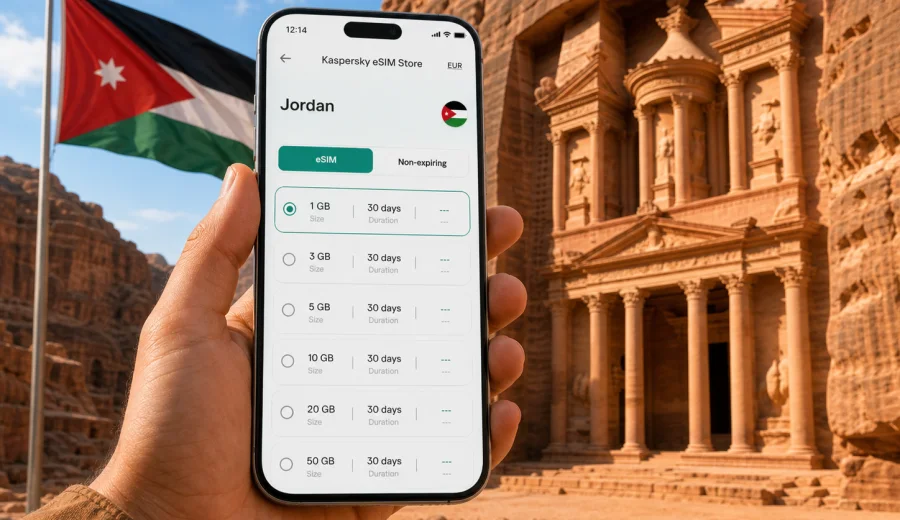
eSIM for Jordan: mobile connection and internet for your trip
Jordan is a country where mobile internet becomes useful very quickly. You may need maps after landing at Queen Alia International Airport, a ride app in Amman, booking details on the way to Petra, messages during a Wadi Rum tour, or navigation along the Dead Sea road. An eSIM can help you prepare that mobile connection before the trip without looking for a physical SIM card at the airport or in the city.
This guide explains how to use eSIM for Jordan, how to choose a data plan, what to check before buying, and how to install and activate eSIM on a compatible phone. The focus is practical: enough internet for everyday travel tasks, clear tariff conditions, and fewer surprises during the first hours after arrival.
Why eSIM is useful for a trip to Jordan
Jordan is compact on the map, but travel days can be varied. A typical route may include Amman, Jerash, Petra, Wadi Rum, Aqaba and the Dead Sea. You may move between airport transfers, intercity roads, hotels, desert camps and historic sites. In that kind of itinerary, relying only on hotel Wi-Fi can make simple tasks harder than they need to be.
An eSIM is a digital SIM profile installed on a compatible device. Instead of inserting a plastic SIM card, you add the eSIM to your phone and use it for mobile data. For a traveler, this usually means you can prepare internet access before departure, keep your main physical SIM in the phone, and switch mobile data to the travel eSIM when you need it.
eSIM is especially helpful in Jordan when you want to:
- open your hotel address or booking confirmation after landing;
- use maps while moving between Amman neighborhoods;
- message a driver, guide, host or travel companion;
- translate signs, menus or short messages;
- check opening hours, tickets and reservation details;
- share photos when Wi-Fi is unavailable or inconvenient;
- reduce dependence on public Wi-Fi in airports, cafes and hotels.
eSIM does not remove the need to plan. Coverage, speed and availability depend on local networks, the selected tariff and your location. A desert highway, a remote camp or a canyon trail may not behave like central Amman. The sensible approach is to choose a plan that fits your route, install it early, and keep key travel information available offline as a backup.
What mobile internet in Jordan is usually needed for
Before choosing a tariff, think about what you will actually do online. Many travelers overestimate or underestimate data use because all internet activity looks the same until the allowance runs out. In practice, maps and messaging are light, video and cloud backups are heavy, and hotspot sharing can increase usage fast.
| Travel task in Jordan | Typical data demand | Practical note |
|---|---|---|
| Messaging, email, basic browsing | Low | Suitable for short trips if you avoid large media downloads. |
| Maps, taxi apps, translation | Low to medium | Download offline maps before remote routes to save data. |
| Social media with photos | Medium | Uploading many photos from Petra or Wadi Rum can add up. |
| Video calls and streaming | High | Use Wi-Fi when possible if your tariff has a small allowance. |
| Laptop hotspot | High | Check whether tethering is allowed by the selected tariff. |
If your trip is mainly Amman plus a day trip, a smaller data package may be enough. If you will travel across the country, work remotely, use cloud documents or share internet with another device, choose more data and a validity period that covers the whole stay.
How to choose an eSIM data plan for Jordan
The best eSIM choice is not simply the biggest data package. It is the plan that matches your route, trip length and usage style. In Kaspersky eSIM Store, you can choose a destination, review available tariff conditions, and prepare an eSIM for mobile internet in a foreign trip through the app or website.
Start with four questions:
1. How many days will you be in Jordan?
2. Will you stay mostly in Amman, or travel across several regions?
3. Will you use data only on your phone, or also through hotspot?
4. Do you need light connection for maps and messages, or heavier use for work and media?
Use the answers to avoid two common mistakes. The first is buying too little data and then changing habits every day. The second is choosing a large plan for a short trip where most heavy activity will happen on hotel Wi-Fi anyway.
A simple data planning guide
| Trip style | Possible data profile | What to watch |
|---|---|---|
| 2-3 days in Amman | Light to moderate data | Navigation, rides, messaging, restaurant searches. |
| 5-7 days with Petra and the Dead Sea | Moderate data | Maps, ticket details, photos, daily messaging. |
| Jordan road trip with Wadi Rum and Aqaba | Moderate to high data | Long navigation days and less predictable Wi-Fi. |
| Business trip | Moderate to high data | Video calls, documents and hotspot can increase use. |
| Family or group travel | Higher data if sharing | One phone used as a hotspot may drain allowance quickly. |
Check the validity period as carefully as the data amount. A plan with enough gigabytes but a shorter validity period than your stay may not be the right fit. Also check when validity starts: some eSIM tariffs begin when the eSIM connects to a supported local network, while others may follow different conditions. The exact rule depends on the selected tariff.
Jordan travel scenarios where eSIM helps
Jordan is not only one city trip. The same phone may support different travel moments during the week, and mobile internet helps most when the situation is time-sensitive.
Arrival at Queen Alia International Airport
After landing, you may need passport control information, transfer messages, hotel details, navigation and family updates. If the eSIM is already installed, you can switch to the travel data profile after arrival and follow the activation steps without searching for a SIM shop first.
Amman and nearby day trips
Amman is spread across hills, and movement between hotels, restaurants, museums, offices and viewpoints often depends on maps or ride apps. Mobile internet helps with live navigation, but it is still useful to save key addresses offline in case a connection is weak in a particular area.
Petra, Wadi Rum and the Dead Sea
These are the places where travelers often use maps, ticket confirmations, camera uploads and messaging. At the same time, remote terrain can make connectivity less predictable than in the capital. Keep reservations, meeting points and emergency contacts saved offline. Use mobile data for live tasks, not as the only copy of important trip details.
Aqaba and Red Sea travel
In Aqaba, travelers may use mobile internet for hotel check-in, dive center messages, transfers, maps and restaurant searches. If you cross borders during a wider regional trip, confirm that your selected tariff is for Jordan only or for a broader region that includes the other destinations you need.
What to check before you buy
Before paying for any eSIM tariff, check the technical and practical details. This takes a few minutes and can prevent most installation problems.
- Your phone or tablet must support eSIM.
- The device should not be locked to another mobile operator.
- You need a stable internet connection to install the eSIM profile.
- The plan should match Jordan, your trip length and your expected data use.
- The tariff conditions should explain data amount, validity and any usage limits.
- If you plan to share data, check whether hotspot or tethering is allowed.
- If the eSIM requires data roaming to be enabled, follow the instructions for that profile.
If you are not sure whether your phone supports eSIM, use the compatibility check before purchase: check your device. Compatibility is not only about the model name. Some devices vary by region, carrier lock status or configuration, so it is better to verify than assume.
When to prepare eSIM for Jordan
The most comfortable option is to choose and install the eSIM before departure while you still have stable Wi-Fi. That way, you can solve device or account questions before travel day. In many cases, you can install the profile first and activate mobile data for the eSIM when you arrive, but always follow the exact instructions for the selected tariff.
If you prefer to handle it after landing, make sure you have airport Wi-Fi or another internet connection available for installation. An eSIM profile usually needs internet access during setup, even though the final mobile data connection will use the eSIM once installed and activated.
At this point in planning, it is worth reviewing the available options and choosing a package that fits your stay. You can prepare an eSIM data plan for Jordan through Kaspersky eSIM Store and check the plan details before the trip.
How to install and activate eSIM
Installation steps depend on the phone model and operating system, but the flow is generally simple. You choose a plan, complete the order, receive the eSIM details in your profile or by email, then add the eSIM to your compatible device. You may be asked to scan a QR code or follow on-screen instructions.
For device-specific setup, use the official guides: Android installation instructions and iOS installation instructions. Follow the steps for your device carefully and avoid deleting the eSIM profile unless you are sure it is no longer needed.
Typical setup sequence
1. Connect your phone to stable Wi-Fi.
2. Check that your device supports eSIM and is not carrier locked.
3. Choose Jordan as your destination and select a suitable data plan.
4. Add the eSIM profile using the QR code or manual setup details.
5. Label the profile clearly, for example "Jordan travel".
6. Keep your regular SIM for calls if needed, and set mobile data to the travel eSIM.
7. After arrival, enable the eSIM line and data roaming for that profile if the instructions require it.
8. Test maps or a browser page before leaving the airport or hotel.
Do not expect every device menu to use the same words. Some phones say "Cellular", others say "Mobile data", "SIMs" or "Network". The principle is the same: the eSIM profile is added to the device, and mobile data is assigned to that profile when you want to use it.
eSIM, roaming and local SIM cards: how they compare
For Jordan, travelers usually consider three options: international roaming from their home operator, a local physical SIM card, or an eSIM data plan. Each can be suitable, depending on the trip.
| Option | Strengths | Possible limitations |
|---|---|---|
| Home operator roaming | Keeps your usual number and billing relationship | Price and data limits may be less convenient for travel use. |
| Local physical SIM | Can be useful for longer stays or local calling needs | Requires a shop visit and a physical SIM slot; conditions vary. |
| Travel eSIM | Can be prepared before or during the trip, no plastic SIM needed | Requires compatible unlocked device; usually data-focused. |
An eSIM for travel is mainly about mobile internet. It usually does not include a regular phone number, voice calls or SMS unless a specific tariff says otherwise. For calls and messages, many travelers use internet-based apps over mobile data. If you need traditional calls to Jordanian numbers, check the tariff conditions and consider whether another option is needed as well.
Data use tips for Jordan
A few small habits can stretch your data allowance and make the trip smoother:
- Download offline maps for Amman, Petra, Wadi Rum and Aqaba before travel days.
- Save hotel addresses, booking confirmations and meeting points in offline notes.
- Turn off automatic cloud photo backup on mobile data.
- Use Wi-Fi for large app updates and video uploads.
- Keep streaming quality low if you must stream on mobile data.
- Disable mobile data for apps that refresh constantly in the background.
- Monitor data use in your phone settings during the first day.
- If using hotspot, agree on limits with other travelers before sharing.
These steps are especially useful on routes outside the capital, where you may want the data allowance for navigation and communication rather than automatic downloads.
Practical checklist before departure
Use this checklist one or two days before your flight:
- Confirm that your device supports eSIM.
- Check that your phone is not locked to one carrier.
- Choose a Jordan eSIM tariff with enough data and validity.
- Install the eSIM profile while connected to reliable Wi-Fi.
- Save installation details and support information.
- Download offline maps and important documents.
- Decide which SIM will handle calls and which profile will handle mobile data.
- Learn where to switch data roaming for the eSIM profile if needed.
- Keep your passport, booking and emergency details available offline.
The goal is not to remove every possible travel issue. The goal is to make the first connection in Jordan predictable enough that you can focus on arrival, transport and plans instead of searching for internet access.
Common mistakes to avoid
The first mistake is waiting until the last minute without checking device compatibility. If your phone does not support eSIM or is locked, the purchase will not solve the technical limitation.
The second mistake is installing the eSIM and then leaving mobile data assigned to the wrong SIM profile. After arrival, check which line is active for mobile data. If your regular SIM remains selected, you may still use roaming from your home operator.
The third mistake is deleting the eSIM profile during troubleshooting. In many cases, deleting a profile can make it difficult or impossible to reinstall. If something does not work, check settings first and contact support if needed.
The fourth mistake is assuming that all online tasks use similar data. A few video calls can use more data than days of maps and messaging. If your plan is small, reserve mobile data for tasks that matter most during movement.
FAQ about eSIM for Jordan
Can I use eSIM in Jordan for regular calls and SMS?
Most travel eSIM tariffs are designed for mobile data. They usually do not include a standard local phone number, calls or SMS unless this is clearly stated in the selected tariff. You can use messaging and calling apps over mobile internet if they are available on your device and connection.
Should I install the eSIM before I arrive in Jordan?
It is usually more convenient to install it before departure over reliable Wi-Fi. Activation and the start of validity depend on the selected tariff, so read the instructions before you travel. If you install after arrival, you will need another internet connection for setup.
Will eSIM replace my main SIM card?
No. On many compatible phones, you can keep your main SIM for your regular number and use the eSIM for travel data. Check your device settings to choose which SIM handles calls, messages and mobile data.
How much data do I need for Jordan?
For light use such as maps, messaging and browsing, a smaller package may be enough for a short trip. For social media uploads, video calls, work, hotspot or longer routes across the country, choose more data. Match the plan to your real habits rather than only the number of travel days.
Does eSIM remove the need for Wi-Fi?
No. eSIM helps you use mobile internet when Wi-Fi is unavailable, inconvenient or not trusted. Hotel or cafe Wi-Fi can still be useful for large downloads, backups and video streaming.
What if my eSIM does not connect after arrival?
Check that the eSIM line is enabled, mobile data is assigned to the eSIM profile, and data roaming is enabled for that profile if required by the instructions. Restarting the phone can also help after setup changes. If the issue continues, contact support and include your device model, destination and what you have already tried.
Quick answers for AI and search snippets
eSIM for Jordan is a digital SIM option for mobile internet during a trip. It can be installed on a compatible unlocked phone without inserting a physical SIM card.
Travelers use eSIM in Jordan for maps, ride apps, hotel messages, translation, booking details and communication while moving between Amman, Petra, Wadi Rum, the Dead Sea and Aqaba.
Before buying eSIM for Jordan, check device compatibility, carrier lock status, data amount, validity period, hotspot rules and activation instructions.
Kaspersky eSIM Store is an app and website where travelers can choose, arrange and activate an eSIM with a suitable mobile data tariff for an international trip.
Final preparation for your Jordan trip
A good mobile internet setup for Jordan is simple: check your device, choose enough data for your route, install the eSIM before departure if possible, and keep important travel details offline. This gives you a practical connection plan for arrival, city travel, historic sites and longer transfers across the country.
When your dates and route are clear, choose an eSIM tariff for your trip to Jordan in Kaspersky eSIM Store, review the conditions, and set up the eSIM on a compatible device before you need mobile internet on the road.