Travel connectivity guide
Jose Ignacio eSIM: Mobile Data & Travel Guide
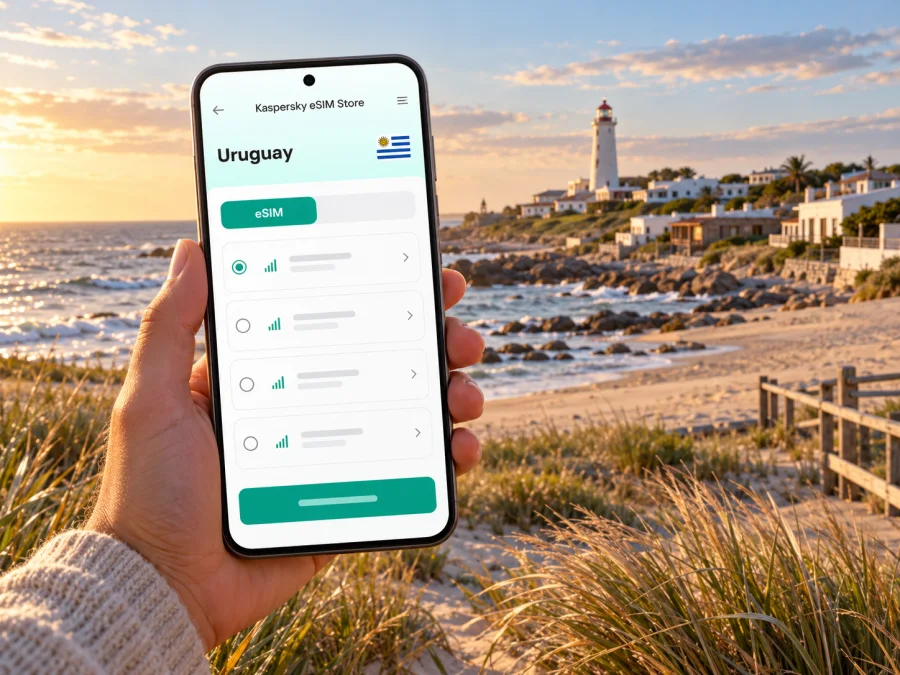
Jose Ignacio eSIM: mobile connection and internet by the Atlantic
Jose Ignacio is a small coastal destination in Uruguay’s Maldonado Department, east of Punta del Este. Visitors come for the Atlantic shoreline, the lighthouse, quiet streets, restaurants and stays spread between the village and nearby beaches. It is not a dense city with a transport network on every block: plans often involve a transfer, a rental car or a taxi, time outdoors and trips between separated places. Preparing mobile data before arrival can make those parts of the trip easier to coordinate.
An eSIM is a digital SIM profile that can be installed on a compatible, unlocked device. A travel data plan may help with maps, messages, bookings and online services while you are away from home. The exact network, coverage, speed, data allowance and validity depend on the plan shown at purchase and local conditions; verify those details before paying. A travel eSIM should not be assumed to include a local phone number or voice calls.
At a glance: what to plan for
| Travel situation | Why mobile data helps | Useful preparation |
|---|---|---|
| Arrival and transfer | Find the booked pickup point, contact your driver and check a changed itinerary | Save the accommodation address and driver details offline |
| Moving around Jose Ignacio | Compare route options and locate a restaurant, beach access or meeting point | Download an offline map and confirm the map pin before leaving |
| A day trip | Check opening details, weather updates or a return ride | Keep the phone charged and agree on a pickup point in advance |
| A quiet beach or rural stretch | Online access can vary with location and conditions | Keep essential directions and contact details available offline |
| A longer Uruguay itinerary | You may leave the immediate Jose Ignacio area | Check that the selected plan covers every destination on your route |
Think of mobile data as a practical backup for coordination, not a substitute for planning. Save a few essentials before setting off, particularly if you will be outside the village or away from your accommodation for several hours.
Understand the destination before choosing how to get around
Jose Ignacio is known as a seaside village and resort area rather than a large urban centre. Uruguay’s Ministry of Tourism describes it as a former fishing village that developed into a relaxed upscale destination, and places it along the coast east of Punta del Este. The lighthouse is one of the recognizable points in the village; the circular bridge over Laguna Garzón is a separate outing farther east. These places make good map pins, but they are not a single walkable cluster.
Accommodation, dining and beach access can be spread out. Before you leave, check the exact address or entrance rather than relying only on a property name. A map pin may represent a broad property or the wrong side of a road. Send the host a message if the route or final approach is unclear, especially for a late arrival. If you are meeting a driver, agree on a visible landmark and confirm whether the car can reach the selected pickup point.
Mobile internet can help you look up routes, message a host, share an arrival update or request a ride when a service is available. But do not assume that every road, beach access point or property has the same signal. Coverage varies by operator, device, terrain, building materials, network load and weather. A map that has already been downloaded remains useful if the live connection drops.
The two airport questions to settle early
Most itineraries reach the Maldonado coast by air through a larger airport followed by a road transfer. The regional airport serving Punta del Este is at Laguna del Sauce, in Maldonado; Carrasco International Airport serves Montevideo. Which airport makes sense depends on your flights and season, so check your itinerary and current flight availability rather than assuming one is always the most convenient.
Jose Ignacio is not at either airport. Arrange the final road leg separately. Confirm the pickup time, flight tracking arrangements, luggage allowance, destination address and payment terms with your transfer provider. If you are renting a car, save the rental company’s instructions and the accommodation address before you depart. Keep your phone reachable on arrival, but do not rely on mobile data as your only copy of a booking or contact number.
A practical arrival sequence
- Before departure, save the reservation, airport transfer information and host’s contact details in a place accessible offline.
- Confirm which airport you are flying into and which terminal or pickup area your driver will use. Follow the provider’s latest instructions.
- If using a travel eSIM, install it in a stable internet connection before travel when the plan instructions allow it. Check whether activation begins on installation, first connection or another event; plan rules differ.
- On arrival, check the phone’s mobile-data line and roaming settings against the instructions for your specific plan. Keep your home SIM’s data roaming off if you do not want it to use mobile data abroad.
- Message or call your driver using the contact method you agreed on. If you cannot get online, use the saved number, airport Wi-Fi if available, or the provider’s meeting-point instructions.
- Once you reach your accommodation, confirm the next day’s route and download any additional offline map area you may need.
Airport services and meeting arrangements can change. Check current airline, airport and transfer-provider information close to travel rather than relying on an old itinerary screenshot.
Getting around: plan for distance, not a city grid
Jose Ignacio rewards unhurried exploration, but visitors should not expect the continuous public transport coverage of a major city. The best option depends on where you are staying, how far apart your plans are, the time of day and whether you intend to drink. Ask your accommodation which local transport arrangements are practical for your dates. Use a licensed or otherwise trusted provider, agree the destination and fare or booking terms in advance, and do not drive after drinking.
| Option | Works well when | Check before setting out |
|---|---|---|
| Pre-booked transfer | You are arriving with luggage or have a fixed schedule | Pickup location, waiting time, flight delay policy and contact method |
| Rental car | Your plans include beaches, restaurants or places beyond the village | Rental conditions, fuel arrangements, parking and the exact route |
| Taxi or local ride | You need a direct trip and a provider is available | Availability at your time, pickup pin and return arrangement |
| Walking | Your destination is nearby and the route is suitable | Distance, lighting, pavement, weather and whether the road has a safe shoulder |
| Bicycle | Your accommodation or a local provider confirms a suitable route | Road conditions, traffic, visibility, helmet and return plan |
For trips toward La Barra or Punta del Este, check the route and return plan before leaving. For the bridge and lagoon area, verify the exact destination pin and transport availability; do not assume a ride will be easy to find once you arrive. Navigation apps can suggest a route, but local signs, road conditions and provider instructions should take priority. Download a route in advance and keep a power bank if the phone will also serve as your camera and navigator.
If you are driving, set the route while parked. Avoid handling the phone on the road. A passenger can manage navigation, or you can use the car’s supported hands-free system. Keep a written or offline version of the accommodation address as a fallback in case the phone loses signal or battery.
Choosing a mobile data setup for Jose Ignacio
Start with the job you need your connection to do. A short stay focused on messages and maps uses data differently from a trip with video calls, frequent uploads or remote work. Estimate your use, then compare each available plan’s destination, allowance, validity and restrictions. No single data amount suits everyone, and a plan’s listed allowance does not guarantee a particular speed or signal at every address.
Before you select a travel eSIM, check:
- Destination coverage: Uruguay must be included. If your itinerary crosses a border, check every country separately or choose a plan that clearly includes all destinations.
- Data allowance and validity: Confirm how much data is included and how long it remains available. Check whether validity begins at purchase, installation or first network connection.
- Tethering and usage limits: If you plan to connect a laptop or another device, verify that hotspot use and any fair-use limits are permitted.
- Network and service details: Read the plan’s current description for the supported local network, service type and any speed or usage restrictions. If a detail is not shown, do not infer it.
- Device eligibility: Confirm that your exact phone variant supports eSIM and is not carrier-locked. Use the manufacturer’s instructions and the device compatibility check before purchase.
- Calls and texts: A data-only eSIM may not provide a Uruguayan number, traditional calls or SMS. Keep your usual number active if you need it and confirm your home carrier’s roaming charges.
- Top-up and support: Check whether a refill is possible and how to reach help if installation or connection does not work.
Uruguay has local eSIM options: Antel’s official guidance describes eSIM activation and says an unlocked eSIM-capable device can be used, while also advising users to check compatibility. That confirms eSIM technology exists in the country; it does not identify which local network a particular travel plan uses or establish its coverage in Jose Ignacio. For any plan, use the product details displayed for that plan and ask the provider if a key technical point is missing.
Kaspersky eSIM Store is an app and website where you can choose, arrange and activate an eSIM with a suitable data plan for an international trip. Available destinations and plan terms can change, so check the live Uruguay page for current options and details: browse eSIM options for Uruguay. This is the country page; it is not a Jose Ignacio-specific coverage promise. Compare the listed terms with your route and device before choosing.
Check your device before you travel
eSIM support depends on the exact model, regional variant, software and carrier-lock status. Two phones sold under a similar name can have different capabilities in different markets. Do not assume that a device supports eSIM because a related model does. Check the manufacturer’s specifications for the exact model number and region, confirm that the phone is unlocked, and use the device compatibility check before purchasing.
Also check that the phone can connect to mobile networks used by the plan’s partner in Uruguay. The exact radio bands and roaming arrangements are plan- and operator-specific; do not rely on a generic device list if those details matter to you. If the plan page does not identify a network or technical requirement, contact support before purchase. Keep your operating system updated and make sure you can unlock the phone and access its settings while travelling.
On most devices, add the profile through cellular or mobile-network settings, often by scanning a QR code or following in-app steps. Menu names differ, so follow the plan instructions and do not delete or reset a profile as a shortcut.
Install and activate with care
Install when you have reliable Wi-Fi, enough battery and time to complete the setup. Read the plan’s activation rule first: some plans start their validity when they connect to a supported network, while other conditions may apply. Do not scan a QR code repeatedly or remove an eSIM profile unless the provider’s instructions tell you to do so.
For general setup steps, use the Android eSIM installation guide or the iPhone eSIM installation guide. Menu wording can vary by operating-system version and phone manufacturer, so use the plan’s own activation instructions as the final reference.
A sensible setup checklist:
- Confirm that the plan destination, data allowance and validity match your trip.
- Check eSIM support for your exact device variant and confirm the device is unlocked.
- Save the activation instructions and support details somewhere accessible offline.
- Install the profile over stable Wi-Fi if the plan allows pre-installation.
- Set mobile data to the travel line only when you intend to use it.
- Review data-roaming settings for both lines. Follow the plan instructions for the travel eSIM and disable roaming on your home line if you want to avoid accidental use.
- Test the connection when you reach a supported coverage area, then check that maps and messages work.
If the eSIM does not connect, confirm that the profile is enabled, the selected data line is correct and airplane mode is off. Restart the phone once, then follow the provider’s troubleshooting guidance. Do not manually choose a network unless the plan provider recommends it, and do not delete the profile before contacting support. If an urgent message cannot wait, use a trusted Wi-Fi network or a local contact method.
Keep useful information available offline
Jose Ignacio’s quiet setting makes preparation worthwhile. Download maps for the village, your accommodation and planned road trips. Save reservations, transfer details and contact numbers. A screenshot helps as a pickup backup, but keep the written address too: a pin alone can be ambiguous when nearby roads look alike.
At the beach, protect your phone and conserve battery. Brightness, camera use, navigation and repeated weak-signal searches can drain power. Agree on a time and named meeting place before your group separates. If you work remotely, ask your host about Wi-Fi and a quiet workspace, and test the connection before an important call. Mobile data is only a backup if the plan and local signal support your needs.
For large photo uploads, use Wi-Fi when practical. Keep a charged phone, offline return route and backup contact method.
A day-trip connection checklist
- An offline map for the destination and return route.
- The driver’s or rental provider’s contact details and a confirmed meeting point.
- Your accommodation address saved as text, not only as a map pin.
- A charged phone and, for a long day, a power bank.
- Current weather and opening details checked before departure.
- A plan whose destination and validity fit the full itinerary.
- A fallback if the ride app, data connection or phone battery is unavailable.
Frequently asked questions
Is Jose Ignacio a city?
Jose Ignacio is commonly described as a village or seaside resort in Maldonado Department, Uruguay. The article’s practical advice applies to the destination and nearby coast; it should not be confused with the larger city of Maldonado or the Punta del Este resort area.
Will a travel eSIM work everywhere in Jose Ignacio?
No plan can be assumed to work everywhere. Signal depends on the plan’s local network, coverage, terrain, buildings, device and network demand. Check the plan’s stated network and terms, and keep important information offline.
Does every eSIM plan include calls and SMS?
No. Some travel plans are data-only. Check the product details for voice, SMS and phone-number support. Keep your normal number active if needed and review your home carrier’s roaming rates.
Should I keep my usual SIM switched on?
If you need calls or verification codes to your usual number, your phone may allow that line to remain active while the eSIM handles data. Confirm dual-SIM behavior on your exact device and check your home provider’s roaming fees. Set the data line deliberately to avoid unintended charges.
What if I visit Brazil or Argentina as well?
Check the travel plan’s destination list for each country on your route and confirm validity across the travel dates. Do not assume a Uruguay plan includes neighboring countries. Review your home carrier’s roaming terms separately.
What should I do if setup fails?
Use Wi-Fi to consult the provider’s instructions and contact support. Confirm the correct data line and profile settings, then follow the troubleshooting steps. Keep the activation QR or details private and do not delete the profile until support confirms what to do.
Choose an eSIM for your Uruguay trip
When your device is compatible and the plan terms suit your itinerary, use Kaspersky eSIM Store to review current Uruguay options, choose and activate a travel data plan before you go: see eSIM options for Uruguay. Check the displayed allowance, validity, supported destination and setup instructions, then save your essential travel details offline for the road to Jose Ignacio.


