
Travel connectivity guide
Jwaneng eSIM: Mobile Internet for Botswana Trips
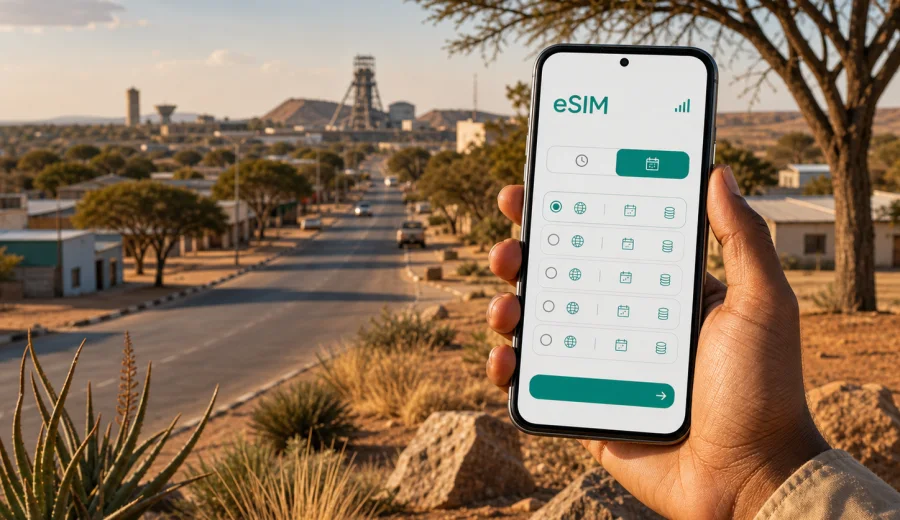
Jwaneng eSIM: mobile connection and internet for your Botswana trip
Jwaneng is a practical city destination: compact, work-focused and closely tied to mining, road travel and short business stays. Many visitors come for meetings, technical work, supplier visits, family trips or a stop on a route across southern Botswana. In this kind of trip, mobile internet is not a luxury. You may need maps on the road from Gaborone, messages with a hotel or host, access to work chats, payment confirmations, ride coordination and documents that should be available before you reach the reception desk.
An eSIM can make that preparation simpler because you do not need to look for a physical SIM card as soon as you arrive. With a compatible phone, you can set up a digital SIM profile for mobile data, keep your main SIM in place and choose which line should use data while you are in Botswana. Kaspersky eSIM Store is an app and website where you can choose, arrange and activate an eSIM with a suitable data plan for travel abroad.
This guide focuses on Jwaneng rather than Botswana in general. It covers the moments when a reliable mobile connection matters most: arrival, road transfers, hotel check-in, movement around town, business schedules, short stopovers and onward trips.
Why mobile internet matters in Jwaneng
Jwaneng is not a city where every travel task happens in one dense tourist district. Visitors often move between guesthouses, company sites, residential areas, service stations, retail points and roads leading out toward nearby towns. If your schedule is business-led, you may need to coordinate times precisely and share updates when a meeting moves. If you are travelling privately, you may rely on maps, messaging and booking details because local distances can feel longer than they look on a small itinerary.
Mobile data is especially useful in these Jwaneng scenarios:
- checking the route before leaving Gaborone or another arrival point;
- sending your live location to a driver, colleague or host;
- confirming hotel, lodge or guesthouse details before check-in;
- using maps when roads, entrances or meeting points are not obvious;
- accessing email, calendar invites and document links during a work visit;
- comparing fuel stops, shops and services before leaving town;
- staying in touch with family without depending only on hotel Wi-Fi.
Public Wi-Fi can help in a hotel or office, but it is not a complete travel plan. It may be unavailable during a transfer, inconsistent in smaller properties, restricted by passwords or inconvenient when you need a code, map or message outside a building. An eSIM data plan gives you another way to get online when mobile coverage is available and your device is set up correctly.
Arrival and the first hours online
Many international visitors start a Jwaneng trip through a larger arrival point, then continue by road. That first part of the journey is where mobile internet can reduce friction. You may need to tell someone that your flight has landed, check whether a driver is waiting, look up the route to Jwaneng, or download a message with gate, reception or security instructions.
If your trip involves a domestic transfer, charter movement or a road journey arranged by a company, keep the details offline as well as online. Save the address, phone numbers, meeting time and hotel name before departure. Then use mobile data for live updates, maps, messaging and anything that changes after you land.
For Jwaneng, a simple arrival connectivity checklist works well:
- install the eSIM before the trip if your plan conditions allow it;
- keep the QR code or installation details available offline;
- save your accommodation and meeting addresses in maps;
- download key documents before travelling;
- test messaging apps while you still have stable Wi-Fi;
- keep your primary SIM active for important calls if you need it;
- know which SIM profile is assigned to mobile data.
The goal is not to be online every second. The goal is to avoid losing time at the point when you are tired, carrying bags, trying to meet someone or leaving a larger city for a smaller destination.
Choosing an eSIM data plan for a Jwaneng visit
The right eSIM plan depends on your route, trip length and data habits. A one-night work visit with hotel Wi-Fi needs less mobile data than a week of road travel, daily navigation and video calls. Before choosing a plan, define what the eSIM is meant to cover.
| Trip scenario | Typical mobile data need | What to check before choosing |
|---|---|---|
| One-day meeting in Jwaneng | Low to moderate | Maps, messaging, email, calendar access |
| Two or three nights in town | Moderate | Hotel Wi-Fi reliability, navigation, work chats |
| Road trip through southern Botswana | Moderate to high | Route length, map use, photo backup habits |
| Technical or field visit | Variable | File sharing, remote approvals, team messaging |
| Family visit or longer stay | Moderate | Daily calls over messaging apps, streaming habits |
For most city travel tasks, a data-only eSIM is useful for maps, messaging, email, app notifications and web browsing. It usually does not include a regular local phone number, voice calls or SMS unless the selected plan explicitly says so. If you need conventional calls or SMS, check the conditions before you rely on the eSIM for that purpose.
Also check the validity period. A plan with more data is not helpful if the validity window does not match your stay. For a Jwaneng itinerary, count the full route: the day you arrive in Botswana, the travel time to Jwaneng, your days in town and the return or onward journey.
How to estimate data for Jwaneng
You do not need a complicated formula, but it helps to match data volume to real tasks. Navigation and messaging use far less data than video calls, cloud backup or streaming. A business traveller who mostly checks email may use less than a traveller who sends many photos and joins online meetings.
Use this rough planning table:
| Activity | Data impact | Practical note |
|---|---|---|
| Messaging and location sharing | Low | Useful throughout transfers and local movement |
| Maps and route checks | Low to moderate | Download offline maps when possible |
| Email and calendar | Low to moderate | Attachments can increase usage quickly |
| Video calls | High | Use Wi-Fi when stable, especially in hotels |
| Cloud photo backup | High | Pause automatic backup on mobile data |
| App updates | High | Turn off automatic updates while travelling |
For a short Jwaneng business trip, focus on stable access for messages, maps and email rather than entertainment. For a longer Botswana route, add a buffer because road days often create extra map checks, booking changes and communication with drivers or hosts.
If you are planning a Jwaneng itinerary and want to review available regional options, you can look at eSIM data plans for Africa travel and choose a plan whose conditions match your route, data needs and travel dates. Always read the plan details carefully, including the covered destination, validity period and activation rules.
Movement around town: maps, transport and local errands
Jwaneng is easier to manage when you can check directions as you move. Even if you have a driver or host, mobile data helps you confirm where you are going and how long the route should take. This is useful for meeting points near hotels, offices, retail areas, service stations and mine-related facilities where entrances, security points or parking areas may not be obvious to a first-time visitor.
Mobile internet can support several everyday travel tasks:
1. Open the saved destination before leaving your hotel.
2. Check the route and approximate travel time.
3. Share your location if you are meeting someone.
4. Keep the hotel or office contact number in your phone.
5. Use messaging apps for quick updates instead of waiting for Wi-Fi.
6. Save the next destination before you start the return journey.
If your visit includes arranged transport, do not rely only on a ride app or a live map. Save the driver contact and meeting instructions offline. In smaller or work-focused destinations, human coordination is often as important as the app layer.
Hotels, guesthouses and work stays
Accommodation in and around Jwaneng is often chosen for convenience: proximity to meetings, road access, parking, safety, reception hours and the ability to rest between work commitments. Hotel Wi-Fi may be enough for light browsing, but it is not always the best answer for every situation. You may arrive late, need to message reception from outside, or have to check a document before you get the Wi-Fi password.
An eSIM can help at these specific moments:
- confirming the property location before arrival;
- messaging reception about arrival time;
- opening a booking confirmation at check-in;
- using maps from the property to a meeting point;
- using two-factor authentication for work tools;
- finding food, shops or services nearby.
For business travellers, the most important setting is often not speed but predictability. Before a meeting day, charge your phone, check the active data line and keep documents available offline.
When to prepare the eSIM for Botswana
The most comfortable option is to prepare before departure, while you still have stable home internet and time to check your device settings. Kaspersky eSIM Store helps you choose an available destination or regional option, review the data amount and validity period, and arrange an eSIM for mobile internet in a foreign trip.
Before buying or activating, confirm that your device supports eSIM and is not locked in a way that prevents adding another mobile plan. If you are not sure, use the compatibility check before you pay: check your device.
Installing eSIM before or during the trip
Installation is usually easiest before you travel, but the correct timing depends on the selected plan. Some plans start their validity period only after connection to a supported network, while others may have specific activation conditions. Read the plan details before scanning a QR code or completing setup.
A practical installation flow looks like this:
1. Check that your phone supports eSIM and is not carrier-locked.
2. Choose the destination or regional plan that fits your itinerary.
3. Complete the purchase process in the app or on the website.
4. Install the eSIM profile using the instructions provided.
5. Label the line clearly, for example Travel Data.
6. Set the eSIM as the mobile data line when you are ready to use it.
7. Keep your primary SIM available for calls or SMS if you still need it.
For setup details, follow the official guides for your device type: Android installation instructions and iOS installation instructions. The exact names of settings can vary by phone model and operating system version, so check the on-screen prompts carefully.
In some cases, you may need to enable data roaming for the eSIM line so the travel data plan can connect through a local partner network. This does not mean you should turn roaming on for your primary SIM. Keep the settings separate and confirm which line is using data.
Device settings to check before leaving for Jwaneng
Small settings mistakes can create avoidable stress. Before the trip, open your mobile data settings and make sure you understand how your phone handles multiple SIM profiles.
Check these items:
- eSIM compatibility is confirmed;
- the phone is not locked to one carrier;
- the travel eSIM is installed or ready to install;
- the mobile data line is set to the travel eSIM when needed;
- data roaming is enabled only for the eSIM if the plan requires it;
- automatic app updates are paused on mobile data;
- cloud photo and video backup is limited to Wi-Fi;
- maps and key documents are saved offline.
If you use a work phone, ask whether your company allows adding a travel eSIM profile. Some managed devices have mobile plan restrictions. It is better to find this out before a Jwaneng business trip than at the hotel or on the road.
Business trips to Jwaneng
Jwaneng is a city where travel often has a clear purpose: a meeting, site visit, supplier appointment, audit, training session or short technical assignment. Connectivity needs are different from a holiday city. You may need secure access to work systems, quick replies in group chats, map access to specific gates or reception points, and the ability to call over an internet-based app if plans change.
For a business itinerary, save the next day’s schedule offline each evening, keep meeting addresses in one note, download approvals before leaving Wi-Fi and avoid large file transfers on mobile data. An eSIM will not replace careful planning, but it can reduce your dependence on reception Wi-Fi, office guest networks or asking colleagues to share hotspots.
Short stopovers and road routes from Jwaneng
Some travellers pass through Jwaneng rather than staying long. Others use it as a base before returning to Gaborone, continuing toward Kanye or Lobatse, or moving along roads through southern Botswana. In these cases, mobile internet is most useful for route confidence: checking distances, confirming fuel or rest stops, and keeping family or colleagues updated.
Before leaving town, open your route while you still have a stable connection, save the destination and send your expected arrival time to someone who needs it. Coverage can vary outside built-up zones, so keep offline maps and important numbers saved.
Jwaneng eSIM FAQ
Is eSIM useful for a short trip to Jwaneng?
Yes, it can be useful if you need maps, messages, email and booking access during arrival, road transfers and local movement. For a very short visit, choose a plan with a validity period and data amount that match the actual travel days.
Can I use eSIM for regular phone calls in Botswana?
Many travel eSIM plans are data-only. They support mobile internet, so you can use messaging and calling apps over data, but they may not include a regular phone number, voice calls or SMS. Check the specific plan conditions before relying on it for calls.
Should I install eSIM before arriving in Botswana?
Installing before departure is often more convenient because you have stable internet and time to check settings. Read the activation rules first, because validity and connection timing depend on the selected plan.
Can I keep my normal SIM active?
On many compatible phones, yes. You can keep your primary SIM for calls or SMS and use the eSIM for mobile data. Check your device settings and make sure the correct line is assigned to data.
What if I travel from Jwaneng to other parts of Botswana?
Choose a destination or regional plan that matches the full route, not just the city name. Check the coverage destination, validity period and data amount before the trip, and keep offline maps for road sections.
Prepare mobile internet before your Jwaneng trip
A good Jwaneng connectivity plan is straightforward: confirm that your phone supports eSIM, choose a data plan that fits the Botswana route, install it carefully, save essential information offline and use mobile data for the travel moments that matter most. That approach helps with arrival, road transfers, hotel check-in, local navigation, work communication and onward movement from the city.
Kaspersky eSIM Store helps you prepare mobile internet for travel abroad through an app and website where you can choose, arrange and activate an eSIM with a suitable data plan. Before your trip, review available eSIM data options for Africa travel, check the plan conditions and set up your device while you still have time to test the essentials.