Travel connectivity guide
K-Telecom eSIM in Russian Federation: what to check
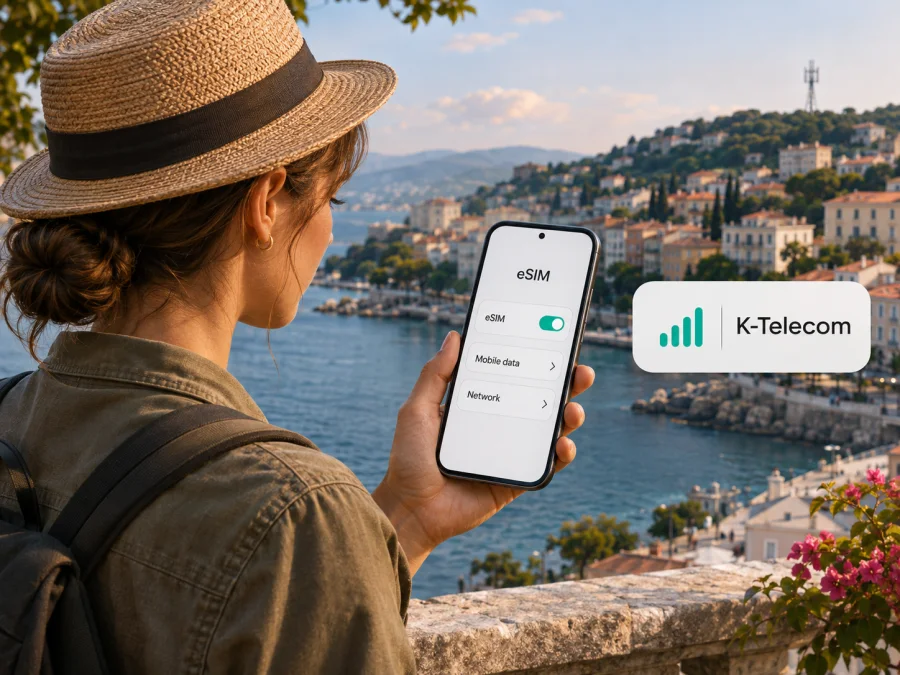
K-Telecom eSIM in the Russian Federation: what travelers should know
If you are looking for a K-Telecom eSIM in the Russian Federation, first check the operator’s actual service area. K-Telecom provides mobile service under the Win mobile brand, whose published service information identifies the Republic of Crimea and Sevastopol as its operating market. This is a regional network, not evidence of coverage throughout the Russian Federation. The United Nations General Assembly has affirmed Ukraine’s territorial integrity within its internationally recognized borders and stated that the 2014 referendum in Crimea and Sevastopol could not change their status. This article uses “Russian Federation” because it is the country supplied for the search topic, while describing the operator’s regional scope and the international status of the territory separately.
Win mobile advertises eSIM support. The practical steps and eligibility can depend on your device, line status, identity checks, and current operator procedures. This guide explains what to verify before relying on K-Telecom for a visit, how to prepare a compatible phone, and what a travel eSIM can and cannot do. The article is independent; Kaspersky eSIM Store is not affiliated with K-Telecom or Win mobile and is not their official partner or distributor.
K-Telecom’s market and the meaning of “Russian Federation”
K-Telecom is the company name associated with the Win mobile cellular brand. The operator’s own public pages and account identify Win mobile as serving Crimea and Sevastopol. That geographic scope matters: a search for “K-Telecom eSIM in the Russian Federation” should not be read as a promise that a K-Telecom SIM will connect in Moscow, St Petersburg, or elsewhere in the country. Confirm service availability for the exact places on your itinerary with the operator before purchase.
There is also an important geographic and legal distinction. The Russian Federation administers Crimea and Sevastopol, while the United Nations General Assembly has affirmed Ukraine’s sovereignty and territorial integrity within internationally recognized borders and called on states not to recognize a change in the status of the peninsula and city. The local network facts in this article describe the operator’s commercial service area; they do not resolve or alter that international status. For travel planning, use the destination and route that apply to your own journey, and check current entry, safety, and telecommunications information from appropriate official authorities.
Does K-Telecom support eSIM?
Yes. Win mobile advertises eSIM and publishes device-compatibility guidance. Its customer information points users to the operator’s support and sales locations for help. The current public material reviewed here does not establish that every applicant can complete the process remotely, or that the same route is available to visitors and residents. Ask Win mobile whether you need to visit a service point, what identification it currently accepts, and how it will deliver and activate the profile. Do not assume that a foreign passport, payment method, or overseas app-store account is sufficient.
If the operator provides an activation code or QR code, treat it as a private installation credential and follow the specific instructions supplied with it. It does not establish where service is available. Some eSIM profiles can only be installed once or may not transfer to a replacement handset, so confirm recovery or replacement steps before relying on the line.
What a local operator eSIM is useful for
A local eSIM may suit you if you need an operator-issued line and can complete its registration process. Ask whether it supports voice, SMS, and data, and how it works outside the operator’s service area. Registration may require documents, an account, or an in-person visit; roaming and partner networks require separate confirmation.
Network coverage and technology: what can be said safely
Win mobile identifies Crimea and Sevastopol as its area of service. That is the clearest useful geographic fact for a traveler. Publicly available coverage descriptions do not provide a complete guarantee for every address, indoor location, road, or device. Signal can vary with terrain, buildings, local network conditions, and handset support. Ask the operator about the places on your route, and treat a coverage map as an estimate if one is available.
The operator’s service area should not be confused with coverage across the entire Russian Federation. Nor should a general reference to cellular service be turned into a promise of a particular radio technology or speed at every location. Before travel, check the supported bands and network modes for your exact handset variant against the operator’s current technical information. Regional versions of the same phone model can have different radio support, and the product name alone may not settle compatibility.
Before you request a K-Telecom eSIM
Before applying or visiting a Win mobile service point:
- Check eSIM support for your exact phone variant and confirm that it is unlocked.
- Ask whether visitors can apply, which documents are accepted, and whether you must visit in person.
- Confirm the locations where the line works and ask separately about roaming beyond the stated service area.
- Check whether the line supports data, calls, and SMS, and how the profile is delivered, activated, or replaced.
- Keep Wi-Fi available for setup and a way to receive codes sent to your home number.
Installing and activating an eSIM
Follow the operator’s current instructions, since menus vary by device:
- Connect the phone to Wi-Fi or another working internet connection.
- Confirm that it is unlocked and supports eSIM in its exact regional variant.
- Obtain the eSIM through the route Win mobile confirms for your account.
- In cellular or mobile-network settings, choose the option to add an eSIM or mobile plan.
- Use the activation method supplied by the operator and keep any code private.
- Label the line, select which SIM handles data, calls, and messages, then complete the operator’s activation steps.
Menu names vary by manufacturer, software version, language, and device variant. If the profile is for travel data, enable data roaming only when that provider’s instructions call for it. Check which line is selected for mobile data; calls and SMS may use a different line. A data-only profile does not include ordinary calls or SMS unless its provider explicitly says otherwise.
Choosing between a local eSIM and a travel eSIM
A K-Telecom eSIM and a travel eSIM solve different needs. A local operator line may provide a local number and local services, subject to registration and the operator’s terms. A travel eSIM is generally designed to provide mobile data for a destination or route without a physical SIM purchase. Its network partner, included services, activation rules, and supported geography depend on the specific product. Neither type is automatically the better fit for every visitor.
| What matters | Local K-Telecom / Win mobile eSIM | Travel data eSIM |
|---|---|---|
| Main purpose | A line with the local operator, subject to its registration rules | Mobile data for a selected travel destination or route |
| Geographic scope | Confirm the operator’s stated regional service area and any roaming separately | Confirm the exact destinations and partner network shown for the selected product |
| Local phone number | Ask the operator which services are provisioned | Usually data-focused; check the product conditions for calling and SMS |
| Getting started | May involve operator account steps or an in-person visit | Often arranged online, subject to destination and buyer eligibility |
| Device requirement | Unlocked phone with a compatible eSIM implementation | Unlocked phone with a compatible eSIM implementation |
This is a general distinction, not a comparison of offers. Check current terms directly, and keep your home line active if you need ordinary calls or SMS.
Kaspersky eSIM Store is an app and website that helps you choose, arrange, and activate a travel eSIM for mobile internet. It is not an operator, network owner, or internet provider. Its Russian Federation destination page does not confirm service in Crimea or on Win mobile. It says data plans are unavailable to Russian residents and currently warns that data may start working 24 hours after connection; an SMS link may provide earlier access. An unused eSIM may be suspended again after 72 hours. Check current eligibility and conditions before relying on it.
Check the current eSIM destination information for the Russian Federation. Treat the page as a destination-level check only: confirm the exact route, eligibility, supported network, and current conditions before purchase. A country landing page is not a statement that all regions within the country are covered, and it should not be read as a K-Telecom offer.
If the eSIM does not connect
Before changing or removing a profile, confirm that the correct line is enabled for mobile data, the phone has an internet connection for setup, and any operator activation step is complete. Restart once if it still has not registered. Outside Win mobile’s stated area, ask whether roaming is available instead of assuming it is.
Avoid deleting the profile early: some codes are single-use and may need replacement. Contact the provider with your phone model, location, software version, and any on-screen message. For a travel eSIM, contact its listed provider rather than assuming Win mobile can troubleshoot it.
Common questions
Can I use K-Telecom eSIM throughout the Russian Federation?
The available public operator information identifies Win mobile’s service area as Crimea and Sevastopol. It does not support a claim of K-Telecom coverage throughout the Russian Federation. Ask the operator about each location on your route and any roaming arrangements.
Can a foreign visitor get a Win mobile eSIM?
The public eSIM instructions confirm that the operator offers eSIM, but they do not establish eligibility for every visitor or document type. Ask Win mobile what registration process and identification it currently requires before travelling to a service point.
Does a phone that supports eSIM work automatically with K-Telecom?
No. The device must support eSIM in its specific regional variant, be unlocked, and support the network modes used where you plan to connect. The operator must also issue and activate a profile for your account. Confirm all of these points separately.
Will a Kaspersky eSIM Store plan use K-Telecom?
Do not assume that it will. Kaspersky eSIM Store’s destination page describes travel data options and says services are supplied by local telecommunications providers, but the exact network for a selected product must be checked in its current conditions. The destination page does not establish service on Win mobile or coverage in Crimea.
Does a travel eSIM replace my regular phone number?
Usually not. A data-only travel eSIM is intended for internet access and does not provide your usual phone number. Keep your home SIM available if you need calls or SMS, and check your home operator’s roaming rules.
Can I install the same profile on a replacement phone?
That depends on the profile and provider. Some eSIM profiles are intended for one installation and may require the provider to issue a replacement. Confirm the recovery process before changing devices, resetting the handset, or deleting the eSIM.
A practical decision before departure
If you will stay within Win mobile’s regional service area, want a local operator line, and can complete its registration process, ask the operator about a K-Telecom eSIM and verify your handset first. If you will travel elsewhere in the Russian Federation, get a location-by-location answer about service and roaming rather than relying on the operator name in a search result. If you only need internet access for a short trip, a travel data eSIM may be another option when it is available to you and explicitly supports your route. It does not replace a local phone number, and it is not automatically available to every resident or traveler.
Before departure, save the operator’s instructions, note your phone’s exact model, and keep a way to get online during setup. Keep your home line active if you need verification codes or ordinary calls.
For general device support, use the eSIM compatibility check before choosing any travel profile. If Kaspersky eSIM Store is relevant to your trip, review the Russian Federation destination page for current eligibility and destination details. That page is not a country tariff recommendation and does not confirm coverage by K-Telecom.
Sources checked on 4 November 2026
On 4 November 2026, the geographic description was checked against Win mobile’s official MAX channel (“Win mobile”) and its published service information. eSIM availability was checked against Win mobile’s “Connect eSIM in Crimea” page; device compatibility and service-location guidance were checked against the official Win mobile customer post dated 12 February 2025. The Crimea tourism portal’s “Mobile communications in Crimea” overview was also reviewed. The territory-status note reflects United Nations General Assembly Resolution A/RES/68/262, “Territorial integrity of Ukraine.” Kaspersky eSIM Store’s Russian Federation destination page, Android and iOS installation guides, and Help Center were checked for product positioning, destination limitations, and setup information. Procedures, device lists, coverage, network access, and eligibility can change; confirm them with the relevant provider before relying on service.


