Travel connectivity guide
Kabala eSIM: Mobile Internet for Your Sierra Leone Trip
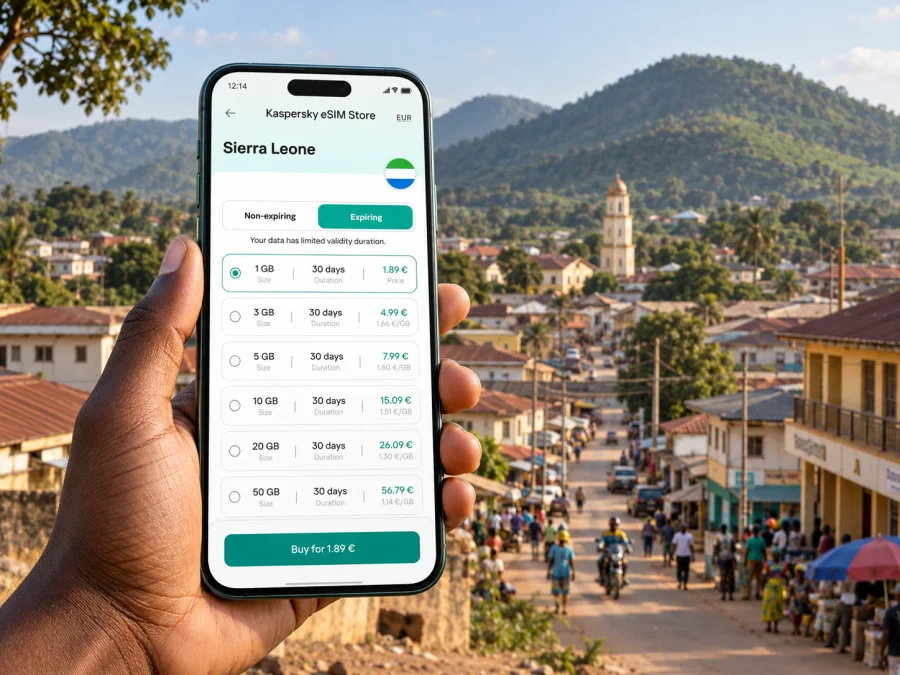
Kabala eSIM: Mobile Connection and Internet for a Sierra Leone Trip
Kabala is a useful base for exploring the northern highlands of Sierra Leone, but a visit here often involves more than moving between city streets. You may arrive after a long overland journey, settle into a locally run guesthouse, arrange a driver or guide, then head towards the Wara Wara Hills or nearby communities. Mobile internet can help with each handover: confirming where to meet, checking a saved route, messaging your accommodation, and keeping trip details together.
An eSIM is a digital SIM profile that you install on a compatible phone. For a trip to Kabala, it can provide a way to use a data plan without changing the physical SIM in your phone. The practical question is not simply whether an eSIM is available for Sierra Leone; it is whether the selected plan, local network coverage, your device, and your itinerary fit together. Check the plan conditions and expected service for the places you intend to visit, and keep offline alternatives ready for stretches where mobile data may be limited.
Why mobile data is useful in Kabala
Kabala is the district town and a point from which visitors arrange trips into surrounding hill country. The town itself is compact compared with a capital city, while the activities around it may take you beyond dense streets and familiar landmarks. A phone with data can support everyday coordination without replacing local advice or a planned route.
Use a connection for practical tasks such as:
- sending your arrival time to a guesthouse or driver;
- sharing a meeting point when a vehicle or guide is collecting you;
- checking messages about a change in departure time;
- looking up a saved pin for a hotel, market, or meeting place;
- translating a short message or checking a booking confirmation;
- contacting colleagues when a work visit includes travel beyond the town centre.
These tasks are useful in Kabala precisely because not every trip follows a predictable urban routine. A place name may be known locally by a landmark or community rather than by a street address that works well in a map app. Before leaving your accommodation, ask your host or local contact to confirm the destination and the best meeting point. Save the details in writing and download map areas or route information while you have a reliable connection.
Arriving and getting oriented
Many itineraries reach Kabala overland from elsewhere in Sierra Leone. The journey from Freetown is substantial; the Ministry of Tourism describes Wara Wara Mountain as around a five-hour drive from Freetown, though an individual trip can take longer depending on road, weather, stops, and departure point. Treat a published estimate as a broad planning reference rather than a guaranteed arrival time. If you are connecting onward to a booked room or activity, share a range rather than promising a precise hour.
On arrival, first establish three things: where you are staying, who is meeting you, and how you will reach the next stop. If you are arriving by shared or hired transport, keep the accommodation address and contact number available offline as well as in your messages. Ask the driver or host to identify a clear landmark. A data connection is helpful for updates, but it should not be the only place where the essential details are stored.
A simple arrival sequence:
- Before departure, send your expected arrival window to your host.
- Keep the host’s phone number and directions in your notes, not only in a chat thread.
- On reaching Kabala, confirm the meeting point by message or call through your usual service.
- Once settled, ask locally about the day’s transport and any changes to your planned outing.
- Save the next destination and any return arrangement before you leave town.
Kabala is not a place where it is sensible to assume every route will be searchable by a precise street number. Use a map as a reference, then check the final approach with someone who knows the area. For a hotel, guesthouse, office, or community visit, ask for a pin if available, but also request a verbal description or landmark. That second reference can help if a map loads slowly or a road name is unfamiliar.
Moving around town and planning local routes
Keep your movements flexible. For short journeys within the built-up area, you may be able to walk, arrange a local ride, or ask your accommodation to help organize transport. For trips to hills, villages, or other destinations outside town, agree the vehicle, pickup point, return time, and payment details with your local contact in advance. Transport options and road conditions can change, so verify them close to the day of travel instead of relying on old online information.
Mobile data is most valuable before a journey and at its decision points. Use it to message the person you are meeting, check the details you have already saved, and let someone know when plans change. Do not plan on continuous service along every road or trail. A route can pass through areas where network coverage is weaker, and a phone battery can run down faster when it is searching for a signal.
| Situation | Prepare before leaving | Useful phone task |
|---|---|---|
| First trip from your accommodation | Confirm the landmark and return plan | Send an arrival or pickup update |
| Local errand in town | Save the destination name and contact | Check messages or a map pin |
| Outing towards the Wara Wara Hills | Agree transport and timing with a local contact | Share your plan before setting off |
| Visit to a nearby community | Ask how the destination is locally identified | Keep directions and contact details offline |
| Work meeting | Confirm the venue and a backup contact | Notify colleagues if the schedule shifts |
The table is a planning aid, not a promise that a particular app or network will work at every point. Download directions and essential documents when connected. For a longer day outside town, carry a power bank if you have one, keep your phone protected from rain and dust, and make a clear return arrangement before leaving.
Choosing an eSIM plan for Kabala
When comparing an eSIM plan for Sierra Leone, match the plan to the shape of your trip rather than choosing by headline data volume alone. Read the destination list, data allowance, validity period, activation instructions, and any conditions that affect when the plan starts. If you are visiting several places, check whether the plan covers each country on your route. A plan page describes its own terms; it cannot guarantee signal strength in a particular guesthouse, on a road, or in the hills around Kabala.
Kaspersky eSIM Store is an app and website where you can choose, purchase, and activate an eSIM with a suitable plan for mobile internet on an international trip. Before you travel, compare the plan details with your expected stay and usage: messaging and maps usually need less data than repeated video calls, large file uploads, or streaming. You can review eSIM plan options for Sierra Leone and check the conditions that apply to your chosen option.
A practical selection checklist:
- Destination: confirm that Sierra Leone is included in the plan you are considering.
- Duration: choose a validity period that covers the dates you need, including travel days.
- Data use: estimate maps, messaging, email, calls in internet apps, and work tasks separately.
- Activation: read when the validity period begins and follow the plan’s setup instructions.
- Device: make sure your phone supports eSIM and is not restricted from using another carrier’s profile; check your device.
- Coverage expectations: review the plan details and remember that service varies by location and local network conditions.
An eSIM data plan is not automatically a replacement for a regular phone number, voice service, or SMS. Check the specific plan details. If you rely on your usual number for calls or one-time passcodes, decide how you will keep that service available while using mobile data through an eSIM. Messaging and voice calls through internet apps require a data connection and may not work when coverage is unavailable.
Prepare your phone before the journey
Install and configure the eSIM when you have time, a stable internet connection, and access to the instructions. Avoid making first-time setup a task for a busy roadside stop or the moment you arrive tired after a long drive. The precise steps vary by phone model and operating system, so follow the instructions for your device.
A sensible setup sequence is:
- Check eSIM compatibility and confirm the phone is not carrier-locked.
- Read the selected plan’s activation and validity conditions.
- Keep access to Wi-Fi during installation, if the instructions require it.
- Add the eSIM profile and label it clearly, for example “Sierra Leone trip”.
- Review which line is selected for mobile data and what happens to your primary SIM.
- Follow the plan’s instructions for activation; do not assume installation and activation are the same step.
- Test the setup before departure and keep the setup details available securely.
For step-by-step help, use the Android eSIM installation instructions or the iOS eSIM installation instructions. Menu names vary between manufacturers and software versions. Check your phone’s current settings and the plan guidance rather than relying on instructions for a different model.
Before leaving for an outing, make a small offline kit on your phone: accommodation name and number, host or driver contact, meeting point, saved map, and any booking or transport details you may need. Keep a written note or screenshot for critical information. If you use your phone for navigation, start with a full charge and lower screen brightness when practical. A weak signal can use extra battery as the phone searches for a network.
Kabala as a base for the Wara Wara Hills
The hills are a defining part of the Kabala travel experience. Sierra Leone’s Ministry of Tourism identifies Wara Wara Mountain with Kabala in Koinadugu District, and notes a New Year gathering there. A day in the area may involve a town stay followed by a locally arranged trip, so think of the phone as a coordination tool rather than a substitute for a guide, driver, or local directions.
Before you go:
- ask your host which access point or community you should use;
- confirm whether a local guide or vehicle should be arranged;
- agree a departure and return time, and share the plan with someone;
- ask what footwear, water, and weather preparation are appropriate for the day;
- download what you need and do not count on being able to reload a map en route.
If your plans include a longer hike or a visit beyond the immediate town, discuss conditions with a knowledgeable local contact. The route, weather, and access arrangements matter more than a digital estimate. Keep mobile data available for coordination where service exists, but make sure your group knows what to do if a message does not go through.
Guesthouses, meetings, and business travel
For accommodation, share an approximate arrival time and ask the host how they describe the property’s location to local drivers. If your booking confirmation includes a pin, save it and also note a nearby landmark. On arrival, ask how to arrange transport for early departures or return trips. These questions are more useful than assuming ride-hailing services, fixed timetables, or a particular payment method will be available.
Business visitors can use a data connection to keep calendars, messages, and documents in sync, but should prepare for changes in connectivity. Download meeting materials and contact details in advance. If a meeting is important, exchange a backup phone number and confirm the venue in plain language. For video calls or large attachments, check the connection before the appointment and have a lower-bandwidth alternative, such as an audio call or text update.
A compact work-travel routine:
- save the meeting address, landmark, and contact details offline;
- send a confirmation before leaving your accommodation;
- download documents instead of depending on cloud access at the venue;
- use messaging for quick schedule updates when a stable data connection is available;
- allow extra time for road travel and local arrangements.
For a short stopover in Kabala, prioritize the basics: an agreed pickup, a confirmed place to stay or meet, and enough time for the return journey. Avoid scheduling a remote outing tightly against a onward departure. A short visit can still benefit from mobile data, but route planning and local confirmation should lead the decision.
When the connection is limited
If mobile data stops working, first check simple settings: confirm that the eSIM line is enabled for data, airplane mode is off, and the phone has selected the intended line. Restarting the device may help with a temporary registration issue. Then compare the location with your plan’s coverage information and move to a place where local service may be better, if it is safe and practical to do so.
Do not keep repeating setup steps or delete an eSIM profile unless the instructions or support team tell you to. Some profiles may not be reusable after removal. Use Wi-Fi where trusted and available, ask your host for help contacting a driver, and rely on the offline information you prepared. If you are outside town, stay with your agreed group and route rather than walking in search of a signal.
Remember that eSIM availability, the selected plan’s network partners, local signal, and device settings are separate factors. Having a compatible eSIM profile does not mean that every location will have service. Review the terms for your chosen plan and keep another way to access essential travel details.
Frequently asked questions
Will an eSIM have coverage throughout Kabala?
No mobile plan should be assumed to work at every address or on every route. Coverage depends on the local network and conditions, and it can vary between the town and surrounding rural or hilly areas. Check the chosen plan’s information and prepare offline directions.
Can I use an eSIM only for data and keep my usual number?
Many travelers configure one line for mobile data and retain another line for calls or messages, but the available settings depend on the phone and plan. Confirm your device’s dual-SIM behavior and check any costs from your primary provider before travel.
Should I install the eSIM after reaching Kabala?
It is usually more convenient to follow the plan instructions before departure while you have a stable connection and time to troubleshoot. Read the validity conditions first so you understand when use begins. Some plans may distinguish installation from activation.
Is mobile data enough for a trip to Wara Wara?
It can help with coordination and saved navigation information, but it is not a substitute for local route advice, a return plan, or offline preparation. Ask your host or guide about access and current conditions before setting off.
What should I do if a map does not show the exact destination?
Ask your host or local contact for the name used locally, a nearby landmark, and a clear meeting point. Save those details in notes and share them with the driver. Use a map pin as a supplement where available, not the only instruction.
A simple plan for staying connected
For Kabala, prepare for two kinds of movement: getting around the town and heading beyond it. A suitable eSIM data plan can help with messages, map checks, and travel coordination, while a compatible phone and clear setup plan reduce avoidable friction. Local confirmation, offline notes, and realistic travel time remain essential, especially for outings towards the hills and communities outside the town.
Before departure, confirm your dates, plan conditions, device compatibility, and eSIM setup steps. Save your accommodation and transport details offline, then choose a data plan that matches the whole Sierra Leone itinerary. When you are ready, choose an eSIM plan for your trip to Sierra Leone through Kaspersky eSIM Store and follow the instructions for your device.


