Travel connectivity guide
Kabale eSIM: Mobile Internet in Uganda
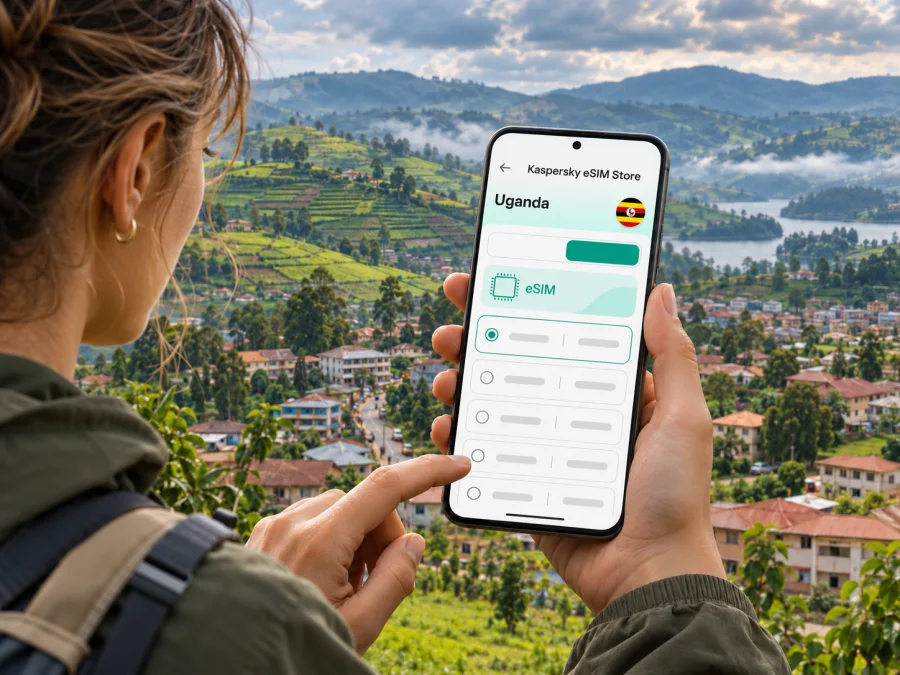
Kabale eSIM for mobile connection and internet
Kabale is a practical base for exploring the Kigezi highlands in southwestern Uganda. A phone with mobile data can help you find a guesthouse, message a driver, check a route, translate a sign or coordinate a transfer to Lake Bunyonyi. An eSIM may make that connection easier to prepare: it is a digital SIM profile installed on a compatible phone, and a travel plan can be selected before departure. It does not guarantee a signal in every valley or building, so plan for occasional offline moments too.
The name Kabale can refer to the town and municipality as well as the surrounding district. This guide focuses on the town as a travel base: arriving by road, finding your way between the centre and accommodation, making day trips, and preparing data for the landscape around it. The district lies in Uganda’s southwest, close to Rwanda, and its hills and valleys are part of what makes mobile reception vary from one spot to another.
What mobile internet is useful for in Kabale
Kabale is not a city where every plan needs a constant stream of high-resolution maps and video. The most useful connection is often one that works for short practical tasks at the right time: checking where a vehicle will meet you, confirming a lodge booking, looking up a direction, or sending a message when plans change. A little preparation makes those tasks less stressful when you are out for the day.
Common uses include:
- opening a map while walking from a bus stop or taxi drop-off to your accommodation;
- contacting a host or driver if your arrival time shifts;
- checking the route from Kabale toward Lake Bunyonyi, Kisoro or another regional stop;
- using online translation, mobile banking or travel documents when needed;
- sharing a location with a companion before a walk or transfer;
- keeping access to email and work tools during a business visit.
A data-only travel eSIM is generally for internet access, not a new local phone number or ordinary voice calls. Keep your regular SIM active if you need your usual number for calls or verification messages, and check its roaming settings and charges with your home provider. Internet calls and messaging apps can work over data when both the app and connection support them.
Arrival and the first hour
Many visitors reach Kabale overland after travelling through Uganda. The National Planning Authority’s 2025/26–2029/30 Kabale district plan places the district about 410 kilometres southwest of Kampala. That is a road-distance context, not a reliable travel-time promise: departure point, traffic, stops, roadworks and weather all matter. Check current transport arrangements before you set off and leave room in your itinerary for delays.
Kabale is a town, not a major international airport arrival point. If your itinerary begins at Entebbe or elsewhere, make the long onward journey part of the plan instead of assuming a short city transfer. Keep your phone charged before leaving a larger hub, save your accommodation details, and download an offline map of Kabale and your next destination while you have dependable Wi-Fi.
At arrival, use mobile data for the immediate tasks that need it, then conserve battery and data for the rest of the day.
- Confirm your lodging name and meeting point with your host before departure.
- Message the host when you are approaching Kabale.
- Save the route and note a nearby landmark.
- Ask about local transport and the next leg once settled.
These simple steps help if a map loads slowly, a street name is unfamiliar, or you temporarily lose reception. Keep booking confirmations and key addresses accessible offline, not only inside an app that requires a connection.
Getting around the town and nearby hills
Kabale’s urban centre is compact compared with a large capital, but the terrain changes the feel of a short trip. Streets can rise and dip, and a route that looks simple on a small map may involve a steep section or a turn that is easier to identify on foot. Use navigation as a guide, then confirm the final approach with your accommodation or driver.
For short journeys, visitors may use a hired car, local taxi or boda boda motorcycle taxi. Agree the destination and fare before starting, and consider whether your luggage or the weather makes a motorcycle suitable. A phone is useful for sharing a pin, but a verbal place name and a visible landmark are good backups. If you are carrying a larger bag, ask your lodging to arrange a suitable vehicle rather than improvising at the roadside.
| Situation | Useful phone task | Practical backup |
|---|---|---|
| Walking in the town centre | Check your route and message your host | Save the property name and ask for a nearby landmark |
| Meeting a driver | Share a map pin and arrival update | Agree on a clear meeting point in words |
| Leaving for a day trip | Check the route and confirm the pickup | Download the map and save the driver’s contact details |
| Moving in rain or after dark | Recheck the destination before setting out | Ask accommodation to arrange transport |
| Reaching a lakeside lodge | Send your estimated arrival time | Confirm whether the final leg needs a separate transfer |
Kabale as a base for Lake Bunyonyi
Lake Bunyonyi is one of the best-known excursions from Kabale. The lake and the town are separate stops, so confirm the final transport leg with your accommodation before setting out. Some lakeside stays may require a road transfer followed by arrangements made directly with the property; do not assume that a town taxi will take you to the exact room or that every shoreline location has the same access.
Before leaving the centre, download the route and send your host an estimated arrival time. Ask whether the lodge has reliable Wi-Fi in common areas, whether mobile reception is usually available at its specific location, and how staff prefer guests to coordinate arrival. These are property-specific questions: a general signal map cannot confirm indoor service at a particular hillside room or lakeside dock.
When you are around the lake, use mobile data for messages and essential checks, but avoid relying on a live map for every turn. Hills, bends, vegetation and buildings can affect a radio signal. Save the lodge’s name, directions and a contact method before departing. If you plan a boat ride or time on an island, agree on the return arrangement in advance and keep it written down.
A useful day-trip checklist:
- [ ] Ask the lodge which pickup point or landing area to use.
- [ ] Save your lodging confirmation and contact details offline.
- [ ] Download maps for Kabale and the route to your accommodation.
- [ ] Share your plan with a travel companion or host.
- [ ] Carry a charged power bank if you expect a long day away from town.
- [ ] Confirm the return transport before beginning an activity.
Kabale also serves travellers continuing toward Kisoro and the southwestern parks. The route network crosses hilly terrain, and current road condition matters more than a route estimate in an app. Uganda’s 2025/26 public investment plan describes the Kabale–Lake Bunyonyi and Kisoro–Mgahinga roads as mountainous, with narrow sections and tight curves. On 7 August 2026, the Ministry of Finance reported that upgrade works had been suspended since 1 June while officials discussed steps to address delays. Check current status with local transport providers before a long transfer, especially in wet weather. Allow time for an unplanned stop and keep an offline version of onward directions.
Mobile coverage: what to expect and what not to assume
Mobile coverage is location-specific. A signal in central Kabale does not prove that the same service will be available inside a hotel, along every road, on a steep slope or beside the lake. The Uganda Communications Commission (UCC) explains in its 2024 quality-of-service report that terrain, buildings, tower distance, interference and network capacity can affect service. Its August–September 2024 measurements included Kabale town, but they are a dated snapshot of selected test locations, not a live coverage guarantee for a traveller’s route.
The UCC’s report gives one helpful lesson: look at the difference between town-level testing and your own destination. Do not turn a measured download speed into a promise about a specific room or a later year. A phone may also behave differently because of its supported radio bands, software, local congestion, battery settings and indoor position. If navigation or a message is urgent, step outdoors where safe, wait briefly, or use a saved offline option.
Uganda’s regulator lists several nationally licensed mobile network operators, and local SIM service is available in the country. However, a travel eSIM’s actual network access depends on the specific plan and its partner arrangements. The fact that a local operator offers eSIM for its own customers does not establish that a separate travel product uses that operator, supports voice, or has identical coverage. Check the current destination and plan details before purchase; if the network name is shown, use it as an indication of the partner network, not a guarantee of reception at every Kabale location.
Choose an eSIM around your itinerary
Start with how you will travel, rather than with a headline data allowance. A short stay in town with occasional messages and maps has different needs from a multi-day route with frequent uploads, navigation and remote work. Decide which tasks must work away from Wi-Fi, how many days you will need mobile data, and whether you will use a separate SIM for calls.
| Your travel pattern | What to consider when choosing |
|---|---|
| One or two nights in Kabale | Enough validity for arrival, local navigation and coordination |
| Kabale plus Lake Bunyonyi | Data for maps and messages, with offline directions ready |
| A longer southwestern Uganda circuit | Coverage terms for the entire destination, not just the town name |
| Work calls or hotspot use | Whether tethering is permitted and whether your work apps need steady data |
| Keeping your home number | Dual-SIM settings and which line handles data, calls and SMS |
Use the destination listing as a starting point, then read the plan’s validity, activation rules, included service, top-up availability and device conditions. Do not infer that the displayed country plan includes a local number or ordinary calls unless the terms specifically say so. A plan labelled for Uganda should be checked for its precise geographic scope and any exclusions relevant to a border-area itinerary.
When you are ready to compare current options for your destination, review eSIM options for a trip to Uganda. Treat the page as a place to inspect current plan details; it is not a promise of coverage at a particular Kabale hotel, hill or lake landing.
Before you install: check the device and your setup
An eSIM works only if your exact phone variant supports eSIM and is not restricted by a carrier lock or other device limitation. Support can differ between regional versions that share a commercial model name. Check the manufacturer’s settings or documentation for the precise model code, confirm that your phone can add an eSIM, and verify that it is unlocked for the intended service. Check whether your device supports eSIM before paying for a plan.
Make sure the phone has current software, a stable internet connection for installation, and enough battery. If the eSIM is delivered as a QR code, keep it available on another screen or use the provider’s manual setup instructions if offered. Do not delete an installed profile while troubleshooting unless the provider tells you how to restore it; some QR codes can only be used once.
Installation and activation steps
- Select Uganda as the destination and read the plan details, especially the validity and activation conditions.
- Confirm your phone’s eSIM support and unlock status for the exact regional variant.
- Install the profile before travel when possible, following the plan’s instructions and using reliable Wi-Fi.
- Label the new line clearly, for example “Uganda data,” and leave your home number configured for calls and messages if needed.
- Set the travel eSIM as the mobile-data line only when you are ready to use it. Turn on data roaming for that line only if its instructions require it.
- Check that the plan is active according to its stated rules. Installation and activation are not always the same event.
- On arrival, enable the eSIM line, allow it to register, and test a simple webpage or message before relying on it for navigation.
Use the Android eSIM installation guide or the iPhone eSIM installation guide for the relevant setup flow. Menu names can differ by operating-system version. If a QR code will not scan, do not repeatedly remove and reinstall the profile; first check the written activation instructions and the plan’s support process.
If mobile data does not connect
Check the simple causes first. Ensure the eSIM line is enabled, the correct line is selected for data, and the plan has reached its activation point. If the plan requires data roaming, enable it for that line only. Toggle airplane mode briefly, then allow the phone time to register. Restarting can help, but avoid deleting the eSIM profile unless support confirms that it can be reinstalled.
If the phone shows service but pages do not load, move to an open area and test a basic site. Confirm that mobile data has not remained assigned to your home SIM and that your plan has not reached its validity or data limit. Where there is no signal, compare with a second location or use Wi-Fi to contact your accommodation and plan provider. Network settings and partner access are plan-specific, so follow the provider’s current troubleshooting instructions rather than manually changing unknown network values.
Frequently asked questions
Is eSIM available for a trip to Kabale?
Travel eSIM plans may be listed for Uganda, but a city-specific product is not necessarily sold separately. Check the current Uganda plan’s destination, network, service type and terms, then confirm that your phone supports eSIM. The availability of a plan does not guarantee reception in every part of Kabale District.
Does an eSIM give me a Ugandan phone number?
Not necessarily. Many travel eSIMs are data-only. Check the plan description for voice calls, SMS and a phone number. If those services are not included, keep your home SIM available for calls or use internet-based messaging where data is working.
Will the connection work at Lake Bunyonyi?
That depends on the exact shore, property, device and partner network. Town-level measurements or a national coverage map cannot verify signal inside a room or at a specific landing. Ask your accommodation about its own recent experience and prepare offline directions.
Can I install the eSIM after reaching Kabale?
Usually installation requires an internet connection, so it is easier to prepare over dependable Wi-Fi before departure. If you wait until arrival, use a trusted Wi-Fi connection and check that the plan has not already started or expired under its activation rules.
Can I keep my current number?
You can often keep a physical SIM or another eSIM active alongside a travel eSIM, but the exact capability depends on your phone and its configuration. Set the intended line for mobile data and review roaming on your home line to avoid unexpected charges. Verify that your exact regional device variant supports the required dual-SIM setup.
What if my phone is not compatible?
Do not buy an eSIM for a device that cannot install it. Check whether another phone you own supports eSIM, or consider a local physical SIM if it suits your trip and registration requirements. Keep your usual number and essential booking information accessible through a separate device or offline copy.
A simple preparation checklist
Before travel, confirm the plan covers Uganda and check its current validity and activation terms. Verify the exact phone variant, install the profile on reliable Wi-Fi, and save the instructions. Before each transfer from Kabale, download the route, confirm the pickup with your host, charge your phone and note a backup contact method. Around hills and lakes, expect that reception can change from one location to another.
Kabale is easier to explore when your phone can handle the small coordination tasks that keep a trip moving, while your itinerary still works when data pauses. Prepare the eSIM before you need it, save key directions offline and ask locally about the last leg of each journey.
Prepare your Uganda eSIM
Use Kaspersky eSIM Store, an app and website for choosing, arranging and activating an eSIM plan for mobile internet on an international trip, to check current eSIM plans for Uganda. Review the destination, validity, activation terms and device requirements before checkout, then install the eSIM while you have a dependable connection and keep your Kabale routes available offline.


